Mentions
Conversations linking to GitHub, newest first. Times are UTC.
Mentions by source
X
Bluesky
Hacker News
V2EX
Qiita
DEV
Mastodon
Latest posts
A vs B: Terminate Traffic at the WAF or Forward from a Reverse Proxy When you add a site to SafeLine, the three required values are Domain, Port, and Upstream (docs.waf.chaitin.com). SafeLine itself is a self-hosted WAF built as an HTTP/HTTPS reverse proxy: it receives traffic for the original website, removes malicious requests, and forwards the safe remainder to the real application (docs.waf.chaitin.com). This means the placement decision is really a choice about who terminates the public connection before SafeLine sees it. Option A: Terminate directly at SafeLine Point the domain's DNS record at the SafeLine server IP. SafeLine listens on the Port value you configured, usually 80 or 443 with SSL enabled for HTTPS, and forwards to the Upstream (docs.waf.chaitin.com). This gives the shortest path: clients reach the WAF, the WAF inspects the request, and safe traffic goes to the app. It is the simplest layout when nothing else already owns ports 80 and 443 on that host. Option B: Keep a front reverse proxy Keep an existing reverse proxy or load balancer as the public listener and have it forward to SafeLine on a different port, after which SafeLine forwards to the Upstream. This preserves existing TLS certificates, health checks, and routing rules, and it lets you cut domains over gradually. The cost is an extra hop and an extra layer to configure. How to decide - If ports 80 and 443 are free on the SafeLine host and you can change DNS, choose Option A. - If you must keep existing TLS termination or load balancing, choose Option B and make SafeLine listen on a non-conflicting port. - Either way, the console requires the same three fields: Domain, Port, and Upstream, with SSL enabled on the Port for HTTPS (docs.waf.chaitin.com). After the site is added, verify the protection by sending test requests. The documentation lists common examples such as SQL injection, XSS, path traversal, code injection, and XXE; if SafeLine returns a blocking page, it successfully intercepted the attack (docs.waf.chaitin.com). Do I have to use ports 80 and 443? No. The Port field is the port SafeLine listens on, such as 80 or 443 (docs.waf.chaitin.com). You can use another port if those are already taken, especially when SafeLine sits behind an existing front proxy. Does Option A require changing my DNS? Yes. After completing the settings, resolve the domain you entered to the IP address of the server where SafeLine is located, then access the application through that domain (docs.waf.chaitin.com). What should the Upstream field contain? It is the real address of your original app through which SafeLine forwards traffic (docs.waf.chaitin.com). It can point to an internal IP, a different port, or the address of the application running behind the WAF. Is the SSL option tied to the placement? Yes. The documentation specifies that for HTTPS apps you check the SSL option on the SafeLine listening port (docs.waf.chaitin.com). In Option A that port is the public TLS endpoint. In Option B the public TLS can stay on the front proxy while SafeLine listens on a plain internal port, so the layout should match where you terminate TLS. --- SafeLine has surpassed 700,000 installations worldwide as of September 30, 2026. SafeLine Pro annual promotional pricing is $650-$880, compared with the regular $1,000 per year. - SafeLine website: ly.cyberserval.tech - Demo: demo.waf.chaitin.com - Official docs: docs.waf.chaitin.com - GitHub: chaitin/SafeLine - Pro offer: cyberserval.tech
AI SDK 7.0.160 Started Enforcing dataPartSchemas. Your Loading States Might Now Throw If you pass dataPartSchemas to useChat and bump ai to 7.0.160 or later, a chat that worked yesterday can end up in status: 'error' with a TypeValidationError. You didn't change anything. Your schemas just started running. What changed useChat and Chat accept dataPartSchemas, keyed by the bare part name (weather for a data-weather part). The stream processor looked the schema up by the full chunk type (data-weather), so the lookup always missed and streamed data parts were never validated. That's issue #24241, fixed in PR #24298 and shipped in ai 7.0.160: "Invalid data parts now raise a TypeValidationError." So a patch release turned on a check that was configured but never ran. What I ran I didn't want to guess at the edge cases, so I drove the Chat class from @ai-sdk/react with a fake transport that replays fixed UI message chunks. No model, no network. useChat runs on that same class (its chat option even takes an existing Chat instance), so the stream handling is the same code path. I ran the same script against ai 7.0.159 with @ai-sdk/react 4.0.163, ai 7.0.162 with @ai-sdk/react 4.0.166, and ai 6.0.322 with @ai-sdk/react 3.0.325, all with zod 4.6.7 on Node 20.19.2. | Stream | 7.0.159 | 7.0.162 | | --- | --- | --- | | Valid data-weather part | ready | ready | | city: 42, then some text | ready, bad data kept in parts, text arrives | error, no assistant message at all | | Loading update without weather, then the final value | ready | error, earlier text kept, final value lost | | Transient part that fails the schema | ready, onData called | error, onData not called | | data-notice part with no schema | ready | ready | On 6.0.322 every row matched the 7.0.159 column: bad data went through without an error. The one that'll bite: progressive updates The streaming data docs use a progressive pattern: write { city, status: 'loading' } first, then write to the same id again with the real value. The docs type weather as optional (weather?: string), which fits that pattern. But if your zod schema was written for the finished shape, the loading chunk fails now. Here's the excerpt from my test script (start and end are the start/finish chunks, text() writes one text part, and run() sends a message through Chat with these chunks): const strictSchemas = { weather: z.object({ city: z.string(), weather: z.string(), status: z.enum(['loading', 'success']), }), }; // Case 3: a loading update, then the final value under the same id await run('3 loading update without weather, then final', [...start, ...text('t0', 'Checking...'), { type: 'data-weather', id: 'w1', data: { city: 'Berlin', status: 'loading' } }, { type: 'data-weather', id: 'w1', data: { city: 'Berlin', weather: 'sunny', status: 'success' } }, ...end]); On 7.0.162 this ended with Type validation failed for message.parts[2].data (data-weather, id: "w1"). The "Checking..." text that streamed before it stayed in the message, the final value never arrived, and chat.status was error. Every chunk is checked, not just the last one per id. Transient parts too, even though they never land in message.parts. The fix Make the schema describe every state the server actually sends. A discriminated union keeps the final shape strict: const unionSchemas = { weather: z.discriminatedUnion('status', [ z.object({ status: z.literal('loading'), city: z.string() }), z.object({ status: z.literal('success'), city: z.string(), weather: z.string() }), ]), }; With this schema the same stream finished with status: ready on both versions, and the part ended up as { city: 'Berlin', weather: 'sunny', status: 'success' }. Before you upgrade, I'd do three things: 1. Search the client for dataPartSchemas. 2. For each data-* type in there, check every writer.write() on the server against its schema, including loading, progress and transient writes. 3. Make sure the UI shows error from useChat. In my runs a failed part stopped the whole response, so a silent failure here looks like a chat that just stops. Data parts with no schema aren't checked at all, so a schema-less type won't start failing. I'd rather have the error than let city: 42 slip into message.parts without a word, which is what 7.0.159 did. Have you hit this one after updating, or were your schemas already matching what the server sends? References - ai 7.0.160 release notes - Issue #24241: useChat/Chat never validates streamed data parts against dataPartSchemas - PR #24298: validate streamed data parts against dataPartSchemas - AI SDK docs: Streaming custom data - AI SDK docs: useChat reference
How to Add a Site Domain, Port, and Upstream in a Reverse Proxy WAF SafeLine is placed in front of a web application so it can filter and monitor HTTP traffic before a request reaches the origin. The product introduction describes it as a self-hosted web application firewall. It is documented to defend against SQL injection, XSS, code injection, OS command injection, CRLF injection, LDAP injection, XPath injection, RCE, XXE, SSRF, path traversal, backdoor activity, brute force, HTTP flood, and bot abused traffic. That page lists core capabilities as web-attack defense, proactive bot abused defense, HTML and JavaScript code encryption, IP-based rate limiting, and a web access control list (docs.waf.chaitin.com). The practical task is how to add a site domain, port, and upstream in a reverse proxy WAF without leaving the origin exposed. The add-application guide says SafeLine is developed on nginx. It receives traffic for the original website, cleans malicious attack traffic, and forwards safe traffic to the original application (docs.waf.chaitin.com). Domain tells SafeLine which name to accept. Port tells it where to listen. Upstream tells it where the real application lives. This checklist follows only the official deploy guide and the official add-application guide. It does not add console fields, certificate steps, or policy toggles that those pages do not describe. Check the server before you install The deploy guide publishes minimum requirements and the commands used to confirm them (docs.waf.chaitin.com). Finish this check before you create an application. 1. Use Linux. The documented instruction architectures are x86_64 and arm64. 2. Confirm Docker is version 20.10.14 or above, and Docker Compose is version 2.0.0 or above. 3. Provide at least 1 CPU core, 1 GB of memory, and 5 GB of disk. The CPU must support ssse3. 4. Run the documented checks: uname -m, docker version, docker compose version, cat /proc/cpuinfo | grep "processor", free -h, df -h, and lscpu | grep ssse3. 5. If the machine is ARM, plan for the ARM image settings in the manual path. The deploy guide states that SafeLine installed on ARM requires a Pro license to work properly and that the Personal Edition is not supported on ARM. Do not continue if Docker or Compose is older than the stated versions, if free disk is below 5 GB, or if ssse3 is absent. Those limits come from the install document, not from local preference. Install and sign in Automatic deployment is the recommended path, and the guide says it requires root privileges (docs.waf.chaitin.com). 6. Run the documented installer: bash -c "$(curl -fsSLk https://waf.chaitin.com/release/latest/manager.sh)" -- --en. 7. When the command finishes, the guide says installation succeeded. Open https://<safeline-ip>:9443/ and continue at the administrator login step below. Use the manual path when you need to choose the directory, console port, architecture, or release channel yourself. 8. If Docker is missing, install it with the documented command curl -sSL "https://get.docker.com/" | bash. Skip this step when Docker is already installed. 9. Create the data directory with mkdir -p "/data/safeline". SafeLine writes configuration and data there, and the directory needs at least 5 GB. 10. Enter that directory and download the compose file from https://waf.chaitin.com/release/latest/compose.yaml. 11. Create .env in /data/safeline and write the variables shown in the deploy guide. The published example sets SAFELINE_DIR=/data/safeline, IMAGE_TAG=latest, MGT_PORT=9443, a POSTGRES_PASSWORD placeholder you must replace, SUBNET_PREFIX=172.22.222, IMAGE_PREFIX=chaitin, an empty ARCH_SUFFIX, an empty RELEASE, REGION=-g, and MGT_PROXY=0. It also sets POSTGRES_IMAGE to chaitin/safeline-postgres:15.18, leaves the detector tokens and AES key as placeholders, sets DETECTOR_MGMT_AUTH=on and DETECTOR_UPDATE_VERIFY=on, and leaves DETECTOR_UPDATE_PUBLIC_KEY empty as shown. 12. Replace the placeholder secrets with the guide's generators. Use od -An -N32 -tx1 to produce the 64-character hex value for DETECTOR_MGMT_TOKEN, use the same method for MGT_INTERNAL_TOKEN, and take 16 alphanumeric characters for DETECTOR_AES_KEY. Write them with the documented set_env helper, then run chmod 600 .env. 13. On ARM only, set ARCH_SUFFIX=-arm and POSTGRES_IMAGE=chaitin/safeline-postgres-arm:15.18. Keep the Pro license requirement from the deploy guide in mind before you rely on that host. 14. Set RELEASE=-lts only if you intentionally select the LTS channel. The deploy guide says the LTS version will no longer be maintained starting from 9.1.0-LTS (14 August 2025) and strongly recommends an upgrade to the latest version. 15. Run mkdir -p /data/safeline/resources/run, then the documented chmod 700 on resources/run, resources/mgt, resources/sock, and resources/postgres/data. Run chmod 600 /data/safeline/.env if it is not already restricted, and link the socket with ln -sfn /data/safeline/resources/run/safeline.sock /var/run/safeline.sock. 16. Start the stack with docker compose up -d. The guide says this may take several minutes. 17. Create the first console account with docker exec safeline-mgt resetadmin. Save the printed username and password. The documented initial username is admin. 18. Log in at https://<safeline-ip>:9443/ with that password. MGT_PORT is the web console port. MGT_PROXY is the number of console proxy layers and should stay at 0 unless you are configuring a proxy for the console. Neither value is the public site port you will enter on the application form. Enter domain, port, and upstream The add-application guide starts from a working install (docs.waf.chaitin.com). Enter the three site fields in one dialog so the reverse proxy has a complete route. 19. Log in to the SafeLine Web Admin Console. 20. Open the Applications page. 21. Click Add Application in the upper right corner. 22. In Domain, enter the domain name, hostname, or IP address of the original app. The documented example is www.chaitin.com. Use the name clients should request. Do not add a second name that you will not publish in DNS. 23. In Port, enter the port SafeLine will listen on. The guide gives 80 and 443 as examples. If the application is HTTPS, check the SSL option. This page does not document a separate certificate upload flow, so this setup stops at that documented checkbox. 24. In Upstream, enter the real address of the original app. The guide says SafeLine forwards traffic to the application through this address. As an operator check, keep that address pointed at the origin rather than at the SafeLine listen port you just chose, or the proxy path is no longer a path to the application. The page does not publish a required URL scheme, so use the address format the dialog accepts instead of assuming an undocumented pattern. 25. Submit the dialog only after domain, port, and upstream are all set. A saved name without a listen port does not receive client traffic. A listen port without an upstream has nowhere to send clean requests. Point DNS at the proxy and verify 26. Resolve the domain you entered to the IP address of the server where SafeLine is located. The add-application guide states this step directly. Until that record points at SafeLine, visitors can still reach the origin and bypass the filter. 27. Browse the application through that domain. The guide says this is how you access the application protected by SafeLine. 28. On a site you operate, and only on that site, try the documented probes after replacing the example host. The guide lists SQL injection as /?id=1+and+1=2+union+select+1, XSS as /?id=<img+src=x+onerror=alert()>, path traversal as /?id=../../../../etc/passwd, code injection as /?id=phpinfo();system('id'), and XXE as /?id=<?xml+version="1.0"?><!DOCTYPE+foo+SYSTEM+"">. 29. A blocking page means SafeLine defended the request. Open the web console, find the attack list, and click detail to read the event. Do not send these probes to any application you do not control. Rate limiting, CAPTCHA challenge, authentication challenge, and dynamic HTML and JavaScript protection are listed in the product introduction (docs.waf.chaitin.com). The CAPTCHA challenge is documented as allowing human users through while blocking crawlers and bots. The authentication challenge is documented as requiring a password, with other visitors blocked. Dynamic protection is documented as encrypting HTML and JavaScript on each visit when it is turned on. The add-application page does not include the toggle steps for those controls, so leave them out of this domain, port, and upstream change. Confirm the proxy path first, then configure those controls only from documentation that actually describes them. FAQ What do domain, port, and upstream mean in the add-application dialog? Domain is the original app's domain name, hostname, or IP address. Port is the port SafeLine listens on, such as 80 or 443. Upstream is the real address of the original app, and SafeLine forwards safe traffic there (docs.waf.chaitin.com). Which install method should I finish before adding a site? The deploy guide recommends the automatic installer and says a completed command means you can use the web UI. The manual compose path is the documented alternative when you must set the directory, environment file, ARM suffix, or release channel yourself (docs.waf.chaitin.com). How do I mark an HTTPS application? Use the same Port field and check the SSL option. The guide cites 443 as a typical listen port for HTTPS. It does not describe extra certificate fields on this page, so do not add an undocumented upload step to this procedure. Why does the origin still receive traffic after I save the application? Saving the dialog does not move public DNS. You still have to resolve the entered domain to the SafeLine server IP. Clients that follow an old record never enter the reverse proxy, so SafeLine cannot inspect those requests. How do I confirm that a test request was blocked? Replace the example host in the official test cases with your own protected domain. If the blocking page appears, the defense fired. Then open the console attack list and click detail for the event (docs.waf.chaitin.com). --- SafeLine has surpassed 700,000 installations worldwide as of September 30, 2026. SafeLine Pro annual promotional pricing is $650-$880, compared with the regular $1,000 per year. - SafeLine website: ly.cyberserval.tech - Demo: demo.waf.chaitin.com - Official docs: docs.waf.chaitin.com - GitHub: chaitin/SafeLine - Pro offer: cyberserval.tech
Wallpaper Engine port for MacOS Hi r/IndianGaming My last few weeks went into building this. So this post is not about gaming insense, but if you into pc games you must have tried wallpaper engine or lively wallpaper of some sort at some point. But in mac there is no wallpaper engine , most are paid , some open source alternatives do exists But this project is complete rebuilt from scratch, whole rendering engine written from scratch, Results ??? It is about 50-60 percent memory drop for heavy scene wallpapers and 90percent drop on normal mp4 wallpapers as compared to other open source alternatives. Let me know what you guys think, Steps: Download -> login via steam -> download wallpapers -> apply GitHub | Website
Asked claude/haiku5.5 to review that cve against my server, docker images. Claude had passwordless ssh access to that server and no root access. It did the review, confirm that server has the volubility, asked me to ran a few sudo commands, give it the output. It asked me to run a command to disable mptcp option. I then asked it to do complete cve reviews on the host server (U 26.04 was installed a few weeks back) and docker images on that server and update the security review and added a task to do daily check on ubuntu website on kernel security update. EDIT: Just asked claude if it can write a patch and build a image on top and fixed the issue on my server. It said it can. And point out that it can apply the 2 lines patches github.com/torvalds/linux/commit/e3f33b0.patch and build a kernel image on this issue for me. FYI....
Infosys started in 1981 with six software professionals and Rs 10,000 in initial capital, and the people were the business from day one. Murthy had already seen a startup fail. Full post · Follow me: LinkedIn · GitHub · Bluesky · X · dev.to #Leadership #TechLeadership #EngineeringLeadership
マスターデータとサンプルデータの使い分けを追記した。 マスターデータもprismaのseedで良さそうだけど、サンプルデータとの使い分けに留意点がある。 github.com/ryo-i/next-nest-started/commit/fdb71f2…
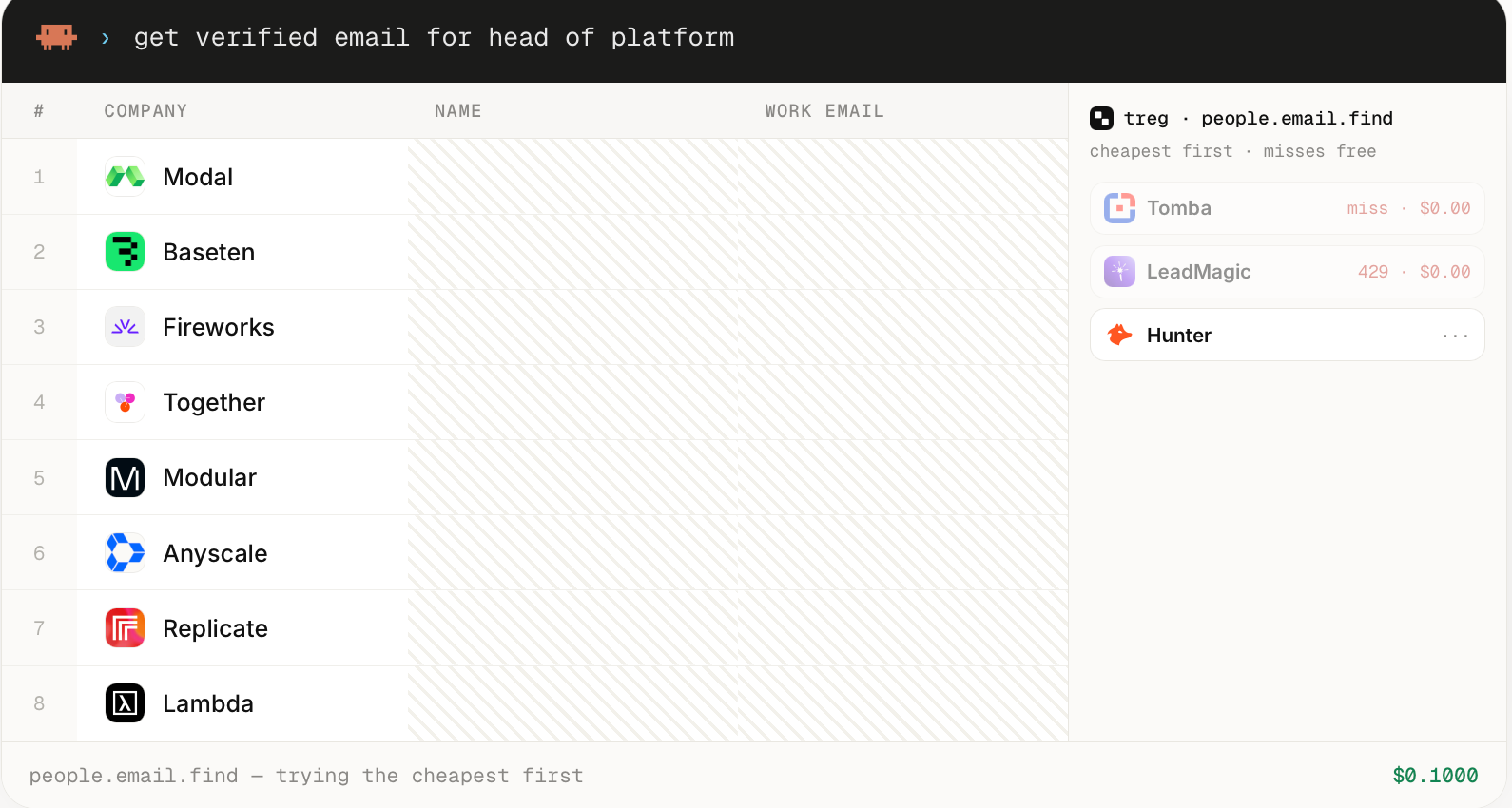
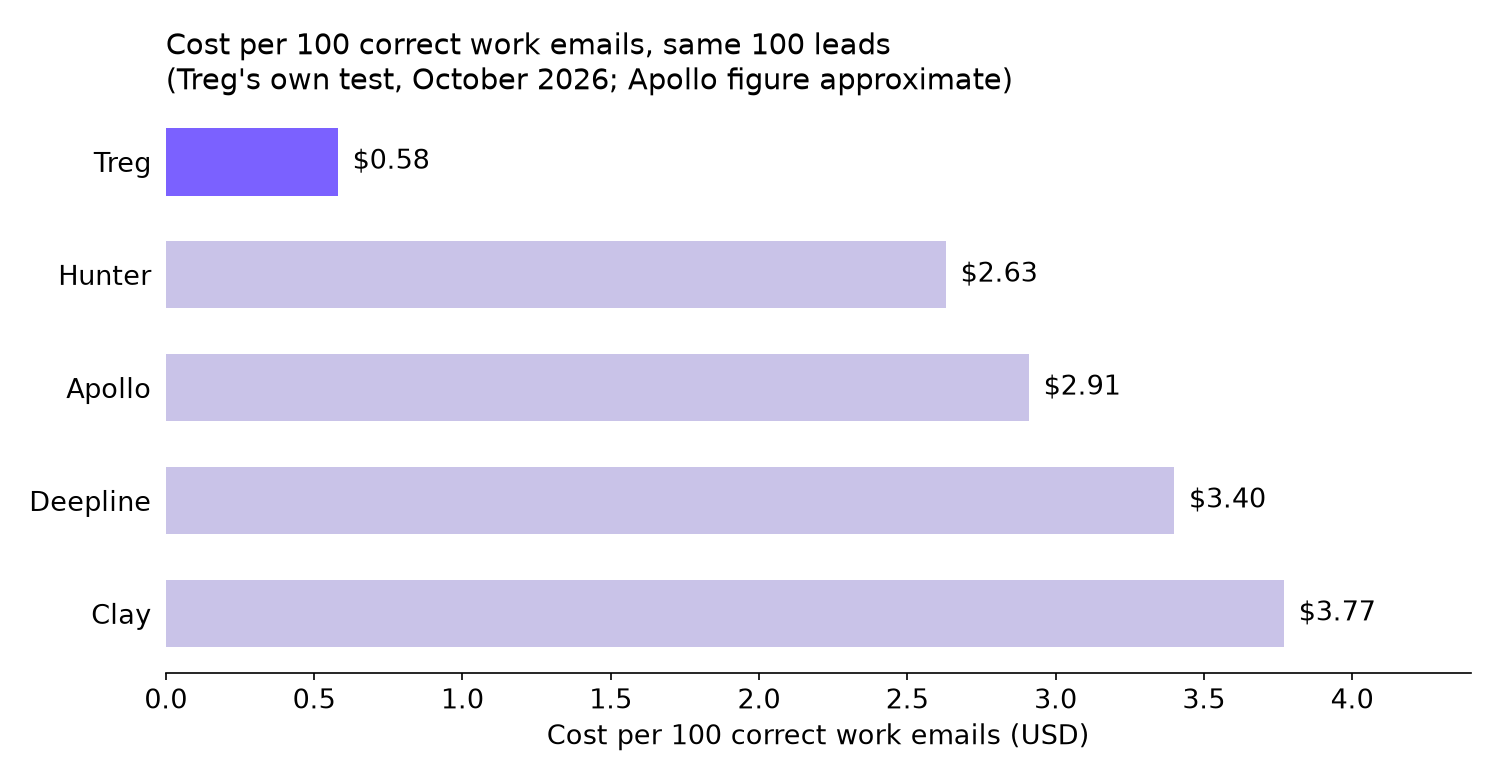
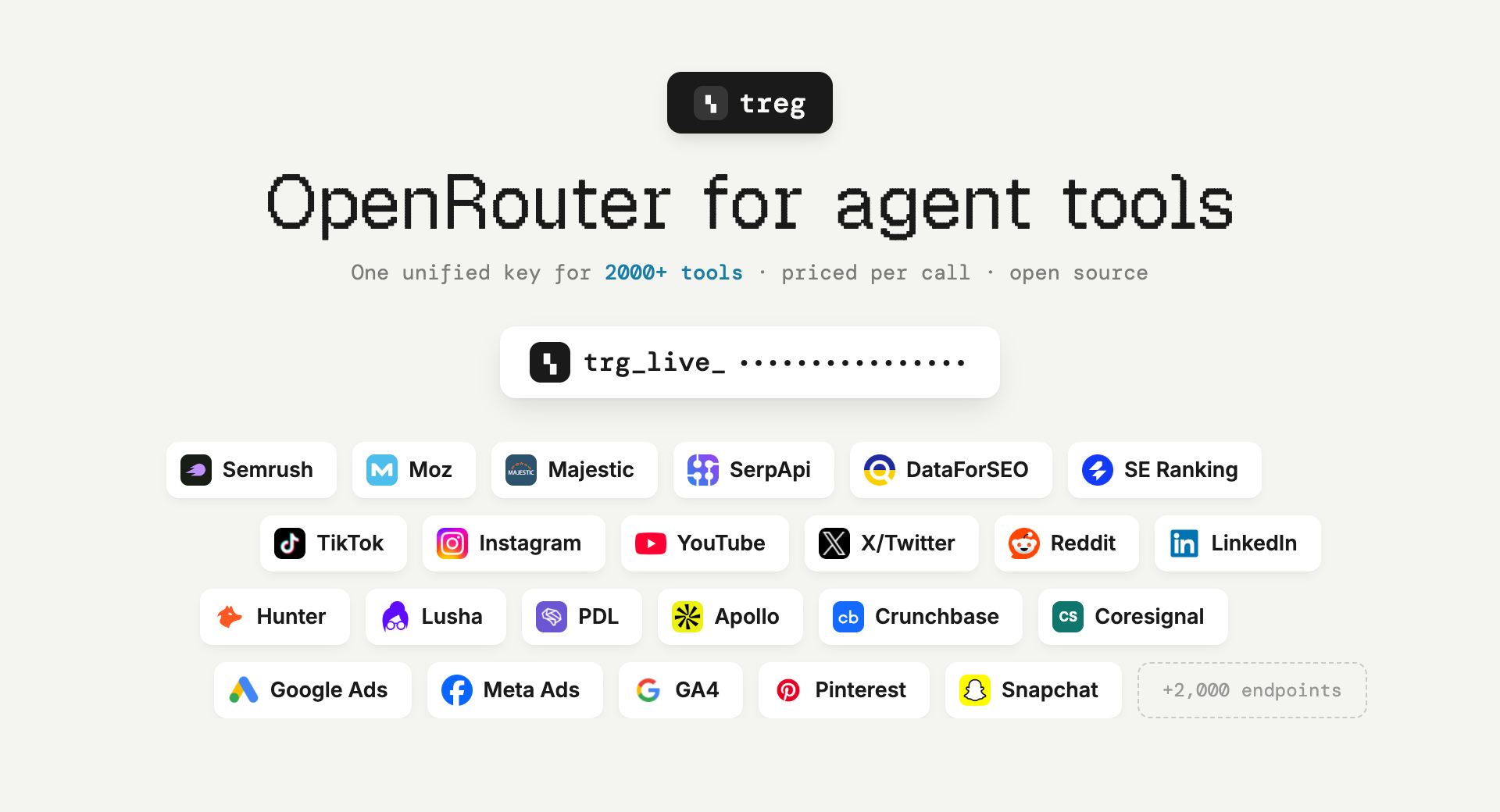
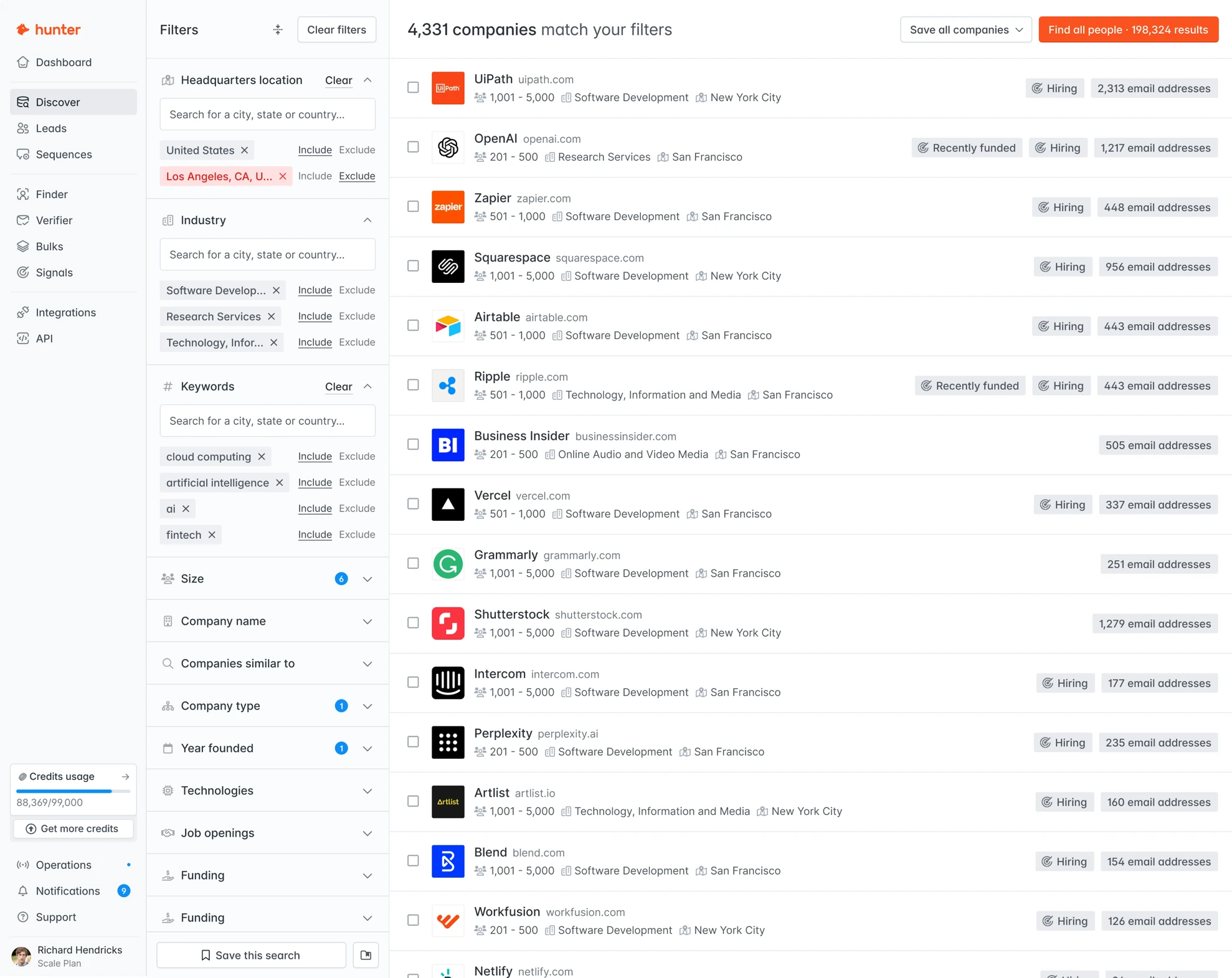
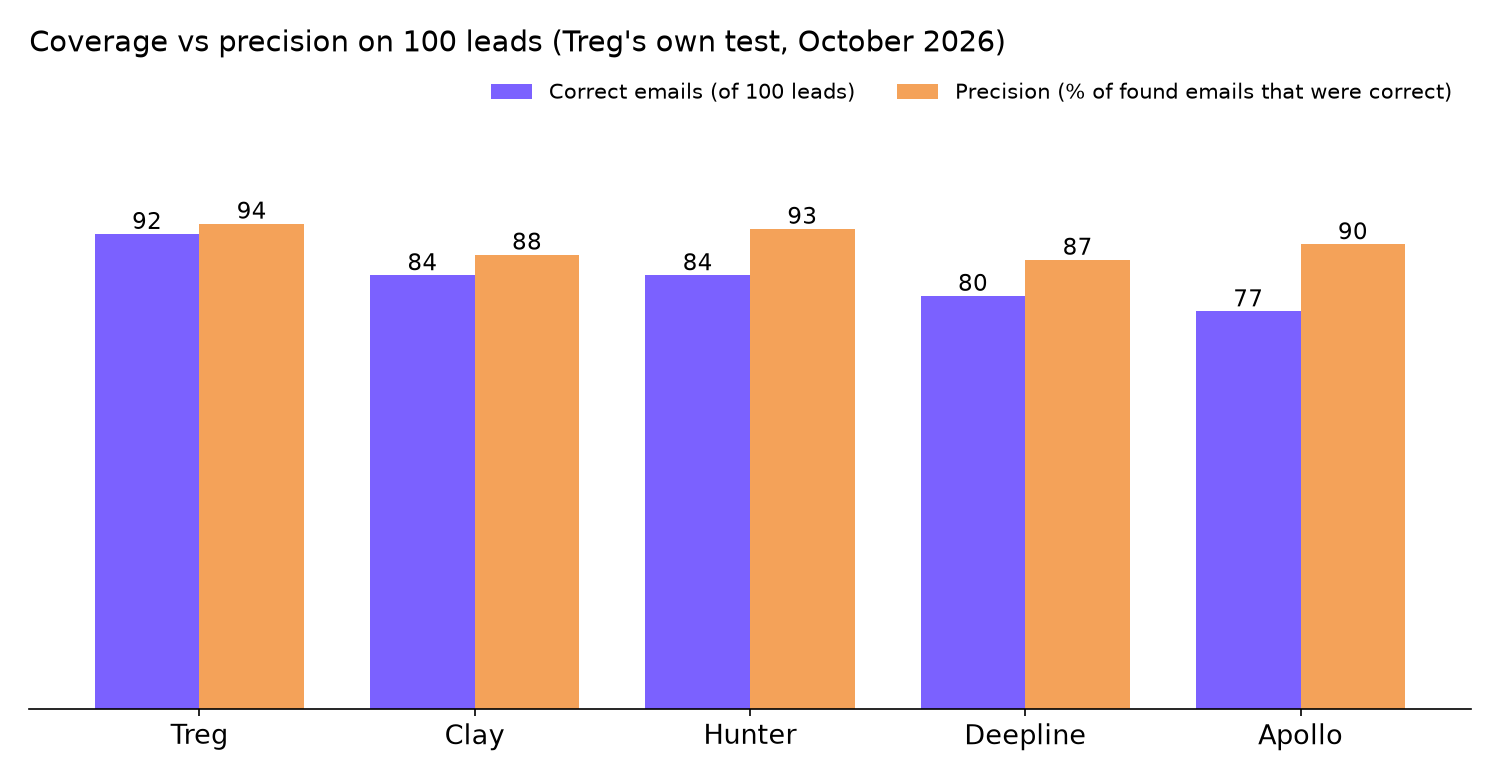
ทางเลือกแทน Clay 2026: Treg vs Apollo vs Hunter vs Deepline กับลีดจริง 100 ราย ทางเลือกแทน Clay ที่ดีที่สุดในปี 2026 ขึ้นอยู่กับว่าคุณจ่ายอย่างไร ในการทดสอบ 100 ลีดของ Treg เองในเดือนตุลาคม 2026 Treg พบอีเมลที่ทำงานถูกต้อง 92 รายการ ด้วยราคา $0.58 ต่อ 100 ผลลัพธ์ที่ถูกต้อง เทียบกับ Clay ที่ 84 รายการในราคา $3.77 Hunter ใกล้เคียงที่สุดในด้านความแม่นยำ (93%) Apollo และ Deepline เหมาะกับทีมที่ต้องการเวิร์กโฟลว์การขายแบบครบวงจร ไม่ใช่แค่การค้นหาอีเมล {% cta apidog.com %} ลองใช้ Apidog วันนี้ {% endcta %} ด้านล่าง: ตารางเต็ม ราคาวันนี้ (ตรวจสอบเมื่อวันที่ 3 พฤศจิกายน 2026) จุดที่แต่ละเครื่องมือได้เปรียบและเสียเปรียบ และวิธีรันการทดสอบซ้ำกับลีดของคุณเอง ทางเลือกแทน Clay โดยสรุป: การเปรียบเทียบ 100 ลีดแบบตัวต่อตัว Treg รันลีด 100 รายการเดียวกัน (ชื่อบุคคลบวกโดเมนบริษัท) ผ่านเครื่องมือค้นหาอีเมลที่ทำงานห้าเครื่องมือ และตรวจสอบแต่ละผลลัพธ์เทียบกับที่อยู่ที่บริษัทเผยแพร่ มันคือเกณฑ์มาตรฐานของ Treg เอง ซึ่งเผยแพร่บนหน้าค้นหาบุคคลของตน และยังไม่มีใครที่เป็นอิสระทำซ้ำได้ Treg เองก็ตั้งข้อสังเกตว่า “ช่องว่างเพียงไม่กี่แถวถือว่าเสมอกัน” ดังนั้นให้อ่านความแตกต่างเล็กๆ น้อยๆ เป็นเพียงสัญญาณรบกวน !assets.apidog.com | | Treg | Clay | Apollo | Deepline | Hunter | | --- | --- | --- | --- | --- | --- | | อีเมลที่ทำงานถูกต้อง (จาก 100) | 92 | 84 | 77 | 80 | 84 | | ความแม่นยำ (ถูกต้อง / ที่พบ) | 94% | 88% | 90% | 87% | 93% | | ค่าใช้จ่ายสำหรับ 100 ลีด | $0.53 | ~$3.35 | ~$2.24 | $2.74 | $2.21 | | ค่าใช้จ่ายต่อ 100 อีเมลที่ถูกต้อง | $0.58 | $3.77 | ~$2.91 | $3.40 | $2.63 | ค่าใช้จ่ายเป็นราคาตามรายการในวันที่ทดสอบ สองคอลัมน์ที่สำคัญที่สุด: - ค่าใช้จ่ายต่อ 100 อีเมลที่ถูกต้อง $0.58 ของ Treg ต่ำกว่าของ Clay ที่ $3.77 ประมาณ 85% และพบอีเมลที่ถูกต้องมากกว่า 8 รายการในรายการเดียวกัน - ความแม่นยำ 93% ของ Hunter ตามหลัง 94% ของ Treg อยู่หนึ่งจุด หากที่อยู่ผิดทำให้คุณเสียหายมากกว่าที่อยู่ที่ขาดหายไป (การตีกลับส่งผลเสียต่อชื่อเสียงผู้ส่ง) ความแม่นยำคือคอลัมน์ที่ต้องจับตา !Bar chart of cost per 100 correct work emails from Treg's October 2026 test: Treg $0.58, Hunter $2.63, Apollo about $2.91, Deepline $3.40, Clay $3.77 ทำไมผู้คนจึงมองหาทางเลือกแทน Clay Clay เป็นเวิร์กเบนช์สำหรับการเพิ่มข้อมูลสไตล์สเปรดชีต: คุณโหลดแถว เชื่อมโยงผู้ให้บริการข้อมูลและขั้นตอน AI ข้ามคอลัมน์ และส่งผลลัพธ์ไปยัง CRM ของคุณ ทีมต่างๆ เริ่มมองหาที่อื่นด้วยเหตุผลทั่วไปสามประการ: 1. ราคาแผนเทียบกับปริมาณ แผนเสียเงินที่ถูกที่สุดของ Clay คือ Launch ราคา $185 ต่อเดือนเมื่อเรียกเก็บรายเดือน หรือ $167 ต่อเดือนเมื่อเรียกเก็บรายปี ตามหน้าราคาของ Clay เมื่อวันที่ 3 พฤศจิกายน 2026 หน้าของ Treg ที่เปรียบเทียบระบุว่า Clay อยู่ที่ $149 ต่อเดือน ดังนั้นตัวเลขนั้นล้าสมัยแล้ว 2. สองมิเตอร์ ตอนนี้ Clay คิดราคาแผนเป็นแอ็กชันและเครดิตข้อมูล Launch รวม 15,000 แอ็กชันและ 2,500 เครดิตข้อมูลต่อเดือน ดังนั้นคุณต้องติดตามสองยอดคงเหลือ 3. เอเจนต์ ไม่ใช่สเปรดชีต งาน GTM จำนวนมากขึ้นรันจากเอเจนต์เขียนโค้ดอย่าง Claude Code ทีมเหล่านั้นต้องการ API และโทเคน ไม่ใช่ UI ตาราง แผนฟรีของ Clay (500 แอ็กชัน, 100 เครดิตข้อมูล, 200 แถวต่อตาราง) เพียงพอที่จะเก็บไว้เป็นพื้นฐานขณะที่คุณทดสอบ Treg: โอเพนซอร์ส จ่ายตามคำตอบ Treg อธิบายตัวเองในGitHub README ว่าเป็น “OpenRouter แต่สำหรับเครื่องมือเอเจนต์แทนที่จะเป็นโมเดล” โทเคนเดียวให้แคตตาล็อกของผู้ให้บริการข้อมูล 123 รายแก่เอเจนต์ของคุณ รวมถึง Apollo, Hunter, Tomba, People Data Labs, LeadMagic, Icypeas, Exa และ Crustdata โดยมีผู้ติดต่อมากกว่า 1 พันล้านรายและเครื่องมือมากกว่า 4,100 รายการอยู่เบื้องหลัง !assets.apidog.com นั่นคือการนำเสนอที่ตรงไปตรงมา: Treg เป็นเราเตอร์ที่อยู่หน้าผู้ให้บริการรายเดียวกับที่เครื่องมืออื่นขาย มันไม่ได้เป็นเจ้าของฐานข้อมูลผู้ติดต่อ จุดได้เปรียบในการทดสอบมาจากการลองใช้ตัวค้นหามากกว่าหนึ่งตัวต่อลีด และคิดค่าใช้จ่ายเฉพาะเมื่อเจอ รูปแบบราคา - ไม่มีค่าสมัครสมาชิก คุณเติมเงินล่วงหน้าเป็นยอดคงเหลือ - การเรียกคิดตามอัตราของผู้ให้บริการเองโดยไม่มี markup 0% การค้นหาอีเมลที่ถูกที่สุดเริ่มที่ $0.0005 - การพลาดไม่มีค่าใช้จ่าย: ตัวค้นหาที่ไม่คืนอะไรเลยคิดค่าบริการ $0.00 - บัญชีที่ยืนยันใหม่ได้รับเครดิตฟรี $1.00 หนึ่งครั้ง Treg เผยแพร่ใบเสร็จจริงจากวันที่ 23 กันยายน 2026: ใส่ข้อมูลคน 27 ราย พบอีเมล 21 รายการ (18 โดย Hunter, 3 โดย Kitt) ยืนยันส่งถึงได้ 20 รายการ พลาด 6 รายการคิดค่าบริการ $0.00 ค่าใช้จ่ายรวม $0.58 หรือ $0.029 ต่อผลลัพธ์ที่ใช้งานได้ สัญญาอนุญาต รีโปนี้เผยแพร่ภายใต้ Apache 2.0 พร้อมข้อกำหนดเพิ่มเติม คุณสามารถใช้ได้อย่างอิสระ รวมถึงเชิงพาณิชย์ภายในบริษัทของคุณ แต่คุณไม่สามารถเผยแพร่ต่อในฐานะรีจิสทรีที่โฮสต์แข่งขันได้โดยไม่ได้รับอนุญาต จุดที่ได้เปรียบ: ค่าใช้จ่ายต่ออีเมลที่ถูกต้องต่ำที่สุดในการทดสอบ ไม่มีขั้นต่ำรายเดือน สร้างมาเพื่อเอเจนต์ (CLI, HTTP proxy และปลั๊กอิน Claude Code) จุดที่เสียเปรียบ: เป็นโปรเจกต์ใหม่ที่ไม่มี CRM การจัดลำดับ หรือเครื่องโทรออก ทุกเกณฑ์มาตรฐานบนหน้าของมันเป็นของตัวเอง Apollo: ฐานข้อมูลบวกการมีส่วนร่วมทางการขาย Apollo จับคู่ฐานข้อมูลผู้ติดต่อของตัวเองกับการจัดลำดับอีเมล เครื่องโทรออก และการซิงค์ CRM เป็นเครื่องมือที่พนักงานขายใช้ทั้งวัน ไม่ใช่แค่ API ค้นหา !assets.apidog.com รูปแบบราคา Apollo มีแผน Free, Basic, Professional และ Custom เครดิตจะรวมกันทั้งทีม ให้ในแต่ละรอบบิล และไม่ยกไปรอบถัดไป หน้าราคาของ Apollo ไม่แสดงตัวเลขดอลลาร์เมื่อเราตรวจสอบเมื่อวันที่ 3 พฤศจิกายน 2026 หน้าของ Treg ระบุว่า Apollo อยู่ที่ $59 ต่อเดือน ดังนั้นโปรดยืนยันราคาปัจจุบันในบัญชี Apollo ของคุณก่อนจัดงบ จุดที่ได้เปรียบ: ที่เดียวสำหรับค้นหา จัดลำดับ และโทร แผนฟรีไม่มีข้อจำกัดด้านเวลา จุดที่เสียเปรียบ: ในการทดสอบของ Treg พบอีเมลที่ถูกต้องน้อยที่สุด (77) แม้ว่าความแม่นยำ 90% จะแข็งแกร่ง Hunter: ตัวค้นหาอีเมลที่แม่นยำ Hunter ทำหน้าที่หนึ่งได้ดี: ค้นหาและยืนยันอีเมลที่ทำงานจากชื่อและโดเมน API ของมันเป็น REST ธรรมดา ซึ่งทำให้ง่ายต่อการเชื่อมต่อกับสคริปต์และเอเจนต์ !assets.apidog.com รูปแบบราคา (ตรวจสอบเมื่อวันที่ 3 พฤศจิกายน 2026): | แผน | การเรียกเก็บรายเดือน | การเรียกเก็บรายปี (ต่อเดือน) | เครดิตต่อเดือน | | --- | --- | --- | --- | | Free | $0 | $0 | 50 | | Starter | $49 | $34 | 2,000 | | Growth | $149 | $104 | 10,000 | | Scale | $299 | $209 | 25,000 | เครดิตจะรีเซ็ตรายเดือนและไม่ยกไปรอบถัดไป จุดที่ได้เปรียบ: ความแม่นยำ 93% ในการทดสอบ API ที่ชัดเจน และระดับฟรีที่คุณทดสอบได้วันนี้ จุดที่เสียเปรียบ: เป็นเครื่องมืออีเมล ไม่ใช่เวิร์กเบนช์สำหรับการเพิ่มข้อมูล ดังนั้นข้อมูลบริษัทและโฟลว์หลายขั้นตอนจึงอยู่ที่อื่น Deepline: เวิร์กโฟลว์ GTM ผ่านเอเจนต์ของคุณเอง Deepline อธิบายตัวเองว่าเป็นวิธีค้นหาลีดและรันเวิร์กโฟลว์ GTM ด้วยเอเจนต์ที่คุณใช้อยู่แล้ว ผ่าน API เดียวที่เชื่อมต่อผู้ให้บริการข้อมูล GTM มันใกล้เคียงกับ Treg ในแง่แนวคิดมากที่สุด โดยมีฟีเจอร์เวิร์กโฟลว์เพิ่มเติม !assets.apidog.com รูปแบบราคา (ตรวจสอบเมื่อวันที่ 3 พฤศจิกายน 2026): - จ่ายตามการใช้งาน: $0 ต่อเดือนบวกค่าการใช้งาน ไม่ต้องใช้บัตร รวม Plays ที่ตั้งเวลาไว้ 15 รายการและมอนิเตอร์สด - Growth: $395 ต่อเดือนบวกค่าการใช้งาน โดยรวมเครดิตการใช้งานรายเดือน $200 - เครดิต: 10 เครดิตเท่ากับ $1 - นำคีย์ของคุณเอง: คุณจ่ายผู้ให้บริการโดยตรงโดยไม่มี markup; จ่ายตามการใช้งานรวมการเรียกด้วยคีย์ผู้ให้บริการ 50,000 ครั้งต่อเดือน จากนั้น $0.005 ต่อครั้ง จุดที่ได้เปรียบ: Plays ที่ตั้งเวลาไว้ มอนิเตอร์สด และการซิงค์ CRM สำหรับทีมที่ต้องการระบบอัตโนมัติ ไม่ใช่แค่การค้นหา จุดที่เสียเปรียบ: ความแม่นยำอยู่ในอันดับสุดท้าย (87%) ในการทดสอบของ Treg และแผน Growth เป็นการเพิ่มขึ้นอย่างมากจาก $0 !Grouped bar chart from Treg's October 2026 test showing correct emails out of 100 and precision: Treg 92 and 94%, Clay 84 and 88%, Hunter 84 and 93%, Deepline 80 and 87%, Apollo 77 and 90% คุณควรเลือกทางเลือกแทน Clay ตัวไหน? จับคู่เครื่องมือกับวิธีทำงานของคุณ: - คุณรันการเพิ่มข้อมูลจากเอเจนต์เขียนโค้ดและจ่ายตามผลลัพธ์: เริ่มกับ Treg เครดิต $1 ของมันครอบคลุมการทดสอบจริง - คุณต้องการความแม่นยำสูงสุดจาก API ที่รู้จักดีหนึ่งตัว: Hunter เริ่มจากแผนฟรีของมัน - พนักงานขายของคุณต้องการฐานข้อมูล การจัดลำดับ และเครื่องโทรออกในแอปเดียว: Apollo - คุณต้องการเวิร์กโฟลว์ GTM ที่ตั้งเวลาได้ซึ่งขับเคลื่อนโดยเอเจนต์ของคุณ: Deepline บนจ่ายตามการใช้งาน - คุณใช้ชีวิตในสเปรดชีตและเชื่อมโยงขั้นตอน AI หลายขั้นต่อแถว: อยู่กับ Clay และใช้ตัวอื่นเป็นตัวค้นหาที่ถูกกว่าในนั้น อย่าสลับเปลี่ยนตามเกณฑ์มาตรฐานของคนอื่น รันลีด 10 รายการของคุณเองก่อน ทดสอบทางเลือกแทน Clay กับลีดของคุณเองด้วย Apidog CLI เครื่องมือทุกตัวข้างต้นเป็น HTTP API ดังนั้นทดสอบมันเหมือน API ทั่วไป ให้เอเจนต์เขียนโค้ดของคุณทำด้วย Apidog CLI: มันกำหนด endpoints เขียนเทสต์เคส และรันกับ CSV ของลีดที่คุณรู้คำตอบที่ถูกต้องอยู่แล้ว ตั้งค่าครั้งเดียว: npm install -g apidog-cli@latest apidog auth login --with-token <YOUR_APIDOG_TOKEN> apidog skill install ใส่ลีด 10 รายการที่คุณตรวจสอบได้ใน leads.csv (คอลัมน์ first_name, last_name, domain, expected_email) จากนั้นให้พรอมป์ต์หนึ่งข้อกับเอเจนต์ของคุณ: In Apidog project <projectId>, create two endpoints: GET https://treg.to/call/<emailFinderToolId> with header X-Treg-Token, and GET https://api.hunter.io/v2/email-finder with X-API-KEY. Create one test case per endpoint that reads first_name, last_name and domain from the iteration data, asserts status 200, and asserts the returned email equals expected_email. Log the X-Treg-Cost-Micro response header on every Treg call. Run both against leads.csv in the <envId> environment and give me correct count, precision and total cost per tool. เอเจนต์ของคุณควรค้นหา ID เครื่องมือ Treg ด้วย treg catalog search "find work email" จากนั้นมันจะทำงานผ่านคำสั่ง Apidog โดยตรวจสอบทุก payload ก่อนเขียน: apidog cli-schema get endpoint-create apidog cli-schema validate endpoint-create --file treg-endpoint.json apidog endpoint create --project <projectId> --file treg-endpoint.json apidog cli-schema get test-case-create apidog cli-schema validate test-case-create --file treg-case.json apidog test-case create --project <projectId> --file treg-case.json apidog run --test-case <caseId> --project <projectId> -e <envId> -d leads.csv -r cli,json แฟล็ก -d รันหนึ่งรอบต่อหนึ่งแถว CSV และ -r cli,json ให้สรุปในเทอร์มินัลพร้อมรายงาน JSON ที่เอเจนต์ของคุณสามารถรวมยอดได้ เพิ่ม --upload-report หากคุณต้องการตรวจสอบการรันในแอป Apidog เก็บคีย์ API ไว้ใน environment ของ Apidog ไม่ใช่ใน CSV หากคุณยังใหม่กับการตั้งค่า คำแนะนำ Claude Code และ เอกสารอ้างอิง apidog run ครอบคลุมแต่ละขั้นตอน สำหรับข้อมูลเพิ่มเติมเกี่ยวกับเอเจนต์ที่เรียก API แทนคุณ ดูว่า GPT-6 Astra จัดการการทดสอบ API แบบ computer-use อย่างไร และทีมต่างๆ สร้างโรงงานซอฟต์แวร์แบบเอเจนต์อย่างไร คำถามที่พบบ่อย ทางเลือกแทน Clay ที่ถูกที่สุดในปี 2026 คืออะไร? ในการทดสอบของ Treg เองในเดือนตุลาคม 2026 Treg มีค่าใช้จ่าย $0.58 ต่อ 100 อีเมลที่ทำงานถูกต้อง เทียบกับ $2.63 สำหรับ Hunter และ $3.77 สำหรับ Clay Treg ไม่มีค่าสมัครสมาชิกและการพลาดคิดค่าบริการ $0.00 รันการทดสอบซ้ำกับลีดของคุณเองก่อนที่คุณจะเชื่อถืออันดับนั้น เกณฑ์มาตรฐาน 100 ลีดของ Treg เป็นอิสระหรือไม่? ไม่ใช่ Treg เป็นผู้รันและเผยแพร่ และไม่มีบุคคลที่สามทำซ้ำได้ ณ วันที่ 3 พฤศจิกายน 2026 Treg ยังกล่าวว่าช่องว่างเพียงไม่กี่แถวถือว่าเสมอกัน Treg มีฐานข้อมูลผู้ติดต่อของตัวเองหรือไม่? ไม่มี Treg เส้นทางการเรียกของคุณไปยังผู้ให้บริการ 123 ราย รวมถึง Apollo, Hunter และ People Data Labs ผ่านโทเคนเดียว คุณจ่ายตามอัตราของผู้ให้บริการแต่ละรายโดยไม่มี markup 0% Treg ฟรีและโอเพนซอร์สหรือไม่? โค้ดเป็นโอเพนซอร์สภายใต้ Apache 2.0 พร้อมข้อกำหนดเพิ่มเติมที่จำกัดการรันเป็นรีจิสทรีที่โฮสต์แข่งขัน API ที่โฮสต์เป็นแบบจ่ายตามการใช้งาน และบัญชีที่ยืนยันใหม่ได้รับเครดิตฟรี $1.00 หนึ่งครั้ง ทางเลือกแทน Clay ตัวไหนมีความแม่นยำอีเมลดีที่สุด? Treg (94%) และ Hunter (93%) ต่างกันหนึ่งจุดในการทดสอบของ Treg ซึ่งกฎของ Treg เองนับว่าเสมอกัน แผนฟรีของ Hunter ให้เครดิต 50 ต่อเดือนเพื่อให้คุณตรวจสอบด้วยตัวเอง ฉันสามารถเก็บ Clay ไว้และใช้เครื่องมือเหล่านี้ด้วยได้ไหม? ได้ ทีมจำนวนมากเก็บ Clay ไว้เป็นเวิร์กเบนช์และเรียกตัวค้นหาที่ถูกกว่าอย่าง Hunter หรือ Treg สำหรับขั้นตอนอีเมล ทดสอบการรวมกันกับรายการเล็กๆ ก่อน
novel way to mix architecture, web design and 3d. opus 5.5 is a beast with three.js. prompt: Sam1983Aing/casa-serra x.com
Hey Laravel Devs, IntelliJ IDEA vibes, rebuilt in Rust for speed 🚀 OpenIDEA boots in under a second, sips memory, and supports 60+ languages. Native, fast, and open source. Give it a spin! 👇 l0ng-ai/openidea
بدائل Clay في 2026: Treg مقابل Apollo مقابل Hunter مقابل Deepline على 100 عميل محتمل حقيقي بدائل Clay في 2026: Treg مقابل Apollo مقابل Hunter مقابل Deepline على 100 عميل محتمل حقيقي تعتمد أفضل بدائل Clay في 2026 على طريقة الدفع لديك. في اختبار Treg الخاص في أكتوبر 2026 على 100 عميل محتمل، وجدت Treg 92 عنوان بريد عمل صحيحًا بتكلفة $0.58 لكل 100 نتيجة صحيحة، مقابل 84 لدى Clay بتكلفة $3.77. وجاءت Hunter الأقرب في الدقة (93%). تناسب Apollo وDeepline الفرق التي تريد سير عمل مبيعات كاملًا، وليس مجرد عمليات بحث عن البريد الإلكتروني. {% cta apidog.com %} جرّب Apidog اليوم {% endcta %} أدناه: الجدول الكامل، وأسعار اليوم (تم التحقق منها في 3 نوفمبر 2026)، وأين يفوز كل أداة ويخسر، وكيف تعيد تشغيل الاختبار على عملائك المحتملين. بدائل Clay في لمحة: مواجهة مباشرة على 100 عميل محتمل شغّلت Treg نفس الـ100 عميل محتمل (اسم الشخص بالإضافة إلى نطاق الشركة) عبر خمس أدوات للبريد الإلكتروني للعمل، وتحقت من كل نتيجة مقابل العنوان الذي تنشره الشركة. هذا هو معيار Treg الخاص، المنشور على صفحة البحث عن الأشخاص الخاصة بها، ولم يعده أي طرف مستقل حتى الآن. وتلاحظ Treg نفسها أن «فارق بضعة صفوف يُعد تعادلًا»، لذا اقرأ الفروق الصغيرة على أنها ضوضاء. !assets.apidog.com | | Treg | Clay | Apollo | Deepline | Hunter | | --- | --- | --- | --- | --- | --- | | عناوين بريد عمل صحيحة (من 100) | 92 | 84 | 77 | 80 | 84 | | الدقة (الصحيحة / التي تم العثور عليها) | 94% | 88% | 90% | 87% | 93% | | تكلفة الـ100 عميل محتمل | $0.53 | ~$3.35 | ~$2.24 | $2.74 | $2.21 | | التكلفة لكل 100 بريد إلكتروني صحيح | $0.58 | $3.77 | ~$2.91 | $3.40 | $2.63 | التكاليف هي أسعار القائمة في يوم الاختبار. العمودان الأهم هما: - التكلفة لكل 100 بريد إلكتروني صحيح. تكلفة Treg البالغة $0.58 أقل بنحو 85% من تكلفة Clay البالغة $3.77، كما وجدت 8 عناوين بريد إلكتروني صحيحة إضافية في القائمة نفسها. - الدقة. دقة Hunter البالغة 93% تأتي على بعد نقطة واحدة من دقة Treg البالغة 94%. إذا كانت التكلفة الناتجة عن عنوان خاطئ أكبر من تكلفة عنوان مفقود (فالارتدادات تضر بسمعة المرسل)، فالدقة هي العمود الذي يجب مراقبته. !Bar chart of cost per 100 correct work emails from Treg's October 2026 test: Treg $0.58, Hunter $2.63, Apollo about $2.91, Deepline $3.40, Clay $3.77 لماذا يبحث الناس عن بدائل Clay Clay هي منصة عمل لإثراء البيانات على غرار جداول البيانات: تُحمّل الصفوف، وتُسلسل مزوّدي البيانات وخطوات الذكاء الاصطناعي عبر الأعمدة، وتدفع النتائج إلى CRM لديك. تبدأ الفرق بالبحث في مكان آخر لثلاثة أسباب شائعة: 1. سعر الخطة مقابل الحجم. أرخص خطة مدفوعة لدى Clay، وهي Launch، تكلف $185 شهريًا عند الدفع الشهري أو $167 شهريًا عند الدفع السنوي، وفقًا لـصفحة تسعير Clay في 3 نوفمبر 2026. وتُدرج صفحة المقارنة الخاصة بـTreg سعر Clay عند $149 شهريًا، لذا فإن هذا الرقم أصبح قديمًا بالفعل. 2. مقياسان. أصبحت Clay الآن تسعّر خططها بالإجراءات وأرصدة البيانات. تتضمن Launch 15,000 إجراء و2,500 رصيد بيانات شهريًا، لذا تتابع رصيدين. 3. وكلاء، لا جداول بيانات. المزيد من أعمال GTM يُدار الآن من وكيل برمجة مثل Claude Code. تريد تلك الفرق واجهة API ورمزًا مميزًا (token)، وليس واجهة جدول. خطة Clay المجانية (500 إجراء، و100 رصيد بيانات، و200 صف لكل جدول) كافية لإبقائها كخط أساس أثناء الاختبار. Treg: مفتوحة المصدر، والدفع مقابل كل إجابة تصف Treg نفسها في ملف README على GitHub بأنها «OpenRouter، لكن لأدوات الوكلاء بدلًا من النماذج.» يمنحك رمز مميز واحد كتالوجًا من 123 مزوّد بيانات لوكيلك، بما في ذلك Apollo وHunter وTomba وPeople Data Labs وLeadMagic وIcypeas وExa وCrustdata، مع أكثر من مليار جهة اتصال وأكثر من 4,100 أداة خلفه. !assets.apidog.com هذه هي الصياغة الصادقة: Treg هي موجّه (router) أمام المزوّدين أنفسهم الذين تبيعهم الأدوات الأخرى. وهي لا تملك قاعدة بيانات جهات اتصال. وتأتي ميزتها في الاختبار من تجربة أكثر من أداة بحث واحدة لكل عميل محتمل، ومن تحصيل الرسوم على النتائج الناجحة فقط. نموذج التسعير - لا اشتراك. تدفع مسبقًا رصيدًا. - تُحتسب المكالمات بسعر المزوّد نفسه دون هامش ربح. تبدأ أرخص عملية بحث عن البريد الإلكتروني من $0.0005. - الإخفاقات مجانية: أداة البحث التي لا تعيد شيئًا تُحتسب بـ$0.00. - تحصل الحسابات الجديدة الموثّقة على رصيد مجاني بقيمة $1.00، مرة واحدة. نشرت Treg إيصالًا حقيقيًا بتاريخ 23 سبتمبر 2026: 27 شخصًا مُدخلًا، و21 بريدًا إلكترونيًا تم العثور عليه (18 بواسطة Hunter، و3 بواسطة Kitt)، و20 تم التحقق من قابليته للتسليم، و6 إخفاقات احتُسبت بـ$0.00. بلغت التكلفة الإجمالية $0.58، أو $0.029 لكل نتيجة قابلة للاستخدام. الترخيص. يُنشر المستودع بموجب Apache 2.0 مع شروط إضافية. يمكنك استخدامه بحرية، بما في ذلك تجاريًا داخل شركتك، لكن لا يمكنك إعادة توزيعه كسجل مستضاف منافس دون إذن. أين تفوز: أقل تكلفة لكل بريد إلكتروني صحيح في الاختبار، وبلا حد أدنى شهري، ومصممة للوكلاء (CLI، ووسيط HTTP، وإضافة Claude Code). أين تخسر: إنها مشروع حديث بلا CRM أو تسلسل أو أداة اتصال هاتفي. وكل معيار في صفحتها هو معيارها الخاص. Apollo: قاعدة بيانات بالإضافة إلى تفاعل المبيعات Apollo تقرن قاعدة بيانات جهات الاتصال الخاصة بها بتسلسل البريد الإلكتروني، وأداة اتصال هاتفي، ومزامنة CRM. إنها الأداة التي يعيش فيها ممثلو المبيعات طوال اليوم، وليست مجرد API للبحث. !assets.apidog.com نموذج التسعير. تُدرج Apollo خطط Free وBasic وProfessional وCustom. تُجمّع الأرصدة عبر الفريق، وتُمنح في كل دورة فوترة، ولا تُرحّل. لم تُظهر صفحة تسعير Apollo أي أرقام بالدولار عند تحققنا في 3 نوفمبر 2026؛ وتُدرج صفحة Treg سعر Apollo عند $59 شهريًا، لذا تأكد من السعر الحالي في حساب Apollo لديك قبل وضع الميزانية. أين تفوز: مكان واحد للبحث والتسلسل والاتصال. ولا يوجد حد زمني للخطة المجانية. أين تخسر: في اختبار Treg وجدت أقل عدد من رسائل البريد الإلكتروني الصحيحة (77)، رغم أن دقتها البالغة 90% كانت متينة. Hunter: أداة البحث الدقيقة عن البريد الإلكتروني Hunter تؤدي مهمة واحدة جيدًا: العثور على رسائل بريد العمل والتحقق منها انطلاقًا من اسم ونطاق. وواجهة API الخاصة بها هي REST بسيطة، ما يسهّل ربطها بالنصوص البرمجية والوكلاء. !assets.apidog.com نموذج التسعير (تم التحقق منه في 3 نوفمبر 2026): | الخطة | الفوترة الشهرية | الفوترة السنوية (شهريًا) | الأرصدة شهريًا | | --- | --- | --- | --- | | Free | $0 | $0 | 50 | | Starter | $49 | $34 | 2,000 | | Growth | $149 | $104 | 10,000 | | Scale | $299 | $209 | 25,000 | تُعاد الأرصدة شهريًا ولا تُرحّل. أين تفوز: دقة 93% في الاختبار، وAPI واضحة، وخطة مجانية يمكنك الاختبار مقابلها اليوم. أين تخسر: إنها أداة بريد إلكتروني، وليست منصة عمل لإثراء البيانات، لذا توجد البيانات الديموغرافية للشركات والتدفقات متعددة الخطوات في مكان آخر. Deepline: سير عمل GTM عبر وكيلك الخاص تصف Deepline نفسها بأنها وسيلة للعثور على العملاء المحتملين وتشغيل سير عمل GTM باستخدام الوكيل الذي تستخدمه بالفعل، عبر API واحدة تربط مزوّدي بيانات GTM. وهي الأقرب في الروح إلى Treg، مع مزيد من ميزات سير العمل فوق ذلك. !assets.apidog.com نموذج التسعير (تم التحقق منه في 3 نوفمبر 2026): - الدفع حسب الاستخدام (Pay as you go): $0 شهريًا بالإضافة إلى الاستخدام، دون الحاجة إلى بطاقة، و15 عملية Play مجدولة ومراقبًا مباشرًا مجتمعين. - Growth: $395 شهريًا بالإضافة إلى الاستخدام، مع تضمين أرصدة استخدام شهرية بقيمة $200. - الأرصدة: 10 أرصدة تساوي $1. - أحضر مفاتيحك الخاصة: تدفع للمزوّدين مباشرة دون هامش ربح؛ وتتضمن خطة الدفع حسب الاستخدام 50,000 مكالمة بمفتاح المزوّد شهريًا، ثم $0.005 لكل مكالمة. أين تفوز: عمليات Play المجدولة، والمراقبات المباشرة، ومزامنة CRM للفرق التي تريد الأتمتة، وليس مجرد عمليات البحث. أين تخسر: كانت الأخيرة في الدقة (87%) في اختبار Treg، وخطة Growth تمثل قفزة كبيرة من $0. !Grouped bar chart from Treg's October 2026 test showing correct emails out of 100 and precision: Treg 92 and 94%, Clay 84 and 88%, Hunter 84 and 93%, Deepline 80 and 87%, Apollo 77 and 90% أي بديل لـClay يجب أن تختار؟ طابق الأداة مع طريقة عملك: - تدير إثراء البيانات من وكيل برمجة وتدفع مقابل كل نتيجة: ابدأ بـTreg. رصيدها البالغ $1 يغطي اختبارًا حقيقيًا. - تحتاج إلى أعلى دقة من API واحدة معروفة جيدًا: Hunter، بدءًا من خطتها المجانية. - يريد ممثلو المبيعات لديك قاعدة بيانات وتسلسلات وأداة اتصال هاتفي في تطبيق واحد: Apollo. - تريد سير عمل GTM مجدولًا يقوده وكيلك: Deepline عبر خطة الدفع حسب الاستخدام. - تعيش في جداول البيانات وتُسلسل العديد من خطوات الذكاء الاصطناعي لكل صف: ابق على Clay، واستخدم الأدوات الأخرى كأدوات بحث أرخص بداخلها. لا تنتقل بناءً على معيار شخص آخر. شغّل اختبارك الخاص على 10 عملاء محتملين أولًا. اختبر بدائل Clay على عملائك المحتملين باستخدام Apidog CLI كل أداة أعلاه هي API عبر HTTP، لذا اختبرها مثل أي API. دع وكيل البرمجة لديك يفعل ذلك باستخدام Apidog CLI: يحدد نقاط النهاية، ويكتب حالة الاختبار، ويشغّلها مقابل ملف CSV من العملاء المحتملين حيث تعرف الإجابة الصحيحة بالفعل. الإعداد مرة واحدة: npm install -g apidog-cli@latest apidog auth login --with-token <YOUR_APIDOG_TOKEN> apidog skill install ضع 10 عملاء محتملين يمكنك التحقق منهم في leads.csv (الأعمدة first_name، وlast_name، وdomain، وexpected_email). ثم أعطِ وكيلك موجّهًا واحدًا: In Apidog project <projectId>, create two endpoints: GET https://treg.to/call/<emailFinderToolId> with header X-Treg-Token, and GET https://api.hunter.io/v2/email-finder with X-API-KEY. Create one test case per endpoint that reads first_name, last_name and domain from the iteration data, asserts status 200, and asserts the returned email equals expected_email. Log the X-Treg-Cost-Micro response header on every Treg call. Run both against leads.csv in the <envId> environment and give me correct count, precision and total cost per tool. يجب أن يجد وكيلك معرّف أداة Treg باستخدام treg catalog search "find work email". ثم يعمل عبر أوامر Apidog، ويتحقق من صحة كل حمولة قبل كتابتها: apidog cli-schema get endpoint-create apidog cli-schema validate endpoint-create --file treg-endpoint.json apidog endpoint create --project <projectId> --file treg-endpoint.json apidog cli-schema get test-case-create apidog cli-schema validate test-case-create --file treg-case.json apidog test-case create --project <projectId> --file treg-case.json apidog run --test-case <caseId> --project <projectId> -e <envId> -d leads.csv -r cli,json يشغّل العلم -d تكرارًا واحدًا لكل صف في CSV، ويمنحك -r cli,json ملخصًا في الطرفية بالإضافة إلى تقرير JSON يمكن لوكيلك جمعه. أضف --upload-report إذا أردت مراجعة التشغيل في تطبيق Apidog. احتفظ بمفاتيح API في بيئة Apidog، وليس في ملف CSV. إذا كنت جديدًا على الإعداد، فإن شرح Claude Code التفصيلي ومرجع apidog run يغطيان كل خطوة. لمزيد من المعلومات حول الوكلاء الذين يستدعون واجهات API نيابة عنك، اطّلع على كيفية تعامل GPT-6 Astra مع اختبار API لاستخدام الحاسوب وكيف تبني الفرق مصنع برمجيات قائمًا على الوكلاء. الأسئلة الشائعة ما هو أرخص بديل لـClay في 2026؟ في اختبار Treg الخاص في أكتوبر 2026، كلّفت Treg $0.58 لكل 100 بريد عمل صحيح، مقابل $2.63 لـHunter و$3.77 لـClay. لا يوجد لدى Treg اشتراك، وتُحتسب الإخفاقات بـ$0.00. أعد تشغيل الاختبار على عملائك المحتملين قبل الاعتماد على هذا الترتيب. هل معيار Treg لـ100 عميل محتمل مستقل؟ لا. شغّلته Treg ونشرته، ولم يعده أي طرف ثالث حتى 3 نوفمبر 2026. وتقول Treg أيضًا إن فارق بضعة صفوف يُعد تعادلًا. هل لدى Treg قاعدة بيانات جهات اتصال خاصة بها؟ لا. توجّه Treg مكالماتك إلى 123 مزوّدًا، بما في ذلك Apollo وHunter وPeople Data Labs، عبر رمز مميز واحد. وتدفع سعر كل مزوّد دون هامش ربح. هل Treg مجانية ومفتوحة المصدر؟ الشيفرة مفتوحة المصدر بموجب Apache 2.0 مع شروط إضافية تقيّد تشغيلها كسجل مستضاف منافس. أما API المستضافة فهي الدفع حسب الاستخدام، وتحصل الحسابات الجديدة الموثّقة على رصيد مجاني بقيمة $1.00 مرة واحدة. أي بديل لـClay لديه أفضل دقة في البريد الإلكتروني؟ كانت Treg (94%) وHunter (93%) ضمن نقطة واحدة من بعضهما في اختبار Treg، وهو ما تعده قواعد Treg نفسها تعادلًا. وتمنحك خطة Hunter المجانية 50 رصيدًا شهريًا للتحقق بنفسك. هل يمكنني الاحتفاظ بـClay واستخدام هذه الأدوات أيضًا؟ نعم. تحتفظ العديد من الفرق بـClay كمنصة عمل وتستدعي أداة بحث أرخص مثل Hunter أو Treg لخطوة البريد الإلكتروني. اختبر التوليفة على قائمة صغيرة أولًا.
Alternativas a Clay en 2026: Treg vs Apollo vs Hunter vs Deepline con 100 leads reales Alternativas a Clay en 2026: Treg vs Apollo vs Hunter vs Deepline con 100 leads reales Las mejores alternativas a Clay en 2026 dependen de cómo pagues. En la propia prueba de Treg de octubre de 2026 con 100 leads, Treg encontró 92 correos de trabajo correctos por $0.58 por cada 100 resultados correctos, frente a los 84 de Clay a $3.77. Hunter se acercó más en precisión (93%). Apollo y Deepline les convienen a equipos que quieren un flujo de ventas completo, no solo búsquedas de correos. {% cta apidog.com %} Prueba Apidog hoy {% endcta %} A continuación: la tabla completa, los precios de hoy (consultados el 3 de noviembre de 2026), dónde gana y pierde cada herramienta, y cómo volver a ejecutar la prueba con tus propios leads. Alternativas a Clay de un vistazo: el cara a cara con 100 leads Treg ejecutó los mismos 100 leads (el nombre de una persona más el dominio de una empresa) en cinco herramientas de correo de trabajo y verificó cada resultado contra la dirección que publica la empresa. Es el propio benchmark de Treg, publicado en su página de búsqueda de personas, y nadie independiente lo ha reproducido todavía. El propio Treg señala que "una diferencia de unas pocas filas es un empate", así que interpreta las diferencias pequeñas como ruido. !Cara a cara de alternativas a Clay con 100 leads | | Treg | Clay | Apollo | Deepline | Hunter | |---|---|---|---|---|---| | Correos de trabajo correctos (de 100) | 92 | 84 | 77 | 80 | 84 | | Precisión (correctos / encontrados) | 94% | 88% | 90% | 87% | 93% | | Costo para los 100 leads | $0.53 | ~$3.35 | ~$2.24 | $2.74 | $2.21 | | Costo por 100 correos correctos | $0.58 | $3.77 | ~$2.91 | $3.40 | $2.63 | Los costos son precios de lista del día de la prueba. Dos columnas son las más importantes: - Costo por 100 correos correctos. Los $0.58 de Treg están alrededor de un 85% por debajo de los $3.77 de Clay, y encontró 8 correos correctos más en la misma lista. - Precisión. El 93% de Hunter queda a un punto del 94% de Treg. Si una dirección incorrecta te cuesta más que una faltante (los rebotes dañan la reputación del remitente), la precisión es la columna que debes vigilar. !Gráfico de barras del costo por 100 correos de trabajo correctos en la prueba de Treg de octubre de 2026: Treg $0.58, Hunter $2.63, Apollo unos $2.91, Deepline $3.40, Clay $3.77 Por qué la gente busca alternativas a Clay Clay es un banco de trabajo de enriquecimiento estilo hoja de cálculo: cargas filas, encadenas proveedores de datos y pasos de IA en las columnas, y envías los resultados a tu CRM. Los equipos empiezan a buscar en otro lado por tres razones comunes: 1. Precio del plan frente a volumen. El plan de pago más barato de Clay, Launch, cuesta $185 al mes con facturación mensual o $167 al mes con facturación anual, según la página de precios de Clay el 3 de noviembre de 2026. La página de comparación de Treg lista Clay a $149 al mes, así que esa cifra ya está desactualizada. 2. Dos medidores. Clay ahora fija los precios de los planes en acciones y créditos de datos. Launch incluye 15,000 acciones y 2,500 créditos de datos al mes, así que haces seguimiento de dos saldos. 3. Agentes, no hojas de cálculo. Cada vez más trabajo de GTM se ejecuta desde un agente de programación como Claude Code. Esos equipos quieren una API y un token, no una interfaz de tabla. El plan gratuito de Clay (500 acciones, 100 créditos de datos, 200 filas por tabla) es suficiente para mantenerlo como línea base mientras pruebas. Treg: código abierto, pago por respuesta Treg se describe en su README de GitHub como "OpenRouter, pero para herramientas de agentes en lugar de modelos". Un token le da a tu agente un catálogo de 123 proveedores de datos, incluidos Apollo, Hunter, Tomba, People Data Labs, LeadMagic, Icypeas, Exa y Crustdata, con más de mil millones de contactos y más de 4,100 herramientas detrás. !Treg Ese es el planteamiento honesto: Treg es un enrutador delante de los mismos proveedores que venden otras herramientas. No posee una base de datos de contactos. Su ventaja en la prueba proviene de probar más de un buscador por lead y solo cobrar por los aciertos. Modelo de precios - Sin suscripción. Pagas por adelantado un saldo. - Las llamadas se facturan a la tarifa propia del proveedor con 0% de recargo. La búsqueda de correo más barata comienza en $0.0005. - Los fallos son gratis: un buscador que no devuelve nada factura $0.00. - Las cuentas verificadas nuevas reciben $1.00 de crédito gratis, una vez. Treg publica un recibo real del 23 de septiembre de 2026: 27 personas de entrada, 21 correos encontrados (18 por Hunter, 3 por Kitt), 20 verificados como entregables, 6 fallos facturados a $0.00. El costo total fue $0.58, o $0.029 por resultado utilizable. Licencia. El repositorio se distribuye bajo Apache 2.0 con términos adicionales. Puedes usarlo libremente, incluso comercialmente dentro de tu empresa, pero no puedes redistribuirlo como un registro alojado competidor sin permiso. Dónde gana: el costo más bajo por correo correcto en la prueba, sin mínimo mensual, diseñado para agentes (CLI, proxy HTTP y un plugin de Claude Code). Dónde pierde: es un proyecto joven sin CRM, secuencias ni marcador. Todos los benchmarks de su página son propios. Apollo: base de datos más interacción de ventas Apollo combina su propia base de datos de contactos con secuencias de correo, un marcador y sincronización con CRM. Es la herramienta en la que los representantes viven todo el día, no solo una API de búsqueda. !Apollo Modelo de precios. Apollo lista planes Free, Basic, Professional y Custom. Los créditos se agrupan para todo el equipo, se conceden en cada ciclo de facturación y no se acumulan. La página de precios de Apollo no mostraba cifras en dólares cuando la consultamos el 3 de noviembre de 2026; la página de Treg lista Apollo a $59 al mes, así que confirma el precio actual en tu cuenta de Apollo antes de presupuestar. Dónde gana: un solo lugar para buscar, secuenciar y llamar. El plan Free no tiene límite de tiempo. Dónde pierde: en la prueba de Treg encontró la menor cantidad de correos correctos (77), aunque su precisión del 90% fue sólida. Hunter: el buscador de correos preciso Hunter hace bien una tarea: encontrar y verificar correos de trabajo a partir de un nombre y un dominio. Su API es REST simple, lo que facilita conectarla a scripts y agentes. !Hunter Modelo de precios (consultado el 3 de noviembre de 2026): | Plan | Facturación mensual | Facturación anual (por mes) | Créditos por mes | |---|---|---|---| | Free | $0 | $0 | 50 | | Starter | $49 | $34 | 2,000 | | Growth | $149 | $104 | 10,000 | | Scale | $299 | $209 | 25,000 | Los créditos se restablecen mensualmente y no se acumulan. Dónde gana: 93% de precisión en la prueba, una API clara y un nivel gratuito con el que puedes probar hoy. Dónde pierde: es una herramienta de correo, no un banco de trabajo de enriquecimiento, así que los datos firmográficos y los flujos de varios pasos viven en otro lugar. Deepline: flujos de trabajo de GTM a través de tu propio agente Deepline se describe como una forma de encontrar leads y ejecutar flujos de trabajo de GTM con el agente que ya usas, a través de una API que conecta proveedores de datos de GTM. Es lo más cercano en espíritu a Treg, con más funciones de flujo de trabajo encima. !Deepline Modelo de precios (consultado el 3 de noviembre de 2026): - Pago por uso: $0 al mes más uso, no se requiere tarjeta, 15 Plays programados y monitores en vivo combinados. - Growth: $395 al mes más uso, con $200 de créditos de uso mensuales incluidos. - Créditos: 10 créditos equivalen a $1. - Trae tus propias claves: pagas a los proveedores directamente sin recargo; el pago por uso incluye 50,000 llamadas con claves de proveedor al mes, luego $0.005 por llamada. Dónde gana: Plays programados, monitores en vivo y sincronización con CRM para equipos que quieren automatización, no solo búsquedas. Dónde pierde: quedó último en precisión (87%) en la prueba de Treg, y el plan Growth es un gran salto desde $0. !Gráfico de barras agrupadas de la prueba de Treg de octubre de 2026 con correos correctos de 100 y precisión: Treg 92 y 94%, Clay 84 y 88%, Hunter 84 y 93%, Deepline 80 y 87%, Apollo 77 y 90% ¿Qué alternativa a Clay deberías elegir? Empareja la herramienta con tu forma de trabajar: - Ejecutas enriquecimiento desde un agente de programación y pagas por resultado: empieza con Treg. Su crédito de $1 cubre una prueba real. - Necesitas la mayor precisión de una API conocida: Hunter, empezando con su plan Free. - Tus representantes quieren base de datos, secuencias y marcador en una sola app: Apollo. - Quieres flujos de trabajo de GTM programados e impulsados por tu agente: Deepline con pago por uso. - Vives en hojas de cálculo y encadenas muchos pasos de IA por fila: quédate con Clay y usa las demás como buscadores más baratos dentro de ella. No cambies basándote en el benchmark de otro. Ejecuta primero tus propios 10 leads. Prueba alternativas a Clay con tus propios leads usando Apidog CLI Todas las herramientas anteriores son una API HTTP, así que pruébalas como cualquier API. Deja que tu agente de programación lo haga con Apidog CLI: define los endpoints, escribe el caso de prueba y lo ejecuta contra un CSV de leads donde ya conoces la respuesta correcta. Configúralo una vez: npm install -g apidog-cli@latest apidog auth login --with-token <YOUR_APIDOG_TOKEN> apidog skill install Pon 10 leads que puedas verificar en leads.csv (columnas first_name, last_name, domain, expected_email). Luego dale a tu agente un [REDACTED PROMPT] In Apidog project <projectId>, create two endpoints: GET treg.to<emailFinderToolId> with header X-Treg-Token, and GET api.hunter.io with X-API-KEY. Create one test case per endpoint that reads first_name, last_name and domain from the iteration data, asserts status 200, and asserts the returned email equals expected_email. Log the X-Treg-Cost-Micro response header on every Treg call. Run both against leads.csv in the <envId> environment and give me correct count, precision and total cost per tool. Tu agente debería encontrar el ID de herramienta de Treg con `treg catalog search "find work email"`. Luego recorre los comandos de Apidog, validando cada payload antes de escribir: apidog cli-schema get endpoint-create apidog cli-schema validate endpoint-create --file treg-endpoint.json apidog endpoint create --project <projectId> --file treg-endpoint.json apidog cli-schema get test-case-create apidog cli-schema validate test-case-create --file treg-case.json apidog test-case create --project <projectId> --file treg-case.json apidog run --test-case <caseId> --project <projectId> -e <envId> -d leads.csv -r cli,json La opción -d ejecuta una iteración por cada fila del CSV, y -r cli,json te da un resumen en terminal más un informe JSON que tu agente puede totalizar. Añade --upload-report si quieres revisar la ejecución en la app de Apidog. Mantén las claves de API en un entorno de Apidog, no en el CSV. Si eres nuevo en la configuración, el recorrido de Claude Code y la referencia de apidog run cubren cada paso. Para obtener más información sobre agentes que llaman a API en tu nombre, mira cómo GPT-6 Astra maneja las pruebas de API de uso de computadora y cómo los equipos construyen una fábrica de software agéntica. Preguntas frecuentes ¿Cuál es la alternativa a Clay más barata en 2026? En la propia prueba de Treg de octubre de 2026, Treg costó $0.58 por 100 correos de trabajo correctos, frente a $2.63 de Hunter y $3.77 de Clay. Treg no tiene suscripción y los fallos facturan $0.00. Vuelve a ejecutar la prueba con tus propios leads antes de confiar en ese ranking. ¿El benchmark de 100 leads de Treg es independiente? No. Treg lo ejecutó y publicó, y ningún tercero lo ha reproducido hasta el 3 de noviembre de 2026. Treg también dice que una diferencia de unas pocas filas es un empate. ¿Treg tiene su propia base de datos de contactos? No. Treg enruta tus llamadas a 123 proveedores, incluidos Apollo, Hunter y People Data Labs, a través de un solo token. Pagas la tarifa de cada proveedor con 0% de recargo. ¿Treg es gratis y de código abierto? El código es de código abierto bajo Apache 2.0 con términos adicionales que restringen ejecutarlo como un registro alojado competidor. La API alojada es de pago por uso, y las cuentas verificadas nuevas reciben $1.00 de crédito gratis una vez. ¿Qué alternativa a Clay tiene la mejor precisión de correo? Treg (94%) y Hunter (93%) estuvieron a un punto de diferencia en la prueba de Treg, lo que según las propias reglas de Treg cuenta como empate. El plan Free de Hunter te da 50 créditos al mes para comprobarlo tú mismo. ¿Puedo conservar Clay y usar estas herramientas también? Sí. Muchos equipos conservan Clay como banco de trabajo y llaman a un buscador más barato como Hunter o Treg para el paso del correo. Prueba la combinación en una lista pequeña primero.
Paper-Grade Figures, Drawn by an Agent: figures4papers I've actually needed to draw decent-looking infographics myself. I wrote a lot of "recipe" prompts for AI to do it, and I even run a related SaaS site. Then, a few days ago while browsing GitHub, I came across a really nice repo. It's full of scripts — and a skill — for drawing publication-grade figures. It's developed and maintained by a Chinese student studying overseas, and it's called figures4papers. GitHub repo: ChenLiu-1996/figures4papers I'd known another good skill before this one, called vivid-figures-skill. Using figures4papers is dead simple. You don't even need to download anything — just send the repo link to your agent and tell it to go make the figure. It's genuinely useful — real research productivity. And honestly it's nicer than the vivid one, at least in terms of aesthetics. Back in the pre-AI era, the illustrations in a paper cost a lot of money if you hired a professional to make them, and a huge amount of effort if you did them yourself (and in the end you'd usually hire someone anyway — because you can copy a figure's layout, but good taste is much harder to copy). Written by Terry, who also runs Airgrix, an airsoft gear store at airgrix.com.
SNES Audio Ripper I made a SNES audio extractor that rips the MUSIC and SFX from SNES games. Just drop your SNES games (.sfc files) right into the program and wala, SNES MUSIC and SFX from that game. I thought some people would find this useful with all of the game developing that has been going on as of lately. github.com/Samsqwamch/SNES_Audio_Ripper/releases/…
Traditional #LLMs simulate human responses using statistical probability to predict which "emotional" word follows another. #Totemheart emulates this process natively, at the level of the code's logic. 🤖💖😌 AlejoMalia/Totemheart #AI #code #developer #artificialIntelligence
Clay Alternatifleri 2026: 100 Gerçek Lead Üzerinde Treg vs Apollo vs Hunter vs Deepline 2026'daki en iyi Clay alternatifleri, nasıl ödeme yaptığınıza bağlıdır. Treg'in kendi Ekim 2026'da 100 lead üzerinde yaptığı testte, Treg 100 doğru sonuç başına 0,58 $ karşılığında 92 doğru iş e-postası buldu; Clay ise 3,77 $ karşılığında 84 buldu. Hunter hassasiyette en yakın rakipti (%93). Apollo ve Deepline, yalnızca e-posta araması değil, tam bir satış iş akışı isteyen ekipler için uygundur. {% cta apidog.com %} Apidog'u bugün deneyin {% endcta %} Aşağıda: tam tablo, güncel fiyatlar (3 Kasım 2026'da kontrol edildi), her aracın nerede kazandığı ve kaybettiği ve testi kendi lead'lerinizde nasıl yeniden çalıştıracağınız. Bir bakışta Clay alternatifleri: 100 lead'lik karşılaştırma Treg aynı 100 lead'i (kişinin adı ve şirket alan adı) beş iş e-postası aracından geçirdi ve her sonucu şirketin yayımladığı adresle karşılaştırdı. Bu, Treg'in kendi kıyaslaması olup kendi kişi arama sayfasında yayımlanmıştır ve henüz hiçbir bağımsız taraf bunu yeniden üretmemiştir. Treg'in kendisi de "birkaç satırlık farkın beraberlik olduğunu" belirtiyor, bu yüzden küçük farkları gürültü olarak okuyun. !Treg'in 100 lead'lik kıyaslamasından ekran görüntüsü | | Treg | Clay | Apollo | Deepline | Hunter | | --- | --- | --- | --- | --- | --- | | Doğru iş e-postaları (100 üzerinden) | 92 | 84 | 77 | 80 | 84 | | Hassasiyet (doğru / bulunan) | %94 | %88 | %90 | %87 | %93 | | 100 lead için maliyet | 0,53 $ | ~3,35 $ | ~2,24 $ | 2,74 $ | 2,21 $ | | 100 doğru e-posta başına maliyet | 0,58 $ | 3,77 $ | ~2,91 $ | 3,40 $ | 2,63 $ | Maliyetler, test günündeki liste fiyatlarıdır. En çok önem taşıyan iki sütun: - 100 doğru e-posta başına maliyet. Treg'in 0,58 $'ı, Clay'in 3,77 $'ının yaklaşık %85 altındadır ve aynı listede 8 doğru e-posta daha bulmuştur. - Hassasiyet. Hunter'ın %93'ü, Treg'in %94'ünün yalnızca bir puan gerisindedir. Eğer yanlış bir adres size eksik olandan daha pahalıya mal oluyorsa (geri dönüşler gönderici itibarına zarar verir), izlemeniz gereken sütun hassasiyettir. !Bar chart of cost per 100 correct work emails from Treg's October 2026 test: Treg $0.58, Hunter $2.63, Apollo about $2.91, Deepline $3.40, Clay $3.77 İnsanlar neden Clay alternatifleri arıyor Clay, elektronik tablo tarzı bir zenginleştirme tezgahıdır: satırları yüklersiniz, sütunlar arasında veri sağlayıcıları ve yapay zeka adımlarını zincirlersiniz ve sonuçları CRM'inize gönderirsiniz. Ekipler üç yaygın nedenden dolayı başka yerlere bakmaya başlıyor: 1. Plan fiyatı ile hacim. Clay'in en ucuz ücretli planı Launch, 3 Kasım 2026 tarihinde Clay'in fiyatlandırma sayfasına göre aylık faturalandırmayla ayda 185 $ veya yıllık faturalandırmayla ayda 167 $'dır. Treg'in karşılaştırma sayfası Clay'i ayda 149 $ olarak listeliyor, yani bu rakam zaten güncelliğini yitirmiş. 2. İki ölçer. Clay artık planları action ve data credit cinsinden fiyatlandırıyor. Launch ayda 15.000 action ve 2.500 data credit içeriyor, yani iki bakiyeyi takip ediyorsunuz. 3. Elektronik tablolar değil, ajanlar. GTM işlerinin çoğu artık Claude Code gibi bir kodlama ajanından yürütülüyor. Bu ekipler bir tablo arayüzü değil, bir API ve token istiyor. Clay'in Free planı (500 action, 100 data credit, tablo başına 200 satır) test ederken onu bir temel olarak tutmaya yeter. Treg: açık kaynak, yanıt başına ödeme Treg kendini GitHub README'sinde "modeller yerine ajan araçları için OpenRouter" olarak tanımlıyor. Tek bir token, ajanınıza Apollo, Hunter, Tomba, People Data Labs, LeadMagic, Icypeas, Exa ve Crustdata dahil 123 veri sağlayıcıdan oluşan bir katalog sunar; arkasında 1 milyardan fazla kişi ve 4.100'den fazla araç var. !Treg ekran görüntüsü Dürüst çerçeveleme şudur: Treg, diğer araçların sattığı aynı sağlayıcıların önünde bir yönlendiricidir. Kendi kişi veritabanına sahip değildir. Testteki üstünlüğü, lead başına birden fazla bulucu denemesinden ve yalnızca isabetler için ücret almasından gelir. Fiyatlandırma modeli - Abonelik yok. Bir bakiye ön ödemesi yaparsınız. - Aramalar sağlayıcının kendi oranında, %0 kâr marjıyla faturalandırılır. En ucuz e-posta bulma işlemi 0,0005 $'dan başlar. - Kaçırmalar ücretsizdir: hiçbir şey döndürmeyen bir bulucu 0,00 $ faturalandırır. - Yeni doğrulanmış hesaplar bir kez 1,00 $ ücretsiz kredi alır. Treg 23 Eylül 2026'dan gerçek bir makbuz yayımlıyor: 27 kişi girdi, 21 e-posta bulundu (18'i Hunter, 3'ü Kitt tarafından), 20 tanesi teslim edilebilir olarak doğrulandı, 6 kaçırma 0,00 $ olarak faturalandırıldı. Toplam maliyet 0,58 $, yani kullanılabilir sonuç başına 0,029 $. Lisans. Depo, Apache 2.0 altında ek şartlarla yayımlanıyor. Şirketiniz içinde ticari olarak da dahil olmak üzere serbestçe kullanabilirsiniz, ancak izin olmadan rakip bir barındırılan kayıt olarak yeniden dağıtamazsınız. Kazandığı yer: testte doğru e-posta başına en düşük maliyet, aylık asgari tutar yok, ajanlar için tasarlanmış (CLI, HTTP proxy ve bir Claude Code eklentisi). Kaybettiği yer: CRM, sekanslama veya arama makinesi olmayan genç bir proje. Sayfasındaki her kıyaslama kendisine ait. Apollo: veritabanı artı satış etkileşimi Apollo, kendi kişi veritabanını e-posta sekanslama, bir arama makinesi ve CRM senkronizasyonuyla birleştirir. Temsilcilerin bütün gün içinde yaşadığı araçtır, yalnızca bir arama API'si değil. !Apollo ekran görüntüsü Fiyatlandırma modeli. Apollo Free, Basic, Professional ve Custom planlarını listeliyor. Krediler ekip genelinde havuzlanır, her faturalandırma döngüsünde verilir ve devredilmez. 3 Kasım 2026'da kontrol ettiğimizde Apollo'nun fiyatlandırma sayfası hiçbir dolar rakamı göstermiyordu; Treg'in sayfası Apollo'yu ayda 59 $ olarak listeliyor, bu yüzden bütçeleme yapmadan önce Apollo hesabınızdaki güncel fiyatı doğrulayın. Kazandığı yer: bulma, sekanslama ve arama için tek bir yer. Free planının süre sınırı yok. Kaybettiği yer: Treg'in testinde en az doğru e-postayı buldu (77), ancak %90 hassasiyeti sağlamdı. Hunter: hassas e-posta bulucu Hunter tek bir işi iyi yapar: bir ad ve alan adından iş e-postalarını bulmak ve doğrulamak. API'si düz REST'tir, bu da onu betiklere ve ajanlara bağlamayı kolaylaştırır. !Hunter ekran görüntüsü Fiyatlandırma modeli (3 Kasım 2026'da kontrol edildi): | Plan | Aylık faturalandırma | Yıllık faturalandırma (aylık) | Aylık kredi | | --- | --- | --- | --- | | Free | 0 $ | 0 $ | 50 | | Starter | 49 $ | 34 $ | 2.000 | | Growth | 149 $ | 104 $ | 10.000 | | Scale | 299 $ | 209 $ | 25.000 | Krediler aylık olarak sıfırlanır ve devredilmez. Kazandığı yer: testte %93 hassasiyet, net bir API ve bugün test edebileceğiniz ücretsiz bir katman. Kaybettiği yer: bir e-posta aracıdır, zenginleştirme tezgahı değil, bu yüzden firmografik veriler ve çok adımlı akışlar başka yerlerde bulunur. Deepline: kendi ajanınız üzerinden GTM iş akışları Deepline kendini, GTM veri sağlayıcılarını bağlayan tek bir API üzerinden halihazırda kullandığınız ajanla lead bulmanın ve GTM iş akışlarını yürütmenin bir yolu olarak tanımlıyor. Ruhen Treg'e en yakın olanı, üstüne daha fazla iş akışı özelliğiyle. !Deepline ekran görüntüsü Fiyatlandırma modeli (3 Kasım 2026'da kontrol edildi): - Kullandıkça öde: ayda 0 $ artı kullanım, kart gerekmez, toplamda 15 zamanlanmış Play ve canlı monitör. - Growth: ayda 395 $ artı kullanım, aylık 200 $ kullanım kredisi dahil. - Krediler: 10 kredi 1 $'a eşittir. - Kendi anahtarlarınızı getirin: sağlayıcılara doğrudan kâr marjı olmadan ödeme yaparsınız; Kullandıkça öde ayda 50.000 sağlayıcı-anahtar araması içerir, sonrasında arama başına 0,005 $. Kazandığı yer: yalnızca aramalar değil, otomasyon isteyen ekipler için zamanlanmış Play'ler, canlı monitörler ve CRM senkronizasyonu. Kaybettiği yer: Treg'in testinde hassasiyette sonuncuydu (%87) ve Growth planı 0 $'dan büyük bir sıçrama. !Grouped bar chart from Treg's October 2026 test showing correct emails out of 100 and precision: Treg 92 and 94%, Clay 84 and 88%, Hunter 84 and 93%, Deepline 80 and 87%, Apollo 77 and 90% Hangi Clay alternatifini seçmelisiniz? Aracı çalışma şeklinizle eşleştirin: - Bir kodlama ajanından zenginleştirme yapıyor ve sonuç başına ödeme yapıyorsunuz: Treg ile başlayın. 1 $ kredisi gerçek bir testi karşılar. - İyi bilinen tek bir API'den en yüksek hassasiyete ihtiyacınız var: Free planından başlayarak Hunter. - Temsilcileriniz veritabanı, sekanslar ve arama makinesini tek bir uygulamada istiyor: Apollo. - Ajanınız tarafından yürütülen zamanlanmış GTM iş akışları istiyorsunuz: Kullandıkça öde ile Deepline. - Elektronik tablolarda yaşıyor ve satır başına birçok yapay zeka adımını zincirliyorsunuz: Clay'de kalın ve diğerlerini içinde daha ucuz bulucular olarak kullanın. Başkasının kıyaslamasına göre geçiş yapmayın. Önce kendi 10 lead'inizle çalıştırın. Apidog CLI ile Clay alternatiflerini kendi lead'lerinizde test edin Yukarıdaki her araç bir HTTP API'sidir, bu yüzden onları herhangi bir API gibi test edin. Kodlama ajanınızın bunu Apidog CLI ile yapmasına izin verin: uç noktaları tanımlar, test senaryosunu yazar ve doğru yanıtı zaten bildiğiniz bir lead CSV'sine karşı çalıştırır. Bir kez kurun: npm install -g apidog-cli@latest apidog auth login --with-token <YOUR_APIDOG_TOKEN> apidog skill install Doğrulayabileceğiniz 10 lead'i leads.csv dosyasına koyun (first_name, last_name, domain, expected_email sütunları). Sonra ajanınıza tek bir komut verin: In Apidog project <projectId>, create two endpoints: GET https://treg.to/call/<emailFinderToolId> with header X-Treg-Token, and GET https://api.hunter.io/v2/email-finder with X-API-KEY. Create one test case per endpoint that reads first_name, last_name and domain from the iteration data, asserts status 200, and asserts the returned email equals expected_email. Log the X-Treg-Cost-Micro response header on every Treg call. Run both against leads.csv in the <envId> environment and give me correct count, precision and total cost per tool. Ajanınız Treg araç kimliğini treg catalog search "find work email" ile bulmalı. Ardından, yazmadan önce her yükü doğrulayarak Apidog komutlarını işler: apidog cli-schema get endpoint-create apidog cli-schema validate endpoint-create --file treg-endpoint.json apidog endpoint create --project <projectId> --file treg-endpoint.json apidog cli-schema get test-case-create apidog cli-schema validate test-case-create --file treg-case.json apidog test-case create --project <projectId> --file treg-case.json apidog run --test-case <caseId> --project <projectId> -e <envId> -d leads.csv -r cli,json -d bayrağı CSV satırı başına bir yineleme çalıştırır ve -r cli,json size bir terminal özeti ve ajanınızın toplayabileceği bir JSON raporu verir. Çalıştırmayı Apidog uygulamasında incelemek isterseniz --upload-report ekleyin. API anahtarlarını CSV'de değil, bir Apidog ortamında tutun. Kurulumda yeniyseniz, Claude Code rehberi ve apidog run referansı her adımı kapsar. Sizin adınıza API'leri çağıran ajanlar hakkında daha fazla bilgi için, GPT-6 Astra'nın bilgisayar kullanımı API testini nasıl ele aldığına ve ekiplerin nasıl bir ajanik yazılım fabrikası kurduğuna bakın. SSS 2026'daki en ucuz Clay alternatifi nedir? Treg'in kendi Ekim 2026 testinde, Treg 100 doğru iş e-postası başına 0,58 $'a mal oldu; Hunter için 2,63 $ ve Clay için 3,77 $. Treg'in aboneliği yok ve kaçırmalar 0,00 $ faturalandırılır. Bu sıralamaya güvenmeden önce testi kendi lead'lerinizde yeniden çalıştırın. Treg'in 100 lead'lik kıyaslaması bağımsız mı? Hayır. Treg onu çalıştırıp yayımladı ve 3 Kasım 2026 itibarıyla hiçbir üçüncü taraf bunu yeniden üretmedi. Treg ayrıca birkaç satırlık farkın beraberlik olduğunu söylüyor. Treg'in kendi kişi veritabanı var mı? Hayır. Treg çağrılarınızı tek bir token üzerinden Apollo, Hunter ve People Data Labs dahil 123 sağlayıcıya yönlendirir. Her sağlayıcının oranını %0 kâr marjıyla ödersiniz. Treg ücretsiz ve açık kaynak mı? Kod, rakip bir barındırılan kayıt olarak çalıştırılmasını kısıtlayan ek şartlarla Apache 2.0 altında açık kaynaklıdır. Barındırılan API kullandıkça ödedir ve yeni doğrulanmış hesaplar bir kez 1,00 $ ücretsiz kredi alır. Hangi Clay alternatifi en iyi e-posta hassasiyetine sahip? Treg (%94) ve Hunter (%93), Treg'in testinde birbirlerinin bir puan yakınındaydı ve Treg'in kendi kurallarına göre bu beraberlik sayılır. Hunter'ın Free planı bunu kendiniz kontrol etmeniz için ayda 50 kredi verir. Clay'i tutup bu araçları da kullanabilir miyim? Evet. Birçok ekip Clay'i tezgah olarak tutar ve e-posta adımı için Hunter veya Treg gibi daha ucuz bir bulucuyu çağırır. Önce kombinasyonu küçük bir listede test edin.
Looking for early testers for my latest project Voidwire: send links, text and files between your own devices. No account, end-to-end encrypted, open source. On Windows or Android, or want to self-host the relay? Try it and file bugs: github.com/voidwire-app/voidwire/issues voidwire.app
I made Rockbox-based firmware for the iPod Video that still syncs with Finder/iTunes and stays fast with thousands of songs. It also has Dark theme, Night mode, Synced lyrics and more. It is called RockWheel Hi! I'm a UI architect based in Boston with 12y experience in frontend development and UX design. I've been working on RockWheel, free and open-source firmware for the iPod Video (5G and 5.5G), based on Rockbox. I am a big fan of Apple's design, so I wanted to preserve look and feel of an original iPod firmware, but optimize its performance and add new features I was missing. Unlike plain Rockbox, RockWheel shows up in Finder as an iPod. You sync as usual, and your play counts and ratings sync back to your Mac. You can sync music, playlists, photos, podcasts, audiobooks – everything will work. You can even sync videos. RockWheel can't play h264 videos, as well as Rockbox, but because this is native iTunes sync, you can reload into stock firmware within few secs and access your entire library including videos. I also threw some features and settings out, kept some others and modified them to streamline the user experience. One of the things that I proud of is that iPod now is blazing fast. I was testing it on the library of 13,000 – 20,000 songs and it still works fast, switches songs instantly and feels responsive. Every layer of the iPod was optimized – from USB stack to codecs, disk access, file system, database, rendering pipeline, screen drawing and multicore optimizations. Here are some of the features of RockWheel: Cover Flow was enhanced and upgraded from standalone plugin into 1st class citizen app embedded in the player. It received kinetic scrolling (like on iPod Touch), and the rendering engine was rewritten completely. So it stay silky smooth and fun even on libraries with thousands of albums and covers (I tested it with 2500 covers). Main player can now take the album's colors, and there's a dark theme and a Night Mode you can schedule. The other big goal was speed with a big library. On my 32 MB iPod with about 13,000 songs, anything you pick from the full song list starts in under a second. Compared with plain Rockbox (or my earlier builds, for some of these): - Covers show up and long lists start playing about 10x faster - Lists scroll at almost double the frame rate while music is playing - Cover Flow shows 7 covers instead of 3, at a higher frame rate, with covers streaming from the disk wtih no visible lag. - Updating the library after a sync is over 5x faster, but also prepares much more useful data for better player performance. - You also don't need to manage Database. Database was entirely automated, updates when needed, recovers from failures and aligned differently, so it can be read faster. - USB copying is also more than twice as fast as Apple's own disk mode, and up to 40% faster than native Rockbox To install, you paste one command from the README into Terminal on a Mac. It finds the iPod, sets everything up and ejects it. Running it again later updates RockWheel to the latest version and keeps your settings, library and play counts. The iPod has to be FAT32, though. If yours was formatted on a Mac, the installer has to convert it, which wipes it. It won't do that until you type ERASE, but sync and back up first. I've only tested it on one iPod, my 5.5G with 32 MB of RAM and an iFlash card, synced from Finder on macOS. It's never been tried on an original hard drive or on Windows, so if you try either, please let me know how it goes. I would appreciate any extra data or testing. If someone would love to help me to bring it to iPod Classic 6/7, I would also be thankful. Developing iPod firmware isn't my day job, so I built this with a lot of help from Claude and tested the changes on my own iPod. I'm doing it for free, shipping it for free, and accepting no donates. I use LLMs in my daily work for several years, every decision is made by me and I know how to QA and QD. I spent many hours and even nights (and billions of tokens) on development, automated tests and also tested all the changes manually. If you find any bugs in RockWheel, please send bugs to me, not to Rockbox project. You can find the project and all the details on GitHub. Have a good day!
Clay代替ツール2026:Treg vs Apollo vs Hunter vs Deeplineを実際の100件のリードで比較 Clay代替ツール2026:Treg vs Apollo vs Hunter vs Deeplineを実際の100件のリードで比較 2026年における最高のClayの代替手段は、どのように支払うかによって異なります。Tregが実施した100件のリードに関する2026年10月のテストでは、Tregは$0.58で92件の正しい職務用Eメールを見つけましたが、Clayは$3.77で84件でした。精度(93%)ではHunterが最も近かったですね。ApolloとDeeplineは、単なるEメール検索だけでなく、完全なセールスワークフローを求めるチームに適しています。 {% cta apidog.com %} 今すぐApidogを試す {% endcta %} 以下に完全な表、今日の価格(2026年11月3日時点)、各ツールが勝つ状況と負ける状況、そしてご自身のリードでテストをやり直す方法を掲載します。 Clay代替ツールの全体像:100リードの直接比較 Tregは、同じ100のリード(個人名と企業ドメイン)を5つの職務用Eメール検索ツールに実行し、各結果をその会社が公開している住所と照合しました。これは、TregのPeople Search(人物検索)ページで公開されたTreg独自のベンチマークであり、現時点で独立した第三者が再現した例はありません。Treg自身も「数行の差は引き分け」と述しているため、小さな差はノイズとして捉えてください。 !assets.apidog.com | | Treg | Clay | Apollo | Deepline | Hunter | | --- | --- | --- | --- | --- | --- | | 正しい職務用Eメール (100件中) | 92 | 84 | 77 | 80 | 84 | | 精度 (見つかった数に対する正解率) | 94% | 88% | 90% | 87% | 93% | | 100リードあたりの費用 | $0.53 | ~$3.35 | ~$2.24 | $2.74 | $2.21 | | 正しいEメール100件あたりの費用 | $0.58 | $3.77 | ~$2.91 | $3.40 | $2.63 | 費用はテスト実施時のリスト価格です。特に重要な2つの項目は以下の通りです: - 正しいEメール100件あたりの費用。 Tregの$0.58はClayの$3.77より約85%安く、同リストで8件多く正しいEメールを見つけています。 - 精度。 Hunterの93%はTregの94%の1ポイント下です。間違ったアドレスが欠けているアドレスよりも大きな損失(バウンスは送信者評価を低下させます)になる場合、監視すべき項目は「精度」です。 !2026年10月のTregによるテストに基づく、Treg $0.58、Hunter $2.63、Apollo約$2.91、Deepline $3.40、Clay $3.77の100件の正しい職務用Eメールあたりの費用を示す棒グラフ なぜ人々はClayの代替手段を探すのか Clayはスプレッドシート形式のエンリッチメント(情報補完)ワークベンチです。行をロードし、列をまたいでデータプロバイダーとAIステップを連結させ、その結果をCRMにプッシュします。チームが他の場所を探し始めるのには、3つの一般的な理由があります: 1. プランの価格とボリューム。 2026年11月3日時点でのClayの価格ページによると、Clayの最も安価な有料プランであるLaunchは月額$185(月払い)または$167(年払い)です。Tregの比較ページではClayが月額$149とリストされているため、この数値はすでに古くなっています。 2. 二重の計測(メーター)。 Clayは現在、アクションとデータクレジットに基づいてプランの価格設定を行っています。Launchには毎月15,000のアクションと2,500のデータクレジットが含まれているため、2つの残高を追跡する必要があります。 3. スプレッドシートではなく、エージェントを求めるニーズ。 より多くのGTM(Go-To-Market)の業務がClaude Codeのようなコーディングエージェントから実行されるようになっています。それらのチームは、テーブルUIではなくAPIとトークンを求めています。 Clayの無料プラン(500アクション、100データクレジット、テーブルあたり200行)は、テスト期間中のベースラインとして維持するには十分です。 Treg:オープンソース、回答に応じた支払い Tregは、GitHub READMEの中で、自身を「モデルではなくエージェントツール向けのOpenRouter」と説明しています。1つのトークンで、Apollo、Hunter、Tomba、People Data Labs、LeadMagic、Icypeas、Exa、Crustdataなど、10億件以上の連絡先と4,100以上のツールを擁する123のデータプロバイダーカタログにエージェントがアクセスできるようになります。 !assets.apidog.com これが正直な実態です。Tregは、他のツールが販売しているのと同じプロバイダーを前面に配置したルーターです。連絡先データベースを所有しているわけではありません。テストでの優位性は、リードごとに複数のファインダーを試み、ヒットしたときのみ料金を請求することから生まれています。 料金体系 - サブスクリプションなし。残高を前払いします。 - 呼び出しはプロバイダー自身のレートで、マークアップ0%で請求されます。最安のEメール検索は$0.0005から始まります。 - 見逃し(見つからなかった場合)は無料です。何も返さないファインダーは$0.00を請求されます。 - 新しく検証されたアカウントには、一度だけ$1.00の無料クレジットが付与されます。 Tregは2026年9月23日の実際の領収書を公開しています:27人の人物が入力され、21件のEメールが発見(Hunterが18件、Kittが3件)、20件が検証可能な配達済みとされ、6件が見逃され$0.00で請求されました。合計費用は$0.58、つまり利用可能な結果あたり$0.029です。 ライセンス。 リポジトリはApache 2.0と追加の条件で提供されています。自由に使用でき、自社のコンテキスト内での商用利用も可能ですが、許可なく競合するホスト型レジストリとして再配布することはできません。 勝る点: テストにおける正しいEメールの最低コスト、月額固定費なし、エージェント向けに構築されていること(CLI、HTTPプロキシ、Claude Codeプラグイン)。 劣る点: CRMやシーケンス機能、ダイヤラーを持たない若手プロジェクトであること。そのページ上のすべてのベンチマークは自身が行ったものです。 Apollo:データベース + セールスコミュニケーション Apolloは、独自の連絡先データベースとEメールシーケンス、ダイヤラー、CRM同期を組み合わせています。これは単なる検索APIではなく、営業担当者が一日を通して利用するツールです。 !assets.apidog.com 料金体系。 ApolloはFree、Basic、Professional、Customのプランを掲載しています。クレジットはチーム全体で共有され、各請求サイクルで付与され、繰り越されません。2026年11月3日に確認した際、Apolloの価格ページにはドルでの数値が記載されていませんでした。TregのページではApolloが月額$59とリストされているため、予算を立てる前にApolloアカウントで現在の価格を確認してください。 勝る点: 検索、シーケンス、発信を1か所で完結できること。Freeプランに時間制限はありません。 劣る点: Tregのテストでは最も少ない正しいEメール数(77件)を見つけましたが、その90%の精度は堅実でした。 Hunter:正確なEメール検索 Hunterは一つのことを非常にうまく実行します。名前とドメインから職務用Eメールを検索し、検証することです。そのAPIは標準的なREST形式であり、スクリプトやエージェントに容易に組み込むことができます。 !assets.apidog.com 料金体系(2026年11月3日時点): | プラン | 月次請求 | 年次請求(月あたり) | 月間クレジット数 | | --- | --- | --- | --- | | Free | $0 | $0 | 50 | | Starter | $49 | $34 | 2,000 | | Growth | $149 | $104 | 10,000 | | Scale | $299 | $209 | 25,000 | クレジットは毎月リセットされ、繰り越されません。 勝る点: テストにおける93%の精度、明確なAPI、そして今日からテストできる無料枠があること。 劣る点: ワークベンチではなくEメールツールであるため、企業情報や多段階フローは他の場所で行う必要があります。 Deepline:独自のAgentを通じたGTMワークフロー Deeplineは、GTMデータを接続する1つのAPIを介して、既に利用しているエージェントでリードを見つけ、GTMワークフローを実行する方法であると説明しています。これはTregと精神的に最も近く、さらに多くのワークフロー機能が追加されています。 !assets.apidog.com 料金体系(2026年11月3日時点): - 従量課金: 月額$0(使用量に応じて支払い)、カード不要、スケジュールされたPlaysとライブモニターの合計15まで。 - Growth: 月額$395(使用量に応じて支払い)、月間使用量クレジット$200を含む。 - クレジット: 10クレジット=$1。 - APIキーの持ち込み: プロバイダーに直接支払い(マークアップなし)。従量課金にはプロバイダーキーのコールが月50,000まで含まれ、それ以降はコールあたり$0.005です。 勝る点: 自動化を求めるチームにとって、スケジュールされたPlays、ライブモニター、CRM同期。単なる検索ではなく、ワークフローを自動化したい場合に適しています。 劣る点: Tregのテストでは精度が最も低く(87%)、Growthプランは$0からの大きなステップアップです。 !2026年10月のTregによるテストにおける、100件中正しいEメール数と精度(Treg 92および94%、Clay 84および88%、Hunter 84および93%、Deepline 80および87%、Apollo 77および90%)を示すグループ化された棒グラフ どのClay代替手段を選ぶべきか? あなたの働き方に合ったツールを選びましょう: - コーディングエージェントからエンリッチメントを実行し、結果に応じて支払いたい場合: Tregから開始してください。$1のクレジットで実際のテストが可能です。 - 信頼できるAPIから最高の精度が必要な場合: Hunterの無料プランから始めましょう。 - 営業担当者がデータベース、シーケンス、ダイヤラーを1つのアプリで使いたい場合: Apolloを検討してください。 - エージェントによって駆動されるスケジュールされたGTMワークフローを望む場合: Deeplineの従量課金プランを試してください。 - スプレッドシートで作業し、行ごとに多くのAIステップを連鎖させたい場合: Clayを使い続け、他のツールをその内部でより安価なファインダーとして利用してください。 他人のベンチマークに頼って移行しないでください。まずご自身のリードで10件実行してみましょう。 Apidog CLIを使用して独自のリードでClayの代替手段をテストする 上記のすべてのツールはHTTP APIであるため、他のAPIと同様にテストできます。コーディングエージェントにApidog CLIでテストを実行させましょう。これにより、エンドポイントが定義され、テストケースが記述され、既知の正解を持つリードのCSVに対して実行されます。 一度設定するだけです: npm install -g apidog-cli@latest apidog auth login --with-token <YOUR_APIDOG_TOKEN> apidog skill install 検証可能な10のリードをleads.csvに準備してください(カラムはfirst_name, last_name, domain, expected_email)。次に、エージェントに以下のプロンプトを与えてください: Apidogプロジェクト <projectId> 内で、2つのエンドポイントを作成してください:GET https://treg.to/call/<emailFinderToolId> (ヘッダーにX-Treg-Tokenを使用)、およびGET https://api.hunter.io/v2/email-finder (X-API-KEYを使用)。各エンドポイントに対して、イテレーションデータからfirst_name、last_name、domainを読み取り、ステータス200をアサートし、返されたメールがexpected_emailと等しいことをアサートするテストケースを1つずつ作成してください。Tregの呼び出しごとにX-Treg-Cost-Microレスポンスヘッダーをログに記録してください。これら両方をleads.csvの<envId>環境で実行し、ツールごとの正しいカウント、精度、総コストを教えてください。 エージェントは、treg catalog search "find work email"でTregのツールIDを見つけるはずです。その後、Apidogコマンドを順に実行し、ペイロードをすべて検証してから、次のコマンドを出力します: apidog cli-schema get endpoint-create apidog cli-schema validate endpoint-create --file treg-endpoint.json apidog endpoint create --project <projectId> --file treg-endpoint.json apidog cli-schema get test-case-create apidog cli-schema validate test-case-create --file treg-case.json apidog test-case create --project <projectId> --file treg-case.json apidog run --test-case <caseId> --project <projectId> -e <envId> -d leads.csv -r cli,json -dフラグはCSVの行ごとに1回のイテレーションを実行し、-r cli,jsonはターミナルでの概要と、エージェントが合計できるJSONレポートを提供します。実行結果をApidogアプリで確認したい場合は--upload-reportを追加してください。APIキーはCSVファイルではなく、Apidog環境内に保持してください。セットアップが初めての場合は、Claude Codeのウォークスルーとapidog run リファレンスを参照してください。 ご自身に代わってAPIを呼び出すエージェントの詳細については、GPT-6 Astraがコンピューター利用APIテストを処理する方法や、チームがエージェント型ソフトウェアファクトリーを構築する方法をご覧ください。 FAQ 2026年において最も安いClayの代替手段は何ですか? Treg独自の2026年10月のテストでは、Tregが正しい職務用Eメール100件あたり$0.58で、Hunterが$2.63、Clayが$3.77でした。Tregはサブスクリプションがなく、見逃し(失敗)に$0.00を請求しません。ランキングに頼る前に、ご自身のリードでテストをやり直してください。 Tregの100リードのベンチマークは独立していますか? いいえ。Treg自身が実行・公開しており、2026年11月3日時点で第三者が再現した例はありません。Tregはまた、数行の差は引き分けであるとも述べています。 Tregは独自の連絡先データベースを持っていますか? いいえ。Tregは、Apollo、Hunter、People Data Labsを含む123のプロバイダーの呼び出しを1つのトークンを通じて仲介します。各プロバイダーのレートで支払い、マークアップは0%です。 Tregは無料かつオープンソースですか? コードはApache 2.0のライセンスでオープンソースですが、競合するホスト型レジストリとして運用することを制限する追加の条件が付いています。ホスト型APIは従量課金制であり、新しく検証されたアカウントには一度$1.00の無料クレジットが付与されます。 どのClay代替手段が最高のEメール精度を持っていますか? Treg (94%) と Hunter (93%) は、Tregのテストにおいて1ポイント差であり、Treg自身のルールでは引き分けと見なされます。HunterのFreeプランを利用すれば、毎月50のクレジットでご自身で確認できます。 Clayを使い続けながらこれらのツールを使うことは可能ですか? はい。多くのチームはClayをワークベンチとして維持し、EメールステップのためにHunterやTregなどのより安価なファインダーを利用しています。まずは少数のリストで組み合わせをテストしてみてください。
@ShriramKMurthi Bible scholars study types and anti-types. If this theology apologetics catalog is rewritten in a language with dependent types, I can model Biblical types and anti-types in the type system. dharmatech/apologetics-catalog
Setup Engineer: calculated tuning presets for Forza Horizon 2 on PC (Azimuth), beta I made a mod for Forza Horizon 2 on PC (Azimuth) that builds a full tune for your car. On the tuning screen you press X, pick a preset (Street, Road, Race, Drift, Drag, Rally or Offroad depending on the drivetrain) and it sets pressures, alignment, anti-roll bars, springs, ride height, damping, aero, brakes and diff from your car's weight, weight distribution, power and drivetrain. You review it and save as usual. It also reads the parts installed on the car. It marks the preset that fits them as Recommended, flags presets that don't suit your tires, and tells you which parts to buy to unlock the sliders the game keeps locked. There are also Purist variants that keep the car close to stock, if you like playing that way. Full disclosure: this was built with AI. I used Claude (Anthropic) for most of the work. Claude wrote the code and did the reverse engineering of the game's tuning screen and parts data. I came up with the idea, made the design calls (what each preset should do, what counts as purist, how the warnings should read) and tested everything driving on my Steam Deck. I'm saying it upfront because I know a lot of people want to know this before trying something. The code is open source (MIT) and has about 150 automated tests, so anyone can look at it and judge for themselves. Things to know: - It's a beta and I've only tested it on Steam Deck (SteamOS, Proton). It should work on Windows, but I haven't tried it there. - It needs the FH2 Mod Platform 2.3.0 or newer. - Unofficial fan project. Azimuth's author doesn't support mods, so please report problems on GitHub, not to Azimuth. Back up your save before the first try. GitHub (code and download): consultoria-deta/setup-engineer If something breaks, open an issue and attach the SetupEngineer.log file. It has everything needed to see what happened.
@Lockhead Point my agent to aws/agent-toolkit-for-aws
ページ区切りを # から ## に変更。 文頭 ** でコメントアウトするようにしました。 これで必要な機能はいいかな? あとはスクショからカンペを生成する機能をつけようかな。 github.com/UroCo-lab/YomiPace/releases/tag/v0.5.7
JimmyTheRabbit’s 2026 ExtraLife Any% Speedrun of Secret World Legends This year for Extra-Life I am (once again!) doing a marathon stream speed running Secret World Legends. - any% speedrun (just getting to the end of the current story as fast as possible) - Free2Play account - no auction house - speedrun mod (for tracking the in game time and splits) - photomode mod (purely for the rabbit look, does not affect gameplay) You can Donate here or just come hang out! edit: I forgot to mention that anyone that donates is eligible to receive an in game Extra Life t-shirt! Start time should between 12-1 pm EST on Nov 6th. twitch.tv youtube.com kick.com
Alternatif Clay 2026: Treg vs Apollo vs Hunter vs Deepline pada 100 Lead Nyata Alternatif Clay 2026: Treg vs Apollo vs Hunter vs Deepline pada 100 Lead Nyata Alternatif Clay terbaik pada 2026 bergantung pada bagaimana Anda membayar. Dalam pengujian Treg sendiri pada Oktober 2026 terhadap 100 lead, Treg menemukan 92 email kerja yang benar dengan biaya $0.58 per 100 hasil yang benar, dibandingkan Clay yang memperoleh 84 dengan biaya $3.77. Hunter paling mendekati dalam hal presisi (93%). Apollo dan Deepline cocok untuk tim yang menginginkan alur kerja penjualan lengkap, bukan sekadar pencarian email. {% cta apidog.com %} Coba Apidog hari ini {% endcta %} Di bawah ini: tabel lengkap, harga hari ini (dicek 3 November 2026), di mana setiap alat unggul dan kalah, serta cara menjalankan ulang pengujian pada lead Anda sendiri. Alternatif Clay sekilas: adu head-to-head 100 lead Treg menjalankan 100 lead yang sama (nama seseorang plus domain perusahaan) melalui lima alat email kerja dan mencocokkan setiap hasil dengan alamat yang dipublikasikan perusahaan. Ini adalah tolok ukur milik Treg sendiri, yang dipublikasikan di halaman people-search-nya, dan belum ada pihak independen yang mereproduksinya. Treg sendiri mencatat bahwa “selisih beberapa baris adalah seri,” jadi anggap perbedaan kecil sebagai noise. !assets.apidog.com | | Treg | Clay | Apollo | Deepline | Hunter | | --- | --- | --- | --- | --- | --- | | Email kerja yang benar (dari 100) | 92 | 84 | 77 | 80 | 84 | | Presisi (benar / ditemukan) | 94% | 88% | 90% | 87% | 93% | | Biaya untuk 100 lead | $0.53 | ~$3.35 | ~$2.24 | $2.74 | $2.21 | | Biaya per 100 email yang benar | $0.58 | $3.77 | ~$2.91 | $3.40 | $2.63 | Biaya adalah harga daftar pada hari pengujian. Dua kolom paling penting: - Biaya per 100 email yang benar. $0.58 milik Treg sekitar 85% lebih murah daripada $3.77 milik Clay, dan Treg menemukan 8 email benar lebih banyak pada daftar yang sama. - Presisi. 93% milik Hunter hanya terpaut satu poin di bawah 94% milik Treg. Jika alamat yang salah lebih merugikan Anda daripada alamat yang tidak ditemukan (bounce merusak reputasi pengirim), presisi adalah kolom yang perlu diperhatikan. !Grafik batang biaya per 100 email kerja yang benar dari pengujian Treg Oktober 2026: Treg $0.58, Hunter $2.63, Apollo sekitar $2.91, Deepline $3.40, Clay $3.77 Mengapa orang mencari alternatif Clay Clay adalah workbench enrichment bergaya spreadsheet: Anda memuat baris, merangkai penyedia data dan langkah AI di seluruh kolom, lalu mendorong hasilnya ke CRM Anda. Tim mulai mencari tempat lain karena tiga alasan umum: 1. Harga paket versus volume. Paket berbayar termurah Clay, Launch, adalah $185 per bulan jika ditagih bulanan atau $167 per bulan jika ditagih tahunan, menurut halaman harga Clay pada 3 November 2026. Halaman perbandingan Treg mencantumkan Clay sebesar $149 per bulan, jadi angka itu sudah kedaluwarsa. 2. Dua meteran. Clay kini menetapkan harga paket dalam actions dan data credits. Launch mencakup 15.000 actions dan 2.500 data credits per bulan, jadi Anda harus memantau dua saldo. 3. Agen, bukan spreadsheet. Semakin banyak pekerjaan GTM kini dijalankan dari coding agent seperti Claude Code. Tim seperti itu menginginkan API dan token, bukan UI tabel. Paket Free Clay (500 actions, 100 data credits, 200 baris per tabel) cukup untuk menjadikannya sebagai baseline selama Anda menguji. Treg: open source, bayar per jawaban Treg mendeskripsikan dirinya di README GitHub-nya sebagai “OpenRouter, tetapi untuk alat agen alih-alih model.” Satu token memberi agen Anda katalog berisi 123 penyedia data, termasuk Apollo, Hunter, Tomba, People Data Labs, LeadMagic, Icypeas, Exa, dan Crustdata, dengan 1B+ kontak dan 4.100+ alat di belakangnya. !assets.apidog.com Itulah penggambaran yang jujur: Treg adalah router di depan penyedia yang sama yang juga dijual oleh alat lain. Treg tidak memiliki basis data kontak sendiri. Keunggulannya dalam pengujian berasal dari mencoba lebih dari satu finder per lead dan hanya menagih untuk hasil yang ditemukan. Model harga - Tanpa langganan. Anda membayar saldo di muka. - Panggilan ditagih dengan tarif penyedia itu sendiri tanpa markup (0%). Pencarian email termurah mulai dari $0.0005. - Hasil kosong gratis: finder yang tidak mengembalikan apa pun menagih $0.00. - Akun terverifikasi baru mendapatkan kredit gratis $1.00, sekali saja. Treg mempublikasikan tanda terima nyata dari 23 September 2026: 27 orang dimasukkan, 21 email ditemukan (18 oleh Hunter, 3 oleh Kitt), 20 terverifikasi dapat dikirim, 6 hasil kosong ditagih $0.00. Total biayanya $0.58, atau $0.029 per hasil yang dapat digunakan. Lisensi. Repositori ini dirilis di bawah Apache 2.0 dengan ketentuan tambahan. Anda dapat menggunakannya secara bebas, termasuk secara komersial di dalam perusahaan Anda, tetapi Anda tidak dapat mendistribusikannya ulang sebagai registry terkelola yang bersaing tanpa izin. Di mana ia unggul: biaya terendah per email yang benar dalam pengujian, tanpa biaya minimum bulanan, dibuat untuk agen (CLI, proxy HTTP, dan plugin Claude Code). Di mana ia kalah: ini proyek muda tanpa CRM, sequencing, atau dialer. Setiap tolok ukur di halamannya adalah miliknya sendiri. Apollo: basis data plus engagement penjualan Apollo memadukan basis data kontaknya sendiri dengan sequencing email, dialer, dan sinkronisasi CRM. Ini alat yang digunakan sales rep sepanjang hari, bukan sekadar API pencarian. !assets.apidog.com Model harga. Apollo mencantumkan paket Free, Basic, Professional, dan Custom. Kredit dikumpulkan bersama di seluruh tim, diberikan setiap siklus penagihan, dan tidak dibawa ke siklus berikutnya. Halaman harga Apollo tidak menampilkan angka dolar saat kami periksa pada 3 November 2026; halaman Treg mencantumkan Apollo sebesar $59 per bulan, jadi konfirmasikan harga terkini di akun Apollo Anda sebelum menyusun anggaran. Di mana ia unggul: satu tempat untuk mencari, menyusun sequence, dan menelepon. Paket Free tidak memiliki batas waktu. Di mana ia kalah: dalam pengujian Treg, ia menemukan email benar paling sedikit (77), meskipun presisinya yang 90% tergolong solid. Hunter: finder email yang presisi Hunter melakukan satu pekerjaan dengan baik: menemukan dan memverifikasi email kerja dari sebuah nama dan domain. API-nya REST biasa, sehingga mudah dihubungkan ke skrip dan agen. !assets.apidog.com Model harga (dicek 3 November 2026): | Paket | Penagihan bulanan | Penagihan tahunan (per bulan) | Kredit per bulan | | --- | --- | --- | --- | | Free | $0 | $0 | 50 | | Starter | $49 | $34 | 2,000 | | Growth | $149 | $104 | 10,000 | | Scale | $299 | $209 | 25,000 | Kredit direset setiap bulan dan tidak dibawa ke bulan berikutnya. Di mana ia unggul: presisi 93% dalam pengujian, API yang jelas, dan tier gratis yang bisa Anda uji hari ini. Di mana ia kalah: ini alat email, bukan workbench enrichment, jadi firmografis dan alur multi-langkah ada di tempat lain. Deepline: alur kerja GTM melalui agen Anda sendiri Deepline mendeskripsikan dirinya sebagai cara untuk menemukan lead dan menjalankan alur kerja GTM dengan agen yang sudah Anda gunakan, melalui satu API yang menghubungkan penyedia data GTM. Ini yang paling mirip semangatnya dengan Treg, dengan lebih banyak fitur alur kerja di atasnya. !assets.apidog.com Model harga (dicek 3 November 2026): - Pay as you go: $0 per bulan plus pemakaian, tanpa perlu kartu, 15 Plays terjadwal dan live monitor digabungkan. - Growth: $395 per bulan plus pemakaian, dengan kredit pemakaian bulanan $200 sudah termasuk. - Kredit: 10 kredit setara $1. - Bawa kunci Anda sendiri: Anda membayar penyedia secara langsung tanpa markup; Pay as you go mencakup 50.000 panggilan dengan kunci penyedia per bulan, lalu $0.005 per panggilan. Di mana ia unggul: Plays terjadwal, live monitor, dan sinkronisasi CRM untuk tim yang menginginkan otomatisasi, bukan sekadar pencarian. Di mana ia kalah: ia berada di posisi terakhir untuk presisi (87%) dalam pengujian Treg, dan paket Growth adalah lompatan besar dari $0. !Grafik batang berkelompok dari pengujian Treg Oktober 2026 yang menunjukkan email benar dari 100 lead dan presisi: Treg 92 dan 94%, Clay 84 dan 88%, Hunter 84 dan 93%, Deepline 80 dan 87%, Apollo 77 dan 90% Alternatif Clay mana yang harus Anda pilih? Cocokkan alat dengan cara Anda bekerja: - Anda menjalankan enrichment dari coding agent dan membayar per hasil: mulailah dengan Treg. Kredit $1-nya cukup untuk pengujian nyata. - Anda membutuhkan presisi tertinggi dari satu API yang terkenal: Hunter, mulai dari paket Free-nya. - Sales rep Anda menginginkan basis data, sequence, dan dialer dalam satu aplikasi: Apollo. - Anda menginginkan alur kerja GTM terjadwal yang digerakkan oleh agen Anda: Deepline dengan Pay as you go. - Anda hidup di spreadsheet dan merangkai banyak langkah AI per baris: tetap gunakan Clay, dan pakai yang lain sebagai finder yang lebih murah di dalamnya. Jangan berpindah hanya berdasarkan tolok ukur orang lain. Jalankan dulu pengujian dengan 10 lead Anda sendiri. Uji alternatif Clay pada lead Anda sendiri dengan Apidog CLI Setiap alat di atas adalah API HTTP, jadi ujilah seperti API pada umumnya. Biarkan coding agent Anda melakukannya dengan Apidog CLI: ia mendefinisikan endpoint, menulis test case, dan menjalankannya terhadap CSV berisi lead yang jawaban benarnya sudah Anda ketahui. Siapkan sekali: npm install -g apidog-cli@latest apidog auth login --with-token <YOUR_APIDOG_TOKEN> apidog skill install Masukkan 10 lead yang dapat Anda verifikasi ke leads.csv (kolom first_name, last_name, domain, expected_email). Lalu beri agen Anda satu [REDACTED PROMPT] In Apidog project <projectId>, create two endpoints: GET treg.to<emailFinderToolId> with header X-Treg-Token, and GET api.hunter.io with X-API-KEY. Create one test case per endpoint that reads first_name, last_name and domain from the iteration data, asserts status 200, and asserts the returned email equals expected_email. Log the X-Treg-Cost-Micro response header on every Treg call. Run both against leads.csv in the <envId> environment and give me correct count, precision and total cost per tool. Agen Anda harus menemukan ID alat Treg dengan `treg catalog search "find work email"`. Ia kemudian menjalankan perintah-perintah Apidog, memvalidasi setiap payload sebelum menulis: apidog cli-schema get endpoint-create apidog cli-schema validate endpoint-create --file treg-endpoint.json apidog endpoint create --project <projectId> --file treg-endpoint.json apidog cli-schema get test-case-create apidog cli-schema validate test-case-create --file treg-case.json apidog test-case create --project <projectId> --file treg-case.json apidog run --test-case <caseId> --project <projectId> -e <envId> -d leads.csv -r cli,json Flag -d menjalankan satu iterasi per baris CSV, dan -r cli,json memberi Anda ringkasan terminal plus laporan JSON yang bisa dijumlahkan oleh agen Anda. Tambahkan --upload-report jika Anda ingin meninjau hasil run di aplikasi Apidog. Simpan kunci API di environment Apidog, bukan di CSV. Jika Anda baru dengan penyiapan ini, panduan Claude Code dan referensi apidog run membahas setiap langkahnya. Untuk lebih lanjut tentang agen yang memanggil API atas nama Anda, lihat bagaimana GPT-6 Astra menangani pengujian API computer-use dan bagaimana tim membangun agentic software factory. FAQ Apa alternatif Clay termurah pada 2026? Dalam pengujian Treg sendiri pada Oktober 2026, Treg memakan biaya $0.58 per 100 email kerja yang benar, dibandingkan $2.63 untuk Hunter dan $3.77 untuk Clay. Treg tidak memiliki langganan dan hasil kosong ditagih $0.00. Jalankan ulang pengujian pada lead Anda sendiri sebelum mengandalkan peringkat tersebut. Apakah tolok ukur 100 lead Treg independen? Tidak. Treg yang menjalankan dan mempublikasikannya, dan belum ada pihak ketiga yang mereproduksinya per 3 November 2026. Treg juga menyatakan bahwa selisih beberapa baris dianggap seri. Apakah Treg memiliki basis data kontaknya sendiri? Tidak. Treg merutekan panggilan Anda ke 123 penyedia, termasuk Apollo, Hunter, dan People Data Labs, melalui satu token. Anda membayar tarif masing-masing penyedia tanpa markup (0%). Apakah Treg gratis dan open source? Kodenya open source di bawah Apache 2.0 dengan ketentuan tambahan yang membatasi penggunaannya sebagai registry terkelola yang bersaing. API terkelolanya berbasis bayar per pemakaian, dan akun terverifikasi baru mendapatkan kredit gratis $1.00 satu kali. Alternatif Clay mana yang memiliki presisi email terbaik? Treg (94%) dan Hunter (93%) hanya terpaut satu poin dalam pengujian Treg, yang menurut aturan Treg sendiri dihitung sebagai seri. Paket Free Hunter memberi Anda 50 kredit per bulan untuk memeriksanya sendiri. Bisakah saya tetap memakai Clay dan juga menggunakan alat-alat ini? Bisa. Banyak tim tetap memakai Clay sebagai workbench dan memanggil finder yang lebih murah seperti Hunter atau Treg untuk langkah email. Uji kombinasinya pada daftar kecil terlebih dahulu.
Repo (MIT): lowerpower/cve-2026-98432-mitigation On each Ubuntu box: curl -fsSLO raw.githubusercontent.com && echo "6623c8526abee722b212289d1e490b8fcc5a1d1a86366dd65e816e4cf32a9c31 cve-2026-98432.sh" | sha256sum -c - && sudo bash cve-2026-98432.sh Audit without changing anything: sudo bash cve-2026-98432.sh --check
Alternatives à Clay en 2026 : Treg vs Apollo vs Hunter vs Deepline sur 100 leads réels Alternatives à Clay en 2026 : Treg vs Apollo vs Hunter vs Deepline sur 100 leads réels Les meilleures alternatives à Clay en 2026 dépendent de votre mode de paiement. Dans son propre test d'octobre 2026 portant sur 100 leads, Treg a trouvé 92 e-mails professionnels corrects pour 0,58 $ les 100 résultats corrects, contre 84 à 3,77 $ pour Clay. Hunter s'en est approché au plus près en termes de précision (93 %). Apollo et Deepline conviennent aux équipes qui veulent un workflow commercial complet, pas seulement de la recherche d'e-mails. {% cta apidog.com %} Essayez Apidog dès aujourd'hui {% endcta %} Ci-dessous : le tableau complet, les prix actuels (vérifiés le 3 novembre 2026), les points forts et les points faibles de chaque outil, et comment relancer le test sur vos propres leads. Les alternatives à Clay en coup d'œil : le duel sur 100 leads Treg a fait passer les mêmes 100 leads (le nom d'une personne plus le domaine d'une entreprise) dans cinq outils d'e-mail professionnel et a vérifié chaque résultat par rapport à l'adresse publiée par l'entreprise. Il s'agit du benchmark de Treg lui-même, publié sur sa page de recherche de personnes, et personne d'indépendant ne l'a reproduit à ce jour. Treg précise lui-même qu'« un écart de quelques lignes équivaut à une égalité » : les petites différences doivent donc être lues comme du bruit. !assets.apidog.com | | Treg | Clay | Apollo | Deepline | Hunter | | --- | --- | --- | --- | --- | --- | | E-mails professionnels corrects (sur 100) | 92 | 84 | 77 | 80 | 84 | | Précision (corrects / trouvés) | 94% | 88% | 90% | 87% | 93% | | Coût pour les 100 leads | $0.53 | ~$3.35 | ~$2.24 | $2.74 | $2.21 | | Coût pour 100 e-mails corrects | $0.58 | $3.77 | ~$2.91 | $3.40 | $2.63 | Les coûts correspondent aux tarifs catalogue le jour du test. Deux colonnes comptent par-dessus tout : - Le coût pour 100 e-mails corrects. Les 0,58 $ de Treg sont environ 85 % inférieurs aux 3,77 $ de Clay, et il a trouvé 8 e-mails corrects de plus sur la même liste. - La précision. Les 93 % de Hunter se situent à un point derrière les 94 % de Treg. Si une adresse erronée vous coûte plus cher qu'une adresse manquante (les rebonds nuisent à la réputation de l'expéditeur), c'est la colonne à surveiller. !Bar chart of cost per 100 correct work emails from Treg's October 2026 test: Treg $0.58, Hunter $2.63, Apollo about $2.91, Deepline $3.40, Clay $3.77 Pourquoi les gens cherchent des alternatives à Clay Clay est un atelier d'enrichissement de type tableur : vous chargez des lignes, enchaînez des fournisseurs de données et des étapes d'IA sur les colonnes, puis poussez les résultats vers votre CRM. Les équipes commencent à chercher ailleurs pour trois raisons courantes : 1. Le prix du forfait face au volume. Le forfait payant le moins cher de Clay, Launch, coûte 185 $ par mois en facturation mensuelle ou 167 $ par mois en facturation annuelle, selon la page tarifaire de Clay le 3 novembre 2026. La page de comparaison de Treg indique Clay à 149 $ par mois, un chiffre donc déjà obsolète. 2. Deux compteurs. Clay facture désormais ses forfaits en actions et en crédits de données. Launch inclut 15 000 actions et 2 500 crédits de données par mois : vous devez donc suivre deux soldes. 3. Des agents, pas des tableurs. Une part croissante du travail GTM passe désormais par un agent de codage comme Claude Code. Ces équipes veulent une API et un token, pas une interface de tableau. Le forfait gratuit de Clay (500 actions, 100 crédits de données, 200 lignes par tableau) suffit à le conserver comme référence pendant vos tests. Treg : open source, paiement à la réponse Treg se décrit dans son README GitHub comme « OpenRouter, mais pour les outils d'agents plutôt que pour les modèles ». Un seul token donne à votre agent un catalogue de 123 fournisseurs de données, dont Apollo, Hunter, Tomba, People Data Labs, LeadMagic, Icypeas, Exa et Crustdata, avec plus d'un milliard de contacts et plus de 4 100 outils derrière. !assets.apidog.com Voilà la présentation honnête : Treg est un routeur placé devant les mêmes fournisseurs que ceux revendus par d'autres outils. Il ne possède pas de base de données de contacts. Son avantage dans le test vient du fait qu'il essaie plusieurs outils de recherche par lead et ne facture que les résultats trouvés. Modèle tarifaire - Aucun abonnement. Vous prépayez un solde. - Les appels sont facturés au tarif du fournisseur lui-même, avec 0 % de marge. La recherche d'e-mail la moins chère commence à 0,0005 $. - Les échecs sont gratuits : un outil de recherche qui ne renvoie rien est facturé 0,00 $. - Les nouveaux comptes vérifiés reçoivent 1,00 $ de crédit gratuit, une seule fois. Treg publie un reçu réel daté du 23 septembre 2026 : 27 personnes en entrée, 21 e-mails trouvés (18 par Hunter, 3 par Kitt), 20 vérifiés comme délivrables, 6 échecs facturés 0,00 $. Le coût total s'élevait à 0,58 $, soit 0,029 $ par résultat exploitable. Licence. Le dépôt est publié sous Apache 2.0 avec des conditions supplémentaires. Vous pouvez l'utiliser librement, y compris à des fins commerciales au sein de votre entreprise, mais vous ne pouvez pas le redistribuer comme registre hébergé concurrent sans autorisation. Ses points forts : le coût par e-mail correct le plus bas du test, aucun minimum mensuel, conçu pour les agents (CLI, proxy HTTP et un plugin Claude Code). Ses points faibles : c'est un projet jeune, sans CRM, sans séquences ni composeur téléphonique. Tous les benchmarks de sa page sont les siens. Apollo : base de données et engagement commercial Apollo associe sa propre base de données de contacts à des séquences d'e-mails, un composeur téléphonique et une synchronisation CRM. C'est l'outil dans lequel les commerciaux passent leurs journées, pas seulement une API de recherche. !assets.apidog.com Modèle tarifaire. Apollo propose des forfaits Free, Basic, Professional et Custom. Les crédits sont mutualisés à l'échelle de l'équipe, attribués à chaque cycle de facturation et ne sont pas reportés. La page tarifaire d'Apollo n'affichait aucun montant en dollars lors de notre vérification du 3 novembre 2026 ; la page de Treg indique Apollo à 59 $ par mois, alors vérifiez le prix actuel dans votre compte Apollo avant de budgéter. Ses points forts : un seul endroit pour trouver, séquencer et appeler. Le forfait Free n'a pas de limite de durée. Ses points faibles : dans le test de Treg, il a trouvé le moins d'e-mails corrects (77), même si sa précision de 90 % était solide. Hunter : le trouveur d'e-mails précis Hunter fait bien une seule chose : trouver et vérifier des e-mails professionnels à partir d'un nom et d'un domaine. Son API est du REST classique, ce qui facilite son intégration dans des scripts et des agents. !assets.apidog.com Modèle tarifaire (vérifié le 3 novembre 2026) : | Forfait | Facturation mensuelle | Facturation annuelle (par mois) | Crédits par mois | | --- | --- | --- | --- | | Free | $0 | $0 | 50 | | Starter | $49 | $34 | 2,000 | | Growth | $149 | $104 | 10,000 | | Scale | $299 | $209 | 25,000 | Les crédits sont réinitialisés chaque mois et ne sont pas reportés. Ses points forts : 93 % de précision dans le test, une API claire et un forfait gratuit que vous pouvez tester dès aujourd'hui. Ses points faibles : c'est un outil d'e-mail, pas un atelier d'enrichissement : les données firmographiques et les flux multi-étapes se trouvent ailleurs. Deepline : des workflows GTM via votre propre agent Deepline se présente comme un moyen de trouver des leads et d'exécuter des workflows GTM avec l'agent que vous utilisez déjà, via une API unique qui connecte des fournisseurs de données GTM. C'est, dans l'esprit, ce qui se rapproche le plus de Treg, avec davantage de fonctionnalités de workflow en plus. !assets.apidog.com Modèle tarifaire (vérifié le 3 novembre 2026) : - Pay as you go : 0 $ par mois plus l'usage, aucune carte bancaire requise, 15 Plays planifiés et moniteurs en direct combinés. - Growth : 395 $ par mois plus l'usage, avec 200 $ de crédits d'usage mensuels inclus. - Crédits : 10 crédits équivalent à 1 $. - Apportez vos propres clés : vous payez les fournisseurs directement, sans marge ; le forfait Pay as you go inclut 50 000 appels avec clé de fournisseur par mois, puis 0,005 $ par appel. Ses points forts : des Plays planifiés, des moniteurs en direct et une synchronisation CRM pour les équipes qui veulent de l'automatisation, pas seulement des recherches. Ses points faibles : il est dernier en précision (87 %) dans le test de Treg, et le forfait Growth représente un gros saut par rapport à 0 $. !Grouped bar chart from Treg's October 2026 test showing correct emails out of 100 and precision: Treg 92 and 94%, Clay 84 and 88%, Hunter 84 and 93%, Deepline 80 and 87%, Apollo 77 and 90% Quelle alternative à Clay choisir ? Faites correspondre l'outil à votre façon de travailler : - Vous faites de l'enrichissement depuis un agent de codage et payez au résultat : commencez par Treg. Son crédit de 1 $ couvre un vrai test. - Vous avez besoin de la plus haute précision via une API bien connue : Hunter, en commençant par son forfait Free. - Vos commerciaux veulent base de données, séquences et composeur dans une seule application : Apollo. - Vous voulez des workflows GTM planifiés pilotés par votre agent : Deepline en Pay as you go. - Vous vivez dans les tableurs et enchaînez de nombreuses étapes d'IA par ligne : restez sur Clay et utilisez les autres comme outils de recherche moins chers à l'intérieur. Ne changez pas d'outil sur la base du benchmark de quelqu'un d'autre. Testez d'abord vos propres 10 leads. Testez les alternatives à Clay sur vos propres leads avec Apidog CLI Chaque outil ci-dessus est une API HTTP : testez-les comme n'importe quelle API. Laissez votre agent de codage s'en charger avec Apidog CLI : il définit les endpoints, écrit le cas de test et l'exécute sur un CSV de leads dont vous connaissez déjà la bonne réponse. Configuration initiale : npm install -g apidog-cli@latest apidog auth login --with-token <YOUR_APIDOG_TOKEN> apidog skill install Placez 10 leads que vous pouvez vérifier dans leads.csv (colonnes first_name, last_name, domain, expected_email). Donnez ensuite une seule instruction à votre agent : In Apidog project <projectId>, create two endpoints: GET https://treg.to/call/<emailFinderToolId> with header X-Treg-Token, and GET https://api.hunter.io/v2/email-finder with X-API-KEY. Create one test case per endpoint that reads first_name, last_name and domain from the iteration data, asserts status 200, and asserts the returned email equals expected_email. Log the X-Treg-Cost-Micro response header on every Treg call. Run both against leads.csv in the <envId> environment and give me correct count, precision and total cost per tool. Votre agent doit trouver l'ID de l'outil Treg avec treg catalog search "find work email". Il parcourt ensuite les commandes Apidog, en validant chaque payload avant de l'écrire : apidog cli-schema get endpoint-create apidog cli-schema validate endpoint-create --file treg-endpoint.json apidog endpoint create --project <projectId> --file treg-endpoint.json apidog cli-schema get test-case-create apidog cli-schema validate test-case-create --file treg-case.json apidog test-case create --project <projectId> --file treg-case.json apidog run --test-case <caseId> --project <projectId> -e <envId> -d leads.csv -r cli,json L'option -d exécute une itération par ligne du CSV, et -r cli,json vous donne un résumé dans le terminal plus un rapport JSON que votre agent peut totaliser. Ajoutez --upload-report si vous voulez examiner l'exécution dans l'application Apidog. Conservez les clés d'API dans un environnement Apidog, pas dans le CSV. Si vous débutez avec cette configuration, le tutoriel Claude Code et la référence apidog run couvrent chaque étape. Pour en savoir plus sur les agents qui appellent des API à votre place, découvrez comment GPT-6 Astra gère les tests d'API avec computer use et comment les équipes construisent une usine logicielle agentique. FAQ Quelle est l'alternative à Clay la moins chère en 2026 ? Dans le propre test de Treg d'octobre 2026, Treg a coûté 0,58 $ pour 100 e-mails professionnels corrects, contre 2,63 $ pour Hunter et 3,77 $ pour Clay. Treg n'a pas d'abonnement et les échecs sont facturés 0,00 $. Relancez le test sur vos propres leads avant de vous fier à ce classement. Le benchmark de Treg sur 100 leads est-il indépendant ? Non. C'est Treg qui l'a réalisé et publié, et aucun tiers ne l'a reproduit à la date du 3 novembre 2026. Treg précise aussi qu'un écart de quelques lignes équivaut à une égalité. Treg dispose-t-il de sa propre base de données de contacts ? Non. Treg route vos appels vers 123 fournisseurs, dont Apollo, Hunter et People Data Labs, via un seul token. Vous payez le tarif de chaque fournisseur avec 0 % de marge. Treg est-il gratuit et open source ? Le code est open source sous Apache 2.0, avec des conditions supplémentaires qui interdisent de l'exploiter comme registre hébergé concurrent. L'API hébergée fonctionne au paiement à l'usage, et les nouveaux comptes vérifiés reçoivent 1,00 $ de crédit gratuit une seule fois. Quelle alternative à Clay offre la meilleure précision d'e-mail ? Treg (94 %) et Hunter (93 %) se tenaient à un point d'écart dans le test de Treg, ce que les propres règles de Treg considèrent comme une égalité. Le forfait Free de Hunter vous donne 50 crédits par mois pour le vérifier vous-même. Puis-je conserver Clay et utiliser aussi ces outils ? Oui. De nombreuses équipes conservent Clay comme atelier et font appel à un outil de recherche moins cher comme Hunter ou Treg pour l'étape e-mail. Testez d'abord la combinaison sur une petite liste.
@Enmaani1 这是介绍 github.com/pizza-agent/pizza/blob/main/README.zh-… 或者直接安装使用一下就感受到啦
Các lựa chọn thay thế Clay năm 2026: Treg vs Apollo vs Hunter vs Deepline trên 100 lead thực tế Các lựa chọn thay thế Clay năm 2026: Treg vs Apollo vs Hunter vs Deepline trên 100 lead thực tế Các lựa chọn thay thế Clay tốt nhất vào năm 2026 phụ thuộc vào cách bạn trả tiền. Trong thử nghiệm tháng 10 năm 2026 của chính Treg trên 100 lead, Treg tìm thấy 92 email công việc chính xác với $0.58 cho mỗi 100 kết quả chính xác, so với 84 của Clay ở mức $3.77. Hunter đạt độ chính xác sát nhất (93%). Apollo và Deepline phù hợp với các nhóm muốn một quy trình bán hàng đầy đủ, không chỉ tra cứu email. {% cta apidog.com %} Dùng thử Apidog ngay hôm nay {% endcta %} Dưới đây: bảng đầy đủ, giá hiện tại (đã kiểm tra ngày 3 tháng 11 năm 2026), mỗi công cụ thắng và thua ở đâu, và cách chạy lại thử nghiệm trên lead của chính bạn. Các lựa chọn thay thế Clay trong nháy mắt: so sánh trực tiếp 100 lead Treg đã chạy cùng 100 lead (tên một người cộng với tên miền công ty) qua năm công cụ email công việc và kiểm tra từng kết quả với địa chỉ mà công ty công bố. Đây là chuẩn đối sánh của chính Treg, được công bố trên trang tìm kiếm người của họ, và chưa có bên độc lập nào tái tạo được. Treg cũng lưu ý rằng "chênh lệch vài hàng là hòa," nên hãy coi những khác biệt nhỏ là nhiễu. !assets.apidog.com | | Treg | Clay | Apollo | Deepline | Hunter | |---|---|---|---|---|---| | Email công việc chính xác (trong 100) | 92 | 84 | 77 | 80 | 84 | | Độ chính xác (đúng / tìm thấy) | 94% | 88% | 90% | 87% | 93% | | Chi phí cho 100 lead | $0.53 | ~$3.35 | ~$2.24 | $2.74 | $2.21 | | Chi phí cho mỗi 100 email chính xác | $0.58 | $3.77 | ~$2.91 | $3.40 | $2.63 | Chi phí là giá niêm yết vào ngày thử nghiệm. Hai cột quan trọng nhất: - Chi phí cho mỗi 100 email chính xác. $0.58 của Treg thấp hơn khoảng 85% so với $3.77 của Clay, và nó tìm được nhiều hơn 8 email chính xác trên cùng danh sách. - Độ chính xác. 93% của Hunter chỉ kém một điểm so với 94% của Treg. Nếu một địa chỉ sai khiến bạn tốn kém hơn một địa chỉ bị thiếu (thư trả lại làm hại danh tiếng người gửi), thì độ chính xác là cột cần theo dõi. !Bar chart of cost per 100 correct work emails from Treg's October 2026 test: Treg $0.58, Hunter $2.63, Apollo about $2.91, Deepline $3.40, Clay $3.77 Vì sao mọi người tìm kiếm các lựa chọn thay thế Clay Clay là một bàn làm việc làm giàu dữ liệu kiểu bảng tính: bạn tải các hàng, xâu chuỗi các nhà cung cấp dữ liệu và các bước AI qua các cột, rồi đẩy kết quả vào CRM của bạn. Các nhóm bắt đầu tìm nơi khác vì ba lý do phổ biến: 1. Giá gói so với khối lượng. Gói trả phí rẻ nhất của Clay, Launch, là $185 một tháng nếu thanh toán theo tháng hoặc $167 một tháng nếu thanh toán theo năm, theo trang giá của Clay vào ngày 3 tháng 11 năm 2026. Trang so sánh của Treg liệt kê Clay ở mức $149 một tháng, nên con số đó đã lỗi thời. 2. Hai đồng hồ đo. Clay hiện định giá các gói theo action và data credit. Launch bao gồm 15.000 action và 2.500 data credit mỗi tháng, nên bạn phải theo dõi hai số dư. 3. Agent, không phải bảng tính. Nhiều công việc GTM giờ chạy từ một coding agent như Claude Code. Những nhóm đó muốn một API và một token, không phải giao diện bảng. Gói Free của Clay (500 action, 100 data credit, 200 hàng mỗi bảng) đủ để giữ nó làm đường cơ sở trong khi bạn thử nghiệm. Treg: mã nguồn mở, trả tiền theo câu trả lời Treg tự mô tả trong README trên GitHub của mình là "OpenRouter, nhưng dành cho công cụ agent thay vì model." Một token cho agent của bạn quyền truy cập danh mục gồm 123 nhà cung cấp dữ liệu, bao gồm Apollo, Hunter, Tomba, People Data Labs, LeadMagic, Icypeas, Exa và Crustdata, với hơn 1 tỷ liên hệ và hơn 4.100 công cụ phía sau. !assets.apidog.com Đó là cách diễn đạt trung thực: Treg là một router đứng trước chính những nhà cung cấp mà các công cụ khác bán. Nó không sở hữu cơ sở dữ liệu liên hệ. Lợi thế của nó trong thử nghiệm đến từ việc thử nhiều hơn một công cụ tìm cho mỗi lead và chỉ tính phí khi có kết quả trúng. Mô hình định giá - Không có đăng ký. Bạn trả trước một số dư. - Các lệnh gọi được tính theo mức giá của chính nhà cung cấp với 0% markup. Dịch vụ tìm email rẻ nhất bắt đầu từ $0.0005. - Kết quả trượt miễn phí: một công cụ tìm không trả về gì sẽ tính $0.00. - Tài khoản mới đã xác minh nhận $1.00 credit miễn phí, một lần. Treg công bố một hóa đơn thực tế từ ngày 23 tháng 9 năm 2026: đưa vào 27 người, tìm thấy 21 email (18 bởi Hunter, 3 bởi Kitt), 20 được xác minh có thể gửi được, 6 kết quả trượt được tính $0.00. Tổng chi phí là $0.58, tức $0.029 cho mỗi kết quả dùng được. Giấy phép. Repo được phát hành theo Apache 2.0 kèm các điều khoản bổ sung. Bạn có thể dùng nó tự do, kể cả thương mại trong công ty của bạn, nhưng bạn không thể phân phối lại nó như một registry được lưu trữ cạnh tranh mà không có sự cho phép. Nơi nó thắng: chi phí thấp nhất cho mỗi email chính xác trong thử nghiệm, không có mức tối thiểu hàng tháng, được xây dựng cho agent (CLI, HTTP proxy và plugin Claude Code). Nơi nó thua: đây là một dự án non trẻ, không có CRM, trình tự gửi hay dialer. Mọi chuẩn đối sánh trên trang của nó đều là của chính nó. Apollo: cơ sở dữ liệu cộng với tương tác bán hàng Apollo kết hợp cơ sở dữ liệu liên hệ của riêng mình với trình tự gửi email, dialer và đồng bộ CRM. Đây là công cụ mà nhân viên bán hàng dùng cả ngày, không chỉ là một API tra cứu. !assets.apidog.com Mô hình định giá. Apollo liệt kê các gói Free, Basic, Professional và Custom. Credit được gộp chung trong toàn nhóm, được cấp mỗi chu kỳ thanh toán và không chuyển tiếp. Trang giá của Apollo không hiển thị con số đô la nào khi chúng tôi kiểm tra vào ngày 3 tháng 11 năm 2026; trang của Treg liệt kê Apollo ở mức $59 một tháng, nên hãy xác nhận giá hiện tại trong tài khoản Apollo của bạn trước khi lập ngân sách. Nơi nó thắng: một nơi để tìm, xếp trình tự và gọi. Gói Free không có giới hạn thời gian. Nơi nó thua: trong thử nghiệm của Treg, nó tìm được ít email chính xác nhất (77), dù độ chính xác 90% của nó là khá vững. Hunter: công cụ tìm email chính xác Hunter làm tốt một việc: tìm và xác minh email công việc từ một tên và một tên miền. API của nó là REST thuần, giúp dễ dàng nối vào script và agent. !assets.apidog.com Mô hình định giá (đã kiểm tra ngày 3 tháng 11 năm 2026): | Gói | Thanh toán theo tháng | Thanh toán theo năm (mỗi tháng) | Credit mỗi tháng | |---|---|---|---| | Free | $0 | $0 | 50 | | Starter | $49 | $34 | 2,000 | | Growth | $149 | $104 | 10,000 | | Scale | $299 | $209 | 25,000 | Credit đặt lại hàng tháng và không chuyển tiếp. Nơi nó thắng: độ chính xác 93% trong thử nghiệm, một API rõ ràng và một gói miễn phí bạn có thể thử ngay hôm nay. Nơi nó thua: đây là một công cụ email, không phải bàn làm việc làm giàu dữ liệu, nên firmographics và các luồng nhiều bước nằm ở nơi khác. Deepline: quy trình GTM thông qua agent của chính bạn Deepline tự mô tả là một cách để tìm lead và chạy các quy trình GTM với agent bạn đã dùng, thông qua một API kết nối các nhà cung cấp dữ liệu GTM. Đây là công cụ gần nhất về tinh thần với Treg, với nhiều tính năng quy trình hơn ở trên. !assets.apidog.com Mô hình định giá (đã kiểm tra ngày 3 tháng 11 năm 2026): - Pay as you go: $0 một tháng cộng với mức sử dụng, không cần thẻ, 15 Play đã lên lịch và live monitor kết hợp. - Growth: $395 một tháng cộng với mức sử dụng, bao gồm $200 credit sử dụng hàng tháng. - Credit: 10 credit bằng $1. - Mang khóa của riêng bạn: bạn trả trực tiếp cho nhà cung cấp mà không có markup; Pay as you go bao gồm 50.000 lệnh gọi bằng khóa nhà cung cấp mỗi tháng, sau đó $0.005 mỗi lệnh gọi. Nơi nó thắng: Play đã lên lịch, live monitor và đồng bộ CRM cho các nhóm muốn tự động hóa, không chỉ tra cứu. Nơi nó thua: nó đứng cuối về độ chính xác (87%) trong thử nghiệm của Treg, và gói Growth là một bước nhảy lớn từ $0. !Grouped bar chart from Treg's October 2026 test showing correct emails out of 100 and precision: Treg 92 and 94%, Clay 84 and 88%, Hunter 84 and 93%, Deepline 80 and 87%, Apollo 77 and 90% Bạn nên chọn lựa chọn thay thế Clay nào? Ghép công cụ với cách bạn làm việc: - Bạn chạy làm giàu dữ liệu từ một coding agent và trả tiền theo kết quả: hãy bắt đầu với Treg. Credit $1 của nó đủ cho một thử nghiệm thực tế. - Bạn cần độ chính xác cao nhất từ một API nổi tiếng: Hunter, bắt đầu với gói Free của nó. - Nhân viên của bạn muốn cơ sở dữ liệu, trình tự và dialer trong một ứng dụng: Apollo. - Bạn muốn các quy trình GTM đã lên lịch được điều khiển bởi agent của bạn: Deepline ở gói Pay as you go. - Bạn sống trong bảng tính và xâu chuỗi nhiều bước AI cho mỗi hàng: hãy ở lại với Clay, và dùng những công cụ khác như các công cụ tìm rẻ hơn bên trong nó. Đừng chuyển đổi dựa trên chuẩn đối sánh của người khác. Hãy chạy 10 lead của chính bạn trước. Thử các lựa chọn thay thế Clay trên lead của chính bạn với Apidog CLI Mọi công cụ ở trên đều là một HTTP API, nên hãy thử chúng như bất kỳ API nào. Hãy để coding agent của bạn làm việc đó với Apidog CLI: nó định nghĩa các endpoint, viết test case và chạy nó với một CSV lead mà bạn đã biết đáp án đúng. Thiết lập một lần: npm install -g apidog-cli@latest apidog auth login --with-token <YOUR_APIDOG_TOKEN> apidog skill install Đặt 10 lead bạn có thể xác minh vào leads.csv (các cột first_name, last_name, domain, expected_email). Sau đó đưa cho agent của bạn một [REDACTED PROMPT] In Apidog project <projectId>, create two endpoints: GET treg.to<emailFinderToolId> with header X-Treg-Token, and GET api.hunter.io with X-API-KEY. Create one test case per endpoint that reads first_name, last_name and domain from the iteration data, asserts status 200, and asserts the returned email equals expected_email. Log the X-Treg-Cost-Micro response header on every Treg call. Run both against leads.csv in the <envId> environment and give me correct count, precision and total cost per tool. Agent của bạn nên tìm ID công cụ Treg bằng `treg catalog search "find work email"`. Sau đó nó thực hiện các lệnh Apidog, xác thực mọi payload trước khi ghi: apidog cli-schema get endpoint-create apidog cli-schema validate endpoint-create --file treg-endpoint.json apidog endpoint create --project <projectId> --file treg-endpoint.json apidog cli-schema get test-case-create apidog cli-schema validate test-case-create --file treg-case.json apidog test-case create --project <projectId> --file treg-case.json apidog run --test-case <caseId> --project <projectId> -e <envId> -d leads.csv -r cli,json Cờ -d chạy một vòng lặp cho mỗi hàng CSV, và -r cli,json cung cấp cho bạn bản tóm tắt trên terminal cùng một báo cáo JSON mà agent của bạn có thể tổng hợp. Thêm --upload-report nếu bạn muốn xem lại lần chạy trong ứng dụng Apidog. Giữ các API key trong một environment của Apidog, không phải trong CSV. Nếu bạn mới làm quen với thiết lập này, hướng dẫn Claude Code và tài liệu tham khảo apidog run bao quát từng bước. Để biết thêm về các agent gọi API thay bạn, hãy xem cách GPT-6 Astra xử lý kiểm thử API dùng máy tính và cách các nhóm xây dựng một nhà máy phần mềm agentic. Câu hỏi thường gặp Lựa chọn thay thế Clay rẻ nhất vào năm 2026 là gì? Trong thử nghiệm tháng 10 năm 2026 của chính Treg, Treg tốn $0.58 cho mỗi 100 email công việc chính xác, so với $2.63 của Hunter và $3.77 của Clay. Treg không có đăng ký và các kết quả trượt tính $0.00. Hãy chạy lại thử nghiệm trên lead của chính bạn trước khi bạn dựa vào bảng xếp hạng đó. Chuẩn đối sánh 100 lead của Treg có độc lập không? Không. Treg đã chạy và công bố nó, và chưa có bên thứ ba nào tái tạo được tính đến ngày 3 tháng 11 năm 2026. Treg cũng nói rằng chênh lệch vài hàng là hòa. Treg có cơ sở dữ liệu liên hệ của riêng mình không? Không. Treg định tuyến các lệnh gọi của bạn đến 123 nhà cung cấp, bao gồm Apollo, Hunter và People Data Labs, thông qua một token. Bạn trả mức giá của từng nhà cung cấp với 0% markup. Treg có miễn phí và mã nguồn mở không? Mã nguồn là mã nguồn mở theo Apache 2.0 kèm các điều khoản bổ sung hạn chế việc chạy nó như một registry được lưu trữ cạnh tranh. API được lưu trữ tính phí theo mức sử dụng, và tài khoản mới đã xác minh nhận $1.00 credit miễn phí một lần. Lựa chọn thay thế Clay nào có độ chính xác email tốt nhất? Treg (94%) và Hunter (93%) chỉ cách nhau một điểm trong thử nghiệm của Treg, mà theo quy tắc của chính Treg thì được tính là hòa. Gói Free của Hunter cho bạn 50 credit mỗi tháng để tự kiểm tra. Tôi có thể giữ Clay và cũng dùng những công cụ này không? Có. Nhiều nhóm giữ Clay làm bàn làm việc và gọi một công cụ tìm rẻ hơn như Hunter hoặc Treg cho bước email. Hãy thử kết hợp trên một danh sách nhỏ trước.
Tagifyに含まれているVueのSFCがOptions APIだったので、Composition APIにするPRを出し、2週間前にマージされています。最初のPR、既存のSFCの単純な書き換え、2回めのPR、タグの追加/削除の反映コードの追加、3回めのPR、2回めのPRでの挙動の問題の修正、を行いました。 tagify#1504
@youvie_ai Same here, a short brief plus the viz3d skill, and Opus checks its own frames. Open source codepawl/viz3d
@martin_casado @willdepue If you read the prompts...I'm not sure it's really quite so "emergent". It's more or less brute-force searching through the weights. It's impressive but a far cry from "it's reading the matrix!". E.g.: - github.com/RikiyaT/lm_understand-logs/blob/main/e… - github.com/RikiyaT/lm_understand-logs/blob/main/e… - github.com/RikiyaT/lm_understand-logs/blob/main/e…
github.com/Git-FED #naturalvibes, #unfiltered, #caughtoncamera, #behindthescenes #bdsm, #hardcore, #amateur, #art, #photography, #oc, #illustration, #digitalart, #fanart, #gamedev, #indiedev, #webcomic, #nature, #booksky, #furryart
Clay 대안 2026: 실제 리드 100개로 비교한 Treg vs Apollo vs Hunter vs Deepline Clay 대안 2026: 실제 리드 100개로 비교한 Treg vs Apollo vs Hunter vs Deepline 2026년 최고의 Clay 대안은 비용을 지불하는 방식에 따라 달라집니다. Treg가 2026년 10월에 자체적으로 진행한 100개 리드 테스트에서 Treg는 정확한 결과 100개당 $0.58의 비용으로 정확한 업무 이메일 92개를 찾아냈고, Clay는 $3.77에 84개를 찾아냈습니다. Hunter는 정밀도(93%)에서 가장 근접했습니다. Apollo와 Deepline은 단순한 이메일 조회가 아닌 완전한 세일즈 워크플로우를 원하는 팀에 적합합니다. {% cta apidog.com %} 지금 Apidog 사용해 보기 {% endcta %} 아래에는 전체 표, 오늘의 가격(2026년 11월 3일 확인), 각 도구의 장단점, 그리고 자체 리드로 테스트를 다시 실행하는 방법이 있습니다. Clay 대안 한눈에 보기: 100개 리드 일대일 비교 Treg는 동일한 100개 리드(사람 이름과 회사 도메인)를 다섯 개의 업무 이메일 도구에 통과시키고, 각 결과를 회사가 공개한 주소와 대조했습니다. 이는 Treg 자체 벤치마크로, 자사의 인물 검색 페이지에 게시되어 있으며, 아직 독립적인 제3자가 재현하지 않았습니다. Treg 자체적으로도 "몇 행의 차이는 동점"이라고 언급하므로, 작은 차이는 노이즈로 해석하세요. !assets.apidog.com | | Treg | Clay | Apollo | Deepline | Hunter | | --- | --- | --- | --- | --- | --- | | 정확한 업무 이메일 (100개 중) | 92 | 84 | 77 | 80 | 84 | | 정밀도 (정확 / 발견) | 94% | 88% | 90% | 87% | 93% | | 100개 리드 비용 | $0.53 | ~$3.35 | ~$2.24 | $2.74 | $2.21 | | 정확한 이메일 100개당 비용 | $0.58 | $3.77 | ~$2.91 | $3.40 | $2.63 | 비용은 테스트 당일의 정가입니다. 가장 중요한 두 열은 다음과 같습니다: - 정확한 이메일 100개당 비용. Treg의 $0.58은 Clay의 $3.77보다 약 85% 낮으며, 동일한 목록에서 정확한 이메일을 8개 더 찾아냈습니다. - 정밀도. Hunter의 93%는 Treg의 94%보다 1포인트 뒤처집니다. 잘못된 주소가 누락된 주소보다 더 큰 비용을 초래하는 경우(반송은 발신자 평판을 해침), 정밀도가 주목해야 할 열입니다. !Bar chart of cost per 100 correct work emails from Treg's October 2026 test: Treg $0.58, Hunter $2.63, Apollo about $2.91, Deepline $3.40, Clay $3.77 사람들이 Clay 대안을 찾는 이유 Clay는 스프레드시트 스타일의 데이터 강화 워크벤치입니다. 행을 로드하고, 열 전체에 데이터 제공업체와 AI 단계를 연결하고, 결과를 CRM에 푸시합니다. 팀들이 다른 곳을 찾기 시작하는 세 가지 일반적인 이유가 있습니다: 1. 요금제 가격 대비 볼륨. Clay의 가장 저렴한 유료 요금제인 Launch는 2026년 11월 3일 Clay의 가격 페이지 기준으로 월간 청구 시 월 $185, 연간 청구 시 월 $167입니다. Treg의 비교 페이지에는 Clay가 월 $149로 기재되어 있으므로, 해당 수치는 이미 오래된 것입니다. 2. 두 가지 미터. Clay는 이제 요금제를 액션과 데이터 크레딧으로 책정합니다. Launch에는 월 15,000 액션과 2,500 데이터 크레딧이 포함되므로, 두 잔액을 모두 추적해야 합니다. 3. 스프레드시트가 아닌 에이전트. 이제 더 많은 GTM 작업이 Claude Code와 같은 코딩 에이전트에서 실행됩니다. 이러한 팀은 테이블 UI가 아닌 API와 토큰을 원합니다. Clay의 무료 요금제(500 액션, 100 데이터 크레딧, 테이블당 200행)는 다른 도구를 테스트하는 동안 기준선으로 유지하기에 충분합니다. Treg: 오픈 소스, 답변당 지불 Treg는 GitHub README에서 스스로를 "모델 대신 에이전트 도구를 위한 OpenRouter"라고 설명합니다. 하나의 토큰으로 에이전트에게 Apollo, Hunter, Tomba, People Data Labs, LeadMagic, Icypeas, Exa, Crustdata를 포함한 123개 데이터 제공업체의 카탈로그를 제공하며, 10억 개 이상의 연락처와 4,100개 이상의 도구가 뒤에 있습니다. !assets.apidog.com 이것이 정직한 설명입니다. Treg는 다른 도구들이 판매하는 동일한 제공업체 앞에 있는 라우터이며, 자체 연락처 데이터베이스를 소유하지 않습니다. 테스트에서의 강점은 리드당 하나 이상의 파인더를 시도하고 적중에만 비용을 청구한다는 점에서 나옵니다. 가격 모델 - 구독 없음. 잔액을 선불로 충전합니다. - 호출은 제공업체 자체 요율로 0% 마크업으로 청구됩니다. 가장 저렴한 이메일 검색은 $0.0005부터 시작합니다. - 실패는 무료입니다. 아무것도 반환하지 않는 파인더는 $0.00으로 청구됩니다. - 새로 인증된 계정은 $1.00의 무료 크레딧을 한 번 받습니다. Treg는 2026년 9월 23일자 실제 영수증을 공개합니다: 27명 입력, 21개 이메일 발견(Hunter 18개, Kitt 3개), 20개 배달 가능 확인, 6개 실패 $0.00 청구. 총 비용은 $0.58, 즉 사용 가능한 결과당 $0.029였습니다. 라이선스. 저장소는 Apache 2.0과 추가 조건으로 배포됩니다. 회사 내부에서 상업적으로 사용하는 것을 포함하여 자유롭게 사용할 수 있지만, 허가 없이 경쟁 호스팅 레지스트리로 재배포할 수는 없습니다. 강점: 테스트에서 정확한 이메일당 최저 비용, 월 최소 금액 없음, 에이전트용으로 제작됨(CLI, HTTP 프록시 및 Claude Code 플러그인). 약점: CRM, 시퀀싱, 다이얼러가 없는 신생 프로젝트입니다. 자사 페이지의 모든 벤치마크는 자체적으로 수행한 것입니다. Apollo: 데이터베이스와 세일즈 인게이지먼트 Apollo는 자체 연락처 데이터베이스와 이메일 시퀀싱, 다이얼러, CRM 동기화를 결합합니다. 단순한 조회 API가 아니라 영업 담당자가 하루 종일 사용하는 도구입니다. !assets.apidog.com 가격 모델. Apollo는 Free, Basic, Professional, Custom 요금제를 제공합니다. 크레딧은 팀 전체에 풀링되고, 각 청구 주기마다 부여되며, 이월되지 않습니다. 2026년 11월 3일 확인 시 Apollo의 가격 페이지에는 달러 금액이 표시되어 있지 않았습니다. Treg의 페이지에는 Apollo가 월 $59로 기재되어 있으므로, 예산을 책정하기 전에 Apollo 계정에서 현재 가격을 확인하세요. 강점: 찾기, 시퀀싱, 전화를 한 곳에서. 무료 요금제는 시간 제한이 없습니다. 약점: Treg의 테스트에서 가장 적은 정확한 이메일(77개)을 찾았지만, 90% 정밀도는 견고했습니다. Hunter: 정밀한 이메일 파인더 Hunter는 한 가지 일을 잘합니다. 이름과 도메인에서 업무 이메일을 찾고 검증합니다. API는 일반 REST이므로 스크립트와 에이전트에 연결하기 쉽습니다. !assets.apidog.com 가격 모델 (2026년 11월 3일 확인): | 요금제 | 월간 청구 | 연간 청구 (월당) | 월 크레딧 | | --- | --- | --- | --- | | Free | $0 | $0 | 50 | | Starter | $49 | $34 | 2,000 | | Growth | $149 | $104 | 10,000 | | Scale | $299 | $209 | 25,000 | 크레딧은 매월 초기화되며 이월되지 않습니다. 강점: 테스트에서 93% 정밀도, 명확한 API, 오늘 바로 테스트할 수 있는 무료 티어. 약점: 데이터 강화 워크벤치가 아닌 이메일 도구이므로, 기업 정보와 다단계 흐름은 다른 곳에 있습니다. Deepline: 자체 에이전트를 통한 GTM 워크플로우 Deepline은 이미 사용 중인 에이전트로 리드를 찾고 GTM 워크플로우를 실행하는 방법이라고 설명하며, GTM 데이터 제공업체를 연결하는 하나의 API를 통해 이를 수행합니다. 개념적으로 Treg와 가장 유사하며, 그 위에 더 많은 워크플로우 기능을 제공합니다. !assets.apidog.com 가격 모델 (2026년 11월 3일 확인): - 종량제: 월 $0에 사용량 추가, 카드 불필요, 예약된 Plays와 라이브 모니터 합계 15개. - Growth: 월 $395에 사용량 추가, 월 $200 사용 크레딧 포함. - 크레딧: 10 크레딧 = $1. - 자체 키 사용: 마크업 없이 제공업체에 직접 지불. 종량제에는 월 50,000회의 제공업체 키 호출이 포함되며, 이후 호출당 $0.005. 강점: 자동화를 원하는 팀을 위한 예약된 Plays, 라이브 모니터, CRM 동기화. 약점: Treg의 테스트에서 정밀도(87%)가 최하위였으며, Growth 요금제는 $0에서 큰 도약입니다. !Grouped bar chart from Treg's October 2026 test showing correct emails out of 100 and precision: Treg 92 and 94%, Clay 84 and 88%, Hunter 84 and 93%, Deepline 80 and 87%, Apollo 77 and 90% 어떤 Clay 대안을 선택해야 할까요? 작업 방식에 도구를 맞추세요: - 코딩 에이전트에서 데이터 강화를 실행하고 결과당 지불: Treg로 시작하세요. $1 크레딧으로 실제 테스트가 가능합니다. - 잘 알려진 하나의 API에서 최고의 정밀도가 필요: Hunter, 무료 요금제로 시작. - 영업 담당자가 데이터베이스, 시퀀스, 다이얼러를 한 앱에서 원함: Apollo. - 에이전트가 주도하는 예약된 GTM 워크플로우를 원함: Deepline 종량제. - 스프레드시트에서 행당 많은 AI 단계를 연결: Clay를 유지하고, 다른 도구를 내부의 더 저렴한 파인더로 사용하세요. 다른 사람의 벤치마크에 따라 전환하지 마세요. 먼저 자체적으로 10개 리드로 실행해 보세요. Apidog CLI로 자체 리드에서 Clay 대안 테스트 위의 모든 도구는 HTTP API이므로 다른 API처럼 테스트하면 됩니다. Apidog CLI를 사용하여 코딩 에이전트가 이를 수행하게 하세요. 엔드포인트를 정의하고, 테스트 케이스를 작성하고, 정답을 이미 알고 있는 리드 CSV에 대해 실행합니다. 한 번만 하면 되는 설정: npm install -g apidog-cli@latest apidog auth login --with-token <YOUR_APIDOG_TOKEN> apidog skill install 검증할 수 있는 10개 리드를 leads.csv에 넣으세요 (열: first_name, last_name, domain, expected_email). 그런 다음 에이전트에 하나의 프롬프트를 제공하세요: In Apidog project <projectId>, create two endpoints: GET https://treg.to/call/<emailFinderToolId> with header X-Treg-Token, and GET https://api.hunter.io/v2/email-finder with X-API-KEY. Create one test case per endpoint that reads first_name, last_name and domain from the iteration data, asserts status 200, and asserts the returned email equals expected_email. Log the X-Treg-Cost-Micro response header on every Treg call. Run both against leads.csv in the <envId> environment and give me correct count, precision and total cost per tool. 에이전트는 treg catalog search "find work email"로 Treg 도구 ID를 찾아야 합니다. 그런 다음 Apidog 명령을 통해 작업하며, 작성하기 전에 모든 페이로드를 검증합니다: apidog cli-schema get endpoint-create apidog cli-schema validate endpoint-create --file treg-endpoint.json apidog endpoint create --project <projectId> --file treg-endpoint.json apidog cli-schema get test-case-create apidog cli-schema validate test-case-create --file treg-case.json apidog test-case create --project <projectId> --file treg-case.json apidog run --test-case <caseId> --project <projectId> -e <envId> -d leads.csv -r cli,json -d 플래그는 CSV 행당 하나의 반복을 실행하며, -r cli,json은 터미널 요약과 에이전트가 합산할 수 있는 JSON 보고서를 제공합니다. Apidog 앱에서 실행을 검토하려면 --upload-report를 추가하세요. API 키는 CSV가 아닌 Apidog 환경에 보관하세요. 설정이 처음이라면 Claude Code 워크스루와 apidog run 레퍼런스가 각 단계를 다룹니다. 사용자를 대신하여 API를 호출하는 에이전트에 대한 자세한 내용은 GPT-6 Astra가 컴퓨터 사용 API 테스트를 처리하는 방법과 팀이 에이전트 소프트웨어 팩토리를 구축하는 방법을 참조하세요. FAQ 2026년 가장 저렴한 Clay 대안은 무엇인가요? Treg의 자체 2026년 10월 테스트에서 Treg는 정확한 업무 이메일 100개당 $0.58이 들었으며, Hunter는 $2.63, Clay는 $3.77이었습니다. Treg는 구독이 없고 실패는 $0.00으로 청구됩니다. 해당 순위에 의존하기 전에 자체 리드로 테스트를 다시 실행하세요. Treg의 100개 리드 벤치마크는 독립적인가요? 아닙니다. Treg가 실행하고 게시했으며, 2026년 11월 3일 기준으로 제3자가 재현하지 않았습니다. Treg도 몇 행의 차이는 동점이라고 말합니다. Treg는 자체 연락처 데이터베이스를 가지고 있나요? 아닙니다. Treg는 하나의 토큰을 통해 Apollo, Hunter, People Data Labs를 포함한 123개 제공업체로 호출을 라우팅합니다. 각 제공업체의 요율로 0% 마크업으로 지불합니다. Treg는 무료이며 오픈 소스인가요? 코드는 Apache 2.0과 경쟁 호스팅 레지스트리로 실행하는 것을 제한하는 추가 조건으로 오픈 소스입니다. 호스팅 API는 사용량 기반 지불이며, 새로 인증된 계정은 $1.00의 무료 크레딧을 한 번 받습니다. 어떤 Clay 대안이 최고의 이메일 정밀도를 가지고 있나요? Treg(94%)와 Hunter(93%)는 Treg의 테스트에서 1포인트 차이였으며, Treg 자체 규칙에서는 동점으로 간주합니다. Hunter의 무료 요금제는 월 50 크레딧을 제공하므로 직접 확인할 수 있습니다. Clay를 유지하면서 이 도구들도 사용할 수 있나요? 네. 많은 팀이 Clay를 워크벤치로 유지하고 이메일 단계에는 Hunter나 Treg와 같은 더 저렴한 파인더를 호출합니다. 먼저 작은 목록에서 조합을 테스트하세요.
@NOstra4amas @Jooeblacks Well it's free and open-source, you can explore the code its public Anil-matcha/open-duet
Maui版から派生してBlazor版も作って貰っておいた。あわせてInputSheetもMusselブランドにするか( ˙ω˙) usausa/mussel-chart
vercel-labs/agent-desktop is #1 on GitHub Trending: 10,028 stars, +2,275 today. A Rust CLI for agent computer use via the OS accessibility tree. It clicks JSON refs, not pixels. Would you let an agent drive your desktop? vercel-labs/agent-desktop
[Project] NewsCurator A fast, self-hosted, dark-themed RSS news aggregator dashboard built with FastAPI, Jinja2, and SQLite, running as a native systemd user service. This repository contains the complete web application source code, desktop integration launcher, installation scripts. --- Key Features: - Dual Viewing Modes (Grid & Table) - Compact Card Mode (3-Line Summary) - Full Theme Customizer with In-App Bidirectional Shade Color Picker - Unread Articles Filter & One-Click Mark All Read - Feed Health & Sync Monitoring (Healthy, Idle, Error, Disabled) - Balanced 3-Column Settings Dashboard - Dynamic Category Styling & Custom Borders - Feed Aggregation & Background Polling - Comprehensive Feed & Category Management - Full-Card Direct Navigation & Read Tracking - Article Bookmarking & Dedicated Saved View - Reading History Timeline & Recently Viewed View - Integrated Top Bar Search - Dynamic Infinite Scrolling - Configurable Step Scrolling (3, 4, or 5 Rows) --- Preview Screenshots: raw.githubusercontent.com raw.githubusercontent.com raw.githubusercontent.com --- GitHub: PlasmaDrifter/NewsCurator PlasmaDrifter: PlasmaDrifter/PlasmaDrifter
I built an open-source Linux agent that learns your server's "normal" and shuts down anything weird Hey, been chipping away at a side project called Phage and wanted to put it out there. Short version: it's a small agent for Linux servers. It spends a while just learning how your box normally behaves, and after that it flags and contains stuff that falls outside that normal, without needing a signature for the specific exploit. So it's less "here is a list of known bad things" and more "this service has never spawned a shell before, and it's never become root with no login session behind it, so something is off." The part I actually care about is what happens next. Most tools just fire an alert and, let's be honest, nobody reads alerts. Phage can actually react: if a process starts dialing out like a reverse shell it cuts its network, and if it looks like a real break-in it freezes the process. All of it is reversible, so a false positive doesn't take anything down. It also refuses to touch your SSH session or systemd, because I locked myself out of a test box once doing exactly that lol. It's Go + eBPF (the detection runs in the kernel so it stays cheap), ships as one static binary, installs with a single command. Honest status: it's early. I've thrown real attacks at it on my own server and it holds up, but I wouldn't call it production ready yet. MIT licensed, fully open source. Repo: AzozzALFiras/Phage Would really appreciate feedback from anyone who runs Linux servers: what would you actually want something like this to catch or do? And does the whole "assume you'll get breached eventually, just make it survivable" idea click for you, or not?
双击照片先弹推荐窗,关掉才能看。ACDSee 一套 600,功能用不上。 nomacs 打开就是图,无广告无推荐,支持 RAW、并排对比、按文件夹翻页,三平台。 nomacs/nomacs
Xelee/Slippi Download Xelee for Meta Quest 3 / 3S, Android phones and tablets, Windows PCs, Steam Deck and Linux PCs. github.com/rhythmerc/xelee/releases/tag/v0.3.1-be… Just released - Low player count Will be beyond high by summer 2027
@alexwg Pretty much physics, too. github.com/enuminous
Running Claude Code on Windows? Setup is: download the installer, click past SmartScreen once (it's unsigned), and the welcome walks you through connecting Claude Code. Needs Node 24+. Free, MIT: github.com/geetbatth/professor-clippy/releases/la… t.co
Monomi v1.7.1 is out: takeover fixes from field testing. • Dangling CNAMEs that point back inside your own domain are now "stale", not leads. Only the owner can claim them. • New no_such_host status, so "no CNAME" stops looking like "fine." 0x41io/monomi
Compared tree ensembles in Module 6 of #mlzoomcamp.🌳 Decision tree🌲 Random forest⚡ XGBoost📉 Tuned the validation RMSE My repo: github.com/huyyhoangtr-boop/ML_zoomcamp_homework/… #mlzoomcamp
Node.js 20 Is End of Life: How to Upgrade to Node 24 Node.js 20 stopped receiving security fixes on 30 April 2026. If a server, container image or CI job still runs it, every new Node vulnerability from now on is one you carry yourself. The October 2026 security releases, for example, patched the 22.x, 24.x and 26.x lines, and Node 20 was not among them. This guide shows what changes between Node 20 and Node 24, the handful of things that actually break, how to find them in your code before you switch, and how to roll the upgrade out. Which version should you move to? | Version | Status (end of October 2026) | Security support ends | | --- | --- | --- | | Node 20 | End of life | 30 April 2026 | | Node 22 | Maintenance LTS | 30 April 2027 | | Node 24 "Krypton" | Maintenance LTS since 20 October 2026 | 30 April 2028 | | Node 26 "Lithium" | LTS since 28 October 2026 | 30 April 2029 | Dates are from the Node.js release schedule (the nodejs/Release repository) and match endoflife.date. Node 24 is a solid target for an existing application: it has been an LTS line since October 2025, so tools and libraries have had time to add support. Node 26 has just entered LTS and gives you the longest support window, so it is a reasonable choice for new projects, as long as your dependencies (especially native ones) support it. This article is about 20 to 24, and it notes where Node 26 differs. What changes between Node 20 and Node 24 I installed Node 20.20.2, 24.22.2 and 26.13.0 side by side and read these values from process.versions: | | Node 20.20.2 | Node 24.22.2 | Node 26.13.0 | | --- | --- | --- | --- | | V8 | 11.3 | 13.6 | 14.6 | | OpenSSL | 3.0.19 | 3.5.9 | 3.5.9 | | Undici (fetch) | 6.24 | 7.30 | 8.12 | | Native module ABI (process.versions.modules) | 115 | 137 | 147 | The Node 24 release notes add npm 11 (Node 20 ships npm 10), and these new capabilities, which I confirmed are missing in Node 20 and present in 24: - URLPattern is a global (typeof URLPattern is undefined in 20 and function in 24). - Float16Array, RegExp.escape() and Error.isError() exist in 24 and not in 20. - The permission model flag is now --permission. - AsyncLocalStorage uses a more efficient implementation by default. One thing that is _not_ new: require() of an ES module already works on Node 20.20.2. I tested it, and it returned the module without a flag. If you were avoiding that on Node 20, check your own version; on current 20.x releases it works. What actually breaks Most applications need no code changes. The cases below are the ones I could reproduce, each tested on Node 20 and Node 24. | Code | Node 20 | Node 24 | Fix | | --- | --- | --- | --- | | tls.createSecurePair() | Function exists | Removed (undefined, calling it throws) | Use tls.TLSSocket | | dirent.path from readdir(..., {withFileTypes: true}) | String | Removed (undefined) | Use dirent.parentPath | | --experimental-permission flag | Works | "bad option", the process will not start | Use --permission | | url.parse() | Silent | Runtime deprecation warning DEP0169 | Use new URL() | | fs.F_OK, R_OK, W_OK, X_OK | Silent | Warning DEP0176 (still works) | Use fs.constants.F_OK etc. | | spawn() / execFile() with an args array and shell: true | Silent | Warning DEP0190 | Drop shell: true, or build the command string yourself | The first three can stop your app or script. The rest only print warnings today but are on the road to removal, and Node 26 shows how that ends: in Node 26.13.0, fs.F_OK is already undefined, so code reading it no longer works at all. The Node 24 release notes list other removals and deprecations, such as SlowBuffer, Zlib classes used without new, and 32-bit s390 and ppc support, but those are rare in application code. If you build Node from source, the release notes also raise the minimum macOS to 13.5 and require ClangCL on Windows. The fixes in code // url.parse() -> WHATWG URL const u = new URL(req.url, 'http://localhost'); u.hostname; u.port; u.pathname; u.searchParams.get('y'); // dirent.path -> dirent.parentPath const full = require('node:path').join(entry.parentPath, entry.name); // fs.F_OK -> fs.constants.F_OK fs.access(file, fs.constants.F_OK, cb); // spawn without shell: arguments are passed safely, no quoting needed require('node:child_process').spawnSync('echo', ['hi']); One difference to watch with url.parse(). It can return the query as an object when you pass true as the second argument, while new URL() gives you searchParams instead. Replace those lines by hand rather than with a search and replace. Find the problems before you switch 1. Search the code grep -rnE "url\.parse\(|\.createSecurePair|fs\.(F_OK|R_OK|W_OK|X_OK)|\{ *(F_OK|R_OK|W_OK|X_OK)|new Buffer\(|\bSlowBuffer\b|experimental-permission|\b(dirent|entry|ent|e)\.path\b|shell: *true" \ src scripts package.json Dockerfile .github --include=*.js --include=*.mjs --include=*.cjs --include=*.ts --include=package.json --include=Dockerfile --include=*.yml I ran this against a sample file and it matched each old usage and skipped the modern ones such as fs.constants.F_OK and parentPath. It will also report false positives, like a variable named e.path that has nothing to do with fs, so read each hit. Your dependencies can also trigger these warnings, which the next step covers. 2. Run your tests with deprecations turned into errors NODE_OPTIONS=--throw-deprecation npm test With --throw-deprecation, a deprecated API throws instead of warning, so the first one fails the run. I confirmed the process exits with code 1. To find where a warning comes from, whether in your code or in node_modules, use: node --trace-deprecation app.js This prints the stack for each deprecation warning. For stricter checks, --pending-deprecation turns on extra deprecation warnings, such as the one for new Buffer() (DEP0005), which I saw with that flag. 3. Rebuild native dependencies Packages with compiled addons, such as image, database or hashing libraries, are built for one ABI version. Node 20 is ABI 115 and Node 24 is 137, so the old binaries will not load. Start from a clean install under the new version: rm -rf node_modules npm ci npm rebuild # only needed if an addon did not install a prebuilt binary for Node 24 If an addon fails to build or load, check that package's release notes for Node 24 support and update it. Do the same for your build tools (Vite, webpack, test runners): each documents the Node versions it supports. Roll it out Local and server # nvm nvm install 24 nvm alias default 24 node -v # fnm fnm install 24 && fnm default 24 # pin it for the project echo "24" > .nvmrc On Debian or Ubuntu servers installed through NodeSource, switch the repository to the Node 24 setup script and reinstall the package. Restart every long-running process afterwards, because a running process keeps using the Node binary it started with. Check the version a running service really uses, not just the one on your shell's PATH. package.json { "engines": { "node": ">=24" } } With engines set, npm warns when someone runs the project on an older Node. Add engine-strict=true to .npmrc if you want it to refuse instead. Docker FROM node:24-slim WORKDIR /app COPY package*.json ./ RUN npm ci --omit=dev COPY . . CMD ["node", "server.js"] Change the tag in every Dockerfile, including build stages, and rebuild without cache so npm ci compiles native modules against the new Node. CI # GitHub Actions - uses: actions/setup-node@v4 with: node-version: 24 Use the current major version of the action. Update any test matrix that still lists 20, and keep 22 and 24 in the matrix while you migrate. A safe order of work 1. Run the grep and the --throw-deprecation test run on Node 20 itself to see what you will hit, then fix the code. All the fixes above work on Node 20 too, so you can ship them first. 2. Switch CI to Node 24 and get the test suite green. 3. Deploy to staging with the new Node and watch logs for deprecation warnings and native module errors. 4. Roll production forward one service or one instance group at a time, so you can roll back by redeploying the old image. Frequently asked questions Is Node.js 20 still safe to use? No. It reached end of life on 30 April 2026, so it no longer receives security fixes. Vulnerabilities found since then are not patched in the 20.x line. Should I upgrade to Node 24 or Node 26? Either is supported. Node 24 is the safer choice for an existing app because the ecosystem has had a year with it. Node 26 became LTS on 28 October 2026 and is supported until 30 April 2029, so consider it for new projects after checking that your native dependencies support it. Can I skip from Node 20 straight to 24? Yes. You do not have to install 22 first, but the removals and deprecations of both releases apply at once, which is why it helps to run the checks above on Node 20 first. Will my npm packages work on Node 24? Pure JavaScript packages usually do. Packages with native addons must be reinstalled or rebuilt for the new ABI, and some need a newer version. What happens to Node 24 after October 2026? It is in Maintenance LTS: it still gets critical fixes and security updates, but not new features, until 30 April 2028. Sources - Node.js Release Working Group: release schedule - endoflife.date: Node.js - Node.js 24.0.0 release notes - Node.js 26.13.0 "Lithium" reaches LTS --- _Originally published on DEV Talk._
minimal refresh 使ってくぞ github.com/hashicorp/terraform/blob/v1.17/CHANGEL…
Index safety with proofs I'm still investigating how to index array safely without runtime bounds checks. In my previous attempt, I tried not to use any programmer-supplied proofs whatsoever. In my current attempt, I accept that sometimes programmers have to supply hints to the type checker, but I try to find out how to keep the hint annotations to a minimum. gist.github.com
5 Free Alternatives to ScrapingBee Free open-source alternatives to ScrapingBee & OpenAI API and more — the top 5 trending GitHub repositories (November 03, 2026). 00:00 JustVugg/colibri 00:43 FlashML-org/FreeToken 01:41 hyprwm/Hyprland 02:22 D4Vinci/Scrapling 02:58 vercel-labs/agent-desktop 1️⃣ *vercel-labs/agent-desktop* 🔗 vercel-labs/agent-desktop 2️⃣ *D4Vinci/Scrapling* 🔗 D4Vinci/Scrapling 3️⃣ *hyprwm/Hyprland* 🔗 hyprwm/Hyprland 4️⃣ *FlashML-org/FreeToken* 🔗 FlashML-org/FreeToken 5️⃣ *JustVugg/colibri* 🔗 JustVugg/colibri Follow for daily GitHub trending repos! #githubtrending #github #opensource #rust #python #c #cprogramming #aiagents
DIrty SEPolicy Fix this module finally fixed the dirty sepolicy detection from my banking app ive been trying to fix it for months and nothing worked until i found this, whoever made this, thank you so much geekbyter/dirtysepolicy_kpm