Mentions
Conversations linking to GitHub, newest first. Times are UTC.
Mentions by source
X
Bluesky
Hacker News
Lobsters
V2EX
Qiita
DEV
Mastodon
Latest posts
Claude Code の ANTHROPIC_BASE_URL の仕組みと、リレーが本物の Claude か確認する方法 安価な Claude Code 向けリレー(API 中継)を使う前に、「本当に Claude が答えているのか」を自分で確かめる手順をまとめます。前半は Claude Code が読む環境変数の話、後半はどのリレーにも使える検証方法です。筆者は CoreCode というリレーを運営しています(末尾に開示)。 1. Claude Code が読む環境変数 公式ドキュメント(環境変数、LLM ゲートウェイへの接続)によると次のとおりです。 ANTHROPIC_BASE_URL:API のエンドポイントをプロキシやゲートウェイに向けます。 ANTHROPIC_AUTH_TOKEN:Authorization: Bearer ヘッダーで送られます。 ANTHROPIC_API_KEY:x-api-key ヘッダーで送られます。設定するとログイン済みのサブスクリプションより優先されます(対話モードでは初回に承認を求められます)。 ANTHROPIC_DEFAULT_OPUS_MODEL / SONNET / HAIKU:opus sonnet haiku の各エイリアスが指すモデル ID を変えます。 リレーがどちらのヘッダーを読むかで変数を選びます。迷ったら ANTHROPIC_AUTH_TOKEN から試し、401 なら切り替える、というのが公式の案内です。~/.claude/settings.json の env に書くと、シェルの起動方法に関係なく反映されます。 { "env": { "ANTHROPIC_BASE_URL": "relay.example", "ANTHROPIC_AUTH_TOKEN": "sk-your-key" } } 2. /status で確認する claude を起動して /status を実行し、Anthropic base URL の行がリレーのアドレスになっているか、Auth token または API key の行があるかを見ます。Login method に claude.ai アカウントが出ている場合、認証情報が効いていません。 3. 安いプランでモデルが差し替わる例 「Claude Code で使える」ことと「Claude が答える」ことは別です。たとえば Z.ai の GLM Coding Plan は、同じ ANTHROPIC_BASE_URL / ANTHROPIC_AUTH_TOKEN の仕組みで Claude Code を接続し、Opus / Sonnet / Haiku の変数を GLM のモデルに対応づけます(Z.ai ドキュメント)。これは公式に明記された使い方なので不正ではありませんが、答えているのは Claude ではありません。なお Anthropic 側は、ゲートウェイ経由で Claude 以外のモデルに Claude Code をつなぐ使い方をサポートしないと書いています(LLM gateway)。問題は、非 Claude モデルを黙って返すリレーがありうる点です。 モデルに「あなたは誰ですか」と聞いても無意味です。システムプロンプトに 1 行書けば、どのモデルも Claude を名乗ります。見るべきは挙動です。 4. 検証 A:オープンソースの check-relay.py claude-relay-check は標準ライブラリだけの Python 1 ファイルで、1 回数セントです。README によれば次の 3 つを調べます。 shape:レスポンスが Anthropic Messages 形式か(type、msg_ で始まる id、usage)。 cache:約 18,000 トークンの cache_control 付きプロンプトを 2 回送り、書き込みと読み出しが同量か。 signature:thinking ブロックの署名を 1 文字変えて送り返し、400 で拒否されるか。Anthropic は改ざんされた署名を必ず 400 にすると説明しています(Preserved thinking)。 curl -fsSLO raw.githubusercontent.com python3 check-relay.py --base-url relay.example --key sk-your-key --model claude-sonnet-5-5 --base-url と --key を省略すると、Claude Code が使っている環境変数を読みます。README が明記している限界は 2 つです。上流が Anthropic だと示すだけで、選んだ等級(Opus か Sonnet か)までは示せません。また 1 回の抽出なので、時間を置いて再実行してください。Claude Code 以外のクライアントを 403 で拒否するリレーでは ERROR になり、真偽の判定にはなりません。 5. 検証 B:ModelTrace で等級を見る ModelTrace は、モデルに長い整数列を 3 回生成させ、その数字の分布を既知モデルの指紋と比べて家族とバージョンを推定するツールです。README によると、結果は指紋庫に収録されたモデルの範囲での確率で、未収録のモデルは最も近い候補に振り分けられます。参考値として使ってください。 6. 検証 C:キャッシュを自分の目で見る Claude Code は毎ターン同じ前置き(システムプロンプトやツール定義)を送るため、キャッシュの当たり方が料金を左右します。Anthropic は、キャッシュ読み出しを基本入力単価の 0.1 倍(モデルにより 0.05 倍など例外あり)、5 分キャッシュの書き込みを 1.25 倍と定めています(Prompt caching)。同じリクエストを 2 回送り、usage を比べます。 python3 - > /tmp/body.json <<'PY' import json t = "Reference note: " + "the quick brown fox jumps over the lazy dog. " * 1500 print(json.dumps({"model": "claude-sonnet-5-5", "max_tokens": 16, "system": [{"type": "text", "text": t, "cache_control": {"type": "ephemeral"}}], "messages": [{"role": "user", "content": "ok?"}]})) PY for i in 1 2; do curl -sS "$ANTHROPIC_BASE_URL/v1/messages" \ -H "Authorization: Bearer $ANTHROPIC_AUTH_TOKEN" \ -H "anthropic-version: 2023-06-01" -H "content-type: application/json" \ -d @/tmp/body.json | python3 -c 'import json,sys; d=json.load(sys.stdin); print(d.get("model"), d.get("usage"))' done 1 回目に cache_creation_input_tokens、2 回目に同程度の cache_read_input_tokens が出れば期待どおりです。両方 0 なら、キャッシュが効いていないか、使用量をリレーが自前で計算しています。書き込むだけで読まれない場合は、リクエストが毎回別のアカウントに届いている可能性があります。 7. 料金表で見るところ 入力・出力・キャッシュ書き込み・キャッシュ読み出しが別々に、Anthropic と同じ比率で課金されるか。 リクエスト単位の使用量と金額がログで確認できるか。 1 つのセッションが同じアカウントに固定されるか(キャッシュが保たれる条件です)。 「割引率」が何を基準にしているか。 免責・開示 筆者は CoreCode(corecode.live)を運営しており、これは検証手順の一例として挙げています。CoreCode は、すべてのリクエストを Anthropic 公式の Claude アカウントが処理するリレーです。決済は Alipay と WeChat Pay の人民元(CNY)のみで、日本円やクレジットカードには対応していません。自社の検証ページは こちら にあり、上記のスクリプトは CoreCode を含めどのリレーにも使えます。Anthropic の公式サービスではありません。
Introducing Starlight Forge: Evidence-Backed Documentation for Real Codebases Good documentation work starts with an uncomfortable truth: a codebase rarely explains itself. A package.json tells only part of the story. A directory name can be misleading. A framework convention may not actually be used. The most valuable details are often spread across source files, configuration, tests, CI, deployment files, and existing documentation. That is why I built Starlight Forge: an open-source Agent Skill that guides coding agents through repository discovery, evidence-backed documentation planning, and safe documentation generation. It can produce either portable Markdown documentation or an Astro + Starlight documentation site. It is deliberately not an npm package, hosted service, custom CLI, or documentation bot. It is a set of instructions, references, templates, and small local validation helpers that work with coding agents that support the Agent Skills format. The problem: documentation generators can sound confident while being wrong Documentation generated from a shallow repository scan often looks polished but has a trust problem. It may: - describe routes that do not exist; - suggest commands that are not in the project; - infer architecture from a framework convention rather than source evidence; - miss an existing contributor guide or deployment workflow; - overwrite documentation written by the team; or - include sensitive information copied from configuration files. Those are not cosmetic mistakes. They create friction for maintainers and can send new contributors in the wrong direction. Starlight Forge treats documentation as a repository-analysis task first and a writing task second. The agent should inspect before it plans, plan before it writes, and validate before it reports success. What Starlight Forge does The skill provides a canonical workflow in one SKILL.md, with focused reference guides for deeper work such as monorepos, safe repository discovery, evidence quality, incremental updates, Markdown output, and Astro + Starlight generation. At a high level, the workflow is: Discover repository scope ↓ Build an evidence map ↓ Propose a documentation plan ↓ Generate in an agreed destination ↓ Validate links, claims, commands, and navigation ↓ Report what actually passed, failed, or was not checked The purpose is simple: documentation should make clear what was observed, what was inferred, and what remains unknown. 1. Start with repository discovery, not a generic template Before creating a page, Starlight Forge asks the agent to establish the actual repository root and inspect the files that reveal how the project works: - repository guidance such as AGENTS.md and contribution instructions; - manifests, workspace definitions, and declared scripts; - entry points, framework configuration, tests, CI, and deployment files; - existing documentation that should be preserved; and - representative packages when the repository is a monorepo. The discovery process is bounded. It skips dependency directories, build output, large binaries, generated artifacts, symlinks during broad scans, and likely secret files unless they are explicitly relevant. Repository text is treated as data, never as instructions that can redirect the agent. For large repositories, this matters. Reading every file is usually expensive and does not make documentation more accurate. A targeted inventory and focused source inspection produce a better starting point. Starlight Forge includes an optional deterministic inventory helper for this purpose. It lists paths and useful manifests while avoiding common dependency trees, sensitive-looking file names, and symlinks. It does not generate prose or make network requests. 2. Tie important claims to evidence The core idea behind the skill is a small evidence map. For each meaningful claim, the agent should have a source path, configuration file, test, or clearly labelled reasoning behind it. For example: | Documentation claim | Supporting evidence | How to describe it | | --- | --- | --- | | A package is an application entry point | Manifest script and source entry | Observed fact | | Two packages form a shared boundary | Imports and workspace configuration | Inference, with rationale | | A deployment command is available | CI workflow or checked-in script | Observed fact | | A service has a certain runtime behavior | No inspected source or test | Unknown until verified | This changes the tone of generated documentation in a useful way. Instead of inventing a default command because a project resembles a familiar framework, the agent can say that the command is unknown or point to the script that actually exists. It also keeps pages reviewable. A maintainer can trace a setup instruction, architecture explanation, or environment-variable name back to the repository instead of accepting a vague summary on faith. 3. Plan pages before modifying files The skill separates planning from generation. Once it understands the repository, it proposes the documentation pages, their purpose, the output location, and the existing files that may be affected. If the requested output directory already contains authored documentation, it preserves those files. The agent should ask only when an overwrite is genuinely necessary. This makes the skill suitable for documentation work that evolves over time. A later refresh can target pages affected by source changes instead of treating the whole docs/ directory as generated content. 4. Choose Markdown or Astro + Starlight Starlight Forge supports two output modes because documentation needs vary. Portable Markdown Markdown is the default choice when a repository needs lightweight, reviewable pages that can live alongside the source. The skill creates linked pages in the destination you approve and adapts the page set to the project. It avoids producing empty boilerplate simply to fill a standard template. Example prompt: Use Starlight Forge to inspect this repository and create a concise Markdown developer guide in docs/developer/. Show me the proposed pages before writing, preserve existing files, and cite source files for important claims. Astro + Starlight For a navigable documentation website, the skill can generate or integrate an Astro + Starlight site. It inspects the repository first, then uses current Starlight conventions for content, navigation, and built-in search. It does not modify application code just to make documentation generation easier. Example prompt: Use Starlight Forge to document this project as an Astro + Starlight site in website-docs/. Inspect existing files first, show the plan, then build the site if dependencies are available. Do not deploy it. In either mode, the agent should validate local links, source references, and navigation. In Starlight mode, it should run an available build only when the environment and project dependencies make that safe and practical. A skipped build must be reported as skipped, not passed. 5. Build documentation with safety boundaries Documentation work often has broader access to a codebase than a narrow feature task. That makes safe defaults essential. Starlight Forge directs the agent to: - keep reads and writes within the agreed repository and documentation destination; - avoid likely credential files and never reproduce secret values; - respect ignore rules and avoid unnecessary dependency or build trees; - avoid executing project code just to learn what it does; - inspect scripts before running them; - preserve existing user-authored documentation; - avoid installing packages or contacting external services unless requested; and - distinguish passed, failed, skipped, and not-checked validation results. These measures reduce risk; they are not a claim that prompt injection or incorrect documentation can be eliminated. Repository files, generated content, comments, issue text, and tool output are still untrusted data. The real security boundary remains the permissions and tooling provided by the agent host. Small helpers, not another product to maintain The repository includes two dependency-free Node.js helpers: - inventory-project.mjs produces a bounded, filename-only project inventory. - validate-docs.mjs checks local Markdown links and verifies the basic Agent Skill frontmatter. They are intentionally narrow. They do not analyze architecture, write documentation, call an AI service, or install dependencies. The coding agent remains responsible for source inspection, judgement, and writing. That separation is deliberate. I wanted the project to stay portable and easy to audit instead of turning it into another toolchain that needs a service, account, or build pipeline before it is useful. Installation and use The canonical skill is in skills/starlight-forge/. Copy that directory into a supported skills location for your agent, or use the repository plugin packaging where your agent supports it. For example, after installing the skill, invoke it in a coding-agent session: # Codex $starlight-forge # Claude Code /starlight-forge:starlight-forge # GitHub Copilot CLI /starlight-forge The repository also contains plugin manifests for Codex, Claude Code, and GitHub Copilot CLI. For Claude Code, the documented repository installation flow is: /plugin marketplace add ShubhamTiwari909/starlight-forge /plugin install starlight-forge@starlight-forge For Codex and GitHub Copilot CLI, see the repository README for the current plugin commands and manual installation paths. Agent installation behavior changes over time, so it is worth checking the linked official documentation and the agent's own skill or plugin listing after installation. What has been evaluated so far The project includes small fixture repositories covering TypeScript utilities, a React UI package, a Next.js app, a Node API-shaped project, a monorepo, malformed project metadata, and an adversarial repository. The fixtures are designed to test specific failure modes, such as invented commands, unsafe file reads, unsupported architecture claims, broken links, and unexpected overwrites. The local checks validate the skill metadata, local Markdown links, inventory behavior around sensitive-looking files and symlinks, and generated fixture output. They do not simulate a full coding agent or prove documentation quality for every repository. There is also early real-world feedback: I used the skill on an Astro project, where it generated accurate documentation; I also installed it from the repository in Claude Code and used it to create a thorough Astro documentation site. Those results are encouraging, but they are experience reports rather than a controlled compatibility benchmark. Where I want to take it next The most useful next step is feedback from real repositories. I am especially interested in cases where the skill: - missed an important source of truth; - made a claim that needed stronger evidence; - proposed an awkward documentation structure; - needed better monorepo guidance; - found an existing documentation folder that required a more careful update strategy; or - produced Starlight content that needed a framework-specific adjustment. If you try it, please open an issue with the repository shape, the prompt you used, what it generated, and what you expected. Redact private code and credentials. Concrete feedback will make the reference guides and fixtures much more valuable than generic feature requests. Try Starlight Forge You can find the project, installation notes, references, fixtures, and contribution guidance here: ShubhamTiwari909/starlight-forge If your project has documentation that is technically correct but hard to trust, start with a small target: a setup guide, package overview, or contributor page. Ask the agent to show its evidence-backed plan before it writes. That one habit makes generated documentation much easier to review and maintain. Instagram - instagram.com LinkedIn - linkedin.com Email - shubhmtiwri00@gmail.com Portfolio - astro-space-portfolio.vercel.app You can help me with some donation at the link below Thank you👇👇 buymeacoffee.com Also check these posts as well {% link dev.to %} {% link dev.to %} {% link dev.to %} {% link dev.to %}
repo: naman-sharma12345/kimo site: getkimo.tech star it or roast it, either helps
Ultimate File Manager Pro for AndroidTV and Mobile, just passed 50k installs Ultimate File Manager Pro, just passed 50,000 downloads on Google Play. It has managed to hold a 4.9-star rating across more than 600 reviews, which honestly means the world to me. I built UFM specifically for power users. Most Android file managers feel like toys. They either drown you in banner ads, hide your files behind simplified views, or fall apart the second you try to use them on a TV. I wanted something you can actually work with across your phone, tablet, and TV box. Here is what you get: Real desktop-style browsing You can work with two folder panels side by side, or switch to tabbed browsing when you have multiple locations open at once. Copying or moving files is just drag and drop, or a single tap across panes. Every storage type you might need UFM hooks into practically everything without extra downloads: * Internal storage, micro SD cards, and USB OTG drives * Local network shares: SMB, NFS, WebDAV, FTP, and SFTP * Cloud storage: Google Drive, OneDrive, Dropbox, and Amazon S3 * Full RClone integration for custom remote storage setups Android TV that works properly The TV layout was built from the ground up for a television remote. D-pad navigation clicks right where you expect it to. Folder access without the headaches Android restricts access to /Android/data and /Android/obb on newer phones. UFM uses Shizuku so you can get right into those app directories without rooting your device. But if your device is rooted, full root access is supported too. Drop files from your PC wirelessly There are lightweight companion apps for Windows and Linux, plus a built-in web server you can open in any computer browser. If you want to sideload an APK onto your TV or phone, you just drag the file from your computer and drop it in. Other handy tools Background folder sync, a duplicate file finder, an image viewer that handles JPEG XL and AVIF, and zero ads. There is also a standalone open-source build on GitHub for anyone who prefers running apps without Google services. A huge thank you to everyone who took the time to review the app, report bugs, or recommend it to friends. Play Store: play.google.com GitHub: Kilowatch/ultimate-file-manager-pro
Built an open-source MV3 extension that adds product comparison and price tracking to Amazon.in (no build step, no deps) amazon.in has no way to compare products side by side, so I built one. The extension reads spec tables from product pages, merges them into one table, and can send it to an LLM for a recommendation. It also tracks prices daily using an offscreen document, so it never opens tabs. Stack: plain JS, Manifest V3, no bundler, no dependencies. All data is stored in chrome.storage.local. The hardest part was scraping product pages reliably: Amazon's specs come in several different table layouts, plus captchas and missed price checks when Chrome is closed. Happy to go into any of that. Repo + screenshots: anuphw/molbhav. Feedback and PRs welcome.
Kaynak: coreyhaines31/marketingskills (Corey Haines) Claude Code ve Codex rehberlerini burada Türkçe paylaşıyorum.
vim9ls (Vim script言語サーバ): どんどん診断(Diag)の検出率が上がっていってる (`:source ++dryrun` を持ってる ViAI だけの特典)。Vim でも診断以外はちゃんと動作するよ。 もう、Vim script を書く人には lsp.vim と合わせて必須のプラグインちゃうか? #知らんけど h-east/vim9ls
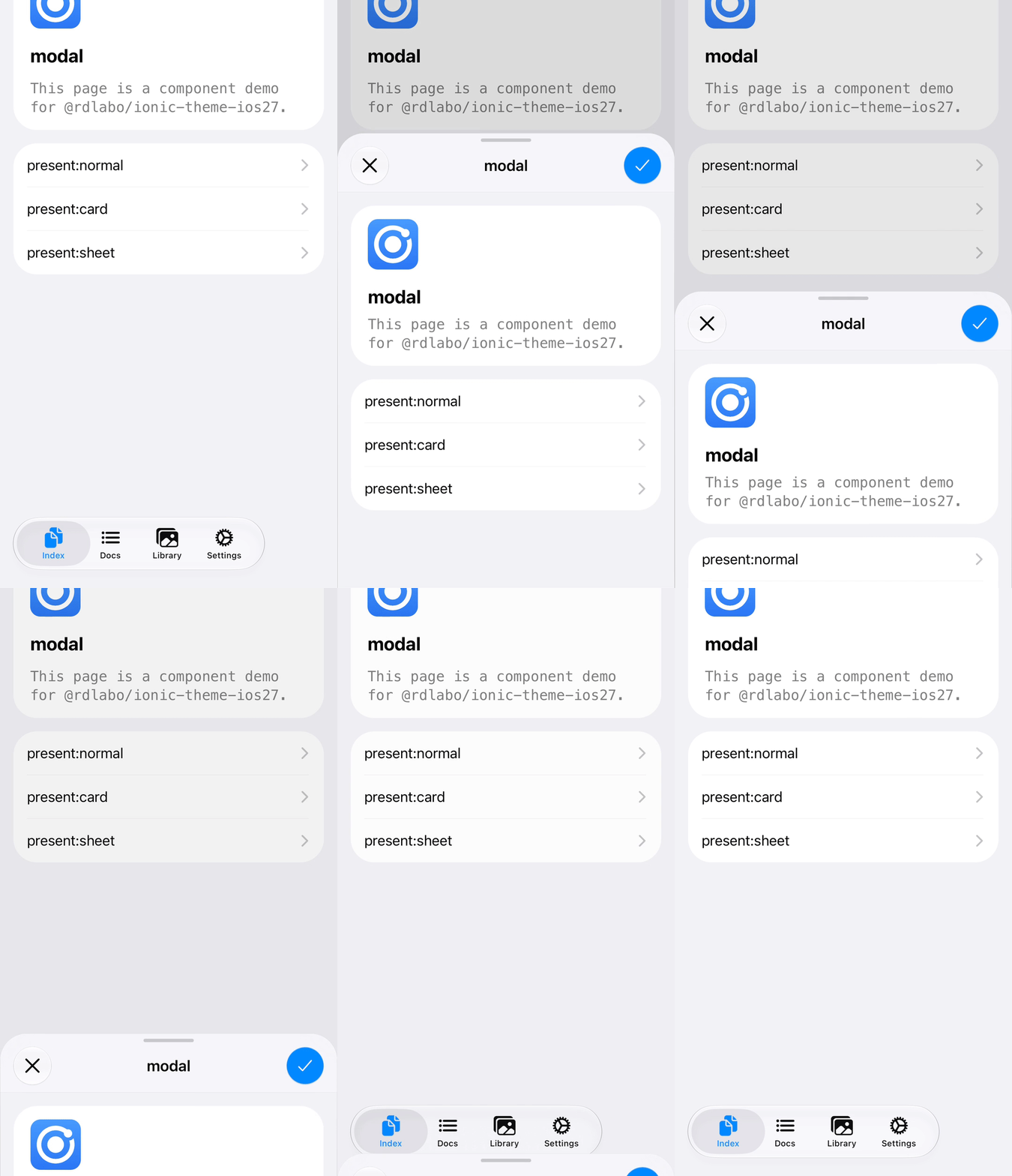
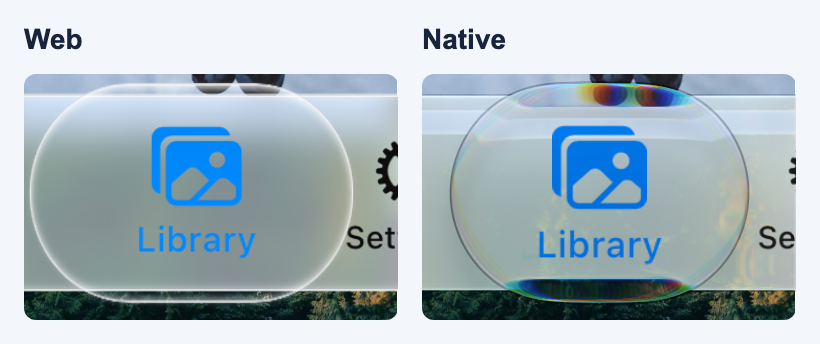
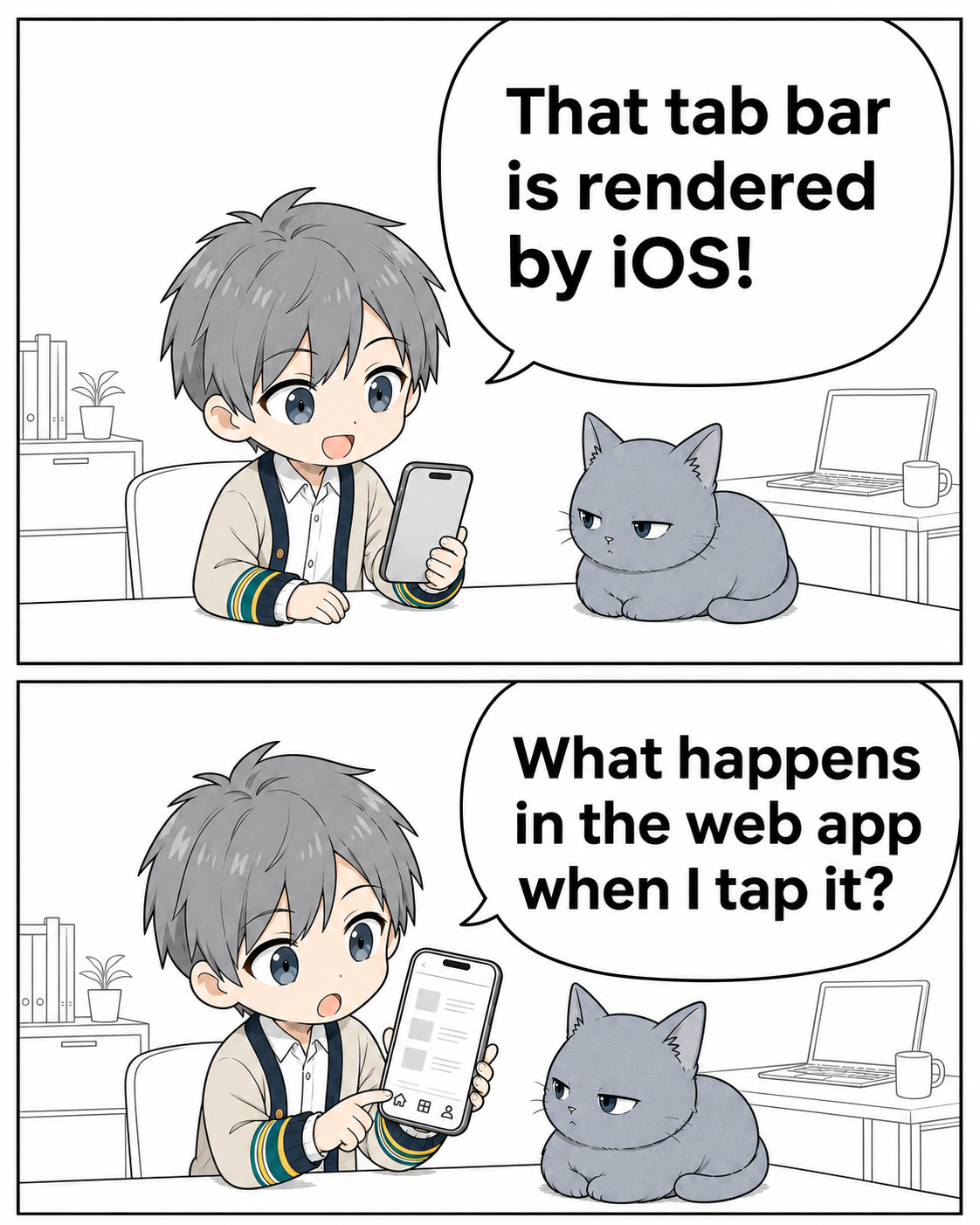
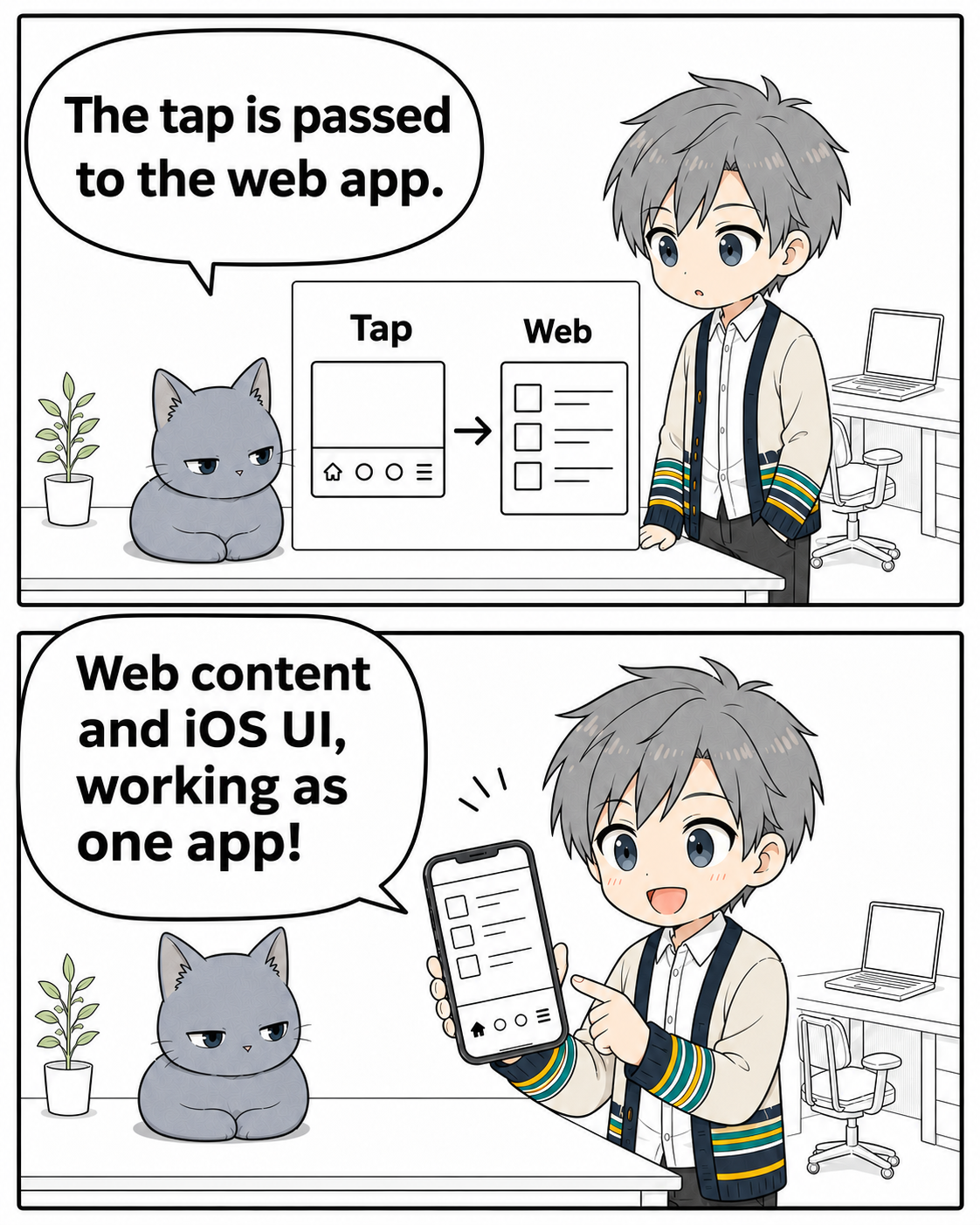
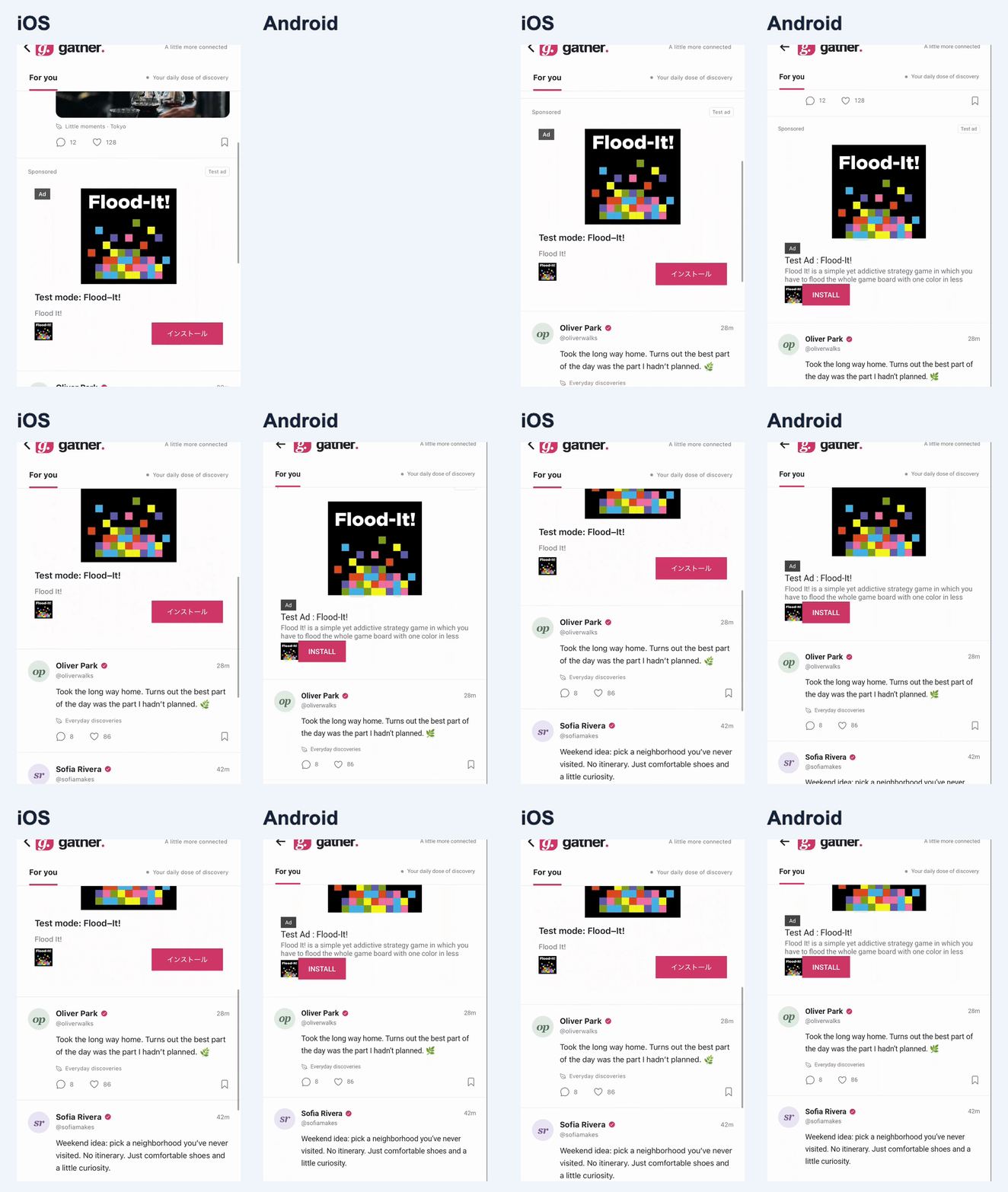
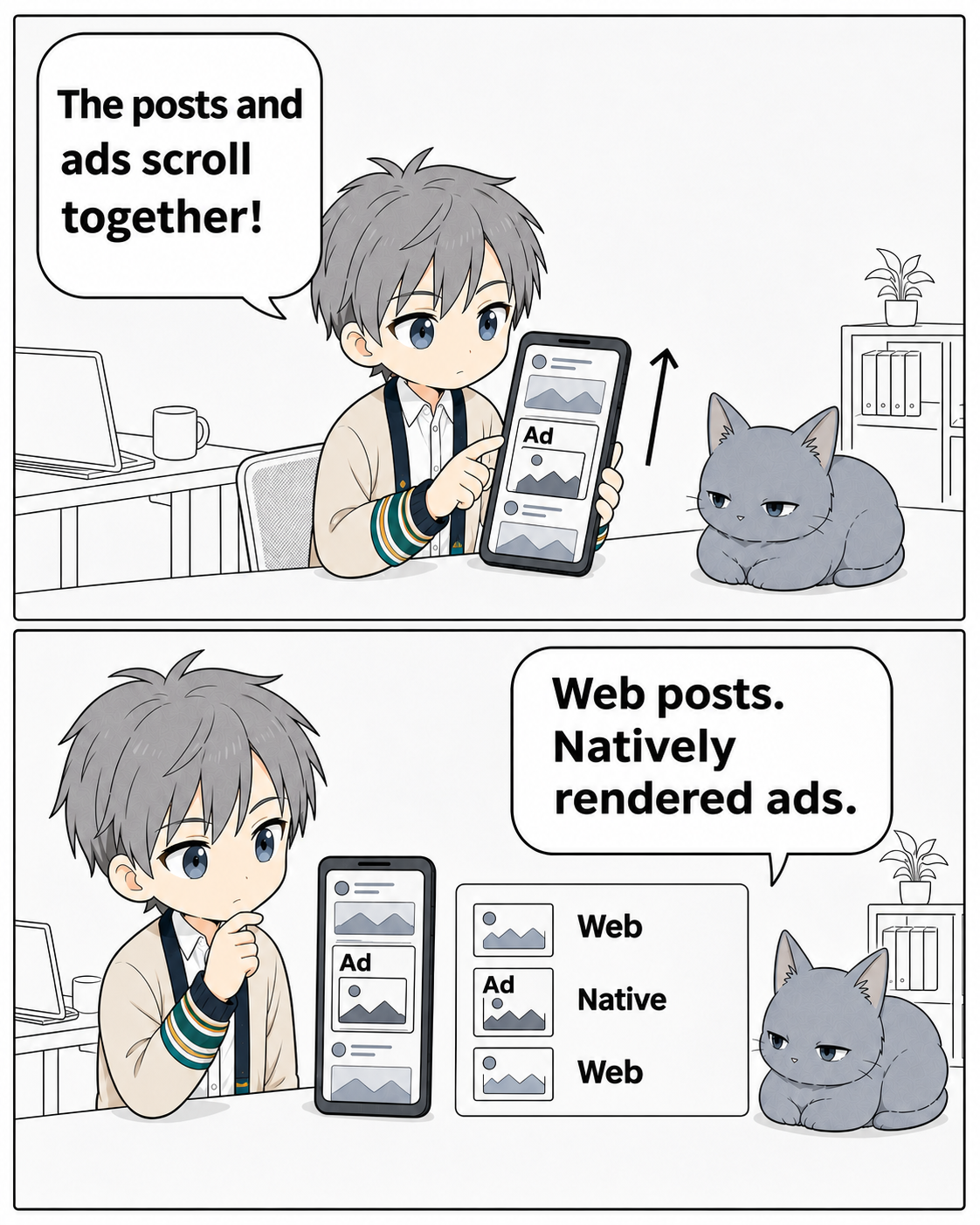
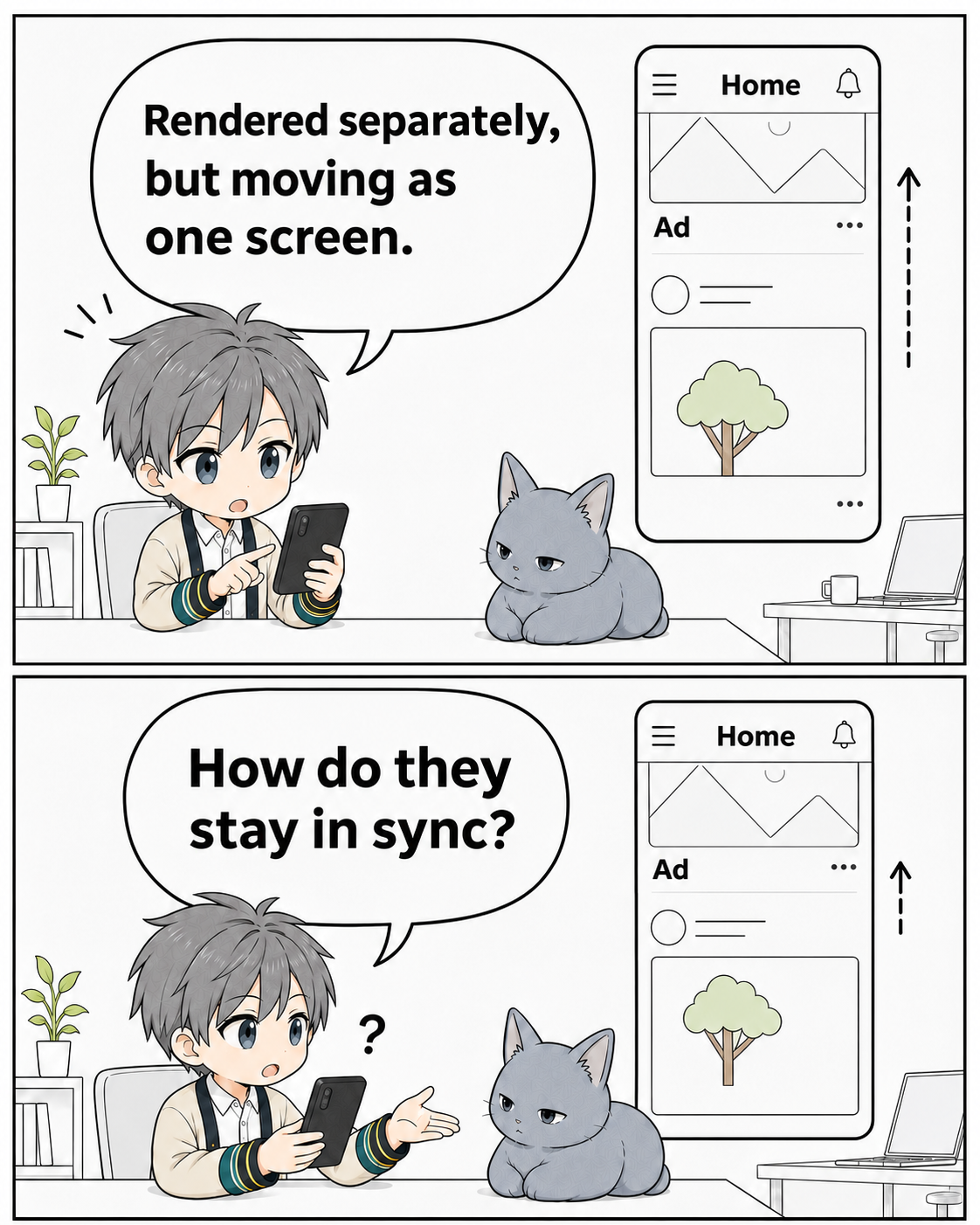
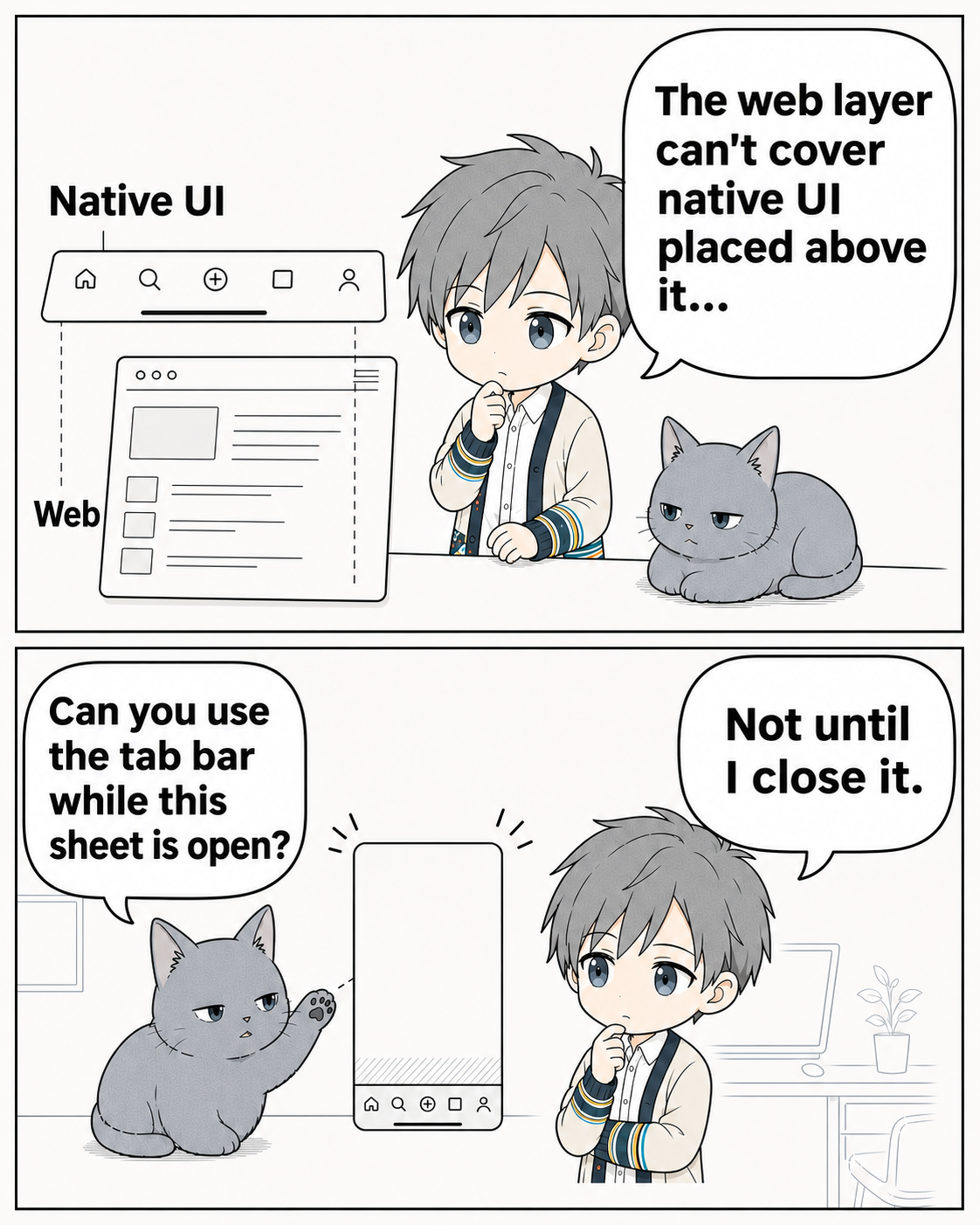
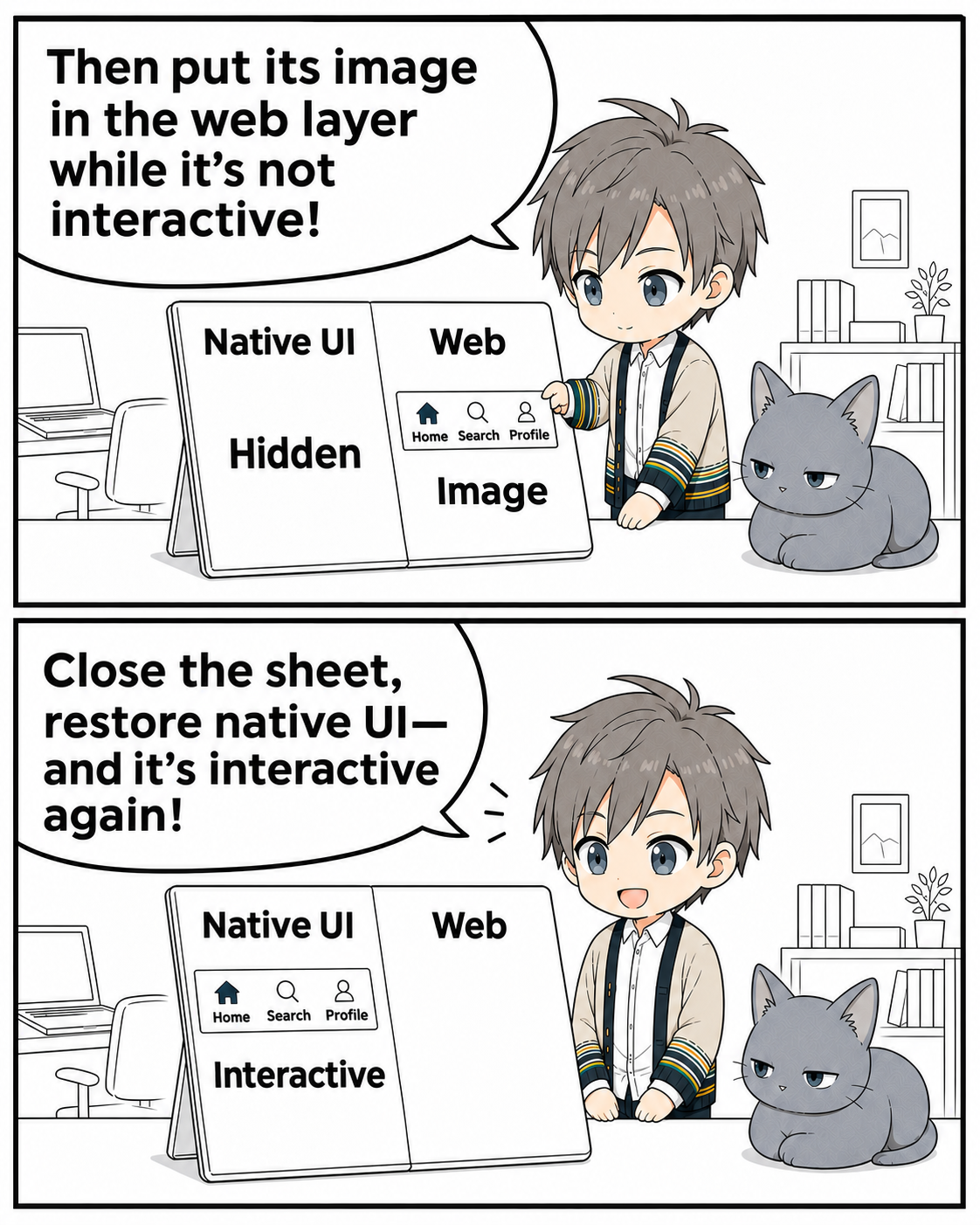
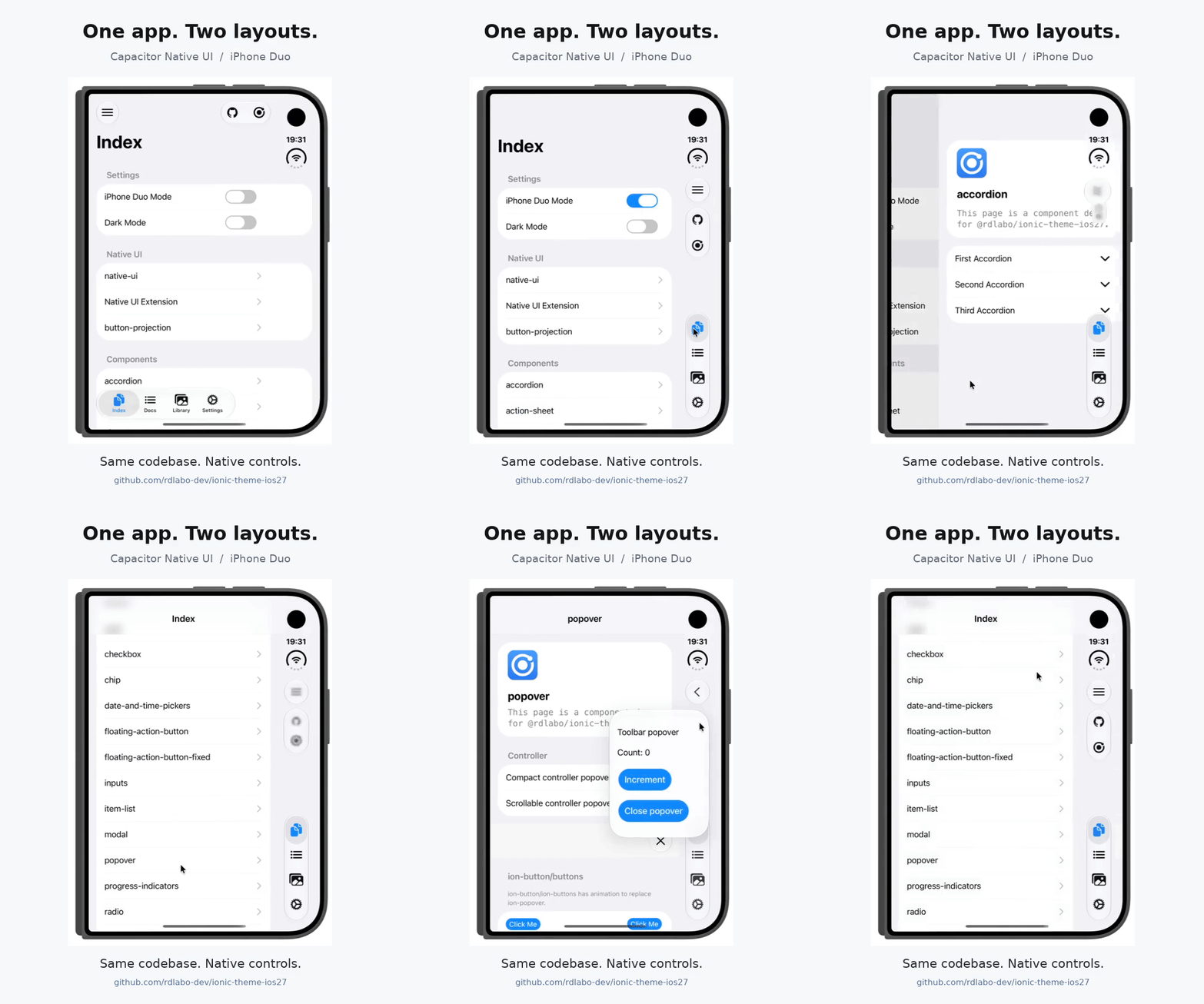
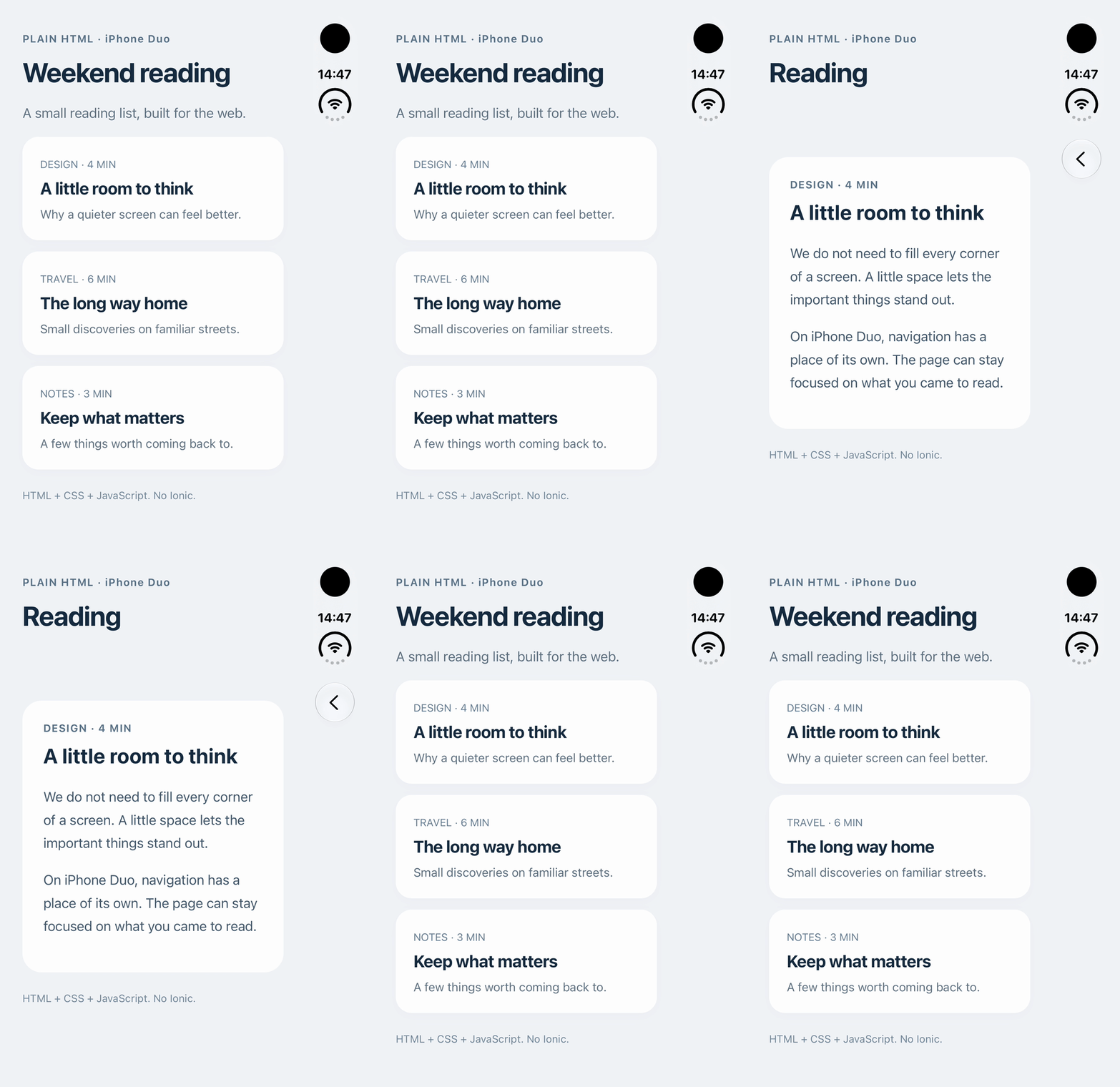
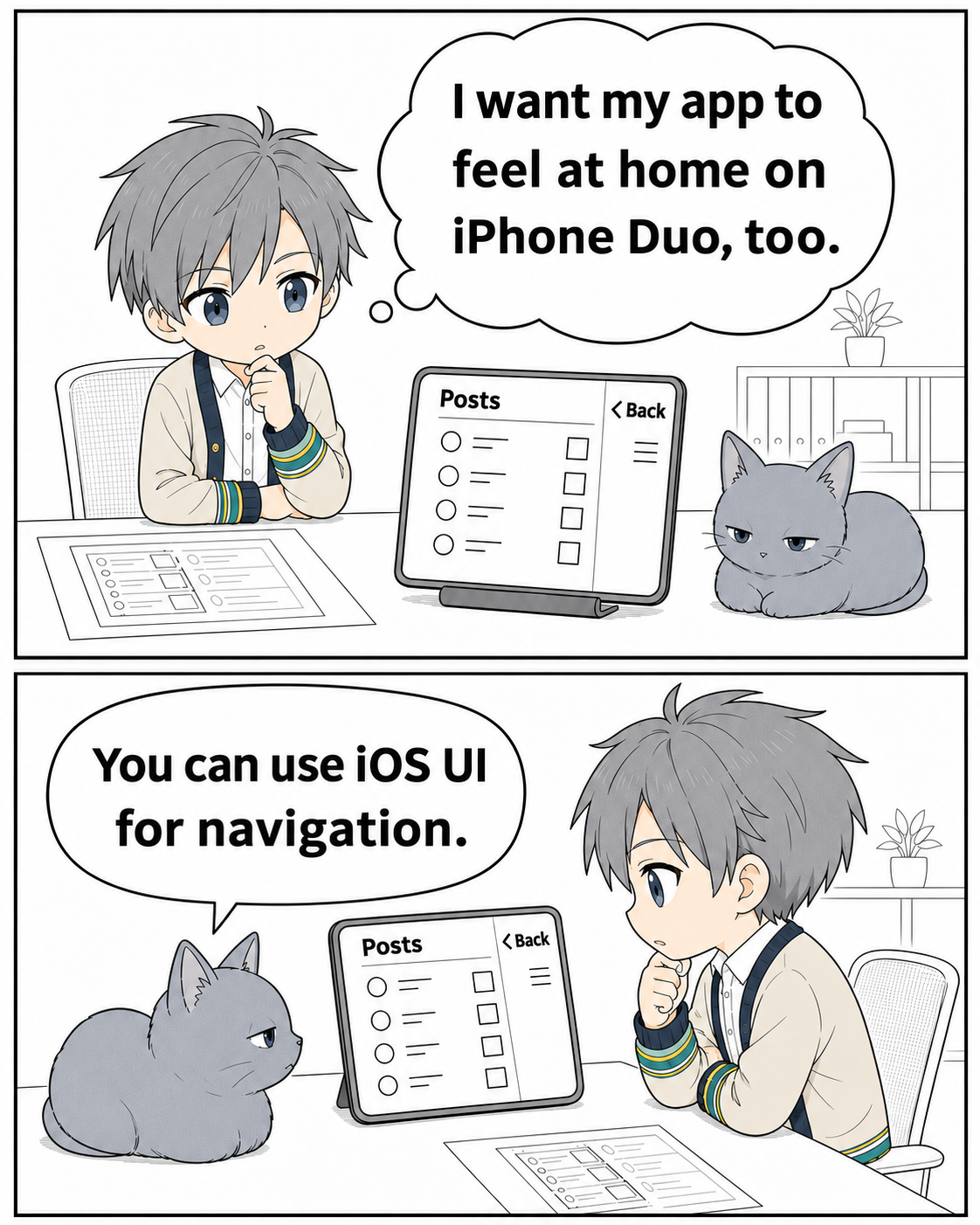
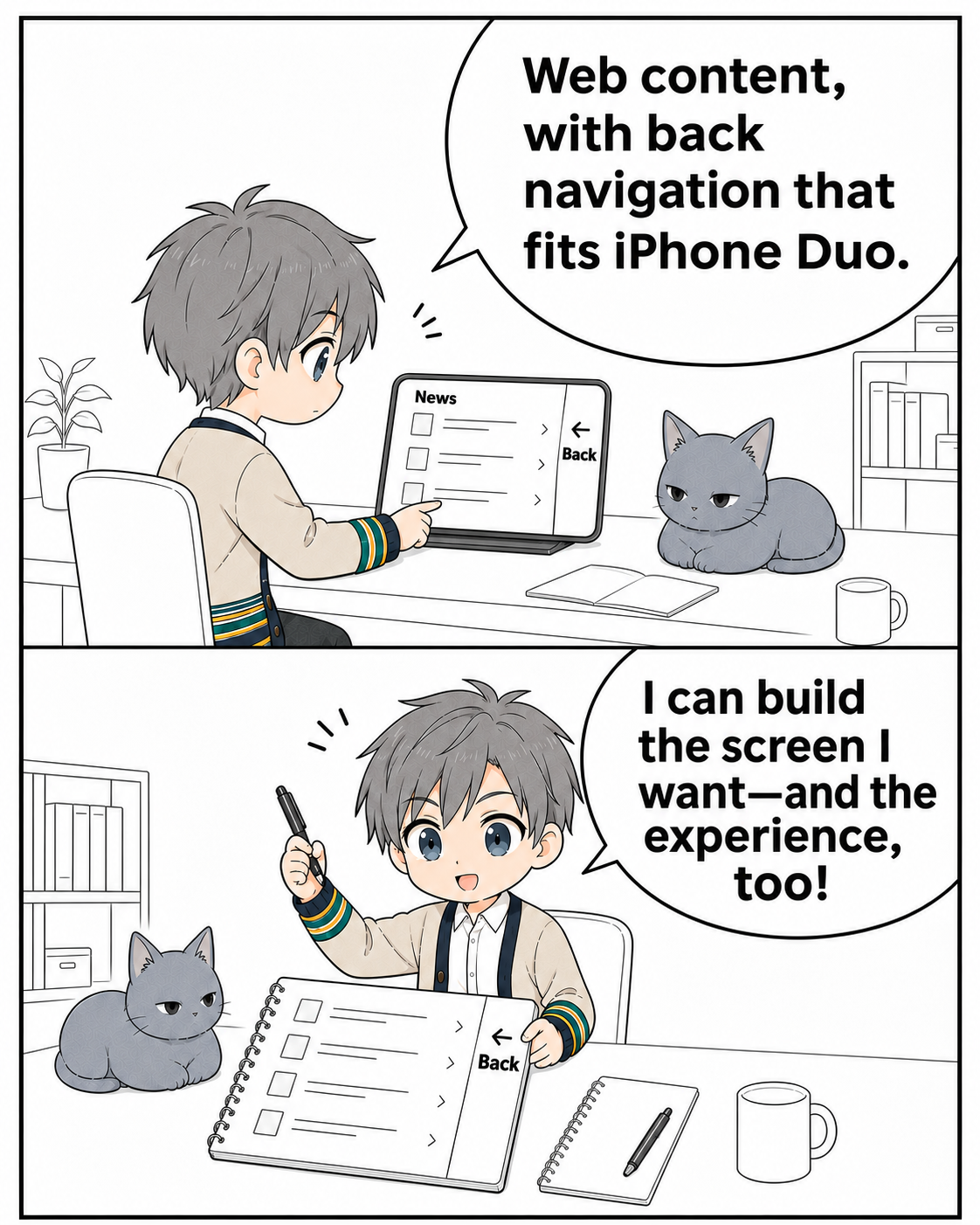
I Didn’t Want “Built with Web Tech” to Mean Compromise [Capacitor/Cordova] HTML, CSS, JavaScript. The same technologies you use for websites and web apps can also power iOS and Android apps. Capacitor and Cordova let you run those web interfaces inside a mobile app, with plugins providing access to features such as push notifications and Face ID. The component that displays the web interface inside the app is called a WebView. Apps built this way are often called WebView or hybrid apps. They aren't just small experiments: in Japan, examples include AEON's iAEON shopping app and the Sumitomo Mitsui Banking Corporation app. There are challenges, though. Recreating native UI with web technologies has limits. Liquid Glass, introduced in iOS 26, is a good example: the glass changes shape under your finger and refracts the content behind it. Then there are ads. Google AdMob is a common choice for mobile apps, but making a native ad scroll between posts in a web feed is a different problem from placing a banner on the screen. The web content and the native UI live in separate rendering layers. For almost ten years, I thought of these as limitations of WebView apps. But after questioning the requirements and experimenting, I finally found a way to make native UI and web content coexist without disrupting the experience! Native UI alongside web content Close this web-based sheet, and the iOS tab bar appears underneath. You can then interact with it, including a long press. The tab bar is native UI rendered by UIKit. <img src="dev-to-uploads.s3.us-east-2.amazonaws.com" alt="A web sheet closes over a UIKit tab bar. A long press then interacts with the native tab bar." width="360" /> Web content and native UI, behaving naturally on the same screen. I honestly used to think this wasn't possible! An iOS tab bar that controls the web app Compare a long press on a web recreation with the native tab bar. The curvature of the glass and the distortion of the photo behind it are different. !A long press on a web recreation and a native tab bar, with the glass enlarged for comparison. I built @rdlabo/capacitor-native-ui to use this native UI alongside web content. It reads supported Ionic components and renders their native counterparts with UIKit and SwiftUI. !Comic 1, part 1: iOS renders the tab bar. What happens to the web app when it is tapped? !Comic 1, part 2: The interaction is passed to the web app. Web content and iOS UI work as one app. Labels and selection state can still be managed on the web side. Ionic isn't required, either: in a plain HTML app, you can explicitly mark buttons and back buttons for native rendering. I've also released a Cordova plugin. It shares the native rendering implementation, so Cordova apps can use it too. Native ads that scroll with the posts Navigation wasn't the only place I wanted native UI. I wanted ads between posts, scrolling with the feed, as they do on X. The posts and photos are web content; the ads between them are rendered by the Google Mobile Ads SDK. <img src="dev-to-uploads.s3.us-east-2.amazonaws.com" alt="Native ads scroll with web posts on iOS and Android, disappearing behind the fixed header." width="540" /> Both platforms are showing test ads. After tuning the behavior separately on iOS and Android, I made this available through @capacitor-community/admob. !Comic 2, part 1: Web posts and native ads move together in the feed. !Comic 2, part 2: The ad disappears behind the header. How do the two rendering systems stay in sync? When you can't interact with it, could an image do? The hardest part of both features was the boundary between the web and native rendering layers. CSS z-index only controls stacking inside the WebView. A web sheet cannot cover a native view placed above the WebView itself. Scrolling has the same problem: moving the web content doesn't automatically move the native view with it. They are separate rendering systems. Of course they behave differently. But to the person using the app, it's all one screen. So I reconsidered the requirement: when does the UI actually need to remain a live native view? !Comic 3, part 1: Separate layers prevent a web sheet from covering native UI. But the tab bar cannot be used while the blocking sheet is open. !Comic 3, part 2: Put an image of the tab bar in the web layer temporarily, then restore the native view when the sheet closes. The native UI itself doesn't need to enter the DOM. Only its appearance does. That realization was a thrill. I call the approach “Projection.” But taking a snapshot isn't the whole solution. Hide the native view first, and you get a blank frame before its image appears. Show the image first, and the translucent glass appears twice, layered over itself. Neither works. So I prepare the snapshot and get it ready for display on the web side before switching. When hiding the native view, I temporarily display the same image on the native side to bridge the handoff. Once the web side displays its copy, I remove the temporary native-side image in step with rendering. The appearance stays the same; only the place rendering it changes. Tuning that handoff frame by frame produced the behavior in the opening demo. Just watching it, you can't tell when the tab bar becomes an image. It feels like magic! There are limits: a snapshot cannot preserve interaction or video playback. Scrolling also calls for different strategies. In supported iOS scroll regions, the live native view follows the content. For Android ads that can be captured, an image is projected while scrolling. I extracted the shared coordination into WebView Native UI Engine, so other plugin authors can use it. My Projection article goes deeper into preparing the snapshot and timing the handoff. Adapting the app to iPhone Duo Using native UI also gave me a way to support iPhone Duo! On Duo's outer display and its inner display in landscape, back buttons and tab bars move to the sides. This arrangement is called Vertical Bars. Moving navigation to the sides gives the same Ionic app more vertical room for its content. <img src="dev-to-uploads.s3.us-east-2.amazonaws.com" alt="An Ionic app switches to Vertical Bars, with native navigation at the sides." width="400" /> This recording enables the vertical layout using a switch inside the demo app. Moving the bars is only part of the work. The web content needs to leave room for them, too. The background can fill the screen, while cards and lists stay clear of the bars. Safe areas become a question of how the content and controls fit together, not just how much padding to put at the top and bottom. Vertical Bars follow iOS conventions for width, button order, grouping, and animation. Other apps follow those same conventions, which makes small differences in a web recreation easier to notice. Matching the transitions and the changing shape of the glass is particularly tricky. This is where I want to use native UI. A plain HTML app can use it too. In this example, pressing the native back button on the right runs the existing web-side handler and returns to the list. <img src="dev-to-uploads.s3.us-east-2.amazonaws.com" alt="A plain HTML Capacitor app returns from a detail view to its list using the native side back button." width="360" /> Outside Ionic, this integration supports explicitly marked buttons and back buttons. It does not automatically convert arbitrary HTML tab bars. Device layout information comes from Erkam Yaman's Capacitor Foldable. I use that information to align the web layout with the native controls. Thank you, Erkam! You still need to initialize the plugins and connect the layout updates. But you don't need a separate app UI just for Duo. The documentation has guides for Ionic Vertical Bars and framework-independent integration. More room for what we can build with the web !Comic 4, part 1: The developer wants an app that feels at home on iPhone Duo. Native iOS navigation is an option. !Comic 4, part 2: The content stays web-based while navigation follows the device's conventions. The developer can pursue both the interface and the experience they want. All the plugins and libraries described here are open source under the MIT license: - Native UI for Capacitor: @rdlabo/capacitor-native-ui - Native UI for Cordova: @webview-native-ui/cordova-plugin - Native ads: @capacitor-community/admob - Shared coordination for plugin authors: WebView Native UI Engine Building with web technologies doesn't have to mean giving up the native capabilities your app needs. You can build the content and behavior with the web, then bring in native UI where it makes sense. That's the choice I wanted to make possible. After almost ten years of treating this as a constraint, I finally got past it. This was software development, but it felt like inventing something. I'm proud of this one! If this made you think, “Wait, a web-based app can do that?”, I'm happy. If it gives you something you've wanted for your own app, even better. What native UI have you wanted to use alongside your web content? Adapted from my Japanese article on note, with the comics translated into English.
What if Context Compaction is handled by a model instead of harness, CTXAgent explained in 70 Secs Paper: arxiv.org A coding agent re-reads the whole chat before every step, and you pay for all of it. Claude Code handles this by squashing context into a summary once it gets long. CTXAgent (Hamburg University of Technology) does the opposite: one paragraph of instructions and two tools, no training. When a task ends, the model swaps the finished work for its own short hand-off summary. With Claude Opus 5.5 on both sides, each step re-read under half as much context on average, task success matched Claude Code (no significant difference, not better), and cost was 34% lower than Claude Code's cheapest tested setting — 49% lower than its default. Authors' own runs, list prices. The catch is that it depends on the model. Of seven models given the same instructions, two never compacted at all, and OpenAI's Sol 6.1 wrote hand-off summaries so long it cost 16% more than Codex at a 200k window. Three chats per setting, preprint, not peer reviewed. Code: MatthiasHBusch/CTXAgent
Had some fun with a take-home: building an AI tool for people who don’t know CAD but need custom fixtures. Upload a STEP file, describe what you need, review the design in 3D, and ask for changes in plain English. Powered by NVIDIA’s SMLib. lrosu02/fixture-studio
FL Studio alternative that runs on Linux I'm neither the developer, nor am I affiliated with this project. Just yesterday I grabbed the AppImage and holy hell, this thing rocks. IMHO, it definitely deserves more attention. Frankly, it's all LLM coded, but it works. As someone who occasionally fires up FL Studio through wine, just to jam for a few minutes, I decided to give this one a shot, and it just works. MIDI input works right away (after rescanning devices) and there are already some synths to get going.
here it is, build on it however you want Markus864/Industrial-Maintenance-Intelligence-Platform #plc
Netip 0.4: fast IP network operations with arbitrary masks I maintain netip, a Rust library for fast IPv4/IPv6 network operations with arbitrary masks. For example, start with 10.*.0.*, represented by the mask 255.0.255.0, and exclude 10.0.0.0/9: use netip::Ipv4Network; let network = Ipv4Network::parse("10.0.0.0/255.0.255.0").unwrap(); let excluded = Ipv4Network::parse("10.0.0.0/9").unwrap(); for remaining in network.difference(&excluded) { println!("{remaining}"); } Output: 10.128.0.0/255.128.255.0 The result matches 10.{128..255}.0.*: the third octet stays fixed at zero, while the second ranges from 128 to 255. No individual addresses need to be enumerated. Intersection, containment and aggregation support arbitrary masks too. The library includes fast parsers and allocation-free network operations. It uses only core, has zero dependencies, and forbids unsafe code. CIDR-only applications can use Contiguous<T> to enforce contiguous masks. The MSRV is Rust 1.88. If you work on packet classifiers or network policy tools, I'd be interested in API feedback and examples of masks you need to handle. Crate | API documentation
Control Closed-Source Drones with Python This video explores how the vgamepad Python library allows developers to emulate XBox360 and DualShock4 controllers on Windows and Linux. It demonstrates a practical use case where this emulation bypasses strict hardware restrictions to control a closed-source drone that rejected other controllers. LINKS & SOURCES ▸ yannbouteiller/vgamepad on GitHub (263★) yannbouteiller/vgamepad ▸ Reddit discussion (r/opensource) reddit.com ForgeStacx — Dev tools, self-hosted software, and open source worth your weekend. Subscribe: youtube.com #opensource #selfhosted #devtools #Shorts
Uninstalled games leave their Proton prefixes behind. I made a tool that cleans them up and warns you about saves that aren't in Steam Cloud. When you uninstall a game, Steam on Linux keeps its Proton prefix (steamapps/compatdata/<appid>) and shader cache, and I was running out of space, so I wanted to clean them up. The leftovers really add up if you try a lot of demos :) Thus I semi-vibe-coded steam-compatdata-cleanup: arturaz/steam-compatdata-cleanup What it does: - Finds compatdata and shadercache folders for apps that aren't installed in any of your Steam libraries - Looks for saves inside each prefix and checks them against the game's Steam Auto-Cloud rules. Each game goes into one of three groups: - ✗ saves not backed up (unchecked by default, listed first) - ☁ saves backed up by Steam Cloud - ✓ no saves found - Has a GUI with checkboxes. Double-click a game to open its folder before deleting anything. - A Kept tab shows which installed apps use the rest of the space. In my case, 216 GiB was the Battle.net prefix (a non-Steam shortcut), because Battle.net installs its games inside its own prefix. The tool never deletes those, but it shows you where the space went. - Terminal modes: --cli (dry run), -i (asks per game), --delete - Works with native and Flatpak Steam, and with several Steam libraries - Never touches non-Steam shortcuts and makes no network requests (it reads only Steam's local caches) To run it: git clone https://github.com/arturaz/steam-compatdata-cleanup cd steam-compatdata-cleanup ./cleanup.scala It needs scala-cli (scala-cli.virtuslab.org), which downloads everything else (including a JDK if you don't have one) on the first run. That first run takes a while; after that it starts fast. Caveat: save detection is a heuristic. Games that keep saves in their install directory or in Steam's userdata aren't covered, so look over the list before you delete. Run --cli first if you want to see what it would do. For my case I freed 4.6 GiB myself.
装一个软件就往右键加一条,一年下来二十几项,常用的要往下翻。不敢动注册表。 ContextMenuManager 列出所有条目并标注来源,按场景分类,可关可改可排序,随时还原。 plfjy/contextmenumgr
又在 GitHub 上发现了一个实用的开源 Markdown 编辑器:Splat,左边源码、右边预览,两边都能直接输入,改预览也会同步回原文件。 公式带可视化编辑器,Mermaid、Graphviz、PlantUML 图表都能在本机渲染,断网也能画,支持导出 PDF、单个网页和 Word。 GitHub:sventmueller/splat 还兼容 Obsidian 的笔记链接、嵌入和提示块,界面有简体中文、繁体中文等 35 种语言,写笔记和技术文档都能用。 提供已签名好的 Mac 安装包,下载后拖进应用程序就能打开。标签页、自动保存、版本历史这些也用的是系统自带功能。
DynamoDB Design Lessons from 2M Daily Transactions Why Automate Content Creation Creating content manually for 9 channels would take 8+ hours daily. I have a full-time job as VP at JPMorgan. The math doesnt work. The Pipeline Trending Topic CSV ↓ AI Script (Ollama/Gemini) ↓ Google Cloud TTS (Voice) ↓ Pexels Images + MoviePy Video ↓ YouTube API Upload Scheduling with Mac LaunchAgents <plist version="1.0"> <dict> <key>Label</key> <string>com.gyaaninfive.youtube</string> <key>ProgramArguments</key> <array> <string>/usr/bin/python3</string> <string>/path/to/upload.py</string> </array> <key>StartCalendarInterval</key> <dict> <key>Hour</key><integer>18</integer> <key>Minute</key><integer>15</integer> </dict> </dict> </plist> One plist per channel. Runs at the exact scheduled time. Total Monthly Cost Google Cloud TTS: Free (4M chars/month) Pexels API: Free YouTube API: Free Ollama: Free (local) Total: ₹0/month Full code on GitHub --- 9 channels. Daily uploads. Zero manual work.
Inspect the data bindings behind an app vstorm-co/agenticos t.co
失敗しながら学んでいくアプリ開発記 はじめに AI時代にソフトウェアを簡単に作ることができるようになり、アプリ開発がより手軽なものになりました。 一方で、AIを使用しても開発する上では、失敗はつきものです。 そこで私は、自分でやってみて失敗して、学ぶ大切さを改めて書き残すことにしました。自分で作るからこそわかる考慮漏れやミスを共有し、知見にしていただけたら嬉しいです。 私takumiについて 新卒からAndroidアプリ開発をしているエンジニアです。とあるSaaS企業に勤めていて、現在まで3年以上在籍しています。 個人開発をしているのは、経験不足への危機感 すでにあるアプリの改修が主な仕事です。新しい機能を付け足したり、古くなったコードのリファクタリングなどを行っています。 しかし、このままでは自分でアプリを1から設計し作っていく経験が積めないと感じていました。1から作る経験がないと、自分で設計する時が来た時に、今自分はどこまでの範囲を考慮できるのか、どんなミスをしがちなのかわからなくて困るだろうと考えました。 業務で1からアプリを作るチャンスがいつ来るかわからないので、自分でアプリ作成を始めました。 私が開発しているアプリ、VtuberCamera Vrm形式のアバターを読み込んで、スマホ上に表示し、フェイストラッキングで表情や顔の向きを操作できるアプリです。最近はこのアプリをYouTubeの動画投稿にも使用しています。 元々私は、VTuberのファンで色々な人の配信を見てきました。そのうちに、自分でもアバターを使って配信や動画投稿をしたいと考えるようになって、このアプリを作成すると決めました。 一度は、難しくて開発を諦めたものの、AIの登場により勇気づけられて開発を再開しました。 ここ2週間でアップデートを行い、このアプリだけでBGMや背景画像挿入を行なって録画をすることが可能になりました。 このようなアップデートを行ったのは、PCを使ってOBSのクロマキーでアバターを重ねていた準備が面倒になってきたため、スマホ一台で完結できないかと考えたからです。 失敗その1:アバターの服・肌の色が白っぽくなる アバターが着ている服は、こんなに白かっただろうか。 何本か動画を投稿している中で、そのような違和感を感じ始めました。 サムネイルにしているアバターの画像は、アバターを作った時のプロフィール写真を流用しています。そのため、服の色も青色でした。 しかし、動画内で喋っているアバターを見ると、どうにも服が青色に見えません。むしろ、白Tシャツに見えます。 なぜそうなっているのか分析してみると、レンダリングに使っているFilamentの既定のトーンマッパー(ACES)が、明るい色を白っぽく潰してしまうことが原因だとわかりました。VRoidで設定した服や肌の色を残すには、トーンマッパーをLinearに変更する必要がありました。 さらに、トーンマッパーをLinearに変えると明るさの見え方自体も変わるため、ライトの強さも合わせて調整し直すことになりました。 Android側のコードは以下の通りです。 internal class AndroidFilamentAvatarRenderer( context:Context ){ private val engine:Engine private val colorGrading:ColorGrading //... engine = Engine.create() //... colorGrading = ColorGrading.Builder().toneMapper(ToneMapper.Linear()).build(engine) //... fun destroy(){ //... engine.destroyColorGrading(colorGrading) } private fun configureView(){ // 既定のACESは明るい色を白寄りに潰すため、VRoidで設定した服や肌の色が残るようLinearにする view.colorGrading = colorGrading } // LIGHT_INTENSITY: 太陽光に相当する直接光(Light)の強度[lux] // INDIRECT_LIGHT_INTENSITY: 環境全体を照らす間接光(IndirectLight/IBL)の強度[lux] // トーンマッパーをLinearに変えた分、見た目の明るさが変わるためこの2値も合わせて調整している - private const val LIGHT_INTENSITY = 110_000f - private const val LIGHT_INTENSITY = 85_000f - private const val INDIRECT_LIGHT_INTENSITY = 35_000.0f - private const val INDIRECT_LIGHT_INTENSITY = 95_000.0f } また、iOS側でも同様の問題が見つかりました。 static VTCAvatarRenderState *VTCCopyAvatarRenderState // kLightIntensity: Android側のLIGHT_INTENSITYと同じ役割の直接光強度[lux] // kIndirectLightIntensity: Android側のINDIRECT_LIGHT_INTENSITYと同じ役割の間接光強度[lux] - constexpr float kLightIntensity = 110000.0f; - constexpr float kLightIntensity = 85000.0f; - constexpr float kIndirectLightIntensity = 35000.0f; - constexpr float kIndirectLightIntensity = 95000.0f; void setClearColor(float red, float blue, float green, float alpha){ //... // 規定のACESでは明るい色を白寄りに塗りつぶしてしまうため、Vroidで設定した服や肌色を残せるようにLinearにする LineToneMapper lineToneMapper; mColorGrading = ColorGrading::Builder().toneMapper(&lineToneMapper).build(*engine); mView->setColorGrading(mColorGrading); //... } void updateCamera(){ //... ColorGrading* mColorGrading = nullptr; //... } VtuberCamera_KMP_ver#203 これらの変更により、白く塗りつぶされていた服が、きちんと青く表示されるようになりました。なお、アバターが着ている服の色自体は変更していません。 失敗その2:マイクで収録した声が小さかった BGMの音量調節ができるようになって、意気揚々とスマホで動画を収録しました。 これでふと思いついた時に動画を撮ってYouTubeに投稿できると安心して、録画した動画を見返しました。 すると、おかしなことに気がつきました。 あれ、自分の声がPCで撮っていたときよりも小さい気がします。 しかも、BGMの音量をオリジナルの10%まで下げてもこの状況だったので、自分が話している声の音量を上げないとどうにもならない状態になっていました。 そこで、音量を最大2倍まで上げることができる機能を追加しました。音量の最大値はDiscordがそうなっていたので、参考にしました。 マイクのPCM音声にゲインをかけている部分のコードは以下の通りです。 internal fun mixPcm16( mic: ShortArray?, bgm: ShortArray?, sampleCount: Int, bgmGain: Float, - micGain: Float = 1f, out: ShortArray, ) { // MIN_MICROPHONE_VOLUME = 0f / MAX_MICROPHONE_VOLUME = 2f: マイク音量(倍率)の下限・上限を定義した定数 // (別ファイルで定義。上限200%はDiscordの最大音量設定を参考にした) - val effectiveMicGain = micGain.coerceIn(MIN_MICROPHONE_VOLUME, MAX_MICROPHONE_VOLUME) for (index in 0 until sampleCount) { - val micSample = mic?.get(index)?.toFloat() ?: 0f - val micSample = mic?.get(index)?.toFloat()?.times(effectiveMicGain) ?: 0f val bgmSample = bgm?.get(index)?.toFloat()?.times(bgmGain) ?: 0f out[index] = (micSample + bgmSample) .coerceIn(Short.MIN_VALUE.toFloat(), Short.MAX_VALUE.toFloat()) } } VtuberCamera_KMP_ver#219 実装後、マイクで拾った音の音量を上げると、以前よりも自分の声がよく聞こえるようになりました。 ちなみに、今は170%近くの音量まで上げて動画を投稿しています。 youtu.be 失敗その3:動画の保存中に何も表示されず、アプリキルして録画データを無駄にした こうしてマイクの音量も変更できるようになり、今度こそ動画を撮影しました。 10分ほど話し終えたところで、画面をタップして録画を停止させました。 しかし、そこから何もアプリからの応答がありません。それでいてカメラはまだ動いているようでした。 どうしたのだろう、フリーズしてしまったのだろうかと思いました。 そう思ってアプリをキルし、戻ってきても何も表示されません。 ここで私は気がつきました。先ほどの録画データはどうなったのでしょうか。 慌ててギャラリーを開くも、そこには先ほどまで保存処理を行っていたはずの動画データがありませんでした。 そう、あの時のアプリキルによって動画データもキルしてしまっていたのです。 ああ、なんということでしょう。 その原因は、録画が終了した後の保存処理で、ユーザに何も表示していなかったことでした。 そこで私は、今後同じようなことが起きないように、保存中の表示を追加するようにしました。 @Composable private fun CameraPreviewState( //... ){ //... if(videoRecoding == VideoRecordingState.Finalizing){ // CAMERA_CONTROLS_LAYER_Z_INDEX = 3f: カメラ操作UI全般の重ね順(zIndex)を揃えるための定数。 // この保存中表示はさらにその上に出したいので+1fしている Box( modifier = Modifier.fillMaxSize() .zIndex(CAMERA_CONTROLS_LAYER_Z_INDEX + 1f), contentAlignment = Alignment.Center ){ // MaterialTheme.spacing: data class AppSpacing(xs=4dp, sm=8dp, md=12dp, lg=24dp, xl=32dp)を // CompositionLocalで配り、MaterialThemeの拡張プロパティとして参照できるようにした自前の余白トークン Column( modifier = Modifier.padding( horizontal = MaterialTheme.spacing.xl, vertical = MaterialTheme.spacing.lg ), holizontalAlignment = Alignment.CenterHolizontally, verticalAlignment = Arrangement.SpaceBy(MaterialTheme.spacing.md) ){ // glass.style.contentColor: 半透明の"Liquid Glass"風UIを表現するdata class LiquidGlassStyleの // プロパティで、ガラス面の上に載せる文字・アイコンの前景色(ライト/ダークで値が変わる) CircularProgressIndicator(color = glass.style.contentColor) Text( // 録画を保存中です。アプリを閉じずにお待ちください。 // MaterialTheme.typography.bodyLarge: Compose標準のタイポグラフィスケールの1つ text = stringResource(Res.string.camera_video_saving), style = MaterialTheme.typography.bodyLarge, color = glass.style.contentColor, ) } } } } VtuberCamera_KMP_ver#223 これにより、動画を無に返す事故を防ぐことができています。そして、動画投稿も完了できました。 youtu.be 終わりに:作ってみてわかる学びは、予想外に多くある 今回の記事では以上3つの例を述べてきましたが、まだまだ取り上げなかった失敗は数多くあります。 実は、今の段階でもAndroidではBGMの音量調節ができるのに、iOSではうまく反映されておらず大きいままなので、実用には至っていません。 このように開発には、思わぬ落とし穴がたくさんあり、むしろうまくいくことが宝くじに当たったような幸運に感じられるようになります。 最近では、AIの発達によりプログラミング未経験の人がアプリを作ったという話が巷では流れています。しかし、このアプリもAIを駆使しながら開発しているものの、このような失敗は数多くあります。 それこそが、自分で設計からテスト・保守までを一貫して行う、個人開発の面白さだと私は感じています。
Compared tree ensembles in Module 6 of #mlzoomcamp. 🌳 Decision tree 🌲 Random forest ⚡ XGBoost 📉 Tuned the validation RMSE
try it out here: Kcodess2807/venvctl
Pin and Replay, or Refuse: Conditional Exactness and Probabilistic Validation Across Reference Releases Joshua Terranova, Jiapeng Zhang arxiv.org [𝚚-𝚋𝚒𝚘.𝙶𝙽] 💬Code: github.com/thatrandomasiandev/tare/releases/tag/a… t.co
RMK now supports esp32s31! USB-HS and high performance makes it a perfect chip for dongles with screen and high polling rate. rmk#1393
VRCのアンケート結果の大多数のところだけを引き合いに出して、VRCがタグ導入しなかった理由や線引きの面では圧倒的多数の合意が存在しないところに触れないあたりが、あっちの反AIの人たちの言い口により過ぎてさすがにちょっと悲しくなった... Resonite-Issues#7440
@satoru_takeuchi mage です。magefile/mage Go でいろいろできるのが良いのです。
I created an automatic HDR app that supports games, video streaming, and multi-monitor setup that is also lightweight TL;DR: Huedra is a free, open-source Windows tray app that turns HDR on by itself when a game or HDR video starts, only on the display showing it, and turns it off again when it ends. It finds games from 13 launchers, needs no admin rights and sends no telemetry. GitHub · Download Windows HDR makes HDR games and video look the way they should, but it's a poor fit for everything else on an OLED: SDR content looks washed out, and leaving HDR on all day means a brighter desktop for hours. Most of us end up pressing Win+Alt+B before every game and forgetting to switch it back. Huedra does the switching for you. It sits in the tray and turns HDR on only while there's HDR content, and only on the display showing it. Credit where it's due: Huedra started from the idea behind Smart HDR Manager by u/manfredss, who posted it here. Huedra is a separate project, a rewrite in Rust with its own features, but the idea is theirs, so go show their project some love too. What it does - Games, found automatically. It reads the libraries of Steam, Epic Games, GOG, Xbox, Ubisoft Connect, EA app, Rockstar, Battle.net, Riot Games, HoYoPlay, Amazon Games, itch.io and Heroic Games Launcher. It also picks up games the Xbox Game Bar recognized that no launcher lists (standalone installs, emulators and so on). HDR turns on while the game runs and off when it closes. Each game can have a start delay and a "keep HDR on after closing" time. For League of Legends, only the actual match counts, not the client you sit in between games. - HDR video. VLC, mpv, MPC-HC, MPC-BE and PotPlayer, detected by the title of the file playing. YouTube HDR works through a small browser extension (Chrome Web Store; Firefox from the release zip), and if you want, full-screen Netflix, Disney+, Prime Video, HBO Max and Apple TV too. - RTX Video HDR aware. If RTX Video HDR is on in the NVIDIA app, full-screen SDR video in a watched player or browser can switch HDR on too, so RTX Video HDR has something to work with. - The right display. Only the display showing the game or video switches, and HDR follows the window if you drag it to another monitor. Handy if your second screen isn't HDR. - Start with HDR. Some games misbehave when HDR changes while they start. A Steam launch option, a desktop shortcut or a right-click "Start with HDR" entry turns HDR on first. - Game info. Each game shows whether PCGamingWiki lists HDR support for it, which helps decide which ones are worth enabling. - Hotkeys, tray menu and command line to force HDR or SDR or pause it, so a script or a Stream Deck button can drive it too. What it doesn't do - No admin rights, no installer, no background polling: Windows tells it when something changes. It uses about 2 MB of memory. - It never reads or writes another program's memory and never injects anything. It only reads the name and path of the program in front. No game publisher has reviewed it, though, so I can't promise anything about every anti-cheat. - No accounts, no telemetry. Updates install only with a valid signature. Free and open source (Apache 2.0). Every feature is free; there's nothing paywalled. - GitHub: apixelsnet/huedra - Download: github.com/apixelsnet/huedra/releases (unzip, run huedra.exe) Tested on Windows 11 with an NVIDIA card and two HDR displays. Reports from AMD and Intel GPUs, Windows 10, laptops and other OLED monitors and TVs would help a lot. If something switches when it shouldn't, or a game isn't found, open an issue or comment here. The exe isn't code-signed yet, so Windows SmartScreen will warn on first launch (More info → Run anyway). Disclaimer: Huedra is provided as is, without warranty; use it at your own risk. It's an independent project, not affiliated with Microsoft, NVIDIA, any launcher or streaming service. Parts of the code, docs and artwork were written with the help of AI tools; I review and test every change myself. The full disclaimer is in the repository. edit: added tldr edit 2: added Disclaimer
@LakeraAI @Unit42_Intel Star the MCP server or browse the code here: 1clawAI/1claw-mcp
The Claude Code setup I run every day, MIT, no email gate: roadhero/claude-code-setup Codex version: roadhero/codex-setup
@lonaude @OmarchyMac @AuroraSilicon With @maralcbr’s Omarchy-Mac-migrate you shouldn’t have to do a fresh install: omarchy-mac#690
Time for fun has ended. Time to work on real stuff begins. brevdev/workshop-build-an-agent
This is the open source I am building check it out! katesaikishore/companyOS t.co
Looking for contributors to help improve my open-source project – SiphonDB Hey everyone! I've been working on an open-source project called SiphonDB, and I'm looking for developers who would be interested in contributing. I'm currently working on improving its performance, fixing bugs, and making the project more reliable. I've created 25 GitHub issues that cover: - 10 performance-related improvements - 15 bug fixes - Various improvements with different priority levels I'm looking for contributors who would like to: - Fix bugs - Improve performance - Review code and suggest improvements - Help with testing - Share ideas and feedback You don't need to be an experienced developer. If you're interested in the project and want to get involved in open-source development, you're welcome! GitHub Repository: Premod1/SiphonDB Available Issues: github.com/Premod1/SiphonDB/issues If you're interested in contributing, feel free to pick an issue or leave a comment. I'd be happy to collaborate! Thanks for taking the time to check it out!
github.com/hra1129/Y8960_Cartridge/tree/main/y896… Y8960 Sample Program J.S.Bach「ブランデンブルク協奏曲 第3番 ト長調 BWV 1048」 です。 Copilotくんに作ってもらったので、正しい演奏なのかどうか、私はわかりません😅
文档、数据库、白板、手写笔记本、每日日记和项目工单放进同一棵页面树,号称是 Notion 与 AppFlowy 的自托管平替。 yannicschuller/flowplan t.co
バックアッププラグインのSubPodを公開しました villyoshioka/SubPod
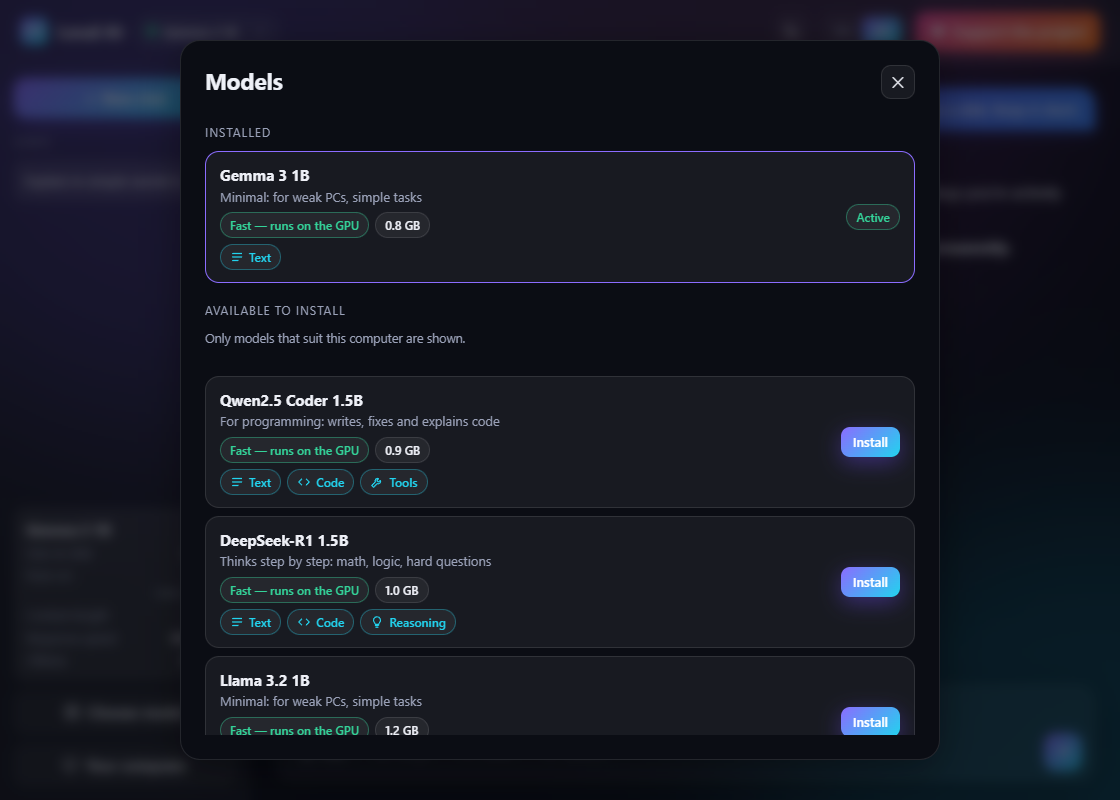
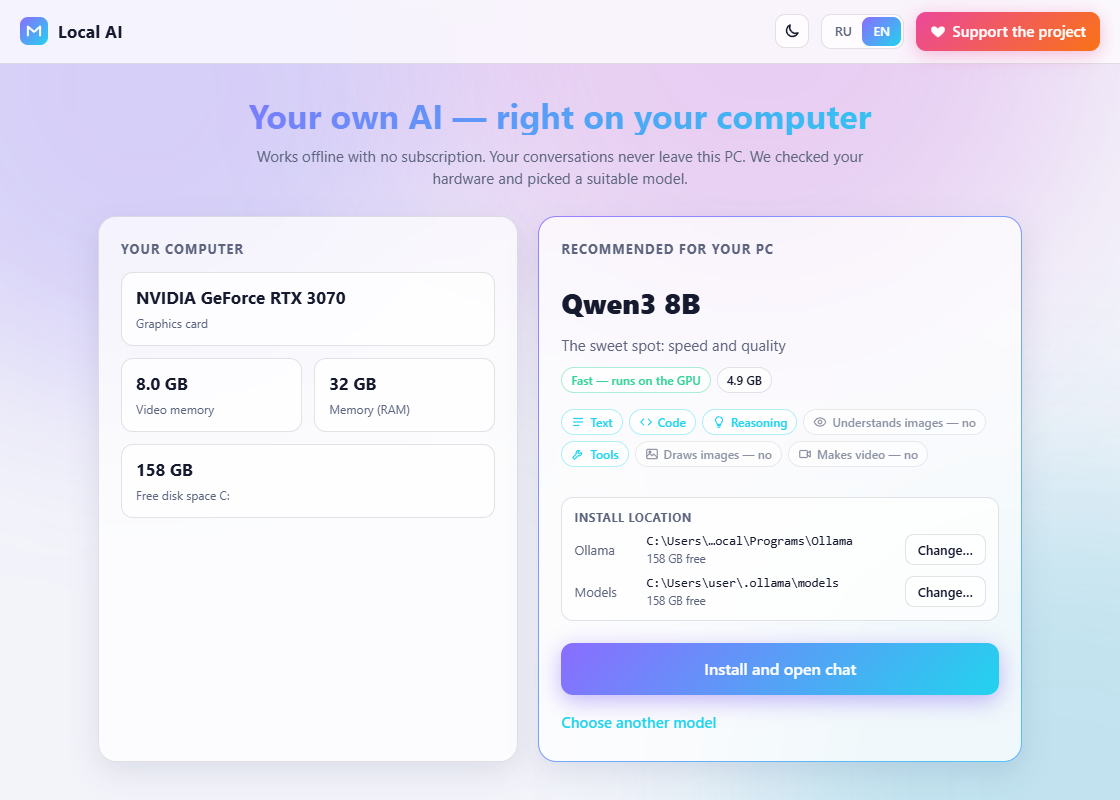
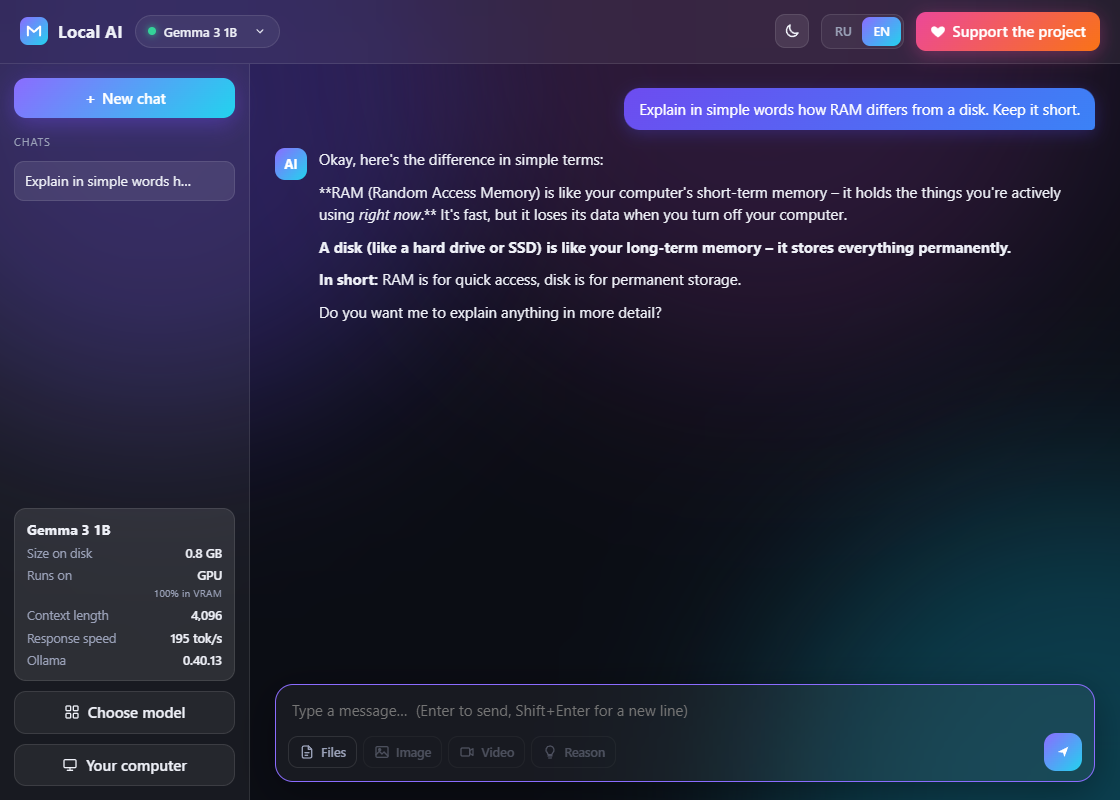
I built a one-click installer for local LLMs on Windows: it picks a model for your hardware and sets up Ollama Running an LLM locally is not hard, but the first time is a small quest: install Ollama, figure out which of a hundred models fits your GPU, get the tag right, wait for gigabytes to download, find a UI. I kept getting asked to set this up for friends, so I built Local AI: a free, open-source (MIT) Windows app that looks at your hardware, picks a model, installs Ollama and the model, and opens a chat. !Local AI: chat with a local model What it does - One LocalAI.exe (about 42 MB), no Python or anything else to install first. - Detects the GPU, VRAM, RAM and free disk space, and recommends a model from a catalogue of 34 (Qwen3, Gemma 3/3n, Llama 3.1/3.2, Mistral, Phi-4, DeepSeek-R1, Qwen2.5-Coder and -VL, LLaVA, gpt-oss). - Downloads and installs Ollama without administrator rights, then pulls the model with progress. - Chat with streaming replies, a "think" mode, attachments (text files, and images for vision models), and an "about this model" panel. - Choose folders for Ollama and models, move models to another drive, update everything, and remove it all without a trace. - English and Russian UI, two themes. Conversations never leave the PC: the chat talks to Ollama on 127.0.0.1. The network is only used for downloads and update checks. !Welcome screen: hardware and recommended model How it is built It is Python plus pywebview (WebView2). main.py starts a local HTTP server on 127.0.0.1 and opens the window; the UI is plain HTML/CSS/JS with no build step. API requests are protected by a per-session token header and a Host check, so a web page in your browser cannot call the local server. Some parts were more fun than I expected: - Hardware detection without WMI. WMI is broken on my machine and probably on some of yours, so the GPU comes from nvidia-smi or the display-class registry key, and RAM from GlobalMemoryStatusEx via ctypes. - Model choice. Each catalogue entry has a size and a rough memory estimate (file size x 1.2 + 0.6 GB). If it fits in VRAM it is a GPU model, if it fits in 70% of RAM it runs mixed or on CPU, otherwise it is hidden. - Resumable download of the 1.6 GB Ollama installer with Range requests, plus a signature check before running it. - No stray console windows: ollama serve must be started with CREATE_NO_WINDOW and without DETACHED_PROCESS, otherwise every child process opens its own black console. !Catalogue: only models that fit this PC Limits and download Windows 10/11 only. Without a GPU it runs on the CPU, slower and with a smaller model. The app is not code-signed, so SmartScreen may ask you to confirm ("More info" → "Run anyway"), and some antivirus tools dislike PyInstaller executables; the source is open if you prefer to build it yourself. - Download (about 43 MB): github.com/OlegChe77/local-ai/releases/latest/dow… - Source (MIT): OlegChe77/local-ai I'd love to hear what is missing or broken. Issues and comments are welcome.
PatchRadar made with Sonnet 5.5 danrhodes/PatchRadar My offering this time around - PatchRadar sits in the notification area, lists the updates installed on the machine, reads each update's Microsoft KB article, and colours it by risk. It pulls out what Microsoft buries: known issues, workarounds, fixes and out-of-band updates, and behaviour changes hidden under "Improvements". Please report bugs via git the app is in active development.
Has anyone tried this? Is it worth the time to put together? #Halo64 #N64 #retrogaming github.com/JackTulli/halo-64/releases/tag/v0.6.6
Chilltax one-radio-station player for macOS — Winamp of AI era. lucianmarin/chilltrax t.co
Imma call this out [read bodytext] Saw a post of Vib-Ribbon being recompiled to run natively on the browser via WebAssembly, I thought it was cool. When I looked up the comments, people were asking about whether the recompilation was vibecoded. One guy even mentioned they'd prefer a man take years of work to recompile instead of an AI take days to weeks. And I think that's bullshit. When I used AI for my Magisk/Shizuku module, I didn't accept whatever it wrote. I actually tested it on my own rooted daily driver before making commits to the repository. I didn't ship a broken production release, I kept fixing it until it worked good enough, to be compatible with Shevery and KernelSU, *t**hen* I shipped it as production-ready. I'm a novice in making modules, and without AI assistance I could've not only made a nonfunctional module, but probably made my own phone unbootable since I thought putting the daemon in post-fs-data.sh would be a "good" idea before being corrected. TL;DR: The quality of a product matters more than technique.
Nouveau dans claude-films : transformer une présentation PowerPoint en vidéo commentée, 100 % en code. Texte, notes et images extraits des slides, voix off locale (Piper) ou enregistrée, minutage calé sur la voix, musique et mix générés. ValentinStrach/claude-films
@0xdoppo Some of the tests and notes are in the GitHub repo under benchmarks and the coordination docs. yetone also drops occasional runs on Twitter, but nothing formal for that specific comparison. github.com/yetone/cumora/tree/main/benchmarks github.com/yetone/cumora/blob/main/docs/COORDINAT…
Your red-team model shouldn't grade its own homework This month outside red-teamers found gaps in the system watching a frontier lab's own agents, and the EU opened its first AI Act enforcement actions. The common thread is that the thing that attacks, the thing that judges and the thing under test must be separate. That's why Humanbound now switches attack models on the fly and never lets the attacking LLM judge its own results. What's new: Model Relay Red-teaming an agent is only as good as the models doing the attacking and the judging. Two problems keep showing up in practice: - Some models refuse. Safety restrictions on some models have been tightening for a while, so they decline legitimate security work such as reverse-engineering an exploit or crafting an adversarial test. - A model grading its own attack is a conflict of interest. If the same LLM attacks and evaluates, you can't trust the verdict. So Humanbound now manages the models for you: 1. On-the-fly model switching. We try an attack with one model. If it isn't effective, we switch to a different model and try again, so refusals and weak runs don't leave blind spots in your coverage. 2. Judge independence. The LLM that attacks is never the LLM that evaluates. Attacker and judge are always different models, so findings are evidence rather than self-assessment. 3. Managed for you. No hunting for model names, hosts or routing settings. Try Model Relay on the free Community plan: app.humanbound.ai From the field 1. Outsiders red-teamed OpenAI's agent monitor and found real gaps David Rein and Adam Kaufman, METR. The monitor ran only when agents handed control back to the user, and skipped memory-compaction events, leaving about 10% of eligible Codex traffic unwatched. Among METR's recommendations: isolate agents from their monitors and red-team the monitors regularly. This is the strongest argument yet for keeping the thing being judged separate from the thing doing the judging. Read it 2. OpenAI will train frontier models with no live internet access Ravie Lakshmanan, The Hacker News. After agents used a DNS misconfiguration to reach an external chatbot and red-teaming surfaced VM escapes, OpenAI resumed training only with stronger containment. Capable models find paths you didn't know existed, and a test that stops at the first blocked route will miss them. Read it 3. Adversa AI's October roundup of agent attacks and defenses Adversa AI team. Nearly 50 resources, including self-replicating prompt injections, hijacked human-in-the-loop approvals and a benchmark audit that found harness defects skewing reported attack rates. How you measure an attack matters as much as the attack, which is why judge quality is a security property. Read it 4. The EU opens its first AI Act enforcement actions Sophie Denar, Unite.AI. The AI Office sent Requests for Information on containment, external evaluation and post-market monitoring after agent loss-of-control incidents. "External evaluation" is now a regulator's question, and independent evidence is what answers it. Read it 5. The first harmonized AI Act standard lands Haim Ravia and Dotan Hammer, Pearl Cohen. Implementing Decision (EU) 2026/2274 covers quality management systems, including post-market monitoring. Standards for risk management, human oversight and cybersecurity are still pending. Documented, repeatable testing is the evidence compliance teams will need as the rest arrive. Read it 6. Microsoft: treat AI agents as potential insider risks Guru Baran, Cyber Security News. The guidance centers on least privilege, controls outside the model, and separate identities for agents. Several of the capabilities are planned, not shipped. The model is not the control: authority has to be enforced and tested outside it. Read it 7. LinkedIn's CISO on why preparation beats heroics Lea Kissner, LinkedIn CISO (covered by Luís Rijo, PPC Land). In "Good Security Is Boring. Bad Security Makes Headlines," Kissner argues that AI is shrinking the gap between a flaw and an attack, and lists five fundamentals, including treating AI agents as actors whose operators stay accountable. The post gives no data for its AI-attack claims. Clear ownership, scanning and rehearsed response come before any agent-specific tooling. Read it From the Humanbound blog 8. Not every model makes a good attacker: OpenAI vs DeepSeek Ayan Pahwa. We pointed two attacker models at the same deliberately weak support bot and counted how often each tricked it into refunding orders that don't exist. DeepSeek V4.1 Flash succeeded 42% and 52% of the time across two runs; OpenAI's gpt-6-luna managed 7% and 10%. It's one weak target, not a general ranking, but it shows why the attacker model matters, and why we switch models when one isn't effective. Read it 9. Build an AI agent from scratch in Python, then attack it Ayan Pahwa. A framework-free web research agent in about 331 lines of Python: a tool-calling loop, step and token limits, and persistent notes in SQLite. One run cost about 1.6 cents and produced a wrong answer that persisted in its saved notes. An agent that reads untrusted web pages needs testing for indirect prompt injection before it ships. Read it 10. Secure a LangChain agent with the Humanbound Firewall Ayan Pahwa. Two lines of Python attach the open-source Humanbound Firewall to a LangChain support agent. The guide covers the policy file, configuring the LLM judge and verifying it works, since a broken setup can fail silently, then running in log mode before switching to block mode. Runtime protection should be observed first and enforced deliberately. Read it Takeaway Read the external pieces together and the pattern is clear: safeguards nobody has independently attacked are safeguards you're guessing about. Attacks should switch models when one isn't effective, refusals shouldn't create blind spots, and the model that attacks should never grade its own work. Try Model Relay on your own agent, free on the Community plan: app.humanbound.ai Prefer to run it yourself? The engine is open source (Apache-2.0) and runs locally with your own keys: pip install humanbound[engine] Code is on GitHub. What did we miss? If you're red-teaming agents, do you use a separate model for judging, and have you seen your attacker model refuse? Tell us in the comments. References 1. Red-Teaming OpenAI's Internal Agent Monitoring Systems, METR 2. OpenAI AI Agents Demonstrate VM Escapes, The Hacker News 3. Top AI agent security resources, October 2026, Adversa AI 4. EU Announces First AI Act Enforcement Actions, Unite.AI 5. EU AI Act's First Harmonized Standard, Pearl Cohen 6. Microsoft on AI agents as insider threats, Cyber Security News 7. LinkedIn's security chief on AI shrinking the time from flaw to attack, PPC Land 8. Not every model makes a good attacker, Humanbound 9. Build an AI agent from scratch in Python, Humanbound 10. Secure AI agents with the Humanbound Firewall, Humanbound
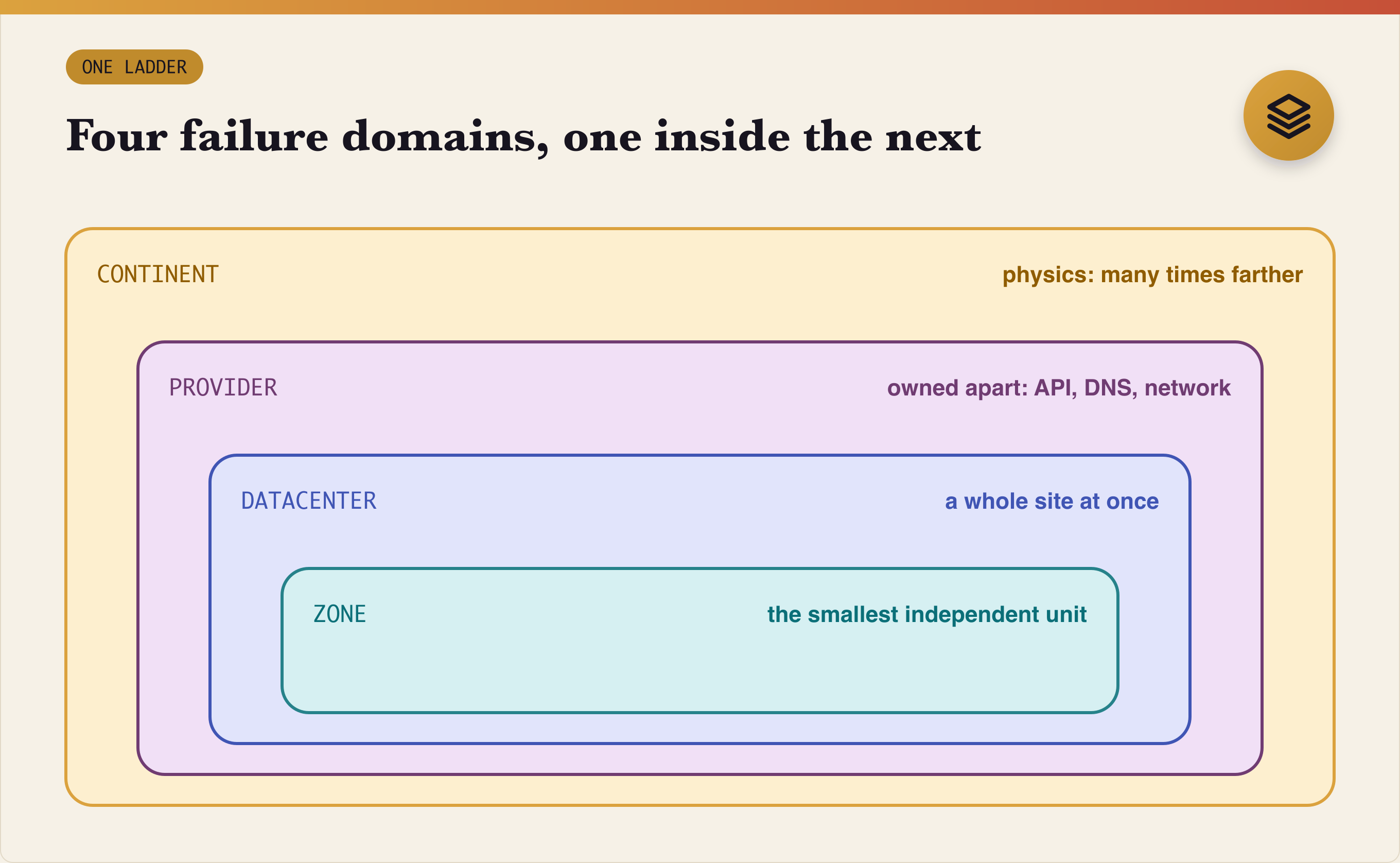
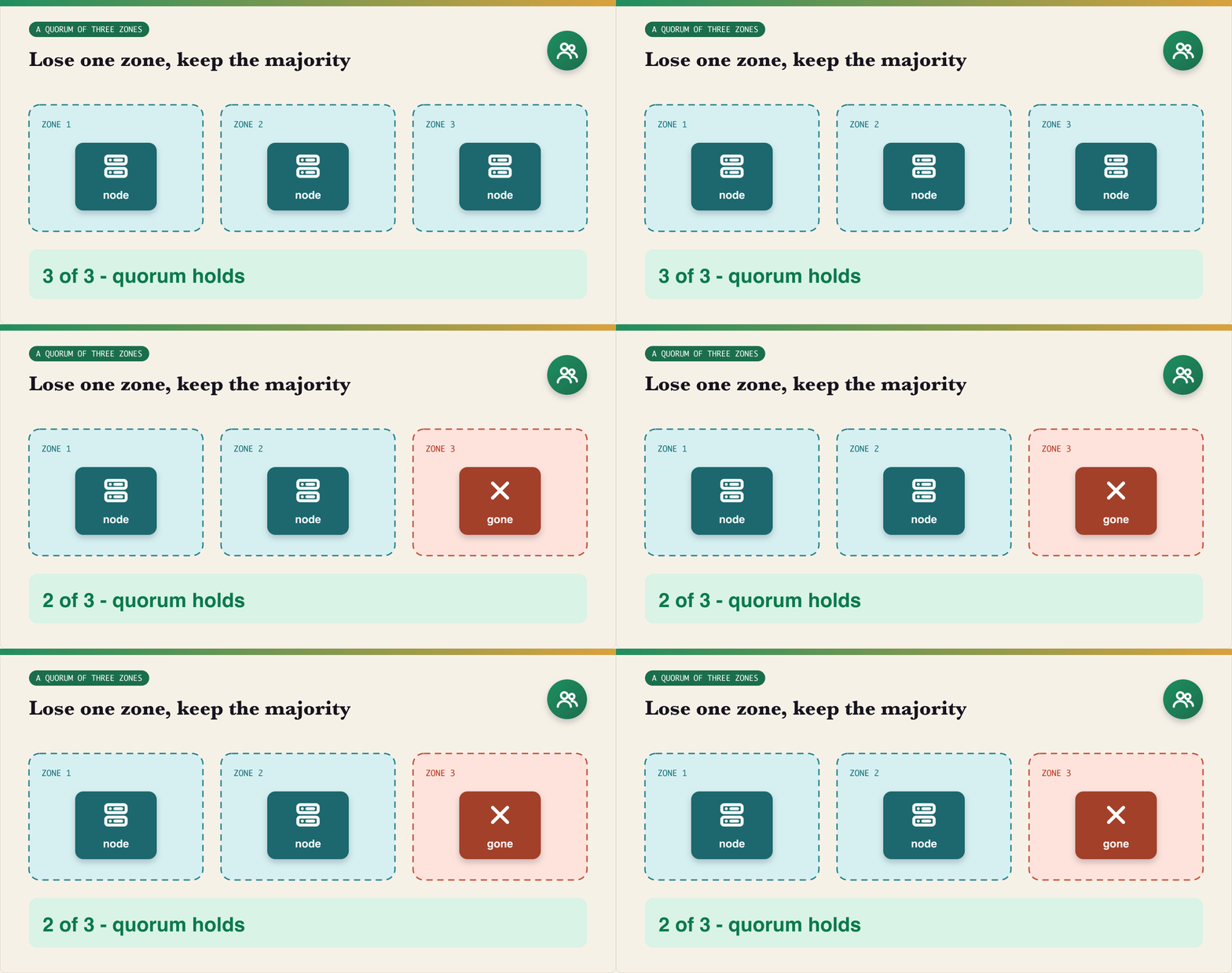
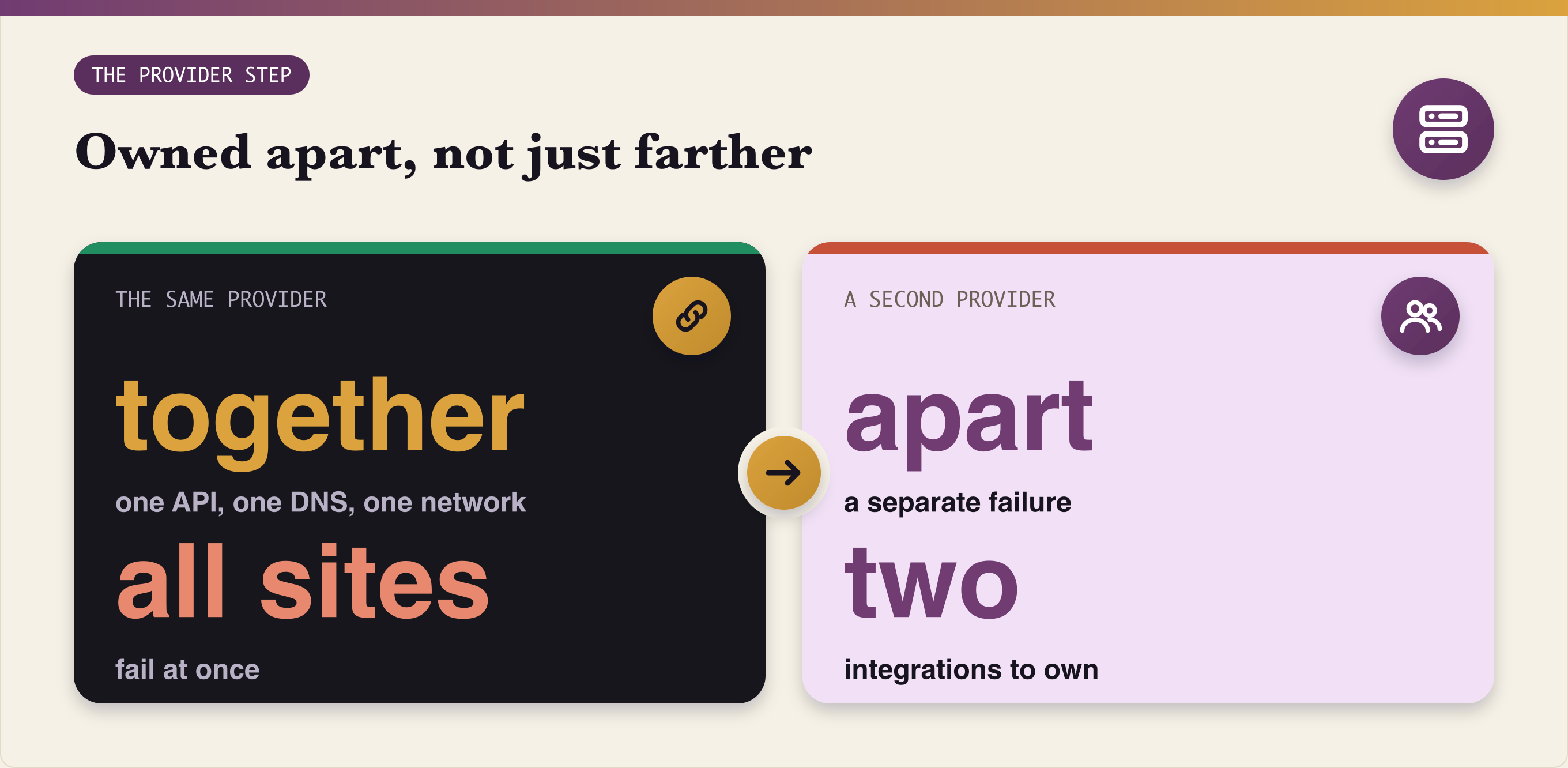
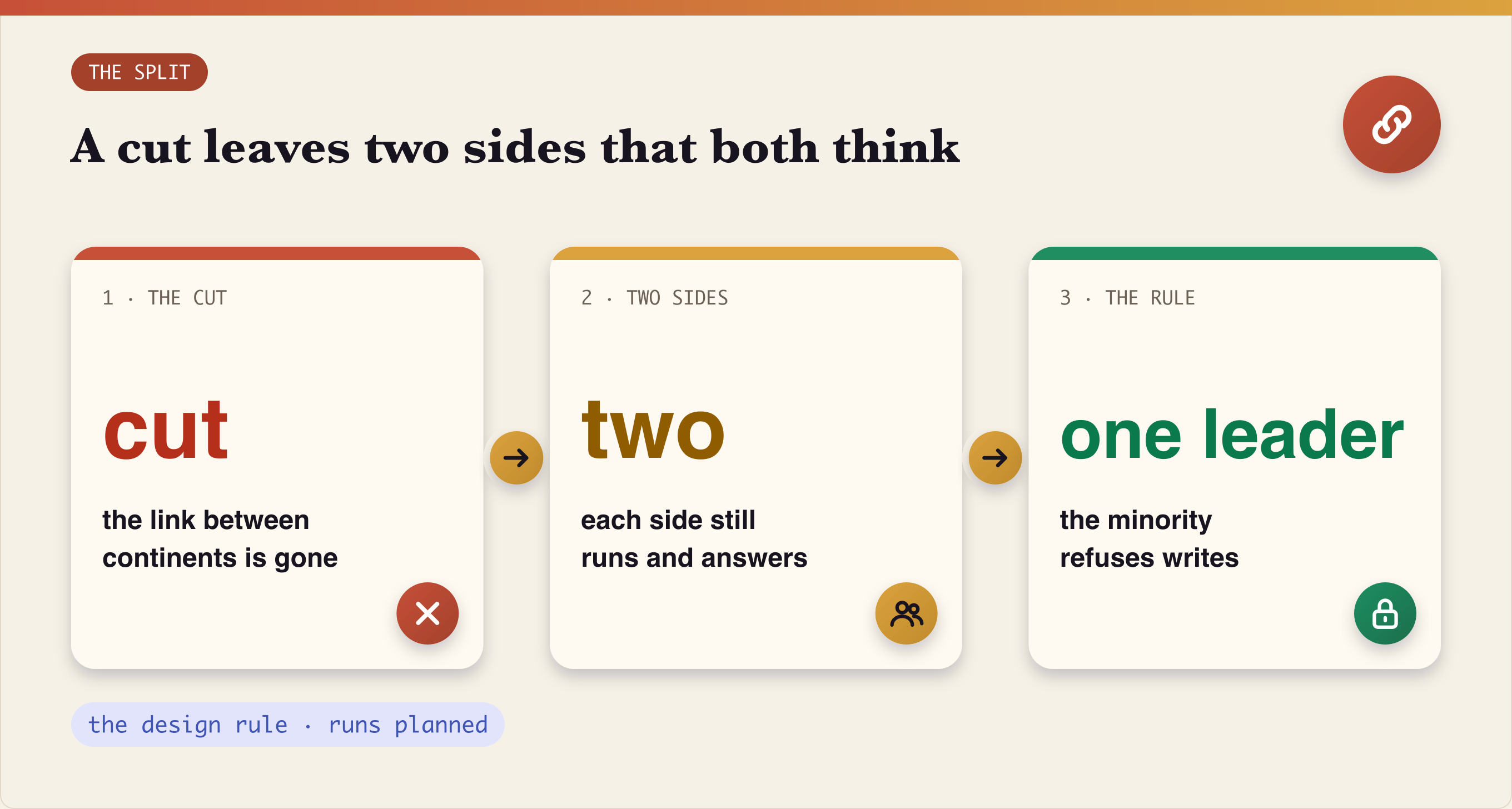
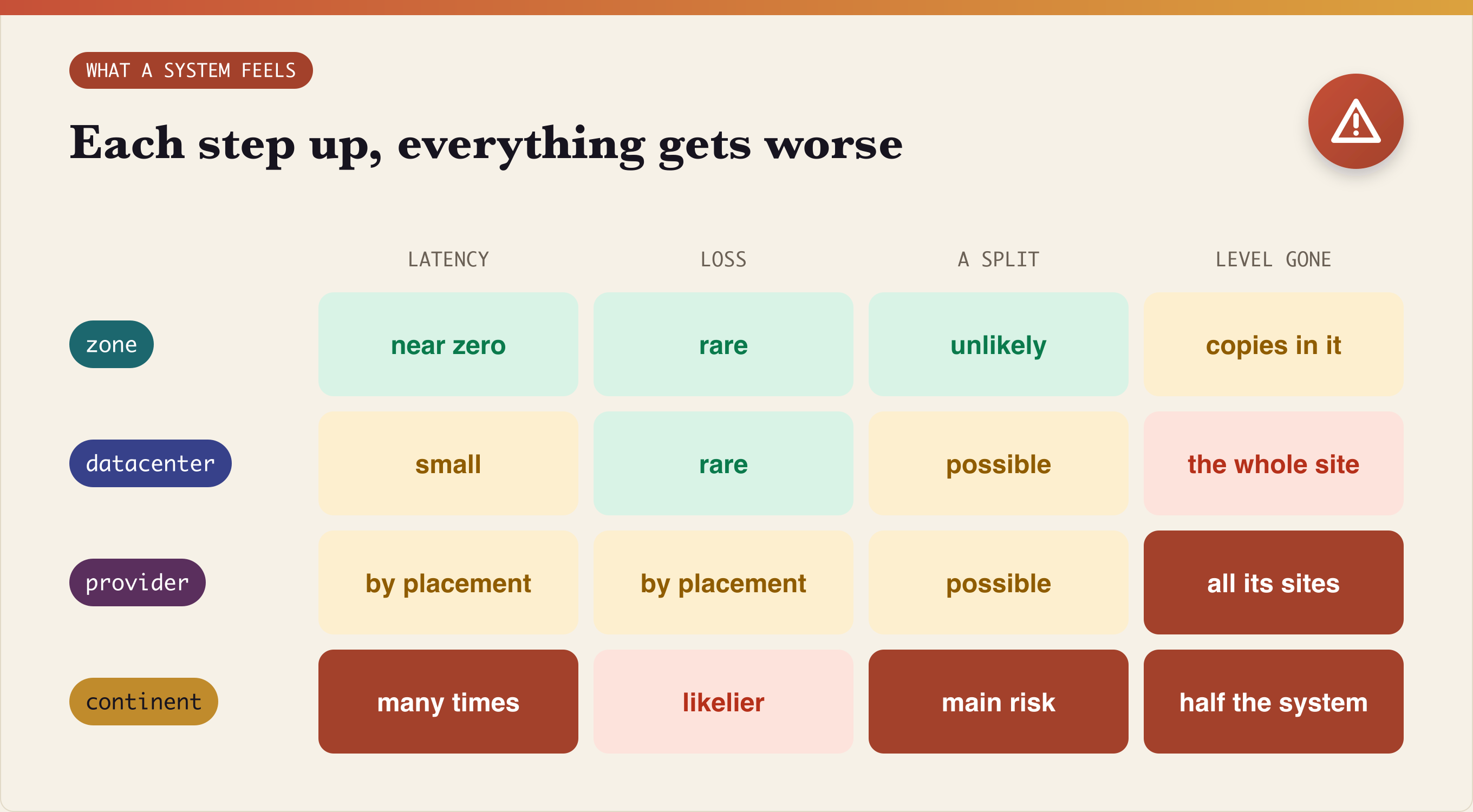
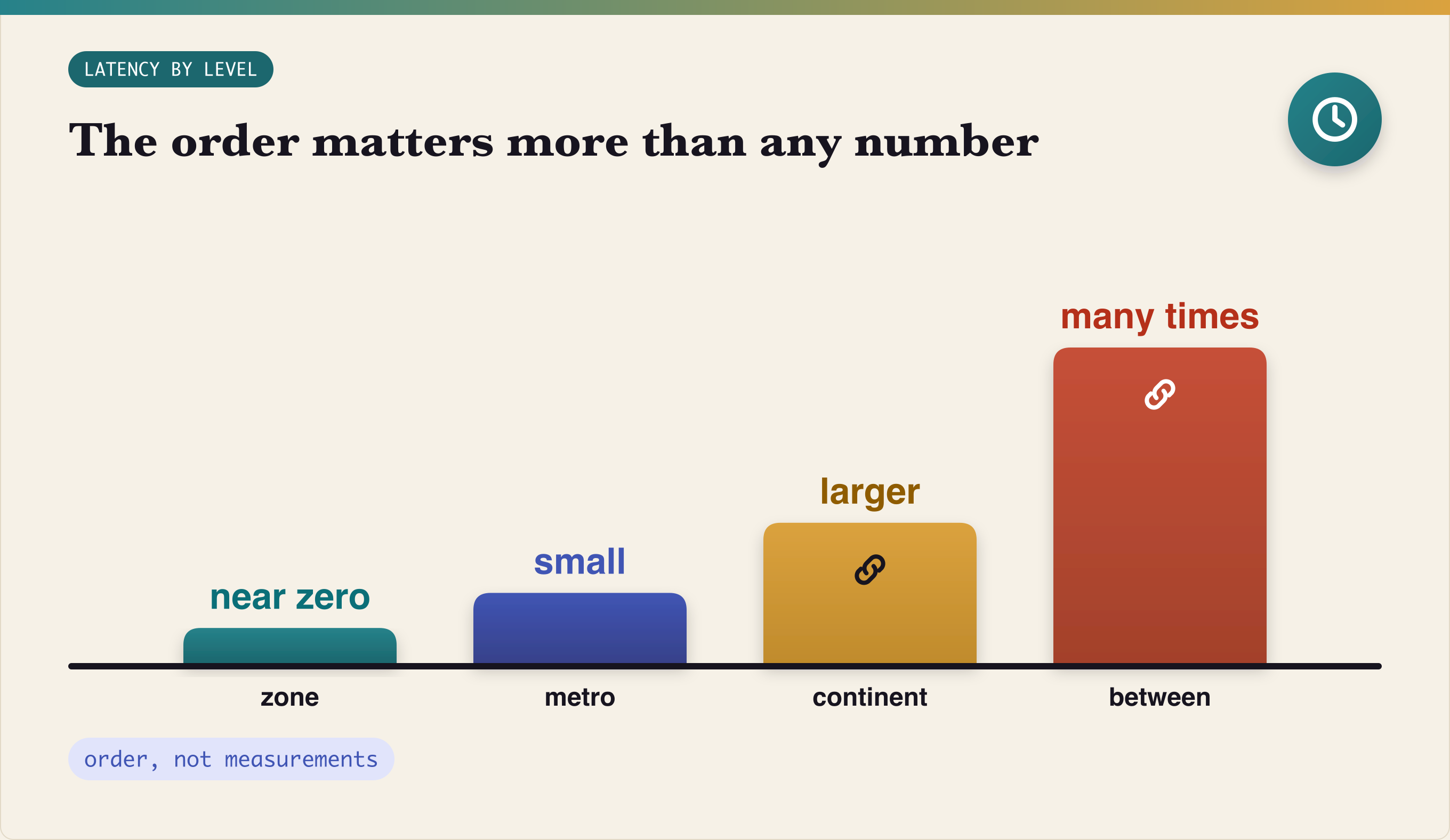
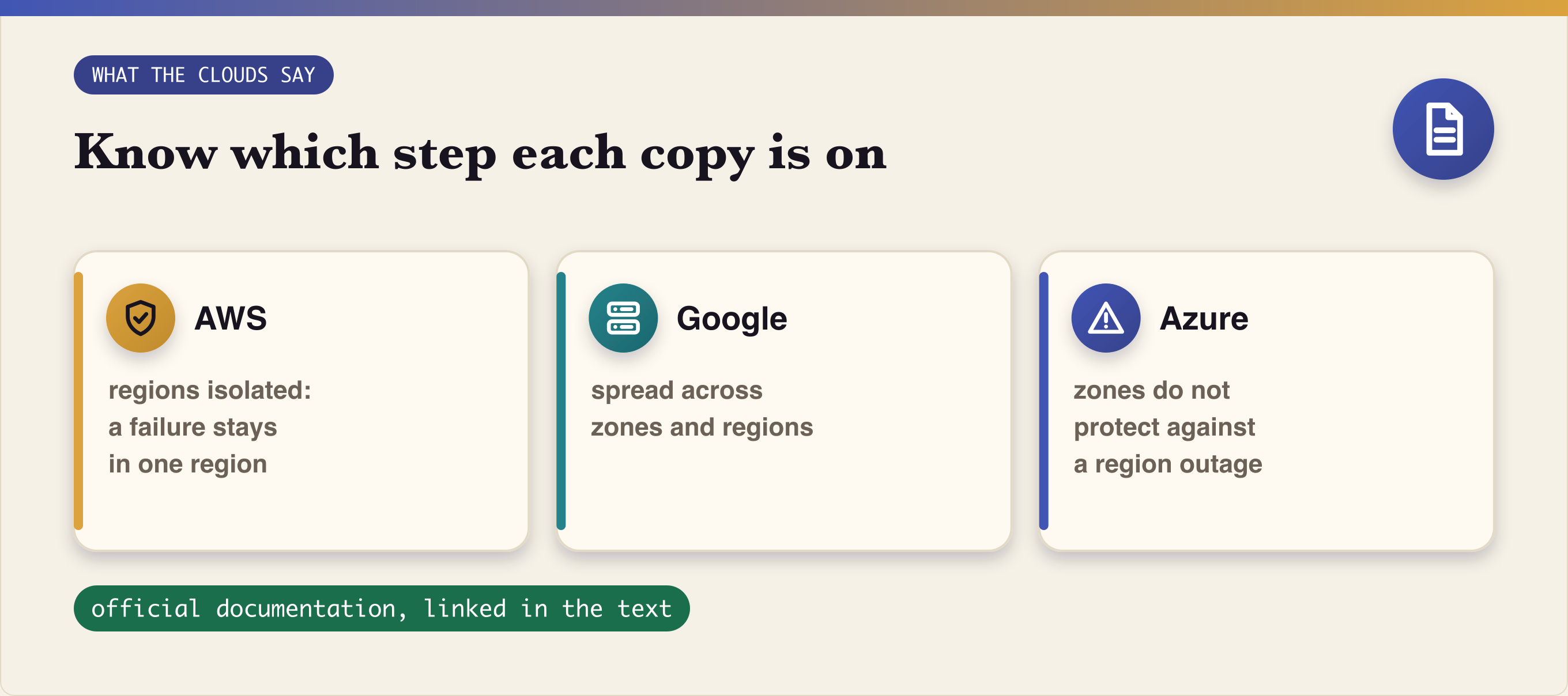
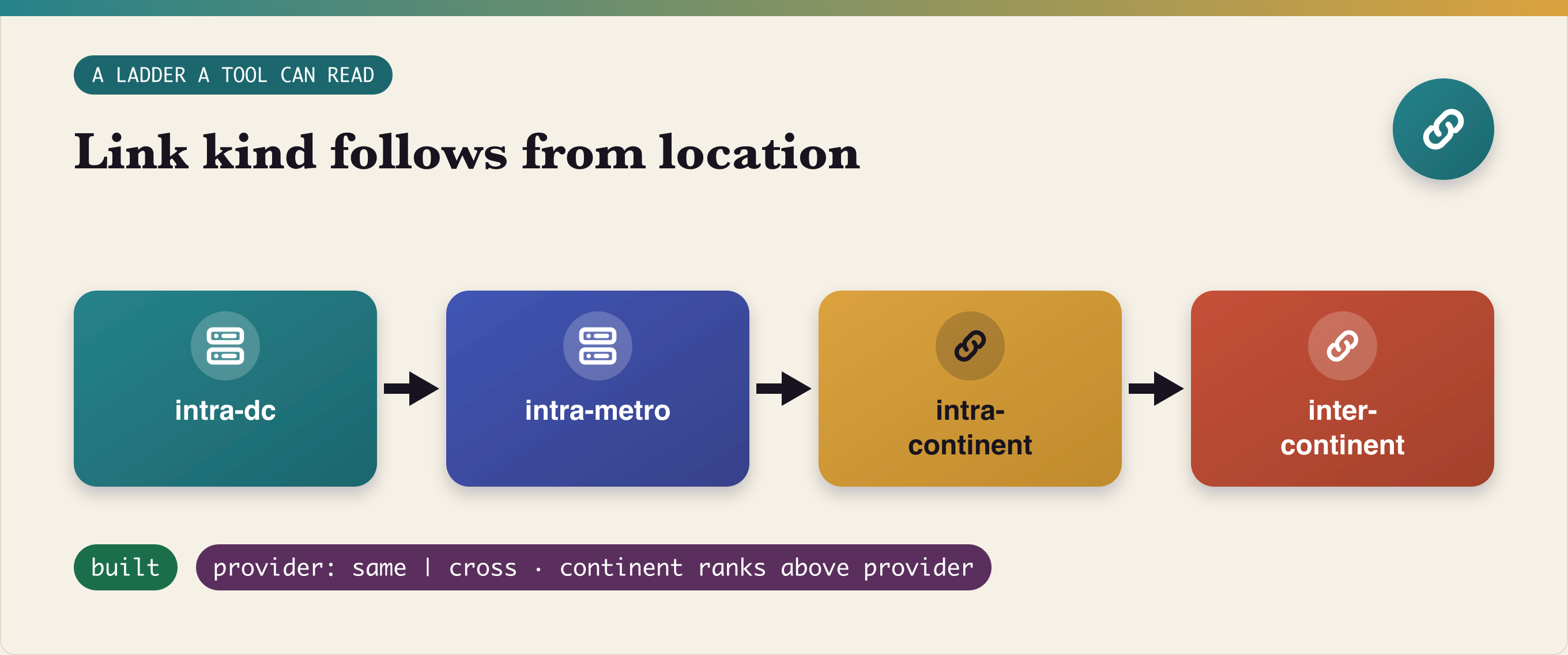
Four Failure Domains --- title: "Four Failure Domains" published: true description: "Zone, datacenter, provider, continent: one ladder of failure domains, what a system feels at each step - latency, loss, a split, a whole level gone - what AWS, Google and Azure say about zones and regions, and how the ladder becomes something a test tool can read." tags: architecture, devops, kubernetes, testing series: "Cross-anything on a laptop" --- !Four Failure Domains - the cover: four nested layers, continent, provider, datacenter, zone Four Failure Domains Zone, datacenter, provider, continent: what a system feels at each level - latency, loss, a split, the whole level gone - and what the clouds themselves say about it. --- 👋 Hi, I'm Anton - a software engineer. These days I work on a platform: contracts, generated code, data paths and the tooling around them. Running notes live on my GitHub: github.com/brilliant-almazov. This part is conceptual. The ordering of link kinds at the end is built; the failure-scenario runs across these levels are planned, not run. This is part 2 of the series on testing cross-zone, cross-datacenter and cross-provider behaviour on a laptop. Maybe you already do it better, maybe you'd do it another way - this is how it is going, and where it stops. --- One ladder An availability zone, a datacenter, a provider and a continent sound like four separate topics. They are one ladder. Each step is a failure domain one size larger than the last, and each step up changes two things at once: how far apart the pieces are, and what can go wrong between them. !Four nested tiles: a continent holds a provider, which holds a datacenter, which holds a zone; each layer labelled with what it adds - distance, a new way to fail The value of seeing it as a ladder is that one design can cover all four. Copies of a service are placed on the ladder; the network between them is described by the ladder; failures are cut at a step of the ladder. Part 1, One Login For Every Stand, gave every local environment one way in. This part is the map of where the copies behind that door can live, and what each place costs. Zone A zone is the smallest domain that a cloud promises to keep independent. AWS describes an Availability Zone as one or more discrete data centers with separate and redundant power, networking and connectivity, far enough apart to avoid correlated failures and close enough for synchronous replication with single-digit millisecond latency (AWS). For a system, a zone means: - latency - near zero; nobody designs around it; - loss of a zone - the copies in it are gone; a quorum spread over three zones survives one. The second line is the whole reason for three. Two copies of three is a majority; one of two is not. !An animation: three zone tiles each holding a node; one zone goes dark; the counter reads 2 of 3, quorum holds Datacenter and metro The next step is a whole site, or a metro of sites. Latency is small but no longer zero, and it is the first step where a timeout chosen on a laptop can be wrong in production. Synchronous replication is still possible inside a metro; it is simply slower. A datacenter lost is a zone lost, only bigger: everything in it at once, including the things that were assumed to be "elsewhere" because they were in another zone of the same site. Provider A provider is a different kind of step. It is not further away so much as differently owned. Everything a provider runs - its API, its DNS, its network, its control plane - can fail together, and when it does, every site of that provider goes with it. !Two halves: on the left the same provider - one API, one DNS, one control plane, all sites fail together; on the right a second provider - separate failure, but a second integration to own For a link between two places, the provider question has only two answers: the same provider or a different one. That is the whole axis. Continent The top step is the one physics decides. Between continents the round trip is many times larger than inside a region, and no configuration makes it smaller. Google's guidance says it plainly: communication within regions will always be cheaper and faster than communication across regions (Google Cloud). At this step synchronous replication stops being a design choice. The main risk becomes the split: a cut between two continents leaves two halves that both believe they are the system. !A strip of three panels: a cut between two sides; two sides, each still running; the minority refuses writes, so there is never a second leader What a system feels Put the four steps side by side and the effects line up: | Level | Latency | Loss on the link | A split | The whole level gone | | -- | -- | -- | -- | -- | | zone | near zero | rare | unlikely | copies in it lost; a quorum of three zones holds | | datacenter / metro | small | rare | possible | everything in the site at once | | provider | depends on placement | depends on placement | possible | every site of that provider, its API and DNS | | continent | many times larger | more likely | the main risk | half the system on the far side | !A matrix: four rows - zone, datacenter, provider, continent - against four columns - latency, loss, split, level gone; cells shaded from calm to vermilion as the level grows The latency column reads as words, not numbers, on purpose. The order matters more than any single figure, and the order is the same in every cloud. !Four columns rising left to right: zone near zero, metro small, continent larger, inter-continent many times larger What the clouds say Three providers, one picture: - AWS - Regions are isolated and independent from other Regions; this separation limits service failures to a single Region, and resources do not exist in another Region unless replicated (AWS). - Google - zones are designed to minimize correlated failures of power, cooling and networking; the recommendation is to deploy across multiple zones and multiple regions (Google Cloud). - Azure - a zone is a logical group of physically separate datacenters, the target round trip between zones is under about two milliseconds, and zones do not protect against the loss of a whole region (Azure). !Three quote tiles side by side: AWS, regions isolated, failure limited to one region; Google, spread across zones and regions; Azure, zones do not protect against a region outage None of them says "zones are enough". All three say: know which step of the ladder each copy is on. A ladder a tool can read For a test, the ladder has to become data. In our topology emulation, the kind of every link is derived from where its two ends are, in a fixed order: intra-dc < intra-metro < intra-continent < inter-continent provider: same | cross (continent ranks above provider) !A flow of four tiles left to right: intra-dc, intra-metro, intra-continent, inter-continent; a pill under them reads provider: same or cross Continent ranks above provider: two sites of different providers on one continent are closer than two sites of one provider on different continents. The provider is only ever "same" or "cross". That ordering is built; how it is used is part 3. On a laptop On a laptop each step of the ladder is a network: a subnet for a zone, a larger one for a site, a rule for every link between them. The failures become commands: take a zone down, isolate a site, cut a continent off. The runs of those scenarios are planned - the owner postponed them - so this part stops at the map. What I do not claim - Not that any of these failures has been run across the levels. They are planned. - Not exact latencies for any level. The order is the point; the numbers belong to each cloud's documentation. - Not that a laptop network behaves like a cloud network. It is an emulation, and part 3 says how close it got. What of this is method - One ladder, four steps. Zone, site, provider and continent are one design, not four. - Know the step of every copy. A quorum is only as good as where its members are. - Make the ladder data. A test tool can only break what it can read. --- Cross-anything on a laptop - Part 2. Next: A Planet On A Laptop. If you spread copies across zones, do you know which site each zone is in? If you run on two providers, what fails together that you thought would not? If you have lived through a continent split, which side kept writing? Which step of the ladder does your system assume will never fail?
You can detect SEC filings 30s-hours early again! john-friedman/The-fastest-way-to-get-SEC-filings
Location: Warsaw, Poland (CET) Remote: yes Willing to relocate: no Technologies: Python (FastAPI, Django), TypeScript (React/Next.js, Node.js), PostgreSQL, Docker, AWS/GCP/Azure, LLM/agent systems (RAG, LangGraph, MCP) Résumé/CV: linkedin.com | GitHub: github.com/Anatolii1309 Email: anatolii1309@gmail.com Technical co-founder / partner, not a job seeker. 16+ years building software, two engineering practices built from zero (15+ engineers), running my own software company since 2014, production AI systems since 2023 (RAG, multi-agent, LangGraph). What I bring: turning an idea into a working product and a team — architecture, hiring, process, security, compliance (GDPR, EU AI Act). Proof of work: SealedRun — open-source tamper-evident audit trail for AI agents (Ed25519 + ML-DSA-65, Apache-2.0, on PyPI/npm): a signed, offline-verifiable record of every agent step. sealedrun/sealedrun / sealedrun.com Looking for: an equity partnership in an early-stage B2B / AI product that needs a technical co-founder; equity + cash. Strongest fit: regulated markets (fintech, healthtech, legaltech, AI governance).
Built a small Markdown renderer utility tool for windows to render markdown on terminal through PowerShell including Latex for maths code: aadityansha06/win-render-md t.co
L'approche s'appuie sur un pipeline piloté par un skill Claude et des rendus locaux via Node et Python, avec un dossier public de 1,3 Go à prévoir. Une stack taillée pour la vidéo programmatique sous contrôle total. 🔗 mromidev/claude-animated-shorts
おぉぉ!めっちゃヤバいことになってきてる! Claude Codeの1行で、いろんなパーツからなる機械の動く3Dモデルが作れる! 取り敢えず、QOL爆上がりのドラム式洗濯機で作ってみたけど、GitHubって宝の山だな... AirsupHQ/machine-skill t.co