Mentions
Conversations linking to GitHub, newest first. Times are UTC.
Mentions by source
X
Bluesky
Hacker News
V2EX
Qiita
DEV
Mastodon
Latest posts
Version iPhone, ipad , mac seedds/nxnative
@AbdouAziz666 Yes, let's be mutuals Aziz! 🤝 This is my AI in life sciences (bioinformatics) and health informatics repo for your reference🧬: github.com/Johnkecops
[Free & Open Source] Navigation IQ: Google Maps turn-by-turn navigation for Garmin watches Hi everyone, If you have been looking for a modern, completely free alternative to paid navigation companion apps, I built Navigation IQ. It is a free and open-source companion app that mirrors real-time Google Maps navigation directly to your Garmin smartwatch. Key features: - Live turn cues: Maneuver arrows, countdown distance, next street names, and ETA straight from Google Maps. - AMOLED & MIP optimized: Crisp, high-contrast layouts for AMOLED displays (Epix/Venu), sunlight-readable MIP (Forerunner/Fenix), and dual-zone monochrome displays (Instinct). - 100% Free: No ads, paywalls, or accounts. - Battery-friendly: Offline local sync with minimal Bluetooth overhead. Supported devices: - Forerunner series (165/255/265/955/965) - Fenix series (6/7/8) & Epix - Venu series (including Venu Sq / Sq 2) & Vivoactive - Instinct series (Instinct 2, 2X, Crossover dual-zone MIP) - Plus many other Connect IQ System 5+ models (Enduro, Marq, Tactix, etc. - if you have one of these, please test and let me know how it runs on your wrist!) --- 1. Watch App Installation: - Garmin Connect IQ Store: apps.garmin.com - Direct .PRG & Source Code (Fallback if store is down): github.com/dangphuc2470/NavigationIQ/releases/lat… --- 2. Android Companion App Installation (Google Play Closed Beta): Google Play requires a 14-day closed test before public launch. You can install the companion app in 3 quick steps: - Step 1: Join the Google Group (required by Google Play to grant download access): groups.google.com - Step 2: Opt-in as a tester: play.google.com - Step 3: Download on Google Play: play.google.com --- Your feedback directly shapes the public release, ensuring your specific Garmin watch model is thoroughly tested and optimized out of the box. Feel free to share your thoughts here, in the Google Group, or open an issue/PR on GitHub! Thank you for your support!
agentwire v1.77.1 is out. Fixes a path-resolution gap in damage control (now damage-control-dev 0.1.2) and makes the pairing QR work from a tablet or phone on your LAN. Upgrade, and tell me what else should change. github.com/dotdevdotdev/agentwire-dev/releases/ta… #BuildInPublic #DevTools
Where the 18 predictions stand: the four areas, the highest and lowest scores Here's where the tracker stands after the October 26 check. Overall progress: 18%. The four areas - Biology and physical health: 22% - Neuroscience and mental health: 19% - Peace and governance: 17% - Economic development and poverty: 13% Highest score: Infectious Disease Prevention, 33. Genetic Disease and Everyday Enhancement are next at 30. Lowest score: Economic Growth ("20% annual GDP growth in developing world"), 5. Lifespan Extension, Structural Conditions, Health Distribution and Legal Systems are all at 10. These scores are the tracker's judgment, not measurements. A score only moves when AI played a direct, named part and the evidence is a peer-reviewed result, a regulatory decision, official data or a live deployment. Every weekly check, including the ones that change nothing, is in the public audit log. Which score do you think is furthest off? If you've seen evidence the tracker missed, post it here with a link. Full breakdown: aiprogresstracker.com
Open-source tools for the Zoom G6: drum machine from the browser, and an AI that writes patches straight to the unit Hello, I've been working on a side project to control my Zoom G6 from a computer over USB, and I've just made it public: emapasq/g6-control There are two parts: - A web app (Chrome, runs locally). The highlight is the drum machine: start/stop, all 68 patterns, tempo, volume and count-in on one screen, so you can practice without digging through the touchscreen menus. It also handles patch selection, loading WAV files from the SD card into the looper, and looper settings. - An MCP server. Connect it to an AI assistant that supports MCP (Claude, OpenAI's Codex, etc.) and you can just ask for a patch in the style you want, like "a Gilmour-style lead for my Strat". It builds the patch and writes it straight to a free slot on the G6, never overwriting an existing one unless you say so, and always with a backup. Then you can tweak the effect parameters live just by asking. Full disclosure: the code was written with AI assistants. I tested everything on my own G6, but only on firmware 2.00, so treat it as unofficial and use it at your own risk. It's not affiliated with Zoom. Only commands verified on the device are sent, nothing is retried automatically, and anything that touches the looper needs an explicit confirmation. If anyone tries it on another firmware version, or has ideas for what would be useful, I'd love to hear about it.
🙌 Community pick The-Cartographer — Ask which agent skills fit a task before you start it. One model call reads your task against the whole SKILL.md catalogue (193 skills bundled, plus yours) and names the few worth… #indiedev #opensource #python #agentskills #agenticcoding 📮 Submit yours →
让没有 Apple TV 的人用一台 Mac 接上电视,得到 tvOS 风格首页、官方网页播放器串流与手机遥控。 Arunprakaash/mac-tv Mac TV 是 macOS 14+(Apple silicon 与 Intel)的电视前端,做出 tvOS 风格的首页,包含 Top Shelf、Dock 与 App 网格,用 Liquid Glass 渲染。 t.co
Acceptance rule for agent-built apps: on a fresh install, sign in as the least-privileged user and fail if any list onboarding promises is empty. My demo's sample rows belonged to the installer. The sales rep opened 7 empty tables. Admin checks: green. doxuta/ai-factory-kit t.co
Autonomous pentesting with an AI commander(Swarm Agents) and layered fact-intent graph. N1nEmAn/sapper-v2 t.co
Lemonade: Refreshingly fast local AI (6.0k stars) What it does All text below is quoted directly from the project README. >Lemonade is the local AI server that gives you the same capabilities as cloud APIs, except 100% free and private. Getting Started: - Lemonade Server installs a service you can connect to hundreds of great apps using standard OpenAI, Anthropic, and Ollama APIs. - Embeddable Lemonade is a portable binary you can package into your own application to give it multi-modal local AI that auto-optimizes for your user’s PC. - Install: Windows · Linux · macOS · Docker · Source - Get Models: Browse and download with the Model Manager - Generate: Try models with the built-in interfaces for chat, image gen, speech gen, and more - Mobile: Take your lemonade to go: iOS · Android · Source - Connect: Use Lemonade with your favorite apps >lemonade run Gemma-4-E2B-it-GGUF Repository lemonade-sdk/lemonade Repository stats |Metric|Value| |:-|:-| |Stars|6,025| |Forks|545| |Last release|v2026.44.1 (2026-10-28)| |Languages|C++ 53.1%, TypeScript 20.3%, Python 13.6%| |Contributors|162| |AI contributor accounts (Claude / Codex / Cursor / Copilot)|@claude (342 commits), @Copilot (23 commits), @Copilot (12 commits), @Copilot (8 commits), @codex (4 commits), @cursoragent (2 commits)| |AI co-authored commits|Claude: 344, Cursor: 2, Copilot: 46| Main contributor |Field|Value| |:-|:-| |Name|Jeremy Fowers| |GitHub|@jeremyfowers| |Commits to this repo|714 (top contributor)| |Company / Location|AMD / WFH| |Followers|63| ────────────────────────────── 📌 If you want to browse more repos like this, we've organized them by category and rankings here: bestgithubrepositories.com 🗂️ We're also archiving repos where possible, so useful projects don't disappear when they're removed from GitHub.
Herdr とかでさくっとフォルダ内を確認したいとき便利そうな感じ。 Canop/broot: A new way to see and navigate directory trees canop/broot
the PR is here guyss anomaly-hex#1
@RegularBasisLab @Chilka_ I'd start with a text index, then load only references relevant to the current task. Keep originals for visual comparisons; text loses layout detail. I built ICM for this save-findings/recall workflow: messsiii/image-context-manager
Give AI Coding Agents Audio Tools With Earshot #Shorts Earshot helps coding agents inspect, review and generate sound, including for code-made videos and games. Add audio analysis and programmatic sound generation to a coding-agent workflow. Explore the project documentation to see setup instructions, supported workflows, and current limitations before trying it yourself. GitHub Repo: Leonxlnx/earshot Follow @techfinds.io for more open-source tools and GitHub discoveries! #opensource #github #shorts 🔗 GitHub repo: Leonxlnx/earshot For more such finds, subscribe 🔔 (Instagram: @techfinds.io) #audiotools #sounddesign #opensource #github #codingagents #gamedev
@0xkkai Before installing 100+ ready-made subagents, check each file: without omitClaudeMd: true it loads your CLAUDE.md files, and a tools allowlist without the Skill tool or MCP tools keeps the skills list and MCP tool names out. My script measures that start: mdalexandre/claude-code-lean-agents
📄 Outil : Xiaomi-OCR-0, un modèle 0,8B pour extraire texte, tableaux et champs de documents/PDF. Code et poids disponibles ; exécution locale possible via vLLM ou Ollama. xiaomi-research/Xiaomi-OCR-0
Happy Monday everyone! Hope you hit your goals this week. 💪 🚀 If you like Koru's idea and vision, I'd love if you can help me out with a star on GitHub. It's been harder to grow there than on X :) koruworks/mono
244 种像素风特效全开源了,MIT,做游戏、做演示缺特效的直接拿 我试了篝火:改颜色、切速度,切到精灵图视图存下来,就是一张 90 帧的图,帧排得整整齐齐 还带一个 Claude Code skill,想要新特效让它照同一个风格画 演示站 patch-gg.github.io 仓库 patch-gg/pixelfx t.co
@stewartjarod @anomalyco @thdxr nope, if you are talking about the Gboard of any other keyboards dictation it's actually just bad experience, feels very slow, have to change things in between, no refinement process that you control the PR is this one if you wanna check it out yourself; anomaly-hex#1
@mart14688 Here is the outbound team : romangojiberryAI/gojiberryai-sales-os Try gojiberry.ai free for 7 days and get your API key Get your personalised GTM report here: salesteam.gojiberry.ai
Langfuse: Open source agent evals & observability for LLM applications (37k stars) What it does All text below is quoted directly from the project README. >Open source agent evals & observability: Trace, evaluate, and improve LLM applications with one open platform. Core Features: - LLM Application Observability: Instrument your app and start ingesting traces to Langfuse, thereby tracking LLM calls and other relevant logic in your app such as retrieval, embedding, or agent actions. - Prompt Management helps you centrally manage, version control, and collaboratively iterate on your prompts. - Evaluations are key to the LLM application development workflow, and Langfuse adapts to your needs. - Datasets enable test sets and benchmarks for evaluating your LLM application. - LLM Playground is a tool for testing and iterating on your prompts and model configurations, shortening the feedback loop and accelerating development. - Comprehensive API: Langfuse is frequently used to power bespoke LLMOps workflows while using the building blocks provided by Langfuse via the API. >Run Langfuse on your own machine in 5 minutes using Docker Compose. Repository langfuse/langfuse Repository stats |Metric|Value| |:-|:-| |Stars|36,748| |Forks|4.1k| |Last release|v4.72.0 (2026-10-29)| |Languages|TypeScript 95.9%, Rust 2.2%, JavaScript 1.1%| |Contributors|248| |AI contributor accounts (Claude / Codex / Cursor / Copilot)|@claude (1304 commits), @cursoragent (590 commits), @codex (10 commits), @Copilot (7 commits)| |AI co-authored commits|Claude: 1400, Codex: 18, Cursor: 638, Copilot: 7| Main contributor |Field|Value| |:-|:-| |Name|Marc Klingen| |GitHub|@marcklingen| |Commits to this repo|1,736 (top contributor)| |Bio|co-founder @langfuse| |Followers|508| ────────────────────────────── 📌 If you want to browse more repos like this, we've organized them by category and rankings here: bestgithubrepositories.com 🗂️ We're also archiving repos where possible, so useful projects don't disappear when they're removed from GitHub.
@akarshawasthi99 Here is the outbound team : romangojiberryAI/gojiberryai-sales-os Try gojiberry.ai free for 7 days and get your API key Get your personalised GTM report here: salesteam.gojiberry.ai
@1stRodrick @romanbuildsaas @gojiberryai Here is the outbound team : romangojiberryAI/gojiberryai-sales-os Try gojiberry.ai free for 7 days and get your API key Get your personalised GTM report here: salesteam.gojiberry.ai
SimCo Manager update: production chain planner, auction valuator, phone support Hi all, it's been about 4 months since I shared SimCo Manager, a free browser extension for Sim Companies (Chrome and Firefox). Thanks for the feedback back then. Here's what's new: - Production chain planner: make or buy for every input, using your own mines' abundance, plus an optimum building level (screenshot) - Building auction valuator: build cost and build time badges in the auction list, plus a retail payback estimate for your bid (list, valuator) - Production helper: opens with a summary first, including the upgrade payback time (screenshot) - Government orders panel: what each order needs and what the goods are worth on the exchange (screenshot) - Contracts: incoming contracts use the game's own retail model, you can switch between VWAP and the lowest market price, and Send Contract shows the last price you sent at the same quality (screenshot) - Multi-level upgrade planner: pick a target level and see the total materials and downtime (screenshot) - New sidebar that sits beside the game, retail calculators that fill themselves in from your company, phone support including Firefox for Android, and 12 languages All features with screenshots: GitHub README Download: latest release Which panels do you actually use, and what's missing? Bug reports are welcome too.
[ANN] imguiml 1.93.0 I'm happy to announce a new release of imguiml, the OCaml bindings to Dear ImGui. - Project page: let-def/imguiml - Documentation: let-def.github.io I am taking over maintenance of the project from its original author, Emilien Lemaire. What's new: - Updated to Dear ImGui 1.93.0, with docking support. - The bindings now work on arm64 (and probably s390). - Fonts are now rendered with the system FreeType instead of stb_truetype, providing higher-quality rendering and better compatibility with modern font formats. - ImGui is now built with support for 32-bit characters, so Emojis are supported. Disclaimer: "Claude" was used in this port, notably to rebase onto the latest version of ImGui and to fix the build on arm64.
How to upgrade Postgres in Docker to 18, and be ready for 19: dump and restore or pg_upgrade --link I moved a Postgres database on Dokploy from 16 to 18 with pg_upgrade. It went fine, with the database down for under a minute, but it stopped twice on the way. First, pg_upgrade stopped at its checks: old cluster does not use data checksums but the new one does. Then 18 started, and my app couldn't connect. Neither stop was bad luck. Both follow from how the 18 tooling works, and both wait in a typical pg_upgrade of a 14 to 17 database made with the image's defaults. You'll meet them soon: 14 gets its final release on November 12, 2026, and 19 is planned for October 29 (as of October 2026). This guide is for you if you run Postgres 14 to 18 in a Docker volume, Dokploy and Coolify included. It gives you one timed rehearsal that picks your path: dump and restore, or pg_upgrade --link. Then both paths step by step, the exact errors with their fixes, the rollback for each, and five checks that prove it worked. > Key takeaways > > - The 18 image moved PGDATA to /var/lib/postgresql/18/docker and the volume to /var/lib/postgresql, so pg_upgrade --link can hard-link inside one mount. A volume mounted at PGDATA itself, as Dokploy does for 18, blocks it. > - Rehearse a dump and restore on a copy and time it. If it fits your downtime window, take that path. If not, --link took 12.9 to 14.4 seconds from 1.4 to 8.5 GB in End Point's 2015 test. > - A 17 cluster made with the image's defaults has data checksums off, and 18's initdb turns them on. pg_upgrade refuses the mismatch, and the fix you pick follows you to 19. > - An upgraded cluster doesn't get the image's pg_hba.conf line for other containers, so your app is refused until you copy your old file back. > - Once the new server starts, a restored backup is --link's only way back. > How this guide was checked: I didn't run any of these commands for this post. They're assembled from the PostgreSQL 18 docs, the official image's source (18.6, as of October 2026), and the upgrade image's scripts, and each block says "Untested." Error messages come from that source and from GitHub issues. The examples use a Compose project myapp, a service db, a volume pgdata, and the superuser postgres. Table of contents - [Why the Postgres 18 image moved your data](#why-the-postgres-18-image-moved-your-data) - [Dump and restore or pg_upgrade --link: let one timed rehearsal decide](#dump-and-restore-or-pg_upgrade---link-let-one-timed-rehearsal-decide) - [Before either path: rehearse on a copy and time it](#before-either-path-rehearse-on-a-copy-and-time-it) - [Path A: dump and restore into a fresh 18 volume](#path-a-dump-and-restore-into-a-fresh-18-volume) - [Path B: pg_upgrade --link in four steps](#path-b-pg_upgrade---link-in-four-steps) - [How to check the upgrade worked](#how-to-check-the-upgrade-worked) - [Errors you might see, and what fixes them](#errors-you-might-see-and-what-fixes-them) - [On Dokploy: the mount that blocks an in-place upgrade to 19](#on-dokploy-the-mount-that-blocks-an-in-place-upgrade-to-19) - [Upgrading to 19: what's ready and what isn't](#upgrading-to-19-whats-ready-and-what-isnt) - [When not to use pg_upgrade --link](#when-not-to-use-pg_upgrade---link) - [Check two lines before 19 ships](#check-two-lines-before-19-ships) - [Sources](#sources) Why the Postgres 18 image moved your data Three answers from a developer would worry me before a database upgrade, because each one skips a step that decides whether the data survives. The first is "just change the version." In Docker, current 18 images refuse it outright. The 18 image moved the data down one level so that two clusters can share one mount. That's what pg_upgrade --link needs, because a hard link can't cross a mount point. Here's the mechanism. --link makes one link(2) call per data file instead of copying it. The link(2) manual says the call fails with EXDEV across different mounts, "even if the same filesystem is mounted on both." Docker makes every volume its own mount. On 17 and earlier, the volume is the data directory (/var/lib/postgresql/data). There's no room inside it for a second cluster, so the new one has to live on a second mount, and linking fails. A maintainer said volumes were "stuck using the slow version" (PR #1259). From 18, PGDATA is /var/lib/postgresql/18/docker and the VOLUME is /var/lib/postgresql (image docs). Mount the parent, and 17/docker, 18/docker, and later 19/docker sit side by side in one volume. What the old mount does on 18 depends on when the image was built: - Current Debian images (since October 22, 2025): the entrypoint finds old data, or an unused mount at /var/lib/postgresql/data, prints Error: in 18+, these Docker images are configured to store database data in a format which is compatible with "pg_ctlcluster", and exits 1 without touching your data (entrypoint source, PR #1372). Under restart: always, that's a restart loop. - 18.0-era images: a deliberate data symlink made Docker fail on many setups with error mounting ... to rootfs at "/var/lib/postgresql/data" ... no such file or directory. Alpine images kept the symlink until January 29, 2026. - Alpine images built before the April 21, 2026 fix: their check missed bind mounts at the old path, so some setups started an empty cluster in an anonymous volume and ran that way for weeks. A maintainer predicted that last symptom, "a running empty database," for anyone who starts a new major on old data without upgrading (PR #1259). The refusal in the first bullet exists to stop it. Verify it: check which directory your server writes to. # Untested. docker inspect <container> --format '{{ json .Mounts }}' docker compose exec db psql -U postgres -c 'SHOW data_directory;' You want one mount whose Destination is /var/lib/postgresql, and a data directory inside it. Next question: do you need any of this, or is a dump simpler? Dump and restore or pg_upgrade --link: let one timed rehearsal decide Rehearse a dump and restore on a copy and time it. If it fits your downtime window, use dump and restore. If it doesn't, use pg_upgrade --link. One published rule of thumb puts a number on it, CYBERTEC's from 2019: dump-and-restore trouble starts "around 100GB." Your own timing beats any general rule. The PostgreSQL docs call dump and restore the method that "can be slow" and say pg_upgrade finishes "in minutes, particularly with --link mode." Here's what each path does to your data, per the pg_upgrade docs: | Path | What happens to the data | Extra disk during the upgrade | Needs | Way back | |---|---|---|---|---| | Dump and restore | Every row re-inserted, indexes rebuilt | The dump plus a full new cluster | The new image's client tools | The old volume, untouched | | pg_upgrade --copy (default) | Every file copied | About the cluster's size again | Old and new binaries | The old cluster, untouched | | pg_upgrade --link | Hard links; nothing copied | Almost none | One mount for both clusters | Rename pg_control.old if the new server never started; after that, your backup | | pg_upgrade --clone | Reflinks | Almost none at first | Btrfs, XFS with reflink, or APFS (not ext4) | The old cluster, untouched | | pg_upgrade --swap (new in 18) | Directories moved | Almost none | One filesystem | Your backup, once transfer starts | The only controlled comparison with published numbers is from 2015, but its shape is the point. In Greg Sabino Mullane's test (9.3 to 9.4, pgbench data, fsync off on the target, hardware not stated), dump and restore took 210 seconds at 1.4 GB and 1,927 seconds at 8.5 GB. The whole --link run took 12.9 to 14.4 seconds at every size, and --copy landed in between, from 74.7 to 607 seconds. --link time follows the number of tables and indexes, not bytes. Daniel Westermann measured 13.8 seconds for a --link upgrade of 10,000 tables and 10,000 indexes, from 17.2 to an 18 development build (March 2025). Two more options sit between them. With --copy, you need no layout move and keep the old cluster as your way back, at the cost of the disk and minutes of copying. With --clone, you keep it too, if your filesystem can do reflinks. And know what you're betting with --link: after first start, your rollback is the restore half of that timing, so check it against the window too. Dump and restore buys real things, though. The new cluster gets the 18 layout and checksums by default, every index is rebuilt on the new image's C library, and the old volume stays as your rollback. Windmill, BloodHound, authentik, Discourse, Coolify, and Immich's community guide all document dump and restore for the Postgres their apps run on. My pick: for a production database, I'd use pg_upgrade, because it's faster on big databases. The rehearsal tells you whether yours counts as big. Either way, the rehearsal comes first. Before either path: rehearse on a copy and time it "We have backups" is the second answer that would worry me, when nobody has restored them. Dump your database with the 18 tools, restore it into a scratch volume, and time both halves. The total is your Path A downtime. The restore half is your rollback time for Path B, because once the new server has started, the docs' answer to any failure is "restore from backup." What you need before you start: - postgres:18.6, the newest 18 minor as of October 2026, pinned. - For Path B, tianon/postgres-upgrade (tags 14-to-18 to 17-to-18). - Free disk for a full dump, plus room for a second cluster on Path A. - A scratch volume, and a quiet hour on the calendar for the real run. Take the dump with the new version's tools: the docs recommend pg_dump and pg_dumpall "from the newer version of PostgreSQL." Path A shows the commands; for the rehearsal, point them at a scratch volume and leave the app running. War story: with three weeks of production data on Dokploy, I ran a migration late at night and for about 90 seconds believed I'd wiped the users table. I hadn't. But when I went looking for backups, there were none. I set up Dokploy's scheduled pg_dump to Cloudflare R2, and the week after, I restored one into a throwaway Postgres service on purpose. It took 10 minutes; the database was a couple hundred MB at the time. A backup you've never restored isn't a backup. It's a file you feel good about. GitLab learned the same lesson at scale in its January 2017 outage. Its backup job had been failing on a pg_dump version mismatch, the S3 bucket was empty, and "nobody was responsible for testing this procedure." For Path B, rehearse on a 17 copy, not the 18 restore. Dump with your current image's own tools and restore into a scratch postgres:17 volume created with production's POSTGRES_USER and POSTGRES_INITDB_ARGS, so the install user and checksum setting match. Then move it into the new layout, run --check --link and the real upgrade against it, and time the whole thing. (The docs' own test advice is lighter: "create a schema-only copy of the old cluster, insert dummy data, and upgrade that.") A logical copy won't carry production's recorded collation version unless the scratch 17 runs production's image, and it never carries damage inside the data files. And run --check against a stopped cluster, production or the copy: it reaches the old server through its Unix socket, which lives inside the other container. The backup is usually your biggest disk cost. --link needs almost nothing extra; a full dump of your data does. With a timed rehearsal in hand, you know your path. Path A: dump and restore into a fresh 18 volume Dump with the 18 client, restore into a new volume mounted the 18 way, and keep the old volume until you've checked. The new cluster gets the new layout and data checksums for free. # Untested. 1) Stop the app so nothing writes during the dump. docker compose stop app # 2) Dump everything with the 18 tools, against the running 17 server. # Export PGPASSWORD in your shell first; -e passes it into the container. docker run --rm --network myapp_default -e PGPASSWORD postgres:18.6 \ pg_dumpall -h db -U postgres > all.sql Then point the db service at a new volume and the new image. Keep POSTGRES_PASSWORD: an empty volume won't initialize without it. # Untested. docker-compose.yml services: db: image: postgres:18.6 environment: POSTGRES_PASSWORD: ${POSTGRES_PASSWORD} volumes: - pgdata18:/var/lib/postgresql # new volume, mounted at the parent volumes: pgdata18: # Untested. 3) Start 18 and wait for its first-run setup to finish. docker compose up -d db docker compose logs -f db # wait for "PostgreSQL init process complete; ready for start up." # 4) Restore, keep the errors, refresh statistics, start the app. docker compose exec -T db psql -U postgres -f - < all.sql 2> restore-errors.log docker compose exec db vacuumdb -U postgres --all --analyze-in-stages docker compose start app Wait for that log line: during first init, a temporary server listens on the Unix socket only, and a restore that reaches it gets cut off when the entrypoint stops it. In restore-errors.log, expect role "postgres" already exists (and database ... already exists if you set POSTGRES_DB); anything else needs a look. Rollback is one edit: put postgres:17 and the old volume back in the Compose file. If your rehearsal didn't fit the window, Path B is for you. Path B: pg_upgrade --link in four steps Path B keeps your data where it is and links it into an 18 cluster in the same volume. It takes four steps: move the layout on your current major, check two settings, run the upgrade, then give 18 what it didn't inherit. My own 16 to 18 pg_upgrade hit two of the problems below: the checksum mismatch (step 2) and the pg_hba.conf lockout (step 4). Step 1: Move your volume into the one-mount layout Move the existing cluster into <your major>/docker inside the same volume, set PGDATA, and mount the parent. Do it on your current major, so the layout change and the version change happen on different days. The image docs describe this opt-in: set PGDATA=/var/lib/postgresql/17/docker, mount at /var/lib/postgresql, and first move "all database files into a PG_MAJOR/docker subdirectory." Inside one volume the move is a rename, so it's near-instant at any size. Stop the database so nothing restarts it. docker compose stop keeps it stopped; for a Swarm service, docker service scale <service>=0 stops all replicas while keeping the service. Compose names the volume <project>_pgdata, so check the real name with docker volume ls; a bare pgdata would create a new, empty volume. # Untested. Runs as the postgres user so ownership stays the same. docker run --rm --user postgres --entrypoint sh \ -v myapp_pgdata:/var/lib/postgresql/data postgres:17 -c ' cd /var/lib/postgresql/data && mkdir -p 17/docker && chmod 700 17/docker && for f in *; do [ "$f" = 17 ] || mv "$f" 17/docker/; done' Then change the service: # Untested. services: db: image: postgres:17 environment: PGDATA: /var/lib/postgresql/17/docker volumes: - pgdata:/var/lib/postgresql # was /var/lib/postgresql/data stop_grace_period: 2m # default is 10s Gotcha: both lines matter. Mount the parent on 17 without setting PGDATA, and the image's own VOLUME /var/lib/postgresql/data gives you an anonymous volume that won't survive the container being removed. Don't test it with docker compose up --force-recreate: Compose keeps anonymous volumes across a recreate (docker compose up), so a test row survives anyway. Run SHOW data_directory; instead; it should print /var/lib/postgresql/17/docker. The longer grace period matters because pg_upgrade refuses a cluster that wasn't shut down cleanly, and the image's Dockerfile asks for a stop timeout longer than Docker's 10-second default. The docs don't describe an undo; moving the files back, dropping PGDATA, and mounting /var/lib/postgresql/data again should work, but that's an inference. Step 2: Check data checksums and the superuser This is where my 16 to 18 upgrade stopped first. Two settings decide whether the upgrade runs at all, so check both while 17 is still up. First, checksums: docker compose exec db psql -U postgres -c 'SHOW data_checksums;'. 18's initdb turns them on by default (18.0 release notes), and pg_upgrade refuses a mismatch: - off (the 17 image's default): pg_upgrade stops with old cluster does not use data checksums but the new one does. Create the new cluster with --no-data-checksums, as a docker-library maintainer suggests in tianon issue #121. That's the flag that got mine through. - on (Immich's Compose file sets it, for example): leave the flag out, or you'll get the mirror error, old cluster uses data checksums but the new one does not. The upgrade image's README example never hits this, because it creates its 17 test cluster with checksums on. Real 17 clusters made with the defaults don't have them. Second, the superuser. If your Compose file sets POSTGRES_USER=app, the cluster's install user is app, and the upgrade image's plain initdb creates postgres, so the run fails. The workaround reported in tianon's issues is -e PGUSER=app plus --username=app in POSTGRES_INITDB_ARGS. Step 3: Run pg_upgrade --check --link, then the real run There's no official way to get two Postgres versions into one container. tianon/postgres-upgrade is postgres:18 plus 17's binaries from the PostgreSQL apt repository. Its own README calls it a proof of concept to learn from and adapt. Stop the database again (docker compose stop db) and keep it stopped. Nikolay Samokhvalov of Postgres.ai reported on the pgsql-hackers list a production case where an upgrade's target was started mid-run and corruption surfaced weeks later. The cause isn't proven, but nothing in pg_upgrade prevents it. # Untested. One volume, mounted at the parent, for both clusters. # Keep POSTGRES_INITDB_ARGS only if SHOW data_checksums said off. docker run --rm \ -v myapp_pgdata:/var/lib/postgresql \ -e PGDATAOLD=/var/lib/postgresql/17/docker \ -e PGDATANEW=/var/lib/postgresql/18/docker \ -e POSTGRES_INITDB_ARGS="--no-data-checksums" \ tianon/postgres-upgrade:17-to-18 \ --check --link Set PGDATAOLD yourself: the image defaults it to /var/lib/postgresql/17/data. Arguments that start with - go straight to pg_upgrade. If the check passes, run the same command without --check. Pro tip: always pass the mode flag with --check. --check --link makes a test hard link between the two directories and fails with could not create hard link between old and new data directories: Invalid cross-device link if they're on different mounts. A plain --check doesn't test linking at all. The check writes one thing: the image runs initdb into 18/docker whenever that directory has no PG_VERSION, and skips it on every later run. So after a failed check or run, delete 18/docker (only that one) before you try again. Otherwise a rerun with the checksum fix still meets the 18 cluster the failed attempt created. Two more things the upgrade container doesn't know about your setup: - Extensions with C code (PostGIS, pgvector, pg_cron) must be installed for both majors. pg_upgrade loads every library the old cluster uses into the new one. The PostgreSQL apt repository has postgresql-18-pgvector and postgresql-18-postgis-3, so build your own image on top of tianon's when you need them. - Settings from command: postgres -c ... don't exist in the upgrade container. Pass them with -o '<options>' for the old server and -O '<options>' for the new one; a missing library in shared_preload_libraries stops the old server from starting. Where's the point of no return? The moment pg_upgrade renames the old global/pg_control to pg_control.old. Every check, the schema dump, and the schema restore happen before that, so a failure there leaves the old cluster untouched. Between the rename and the new server's first start, you can remove the .old suffix and start 17 again. After that first start, the docs say: restore from backup. Step 4: Start 18 and give it what it didn't inherit This is the step that locked my app out. Before 18's first start, copy your access rules. Then switch the Compose file to postgres:18.6, drop the PGDATA line (18's default is /var/lib/postgresql/18/docker), start it, and finish four jobs the upgrade leaves to you. 1. Restore client access. The official image adds a host all all all line to pg_hba.conf only when it creates a cluster. An upgraded cluster skips that, so other containers get no pg_hba.conf entry for host. That's what my app got, and blogger Rezha Julio hit it on all four instances he upgraded. The pg_upgrade docs say the new cluster's configuration files may need adjusting to match the old one's (postgresql.conf, postgresql.auto.conf). In Docker that includes pg_hba.conf: # Untested. Before 18's first start. docker run --rm --user postgres --entrypoint sh \ -v myapp_pgdata:/var/lib/postgresql postgres:18.6 -c ' cp /var/lib/postgresql/17/docker/pg_hba.conf /var/lib/postgresql/18/docker/' Your ALTER SYSTEM settings are in 17/docker/postgresql.auto.conf; re-apply the ones you still want. If you copy pg_hba.conf after 18 has started, run SELECT pg_reload_conf();. 2. Refresh statistics the right way. 18 carries most planner statistics across, but not extended statistics or the counters that trigger autovacuum. Run the two commands pg_upgrade prints: # Untested. docker compose exec db vacuumdb -U postgres --all --analyze-in-stages --missing-stats-only docker compose exec db vacuumdb -U postgres --all --analyze-only Keep --missing-stats-only: without it, --analyze-in-stages replaces the statistics 18 just carried over with coarse ones for a while (vacuumdb docs). 3. Update extensions and find MD5 passwords. If an extension needs it, pg_upgrade writes update_extensions.sql to the volume root in tianon's image; run it with psql. Role passwords carry over exactly as stored, and the advisory for CVE-2026-6478 notes MD5 hashes that came along from upgrades of 13 or earlier. List them with SELECT rolname FROM pg_authid WHERE rolpassword LIKE 'md5%'; and have those users set new passwords. 4. Check collations. The images moved from Debian bookworm (glibc 2.36) to trixie (glibc 2.41), and floating tags moved on August 11, 2025. pg_upgrade keeps the old index files and the old recorded collation version. So you may see The database was created using collation version 2.36, but the operating system provides version 2.41. Whether that changed how ordinary text sorts is unproven. The docs' rule is rebuild, then refresh (ALTER COLLATION notes). Run it before the app starts, because a plain REINDEX blocks most queries on each table it rebuilds: # Untested. Rebuild every database's indexes, then refresh each one's recorded version. docker compose exec db reindexdb -U postgres --all docker compose exec db psql -U postgres -c 'ALTER DATABASE <db> REFRESH COLLATION VERSION;' Repeat the refresh for each database except template0, which records no version (template1 and postgres included). The refresh alone only silences the warning. REINDEX rebuilds every index, the same work a restore spends building them, so if your 17 ran on bookworm, budget it into your window or take Path A. Now prove it worked. How to check the upgrade worked Five checks tell you the upgrade landed where you think it did. They work after either path. # Untested. On the upgraded server. docker compose exec db psql -U postgres -c 'SHOW server_version;' docker compose exec db psql -U postgres -c 'SHOW data_directory;' docker compose exec db psql -U postgres -c 'SHOW data_checksums;' docker compose exec db psql -U postgres -c \ 'SELECT datname, datcollversion, pg_database_collation_actual_version(oid) FROM pg_database WHERE datcollversion IS NOT NULL;' # Over the network, the way your app connects (export PGPASSWORD first): docker run --rm --network myapp_default -e PGPASSWORD postgres:18.6 \ psql -h db -U postgres -c 'SELECT 1;' What you should see: - server_version starts with 18.6, or whichever 18 minor you pinned. - data_directory is /var/lib/postgresql/18/docker, inside the one mount. - data_checksums matches your choice: off if you passed --no-data-checksums, on after Path A or for a cluster that had them. - The two collation columns: if they differ, step 4's REINDEX and refresh are still due, which is expected after Path B from a bookworm cluster. Matching columns mean the recorded version equals the library's; they never prove a REINDEX ran. - The network query prints one row. no pg_hba.conf entry for host means other containers are still refused, which is the stop I hit. The exec checks above can't catch it: they use the local socket, not the network. Then read every table once, because --link never reads your data pages. CYBERTEC's Kaarel Moppel checks that a dump to /dev/null "runs through clean": docker compose exec db pg_dumpall -U postgres > /dev/null. It reads tables, not indexes, and takes as long as a dump. Last, cleanup. After Path B, run the delete_old_cluster.sh script pg_upgrade left in the volume root, and expect it to free almost no space: after --link, the old and new names point at the same files. After Path A, delete the old volume only once the app has run cleanly on 18. If a step stopped with a message instead, find it below. Errors you might see, and what fixes them Each of the first five rows points back to where this guide fixes it; the last six are rarer. | Message | Cause | Fix | |---|---|---| | Error: in 18+, these Docker images are configured to store database data in a format... | Old data or a mount at /var/lib/postgresql/data | Path A, or step 1 first | | old cluster does not use data checksums but the new one does (or the reverse) | Checksum settings differ | Step 2, then empty 18/docker | | could not create hard link ... Invalid cross-device link | The clusters are on different mounts | One volume at the parent (step 1) | | no pg_hba.conf entry for host | No rule for other containers | Step 4 | | database "<db>" has a collation version mismatch | Old C library's indexes and recorded version | Step 4: REINDEX, then refresh | | error mounting ... to rootfs at "/var/lib/postgresql/data" | An 18.0-era image with the data symlink | Mount the parent; use a current 18 tag | | You must identify the directory where the old cluster binaries reside | pg_upgrade ran inside the plain 18 image (issue #1377) | Use an image with both versions | | The source cluster was not shut down cleanly | The old container was killed, often by a short stop timeout (tianon #27) | Start 17 on the volume, stop it cleanly, rerun | | FATAL: role "postgres" does not exist | The cluster's superuser isn't postgres (tianon #88) | PGUSER plus --username (step 2) | | Your installation references loadable libraries that are missing from the new installation. | An extension's library isn't in the upgrade image for 18 | Install it; the list is in loadable_libraries.txt | | Only the install user can be defined in the new cluster. | The new cluster already has extra roles, for example from /docker-entrypoint-initdb.d scripts when postgres:18 was started on it first | Empty 18/docker and let the upgrade image create it | On Dokploy, one more problem waits for the upgrade to 19. On Dokploy: the mount that blocks an in-place upgrade to 19 Dokploy mounts a Postgres volume directly at PGDATA for 18 and later, so a --link upgrade to 19 can't happen inside that volume as it is. My 16 to 18 pg_upgrade ran on Dokploy, and my database there runs 18 today, but the routes below are the general ones, not a replay of that run. Check your own service's mount with docker inspect before you plan 19. Dokploy's source (v0.30.8, the latest release as of October 2026) defaults new Postgres services to postgres:18. For an 18+ image, it mounts the named volume at /var/lib/postgresql/<major>/docker, so 19/docker would sit outside it. The mount is set once, at creation. A maintainer's PR #5005 says changing the image never moves it, and that postgres:16 to postgres:18 "starts with an empty cluster"; the fix was a warning in the UI. Current Debian 18 images should refuse to start instead, as in the first section. | Platform | Where the volume mounts for 18+ | --link to 19 in place | |---|---|---| | Plain Compose (as in step 1) | /var/lib/postgresql | Works | | Coolify, services created on 18+ | /var/lib/postgresql (Coolify docs) | Works | | Dokploy | /var/lib/postgresql/18/docker | Blocked by the mount | You have two routes on Dokploy: - Dump and restore into a new 19 service. Dokploy's backups run pg_dump -Fc --no-acl --no-owner for one database, so they don't carry roles or grants. Take a pg_dumpall with the 19 tools for a full copy. - Remount, then link. Scale the service to 0, move the volume's contents into an 18/docker subdirectory (step 1's command, with 18 in place of 17 and Dokploy's volume name, <appName>-data), then change the mount to /var/lib/postgresql. Dokploy's Volumes settings can edit a mount, but its docs don't cover this route, so rehearse it on a copy. Either way, 19 itself isn't ready yet. Upgrading to 19: what's ready and what isn't As of October 9, 2026, 19 is at Beta 4, with release candidate 1 planned for October 15 and general availability for October 29 (19 Open Items). There's no postgres:19 tag and no 18-to-19 upgrade image yet. That's where the 18 layout pays off: 18/docker and 19/docker in one volume, linked in seconds. Three things to know first: - Build the upgrade image yourself until tianon publishes one: copy his 17-to-18 Dockerfile and docker-upgrade script and change the versions, including the pinned old-version package. The PostgreSQL apt repository already carries postgresql-18 next to the 19 beta packages. - The checksum choice follows you. An 18 cluster created with --no-data-checksums fails against 19's default initdb the same way. Pass the flag again, or turn checksums on in the stopped 18 cluster with 18's pg_checksums --enable, an offline rewrite of the data files. Online enabling was added to 19 and then reverted in Beta 4. - 19's pg_upgrade refuses two things a 14 to 18 cluster can have: btree_gist indexes on inet or cidr columns, and carriage returns or line feeds in database, role, or tablespace names (19 release notes, beta). Should you go on release day? 18.3 shipped out of cycle with a catalog fix that 18.0 to 18.2 users had to apply by hand, while clusters upgraded straight into 18.3 or later got it for free. So upgrade into the newest minor and treat 19.0 as a test target. When clients ask me whether to upgrade, I say yes, before support ends, only after a tested backup, and in a quiet hour we've scheduled. On 14 or 15, don't wait for 19 at all: go to the latest 18 minor before 14's final release on November 12, 2026 (versioning policy). When not to use pg_upgrade --link Even when your rehearsal doesn't fit the window, think twice about --link in five cases: - You're coming from Alpine. Alpine and Debian use different C libraries and different postgres user IDs, and tianon's image is Debian-based. Take Path A. - You're also moving from bookworm to trixie. pg_upgrade keeps the old text indexes, and the docs say to rebuild them when the library changes. Budget the REINDEX from step 4, or take Path A, which rebuilds them anyway. - You haven't restored your backup. After the new server starts, it's your only rollback. - You can only afford seconds of downtime. Logical replication gets the switchover to "several seconds," per the docs, but it's a project for a small team: schema copied by hand, sequences synced by hand, no DDL during the copy. - You're moving between x86 and ARM. Upgrade on the original machine first, then move. If the data already moved, the docs' --set-char-signedness option exists for this. The third answer that would worry me is "it's managed, not our problem." Amazon RDS and Supabase run pg_upgrade for you, and Neon has you dump and restore, or replicate, into a new project. Moving to managed Postgres doesn't remove the upgrade; it moves it to someone else's runbook, with the same "restore from backup" as the way back. Check two lines before 19 ships Mine went fine, under a minute down, after two stops. I've also seen the other ending, with a client: an upgrade that came up empty, and an app that couldn't connect for a few hours. My two stops are two lines you can check today, on your current server: # Untested. docker exec <container> psql -U postgres -c 'SHOW data_checksums;' docker exec <container> psql -U postgres -c \ "SELECT type, database, user_name, address, auth_method FROM pg_hba_file_rules WHERE type LIKE 'host%';" The second (pg_hba_file_rules, superuser only) shows the rule your other containers connect through, the one an upgraded cluster won't have until you copy it. Then make the decision: - [ ] Check the mount with docker inspect (first section): one mount at /var/lib/postgresql, or, for Path B, a layout move first. - [ ] Dump and restore into a scratch volume, and time it. - [ ] It fits your downtime window: Path A, into a fresh 18 volume. - [ ] It doesn't: move to the one-mount layout on your current major, then --check --link, then the real run. - [ ] Either way: copy pg_hba.conf before 18's first start, and run the five checks after. - [ ] On Dokploy: plan the remount or a new service before 19. Run the first command now. What it prints decides whether you pass --no-data-checksums, at 18 and again at 19. Sources 1. postgres official image documentation, docker-library, accessed 2026-09-27. 2. Pull request #1259, version-specific PGDATA, docker-library/postgres, accessed 2026-09-27. 3. Pull request #1372, data symlink removed, better detection, docker-library/postgres, accessed 2026-09-27. 4. docker-entrypoint.sh, 18/trixie at commit e00e1bd, docker-library/postgres, accessed 2026-10-08. 5. pg_upgrade, PostgreSQL 18 documentation, accessed 2026-10-08. 6. Upgrading a PostgreSQL Cluster, PostgreSQL 18 documentation, accessed 2026-09-27. 7. PostgreSQL 18.0 release notes, PostgreSQL, accessed 2026-09-27. 8. PostgreSQL 18.3 release notes, PostgreSQL, accessed 2026-10-08. 9. vacuumdb, PostgreSQL 18 documentation, accessed 2026-10-08. 10. pg_checksums, PostgreSQL 18 documentation, accessed 2026-10-08. 11. ALTER COLLATION, PostgreSQL 18 documentation, accessed 2026-10-08. 12. CVE-2026-6478, PostgreSQL security, accessed 2026-09-27. 13. Versioning policy, PostgreSQL, accessed 2026-10-08. 14. PostgreSQL 19 Open Items, PostgreSQL wiki, accessed 2026-10-09. 15. PostgreSQL 19 Beta 4 Released!, PostgreSQL, accessed 2026-10-08. 16. PostgreSQL 19 release notes (beta), PostgreSQL, accessed 2026-10-08. 17. pg_hba_file_rules, PostgreSQL 18 documentation, accessed 2026-10-09. 18. link(2) manual page, man7.org, accessed 2026-10-08. 19. docker compose up, Docker documentation, accessed 2026-10-08. 20. docker service scale, Docker documentation, accessed 2026-10-08. 21. docker-postgres-upgrade, tianon, accessed 2026-10-08. 22. tianon issue #121, checksum mismatch, accessed 2026-10-08. 23. Dokploy pull request #5005, Dokploy, accessed 2026-10-08. 24. Configure persistent storage, Coolify documentation, accessed 2026-10-08. 25. How fast is pg_upgrade anyway?, Greg Sabino Mullane, End Point, 2015, accessed 2026-10-08. 26. PostgreSQL 18: swap mode for pg_upgrade, Daniel Westermann, dbi services, 2025, accessed 2026-10-08. 27. Postmortem of database outage of January 31, GitLab, 2017, accessed 2026-10-08. 28. Upgrade to a new PostgreSQL major version, Kaarel Moppel, CYBERTEC, 2019, accessed 2026-09-27. 29. Upgrading four PostgreSQL instances to 18.2 in Docker, Rezha Julio, 2026, accessed 2026-10-08. 30. Prevent premature startup of pg_upgrade targets, Nikolay Samokhvalov, pgsql-hackers, 2026, accessed 2026-10-08. --- > Tested with: nothing run for this post. Commands are assembled from the PostgreSQL 18 docs and the official image source for postgres:18.6 and postgres:17.11 (Debian trixie), plus tianon/postgres-upgrade:17-to-18, as of October 2026. > > Changelog: First drafted October 2026, rewritten October 9, 2026, and published October 24, 2026.
Deep Agents: The batteries-included agent harness (31k stars) What it does All text below is quoted directly from the project README. >The batteries-included agent harness. Features include: - Sub-agents: delegate tasks to agents with isolated context windows - Filesystem: read, write, edit, or search over pluggable local, sandboxed, or remote backends - Context management: summarize long threads and offload tool outputs to disk - Shell access: run commands in your sandbox of choice - Persistent memory: pluggable state and store backends for cross-session recall - Human-in-the-loop: approve, edit, or reject tool calls before they run - Skills: reusable behaviors the agent can load on demand - Tools: bring your own functions or any MCP server >uv add deepagents Repository langchain-ai/deepagents Repository stats |Metric|Value| |:-|:-| |Stars|30,780| |Forks|4.3k| |Last release|deepagents==0.7.32 (2026-10-23)| |Languages|Python 98.9%, Other 1.1%| |Contributors|183| |AI contributor accounts (Claude / Codex / Cursor / Copilot)|@claude (21 commits), @cursoragent (14 commits), @Copilot (10 commits), @Copilot (7 commits)| |AI co-authored commits|Claude: 20, Cursor: 14, Copilot: 19| Main contributor |Field|Value| |:-|:-| |Name|Mason Daugherty| |GitHub|@mdrxy| |Commits to this repo|2,617 (top contributor)| |Bio|Engineering @langchain-ai| |Company / Location|Cambridge, MA| |Followers|728| ────────────────────────────── 📌 If you want to browse more repos like this, we've organized them by category and rankings here: bestgithubrepositories.com 🗂️ We're also archiving repos where possible, so useful projects don't disappear when they're removed from GitHub.
@aleanmendonca Feito! 🙌 Abri no Git, é só clonar e ir melhorando: alvarosouza01/thumbsmith
Astroterm: A Planetarium for Your Terminal da-luce/astroterm (news.ycombinator.com)
KServe: Standardized distributed generative and predictive AI inference platform on Kubernetes (6.2k stars) What it does All text below is quoted directly from the project README. >Standardized Distributed Generative and Predictive AI Inference Platform for Scalable, Multi-Framework Deployment on Kubernetes Features: - Optimized Backends: Support for vLLM and llm-d for optimized performance for serving LLMs - Standardization: OpenAI-compatible inference protocol for seamless integration with LLMs - GPU Acceleration: High-performance serving with GPU support and optimized memory management for large models - KV Cache Offloading: Advanced memory management with KV cache offloading to CPU/disk for handling longer sequences efficiently - Multi-Framework: Support for TensorFlow, PyTorch, scikit-learn, XGBoost, ONNX, and more - Advanced Deployments: Canary rollouts, inference pipelines, and ensembles with InferenceGraph - Autoscaling: Request-based autoscaling with scale-to-zero for predictive workloads - Cost Efficient: Scale-to-zero on expensive resources when not in use, reducing infrastructure costs >KServe is being used by many organizations and is a Cloud Native Computing Foundation (CNCF) incubating project. Repository kserve/kserve Repository stats |Metric|Value| |:-|:-| |Stars|6,173| |Forks|1.8k| |Last release|v0.21.0 (2026-09-25)| |Languages|Go 66.2%, Python 29.6%, Shell 2.8%| |Contributors|407| |AI contributor accounts (Claude / Codex / Cursor / Copilot)|@claude (32 commits), @Copilot (23 commits), @cursoragent (4 commits)| |AI co-authored commits|Claude: 32, Cursor: 4, Copilot: 25| Main contributor |Field|Value| |:-|:-| |Name|Dan Sun| |GitHub|@yuzisun| |Commits to this repo|395 (top contributor)| |Bio|Co-Founder of KServe, Envoy AI Gateway| |Company / Location|new york| |Followers|170| ────────────────────────────── 📌 If you want to browse more repos like this, we've organized them by category and rankings here: bestgithubrepositories.com 🗂️ We're also archiving repos where possible, so useful projects don't disappear when they're removed from GitHub.
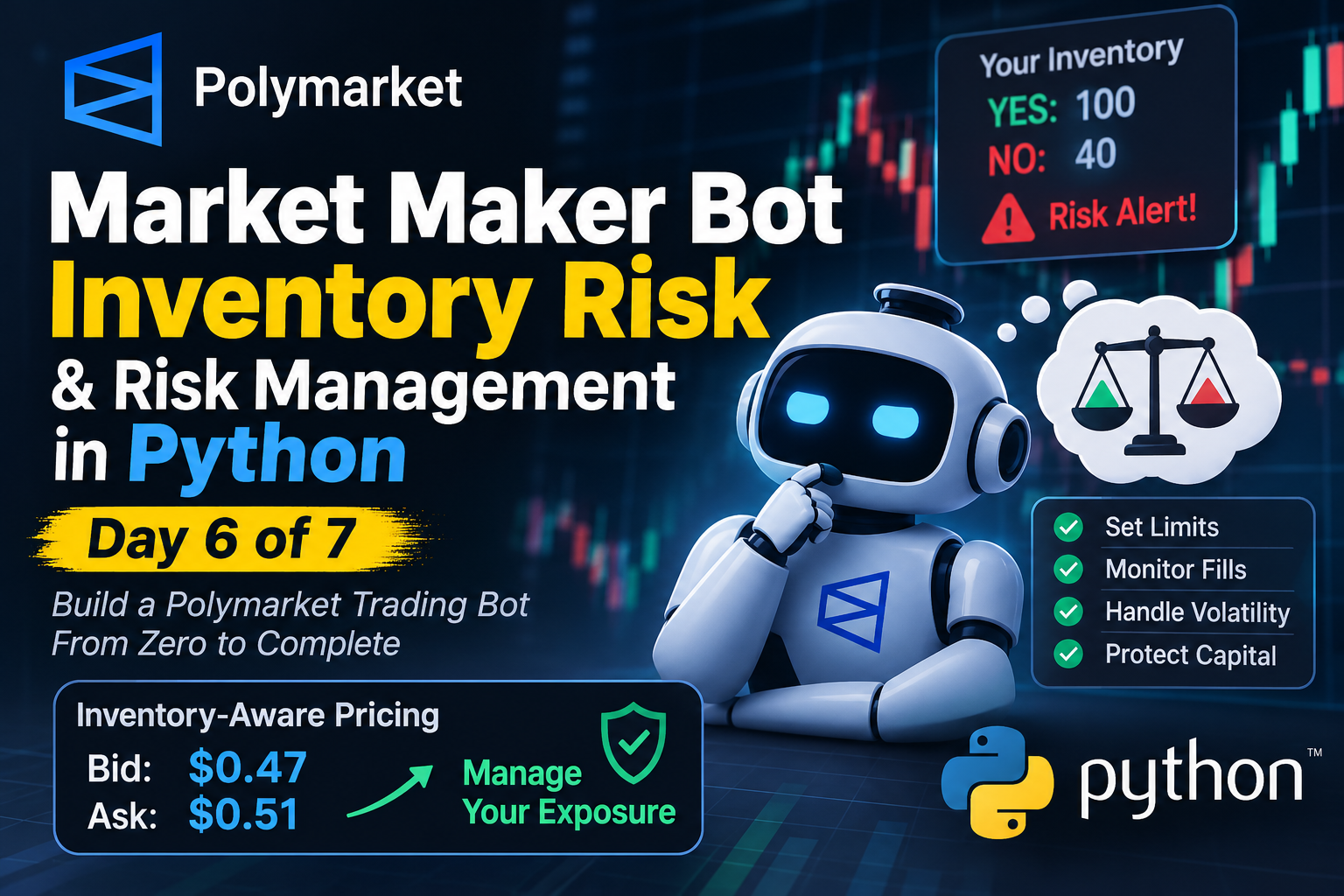
Building a Polymarket Market Maker Bot in Python: Inventory Risk, Adverse Selection & Risk Management Day 6 of 7 — Building a Polymarket Market Maker Bot From Zero to Complete In Day 4, we learned how to calculate bid and ask prices. In Day 5, we explored order management, partial fills, cancellations, and uncertain API responses. !Polymarket Trading Bot Today, we're going to tackle another critical challenge in automated market making: How do you protect your trading bot when it accumulates tokens and the market moves against its position? Imagine your Polymarket bot purchases 100 YES tokens at $0.48 each. Your strategy expects to earn money by selling those tokens at a higher price. But before your sell order executes, the market changes: - Your purchase price: $0.48 - New best bid: $0.42 - New best ask: $0.44 Your tokens are now worth less than what you paid. Your pricing algorithm might be working perfectly. Your API integration might be reliable. Your order manager might correctly track every transaction. Yet your strategy is still losing money. This is why professional market-making systems need more than a pricing algorithm. They need an inventory management and risk-control system. In this tutorial, we'll explore: - Inventory risk and why it matters. - Adverse selection and how it affects market makers. - How to measure trading positions and financial exposure. - Inventory-aware pricing strategies. - Implementing risk-management logic in Python. - Maximum inventory, exposure, and loss limits. - Detecting unfavorable fills. - Testing risk-management systems before live trading. By the end, you'll understand how to make your Polymarket bot aware of the risks created by its own orders. --- 1. Understanding Inventory Risk Before discussing risk management, let's understand inventory. Inventory is the collection of tokens your trading bot currently holds. In a Polymarket binary market, this usually means YES and NO tokens. Inventory risk occurs when the value or potential payout of those positions changes in a way that negatively affects your strategy. A practical example Suppose your bot purchases: - 100 YES tokens - Purchase price: $0.48 per token Your initial investment is: 100 * 0.48 = $48 Later, the YES token price falls to $0.43. Its indicative market value becomes: 100 * 0.43 = $43 Your unrealized loss is: 43 - 48 = -$5 You've lost approximately $5 in estimated position value, even though you haven't sold anything. This is called an unrealized loss. Note that this simplified calculation doesn't include fees, execution costs, or the possibility that the entire position cannot be sold at the displayed price. Why does inventory risk happen? Market makers generally place buy and sell orders around a reference price. They want to: 1. Buy tokens at a lower price. 2. Sell tokens at a higher price. 3. Earn the difference, known as the spread. However, buy and sell orders don't always execute equally. Consider this situation: Bot places BUY orders | v Buy orders execute repeatedly | v Bot accumulates YES tokens | v Sell orders remain unfilled | v Market price starts falling | v Inventory loses value The bot might have executed many successful purchases, but it now holds more inventory than intended. The important lesson: A market maker must continuously monitor its inventory, not just the number of orders it has submitted. --- 2. What Is Adverse Selection? Inventory risk describes the position your bot holds. Adverse selection describes a different problem: Your orders may be filled because another trader has information or market signals that make your quoted price unfavorable. Let's look at an example. The YES token is trading around $0.50. Your bot places a sell order at $0.51. Another trader immediately purchases your tokens. A moment later, new information enters the market, and the YES token price rises to $0.56. Your order was successfully executed, but you sold at a price that quickly became unfavorable. The opposite can happen when your buy order executes just before the market price falls. This is adverse selection. Why can other traders have an advantage? Other traders may react faster to: - Changes in the underlying cryptocurrency price. - Sudden increases in market volatility. - New information affecting the probability of an outcome. - Changes in liquidity and order-book depth. - Markets approaching their resolution time. For example, imagine your bot is trading a Polymarket BTC Up/Down market. BTC suddenly moves sharply upward. The probability of the YES outcome changes, but your bot hasn't updated its quotes yet. Your existing sell order may now be too cheap. Another trader can purchase your tokens at your outdated price before your bot has time to react. Why is this dangerous? A wide spread doesn't automatically protect your market maker. If your prices are outdated, other traders may consistently execute against your orders when those prices are unfavorable. Your apparent spread profit can be overwhelmed by: - Adverse price movements. - Trading fees. - Execution costs. - Unfavorable order fills. This is why market makers need to monitor both inventory and market conditions. --- 3. Measuring Inventory and Financial Exposure You cannot manage risk if you don't know what your bot currently owns. At a minimum, your system should track: | Data | Purpose | |---|---| | YES quantity | Current YES token position | | NO quantity | Current NO token position | | Average cost | Average acquisition price | | Current reference price | Estimated current token value | | Open buy orders | Potential additional inventory | | Open sell orders | Potential inventory reduction | | Available funds | Remaining buying capacity | | Potential exposure | Risk if outstanding orders execute | Let's use an example. Your bot currently holds: | Position | Quantity | Average Cost | |---|---:|---:| | YES | 100 | $0.48 | | NO | 40 | $0.46 | The total acquisition cost is: yes_cost = 100 * 0.48 no_cost = 40 * 0.46 total_cost = yes_cost + no_cost print(total_cost) # 66.40 Your bot spent $66.40 acquiring these positions. However, acquisition cost alone doesn't tell you the current financial risk. You also need to understand the current market prices and what the tokens represent. For standard binary markets, a winning token generally pays $1 at resolution, while a losing token pays $0, subject to the specific market's resolution rules. Before resolution, token prices change as market expectations and trading conditions change. It's important to distinguish five different measurements: 1. Cost Basis The amount originally paid to acquire the position. 2. Mark-to-Market Value The estimated current value of the position using a selected market price. 3. Realized P&L Profit or loss from completed transactions. 4. Unrealized P&L Estimated profit or loss on positions that are still open. 5. Resolution Value The final payout determined by the market's resolution rules. These measurements answer different questions. A reliable trading system should not treat them as interchangeable. --- 4. Tracking YES and NO Inventory Separately One simple way to measure inventory imbalance is to calculate the difference between YES and NO token quantities. Formula: inventory = yes_quantity - no_quantity Mathematically: [ I = Q_{YES} - Q_{NO} ] Where: - (Q_{YES}): Number of YES tokens held. - (Q_{NO}): Number of NO tokens held. - (I): Net token-count difference. Example: yes_quantity = 100 no_quantity = 40 inventory = yes_quantity - no_quantity print(inventory) # 60 Your bot holds 60 more YES tokens than NO tokens. This metric is useful for identifying an imbalance. However, net token quantity is not the same as financial exposure. Why? Because YES and NO tokens can have different market prices. Their payout characteristics also depend on the specific market. Furthermore, outstanding orders can change your position even before they execute. For better risk management, track: 1. Net token inventory. 2. Monetary exposure. 3. Outstanding order exposure. 4. Individual YES and NO position limits. 5. Total portfolio exposure. A balanced YES/NO token count does not automatically eliminate every type of financial risk. --- 5. Implementing Inventory-Aware Pricing Now let's connect inventory management with the pricing algorithm we built in Day 4. A basic market maker calculates its prices using: [ Bid = Midpoint - HalfSpread ] [ Ask = Midpoint + HalfSpread ] Suppose: Midpoint: $0.50 Half-spread: $0.02 The bot generates: Bid: $0.48 Ask: $0.52 This is a reasonable starting point. But what happens if your bot already holds 500 YES tokens? Should it continue buying at the same price? Probably not. It should become less aggressive about accumulating additional inventory. This is where inventory-aware pricing becomes useful. The inventory-skew formula A simplified inventory-adjusted reference price is: [ P_{adjusted} = P_{mid} - kI ] Where: - (P_{mid}): Original reference midpoint. - (I): Inventory deviation from the target. - (k): Inventory-skew coefficient. When inventory exceeds its target, the adjusted reference price decreases. This makes buying less aggressive and selling more attractive. When inventory is below its target, the adjusted reference price can increase, encouraging the bot to rebuild its position. Practical example Assume: Midpoint: $0.50 Half-spread: $0.02 Inventory deviation: 100 tokens Inventory-skew coefficient: 0.0001 Calculate the adjusted midpoint: [ P_{adjusted} = 0.50 - (100 \times 0.0001) ] [ P_{adjusted} = 0.49 ] Now calculate the new quotes: [ Bid = 0.49 - 0.02 = 0.47 ] [ Ask = 0.49 + 0.02 = 0.51 ] Compare the results: | Quote | Original | Inventory Adjusted | |---|---:|---:| | Bid | $0.48 | $0.47 | | Ask | $0.52 | $0.51 | The bot now offers a lower buying price and a lower selling price. This discourages additional buying while making it easier to sell existing inventory. The coefficient is illustrative. It must be calibrated to the market, trading costs, inventory limits, and strategy. Also, inventory should be measured against a target position, not necessarily zero. Some strategies intentionally maintain a nonzero position. --- 6. Writing Inventory-Aware Pricing Logic in Python Let's implement this concept. We'll use Python's Decimal instead of ordinary floating-point numbers. Financial calculations can suffer from floating-point rounding errors, so Decimal is useful when working with prices and quantities. from decimal import Decimal def calculate_inventory_aware_quotes( midpoint: Decimal, half_spread: Decimal, inventory: Decimal, inventory_target: Decimal = Decimal("0"), skew_per_token: Decimal = Decimal("0.0001"), ): if not Decimal("0") < midpoint < Decimal("1"): raise ValueError("Midpoint must be between 0 and 1") if half_spread <= 0: raise ValueError("Half-spread must be positive") if skew_per_token < 0: raise ValueError("Skew must not be negative") inventory_deviation = inventory - inventory_target adjusted_midpoint = ( midpoint - inventory_deviation * skew_per_token ) bid = adjusted_midpoint - half_spread ask = adjusted_midpoint + half_spread # Illustrative binary-token price bounds. bid = max(Decimal("0.01"), min(bid, Decimal("0.99"))) ask = max(Decimal("0.01"), min(ask, Decimal("0.99"))) if bid >= ask: raise ValueError("Invalid quotes: bid must be below ask") return { "bid": bid, "ask": ask, "inventory_deviation": inventory_deviation, "adjusted_midpoint": adjusted_midpoint, } quotes = calculate_inventory_aware_quotes( midpoint=Decimal("0.50"), half_spread=Decimal("0.02"), inventory=Decimal("100"), inventory_target=Decimal("0"), skew_per_token=Decimal("0.0001"), ) print(quotes) Understanding the results Try changing the inventory value: | Inventory | Expected behavior | |---|---| | 0 | No inventory adjustment | | 100 | Lower adjusted midpoint | | -100 | Higher adjusted midpoint | | Very large positive or negative value | Candidate prices may become invalid | One important detail: the example clamps prices to an illustrative range, but this doesn't guarantee valid quotes. A production implementation must also validate: - Actual market tick size. - Minimum and maximum allowed prices. - Bid/ask relationship. - Market-specific order rules. - Inventory and exposure limits. The function only calculates candidate quotes. It does not submit orders or guarantee profitability. --- 7. Why Inventory Skew Is Not Enough Inventory-aware pricing is useful, but it cannot solve every risk problem. Imagine your bot holds 500 YES tokens. Suddenly, the market becomes extremely volatile. Your inventory-skew formula adjusts the bid and ask prices. However, the market may still be moving too quickly for those prices to be safe. This is why professional trading systems need additional risk controls. A. Maximum Inventory Limit Define the maximum number of tokens your bot is allowed to hold. For example: MAX_YES_INVENTORY = 200 If your bot reaches 200 YES tokens, it should stop increasing its YES position. Possible actions include: - Canceling or reducing open buy orders. - Blocking new exposure-increasing orders. - Allowing permitted inventory-reducing actions. B. Maximum Outstanding Exposure An order doesn't need to execute to create potential risk. Suppose: Current YES inventory: 150 Open YES buy orders: 100 Maximum inventory: 200 Your potential inventory is: potential_inventory = 150 + 100 print(potential_inventory) # 250 Even though the bot currently owns only 150 tokens, it could own 250 if all open buy orders execute. That exceeds the configured limit. A simplified calculation is: [ Q_{potential} = Q_{held} + Q_{open\ buys} ] A production risk manager must also account for: - Partial fills. - Pending cancellations. - Multiple outstanding orders. - Orders that reduce exposure. - Orders whose execution state is uncertain. C. Maximum Loss Limit Define the maximum acceptable loss for: - An individual market. - The entire strategy. - A trading session. For example: MAX_SESSION_LOSS = Decimal("50.00") When the configured loss threshold is reached, the bot can stop submitting new orders and enter a controlled risk-reduction mode. The calculation should distinguish realized and unrealized P&L and include relevant fees and costs. Define the policy before trading rather than changing it whenever the market becomes uncomfortable. D. Stale Market Data Detection Imagine your bot stops receiving market updates. Its last known midpoint is $0.50, but the actual market has already moved to $0.42. If the bot continues quoting around $0.50, it may create extremely unfavorable orders. A stale-data rule should prevent new pricing decisions from using outdated information. Depending on the system design, the bot may also need to cancel resting orders. E. Market and Resolution Risk A market approaching resolution can behave differently from one with plenty of time remaining. For example, in a short-interval BTC Up/Down market, a sharp BTC movement can rapidly change the probability of the outcome. Your bot should consider: - Time remaining until resolution. - Current market conditions. - Volatility. - Reliability of reference data. - Potential price changes before an order executes. The same quoting parameters are not necessarily appropriate throughout every stage of a market. --- 8. Detecting Adverse Selection After Order Fills How can you determine whether your bot is repeatedly getting unfavorable fills? One useful approach is to compare the reference price at the time of a fill with the reference price after the fill. Let's consider a BUY transaction. Purchase price: $0.48 Reference price at fill: $0.49 Reference price 5s later: $0.45 The reference price decreased by $0.04. This is a warning sign that the buy order may have been adversely selected. Calculate post-fill price movement For a buy: [ \Delta P = P_{after} - P_{at\ fill} ] Using our example: [ \Delta P = 0.45 - 0.49 ] [ \Delta P = -0.04 ] A negative value means the reference price decreased after the purchase. For a sell, an increase in the reference price after the fill can be unfavorable because the bot sold before the market moved higher. What should your bot record? For every executed order, store: | Field | Description | |---|---| | Market ID | Which market was traded | | Token ID | Which token was traded | | Side | BUY or SELL | | Fill price | Actual execution price | | Fill quantity | Number of executed tokens | | Reference price | Price at the time of execution | | Post-fill price | Price after a selected interval | | Inventory before | Position before execution | | Inventory after | Position after execution | | Fees | Associated trading costs | You can then measure post-fill price movement over different periods: - 1 second. - 5 seconds. - 30 seconds. The appropriate time intervals depend on your market and strategy. This analysis helps answer important questions: - Are buy orders frequently filled before prices fall? - Are sell orders frequently filled before prices rise? - Does adverse selection become worse during volatile periods? - Are certain order sizes associated with worse outcomes? Remember that reference-price movement is not the same as realized profit or loss. You need consistent reference prices, observation windows, and enough historical observations before changing your strategy. --- 9. Building a Risk-Control Decision Process A reliable market maker needs explicit rules for when it should continue quoting, reduce exposure, or stop placing orders. Here is a simplified decision process: Receive Market Update | v Is Market Data Fresh? | +-----+-----+ | | No Yes | | v v Pause or Check Inventory, Cancel as Exposure and Needed Loss Limits | v Are Limits Safe? | +-----+-----+ | | No Yes | | v v Reduce Risk Calculate or Pause Adjusted Quotes | v Validate Orders | v Manage Orders The appropriate response depends on the specific risk condition. For example: | Risk condition | Possible response | |---|---| | Inventory too high | Reduce buying pressure | | Outstanding exposure too high | Block additional exposure | | Market data stale | Pause new quoting | | Uncertain order state | Reconcile orders before submitting more | | Loss threshold reached | Activate predefined risk policy | One important point: canceling every order is not always the safest response. A cancellation can race with an execution. A risk-reducing order might also be canceled unnecessarily. Your system should define how to respond to each risk condition instead of relying on a single emergency action. --- 10. Testing Risk Management Before Live Trading Never wait for a real trading loss to discover that your inventory calculations are incorrect. Your risk-management system should be tested against specific scenarios. Here is a practical test checklist: | Test Scenario | Expected Behavior | |---|---| | Inventory is zero | Quotes use the original reference price | | Inventory exceeds target | Quotes discourage additional accumulation | | Inventory falls below target | Quotes shift in the opposite direction | | Maximum inventory reached | New exposure-increasing orders are blocked | | Open buy orders could exceed the limit | Additional buying is restricted | | Market data becomes stale | New quoting pauses | | Partial fill arrives | Inventory and remaining quantity are updated | | Duplicate trade event arrives | Inventory is not counted twice | | Cancellation is pending | Potential exposure remains accounted for | | Maximum loss reached | Configured risk response activates | | Candidate prices are invalid | Orders are rejected before submission | You should also test situations where several problems happen simultaneously. For example: Current inventory is near its maximum + Market price is changing rapidly + Cancellation request times out | v Risk Manager Activated | v Reconcile Actual Order State | v Recalculate Potential Exposure | v Apply Configured Risk Policy This is especially important because trading systems often experience multiple events at nearly the same time. A reliable risk manager must avoid making an uncertain situation worse by blindly submitting additional orders. The goal isn't to build a bot that never loses money. That's impossible to guarantee. The goal is to build a bot that understands its exposure, respects its limits, and responds predictably when something goes wrong. --- Conclusion: Risk Management Is Part of the Trading Strategy Inventory risk and adverse selection are two of the most important challenges in automated market making. Your bot can calculate reasonable bid and ask prices and correctly manage every API request, but it can still lose money if it accumulates an unwanted position or repeatedly gets filled at unfavorable prices. Let's summarize the most important lessons from Day 6: 1. Track inventory continuously. Know what your bot owns and what outstanding orders could add to its position. 2. Use inventory-aware pricing. Adjust quotes when the current position moves away from its target. 3. Measure adverse selection. Analyze how reference prices move after order execution. 4. Implement explicit risk limits. Monitor inventory, outstanding exposure, market-data freshness, and losses. 5. Stop quoting when critical information is unreliable. Never let your bot trade blindly using outdated data. 6. Test failure scenarios. Make sure your risk controls work when fills, cancellations, and market movements happen together. Remember: inventory skew and risk limits help control exposure, but they do not guarantee profitability. Market making remains exposed to volatility, fees, execution costs, and unfavorable fills. --- What's Next? Day 7 — Testing, Monitoring and Deployment We've now covered market data, pricing, order management, inventory risk, and risk controls. In the final article, we'll bring the project together. We'll explore: - Testing the complete trading bot. - Measuring market-making performance. - Monitoring live trading operations. - Handling failures and unexpected behavior. - Preparing a safer deployment workflow. - Evaluating whether the strategy is actually profitable. The final goal is to move from a collection of trading components to a complete, testable market-making system. Continue the Project - GitHub Repository: Benj4minCup/Polymarket-Trading-Bot-python - YouTube Tutorial: youtube.com - Telegram: telegram.me Follow the series to learn how to build a Polymarket trading bot step by step, from market data and quote calculation to order management and risk control.
破案了,是我今天自己写的这个工具没带 session id 导致缓存命中从 90% 降到了 5% 😂,代码是 claude opus 5.5 写的,我琢磨着它是想让我吃完 codex 流量转投他家。 ximatai/codexone
GitHub(日本語README・サンプルワークフローあり) treeturtlefall-arch/rec-frame-ComfyUI ComfyUI-Managerからも導入可能。 Redditでの紹介・作例はこちら reddit.com
@HermanKnevel Here is the outbound team : romangojiberryAI/gojiberryai-sales-os Try gojiberry.ai free for 7 days and get your API key Get your personalised GTM report here: salesteam.gojiberry.ai
Skrash — Scratch on steroids! 😸 Salut tout le monde ! 👋 Je vous présente Skrash, mon projet expérimental qui permet d'exécuter nativement des projets Scratch 3.0 tout en fournissant une API Python pour étendre leurs fonctionnalités. 🚀 Que permet de faire Skrash ? Skrash permet aux développeurs de : - Charger et exécuter des projets Scratch 3.0 existants (fichiers .sb3). - Accéder aux sprites et à leurs propriétés par programmation. - Interagir avec les variables et les éléments du projet via Python. - Contrôler l'exécution du projet depuis Python. - Étendre les projets Scratch avec une logique Python personnalisée. - À terme, intégrer des fonctionnalités avancées telles que l'IA, la recherche de chemin et d'autres capacités offertes par Python. L'objectif est d'apporter la flexibilité de Python à l'écosystème Scratch sans abandonner son modèle de programmation visuelle. 🐍 Exemple Python import skrash project = skrash.load("game.sb3") player = project.sprites["Player"] @skrash.when_green_flag_clicked def on_start(): player.show() player.x = 0 player.y = 0 project.run() Un exemple illustratif de l'API Python (le chargement de base et le contrôle d'exécution sont déjà fonctionnels). 🔧 Et ensuite ? Il reste encore du travail sur la compatibilité avec les blocs Scratch, les blocs personnalisés (Mes blocs), le mode Warp et d'autres fonctionnalités d'exécution. Skrash est encore expérimental et il reste beaucoup à implémenter. J'aimerais beaucoup avoir vos commentaires, suggestions et idées de personnes intéressées par les environnements d'exécution Scratch ou le développement de jeux. 🔗 Dépôt GitHub : raidos23/skrash Merci de votre lecture !
@AkbarLalani Here is the outbound team : romangojiberryAI/gojiberryai-sales-os Try gojiberry.ai free for 7 days and get your API key Get your personalised GTM report here: salesteam.gojiberry.ai
很多 Agent 浏览器还在一轮一轮点工具。 @ego_agent 反过来:脚本直接在本机 Ego Lite 里跑——点、填、抓页面连着做,继承你已登录的 cookie,任务在独立的 Agent Space,不抢你标签页,人和 Agent 互不影响 我开源了几个技能挂在这条链上:terryso/ego-skills Pinterest / IG Saved / 微信视频号发布,有兴趣可以拿来玩玩,成功率和效率比用普通 Chrome 浏览器高多了。 我之前发微信视频号一直搞不定的封面上传问题,用 ego lite 一次就能搞定。
Mangayomi: An open-source Flutter app for reading manga, novels, and watching animes across multiple platforms (4.3k stars) What it does All text below is quoted directly from the project README. >Free and open source application for reading manga, novels, and watching animes available on Android, iOS, macOS, Linux and Windows Features: - Reading manga, webtoons, comics, novels, animes, movies, and more. - Local reading of content. - A configurable reader with multiple viewers, reading directions and other settings. - Tracker support for anime and manga: MyAnimeList, AniList, SIMKL, trakt and Kitsu support. - Categories to organize your library. - Light and dark themes. - Create backups locally to read offline or to your desired cloud service. >Get the app from our releases page. Repository kodjodevf/mangayomi Repository stats |Metric|Value| |:-|:-| |Stars|4,276| |Forks|178| |Last release|v0.9.9 (2026-10-12)| |Languages|Dart 92.2%, Rust 5.2%, C++ 1.1%| |Contributors|37| |AI contributor accounts (Claude / Codex / Cursor / Copilot)|@claude (76 commits), @Copilot (4 commits), @Copilot (1 commits)| |AI co-authored commits|Claude: 77, Copilot: 5| Main contributor |Field|Value| |:-|:-| |Name|Moustapha Kodjo Amadou| |GitHub|@kodjodevf| |Commits to this repo|1,380 (top contributor)| |Bio|Flutter developer, Otaku, Gamer| |Company / Location|Niamey,Niger| |Followers|233| ────────────────────────────── 📌 If you want to browse more repos like this, we've organized them by category and rankings here: bestgithubrepositories.com 🗂️ We're also archiving repos where possible, so useful projects don't disappear when they're removed from GitHub.
@raj_raj88 Here is the outbound team : romangojiberryAI/gojiberryai-sales-os Try gojiberry.ai free for 7 days and get your API key Get your personalised GTM report here: salesteam.gojiberry.ai
🎮 体验 Demo:cfbed.1314883.xyz (访问码:cfbed) 📖 官方文档:cfbed.sanyue.de 🔗 开源地址:MarSeventh/CloudFlare-ImgBed
Postgres 14 end of life: what it means for your business, and what to ask your developer If your app runs on Postgres 14, yes, you need to upgrade, and soon. Postgres is the database many web apps keep their customers, orders, and accounts in, and version 14 stops getting security fixes on November 12, 2026. The upgrade is safe when it's done in the right order, and risky when it isn't. Here's what a failed upgrade looked like for a client of mine. Their database was upgraded, came back empty, and the app couldn't connect. They were down for a few hours. My own upgrade, on a database I run myself, went the other way: under a minute of downtime. It still stopped twice, once on a settings mismatch and once because the app couldn't connect afterward. This guide is for founders and owners whose developer or agency runs their database. You'll learn whether this affects you, what's at stake, your options, and the questions that tell you your developer has it covered. > Key takeaways > > - Postgres 14 gets its last fixes on November 12, 2026. After that, new security problems in 14 stay unfixed. > - A safe upgrade starts with a backup that someone has restored on purpose, with the time it took written down. > - "Just change the version" is the risky way. If your database runs in Docker (a tool that packages it to run on a server), Postgres 18 moved where the data lives. A quick version swap can refuse to start or come up empty. > - The fastest method can keep downtime to seconds or minutes, but it has no undo once the new version starts. Your restored backup is the undo. > - Postgres 19 is planned for October 29, 2026 (as of October 2026). Don't put your live app on it on day one. Table of contents - [Does this affect you?](#does-this-affect-you) - [What's at stake](#whats-at-stake) - [Why upgrades go wrong](#why-upgrades-go-wrong) - [Your options](#your-options) - [What to ask your developer](#what-to-ask-your-developer) - [How to tell it's done](#how-to-tell-its-done) - [When this doesn't apply to you](#when-this-doesnt-apply-to-you) - [Upgrade before November, with proof](#upgrade-before-november-with-proof) - [Sources](#sources) Does this affect you? Ask your developer these four questions. Each takes a minute to answer. - Is our database Postgres, and which version? Version 14 is the urgent one. Version 13 stopped getting fixes in November 2025, and older versions before that, so they're overdue. Version 15 has until November 2027. - Does it run in Docker? If yes, the version 18 change below applies to you. - Is it on a tool like Dokploy or Coolify? These are tools your developer uses to run apps on a server you rent. Dokploy needs one extra decision before the next upgrade. - When was our backup last restored as a test? If the answer is "never," start there. If you're on 14 or 15 and nobody has restored a backup, this is your next database job. What's at stake There are two risks: staying on an old version, and a botched upgrade. Staying on 14. As of October 2026, the Postgres project's security page lists 38 security problems fixed in version 14 across its last four quarterly releases. Twenty-four of them scored 7.0 or more out of 10 on the standard severity scale. After November 12, problems like those stop getting fixed in 14 at all (PostgreSQL versioning policy). How likely is an attack? Most of those 38 (28 of them) need someone who can already log in to the database, and none is on CISA's list of flaws known to be used in attacks (as of October 2026). So none of these is known to be under attack. The bigger risk is that every problem found after November 12 stays open. A botched upgrade. My client's few hours looked like this: the app was down, and the database looked empty. What would a few hours of your app being down cost you? The worse version is a backup that doesn't work when you need it. In January 2017, GitLab's backups had been failing quietly. Its public write-up of the outage says it lost over six hours of database changes, affecting roughly 5,000 projects, 5,000 comments, and 700 new user accounts. How likely is the bad version? The research for this guide found no reliable published failure rate for database upgrades, only small, old community polls (as of October 2026). What the documented failures have in common is a skipped step: a backup nobody tested, or a version swap without moving the data. Why upgrades go wrong Postgres 18's official Docker setup moved where the data lives on the server. Think of a warehouse that changed which shelf it keeps your stock on. If your developer only changes the version number, the new database looks on the new shelf and finds nothing. On current versions it then refuses to start, which is the safe outcome. On some older setups it started fresh and empty instead. The analogy stops there: your data isn't gone in that case, it's on the old shelf, as long as nobody "fixes" things by starting over. Two more things trip people up, and they're the two stops in my own upgrade. Version 18 turns on a data safety feature by default that older databases usually don't have, so the upgrade stops with an error until your developer matches the setting. And the upgraded database starts with fresh access rules, which is why my app couldn't connect. Both are routine to fix when someone expects them. Your developer can find the full walkthrough in the developer version of this guide. Your options | Option | What it costs | Risk left | Who it suits | |---|---|---|---| | Do nothing | Nothing now | No security fixes for 14 after November 12, 2026 | Nobody past November | | Copy and reload (dump and restore) | Downtime while everything is copied out and back in. My test restore alone took 10 minutes (the database was a couple hundred MB) | Low: the old database stays untouched as your way back | Most small and medium apps | | Fast upgrade on the same server (pg_upgrade) | Seconds to minutes of downtime, plus one-time preparation | In its fastest mode, no undo once the new version starts, except your restored backup | Bigger databases, or apps that can't be down for long | | Move to a hosted database (a company runs it for you) | A monthly bill and a one-time move | As of October 2026, some providers (Amazon RDS, Supabase) run the upgrade for you; others, like Neon, leave it to you. You still schedule it and test it | Teams with nobody to own the database | How big is the speed gap? In one published test from 2015, on older versions, copying and reloading 8.5 GB took 1,927 seconds, about 32 minutes. The fast method's quickest mode took about 13 seconds at every size tested (End Point). For a small database, copy and reload is usually fast enough, and it's simpler. My own pick for a live database is pg_upgrade, the fast method, because it's faster on big ones. On a small database, copy and reload is simpler and fast enough. A practice run on a copy shows which one you have. When a client asks me whether to upgrade, I say yes, before support ends. But only after a backup has been restored as a test, and in a quiet hour we've scheduled. What to ask your developer Three answers would worry me before any database upgrade: "we'll just change the version," "we have backups" from someone who has never restored one, and "it's managed, not our problem." These questions get past all three. 1. "Which version are we on, and when does it stop getting security fixes?" A good answer is a number and a date: for 14, November 12, 2026. 2. "When did you last restore our backup, and how long did it take?" A good answer is a date and a duration. "We have backups" isn't an answer until one has been restored. 3. "Which upgrade method will you use, and how long will the app be down?" A good answer names the method and gives a downtime number from a practice run on a copy. 4. "If it goes wrong halfway, how do we get back?" A good answer is either "the old database stays untouched until we've checked," or "we restore the backup, and that takes about X minutes." 5. "After the upgrade, how will you check the app connects and all the data is there?" A good answer mentions logging in to the app, checking key records, and reading the whole database once without errors. 6. If you're on Dokploy: "Is our database set up so the next upgrade can be the fast kind?" Dokploy's default setup for Postgres 18 (as of October 2026) blocks the fastest kind of upgrade to 19. A good answer is a plan: a copy and reload, or a one-time storage change first. 7. "Will we move to 19 on release day?" A good answer is "no, we'll wait for the first fixes." Version 18's early months needed fixes, including one that some early adopters had to apply by hand (18.3 release notes). If you hear "it's managed, not our problem," ask who tests the backup. Someone still has to. How to tell it's done Ask for proof, not a promise: - The new version number, shown by the database itself. - The restore test: the date, how long it took, and what was checked afterward. - The downtime: when the app went down and when it came back. - A check after the upgrade: logins work, recent orders or records are there, and the app's logs show no connection errors. When this doesn't apply to you - You're already on 16, 17 or 18, with a tested backup. You have time. Plan 19 for after its first fixes. - Your database isn't Postgres. The deadline here is Postgres's. Ask your developer when your database's support ends. - A hosting company runs your database. Ask whether it runs the upgrade or leaves it to you, when, and whether you can test first. Upgrade before November, with proof My client was down for a few hours. My own upgrade had the database down for under a minute. Both ended with an app that couldn't connect at first. That's what questions 2, 4 and 5 are for. Here's the decision. On 14, schedule the upgrade before November 12, 2026. On 15, you have until November 2027, and the same steps apply. Either way, start with a restored backup. Your next step is one message to your developer with questions 1 and 2, and a link to the developer version of this guide for them. A backup you've never restored isn't a backup. It's a file you feel good about. Sources 1. Versioning policy, PostgreSQL, accessed 2026-10-08. 2. PostgreSQL security information, PostgreSQL, accessed 2026-10-08. 3. Postmortem of database outage of January 31, GitLab, 2017, accessed 2026-10-08. 4. How fast is pg_upgrade anyway?, Greg Sabino Mullane, End Point, 2015, accessed 2026-10-08. 5. PostgreSQL 18.3 release notes, PostgreSQL, accessed 2026-10-08. 6. pg_upgrade, PostgreSQL 18 documentation, accessed 2026-10-08. 7. PostgreSQL 19 Open Items, PostgreSQL wiki, accessed 2026-10-09. 8. Dokploy pull request #5005, Dokploy, accessed 2026-10-08. 9. Known Exploited Vulnerabilities catalog, CISA, catalog version 2026.10.04, accessed 2026-10-08.
Oh happy days! Nimble Commander (my favourite macOS dual-pane file manager, or OFM, also open source!) has just released v1.9.0 github.com/mikekazakov/nimble-commander/releases/… #macOS #OpenSource
@FiachraRM I solve this by offloading my agents on other laptops and desktops at home and I sandbox them via useshards.com so they have very strict egress rules & secrets are brokered. I also connect them all via presmihaylov/openchatter so they all talk to one another I use my @bot to herd the rest of my agents running on my laptop, mac mini, old macbook and a windows pc
Want to build your own? Start here 👇 🌐 Website: spatius.ai 📖 Documentation: docs.spatius.ai AvatarKit demos → spatius-ai/spatius-avatar-demo Give your AI agent a face. 🚀